
On this page
How to claim your free Start Menu 8 PRO license

Start Menu 8 PRO
Better solution for Windows 8 & Windows 10 start menu!
- Product
- Start Menu 8 PRO
- Product website
- iobit.com
- License
- 3-Month
- Platform
- Windows 10/8/7/Vista/XP
- Updates
- No future upgrades
- Support
- No support
Continue on iobit.com
The publisher handles registration and license delivery on its official website.
The free license is no longer available.
Start Menu 8 PRO Coupon Codes & Deals

IObit Surprise Pack - 94% OFF with Free Gifts
Limited-time special offer! 6 Items Included: Includes Smart Defrag PRO (1 year, 3PCs) IObit Software Updater PRO (1 year/ 3 PCs) IObit Uninstaller PRO (1 year/ 3 PCs) Advanced SystemCare PRO (1 year/ 3 PCs) Driver Booster PRO (1 year/ 3 PCs) IObit Malware Fighter PRO (1 year/ 3 PCs)
Start Menu 8 PRO
3 plans · best save 45%
📄 Licensing & Support Details
- Support: Fast and responsive customer support from the IObit team
- Guarantee: 60-Day Money Back Guarantee
📝 How to apply
- Simply click “Copy Code” above to claim this offer.
- The discount applies automatically, bringing you right to the checkout page with your savings locked in.
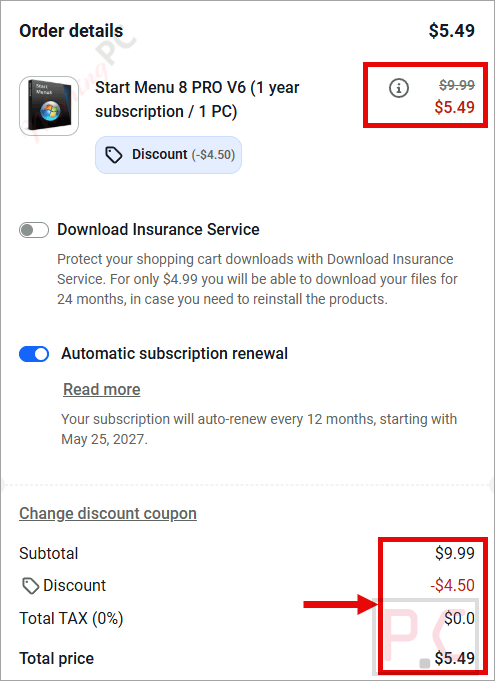
Is this Start Menu 8 PRO giveaway safe to use?
Yes. This is a legitimate, authorized giveaway from IObit, an established Windows software publisher. Here is what makes it safe:
No crack or keygen
You install the official IObit build and activate it with a genuine publisher-issued key. Nothing is patched, repackaged, or modified.
Official authorized source
The giveaway runs through IObit’s own publisher platform. WinningPC links directly to that page, not a third-party key reseller.
Secure checkout for paid plans
If you choose to buy instead of claiming the free key, payment is handled on IObit’s encrypted store. Your card details never touch WinningPC.
60-day money-back on paid licenses
The giveaway key is free, so there is no financial risk either way. Paid plans are fully refundable within 60 days.
How to Get Start Menu 8 PRO License Key for Free?
- Click the Download button on this page to get the official Start Menu 8 PRO installer from IObit’s giveaway page.
- Run the installer and follow the on-screen prompts to complete setup on your Windows PC.
- Open Start Menu 8 PRO, then click the Manage License button inside the app.
- If an existing license is showing, select the option to refresh or replace it with a new key.
- Enter the license key listed on this page and click Activate.
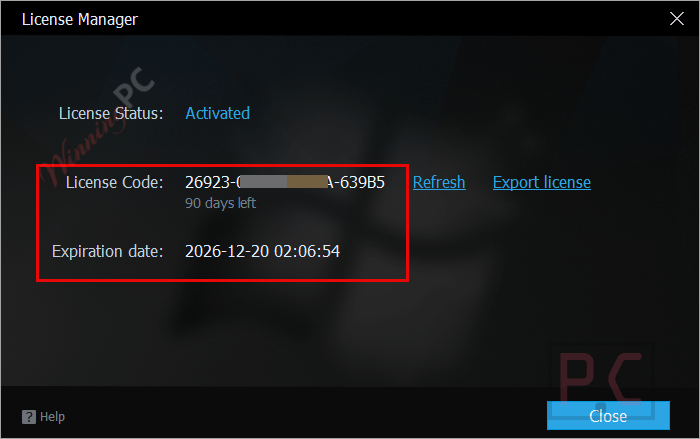
- Done. Your 3-Month Start Menu 8 PRO license is now active at no cost.

Start Menu 8 PRO: In-Depth Review & Features
Start Menu 8 PRO does exactly what it says, which is both its appeal and its limit. Install it on Windows 8 or 10 and the familiar Windows 7 start button comes right back: a sorted program list, quick-access folders, and a search bar that IObit claims runs 20% faster than the default Windows search. For anyone juggling a lot of programs or digging through files every day, that speed difference adds up.

The honest caveat is timing. Windows 11 is now the mainstream version for most users, and IObit’s product page currently lists Windows 10 as the latest supported OS. If you have already moved to Windows 11, verify compatibility before claiming the key. Beyond that, the tool’s use case is narrower than it was a few years ago, since Windows 10’s own start menu gradually became more familiar to most people. Where it still earns its keep: older hardware running Windows 7 or 8, and users who specifically want the classic layout without digging through Windows settings.
Key features
- Customizable Start Interface: Modifies the system default to recreate the Win7 style menu structure.
- Accelerated Search Engine: Speeds up file lookups by 20% compared to standard system searches.
- Precision Results: Delivers accurate search findings to eliminate repetitive keyword typing for the same files.
- Icon Personalization: Lets you freely swap and set unique start button icons at will.
- Distraction-Free Environment: Blocks all advertisements completely to maintain a 100% clean desktop.
- App Management: Provides a straightforward way to organize both traditional desktop software and modern applications.
pros & cons
more Start Menu 8 PRO screenshots


Frequently Asked Questions
What is IObit Start Menu 8?
It is a customization tool that brings back the classic Start Menu to Windows 8 and 10, providing a familiar interface for users.
What are the key features of IObit Start Menu 8?
Features include a customizable Start Menu, quick file search, personalized start icon, and a clean, ad-free interface.
Does IObit Start Menu 8 support quick file search?
Yes, it features an optimized search engine for faster and more accurate file searches.
Am I allowed to change what the start button looks like?
Absolutely. The tool allows you to easily switch and set a unique start icon at will to match your personal taste.
Can I easily switch back to the default Windows Start Menu?
Yes, you can switch between the IObit Start Menu and the default Windows Start Menu at any time.
Is there a discount available for IObit Start Menu 8?
Yes, you can use the coupon code UPS***IT45 on WinningPC to save up to 76% on your purchase.
How can I get a free license key for IObit Start Menu 8?
Visit WinningPC to join the giveaway and follow the provided instructions to activate your free 6-month license key.
System Requirements & Details
| Feature | Specifications |
|---|---|
| Language Support | 34 Languages |
| Money Back Guarantee | 60-Day |
| Operating System | Windows 10 / 8 / 8.1 / 7 / Vista / XP |
| Subscription | 1-Year |
| RAM & Storage | 11.7 MB disk space required |




who wants to rent their windows user interface? Madness!
Try “Open Shell” people completely free, just Google it.
try startisback been using it since windows 8
easy to setup and only $5
StartAllBack Lifetime licence for 5$
MUCHAS GRACIAS