Cathryn Lee
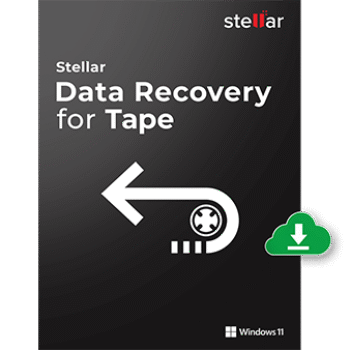
Why You Need Stellar Data Recovery for Tape
What did I like about Stellar Data Recovery for Tape? I think because it works with every LTO generation, from 1 to 9. And I’ve used it to bring back data from tapes that were damaged, corrupted, or simply inaccessible. What makes it even better is that it doesn’t matter if the backup system is old or discontinued. We’re talking Veritas, Symantec NetBackup, ARCserve, HP Data Protector, IBM TSM, BRU, and more. It handles them all.
And when it comes to file types, Stellar Data Recovery for Tape covers everything I usually deal with: databases such as SQL, Oracle, Exchange, and MySQL; office documents; Outlook files; accounting data; multimedia; VHDX; HTML; and more. One feature I appreciate is the Preview & Selective Recovery option. Essentially, it allows me to view all recoverable files in a clear, organized tree view before I actually restore them. I can select the files I want, and it preserves the original timestamps and metadata intact.
Stellar Data Recovery for Tape Discount (100% Working)
Stellar Data Recovery for Tape
25% coupon code: regular price: $599, discounted price: $449.10
Key Features and Screenshots
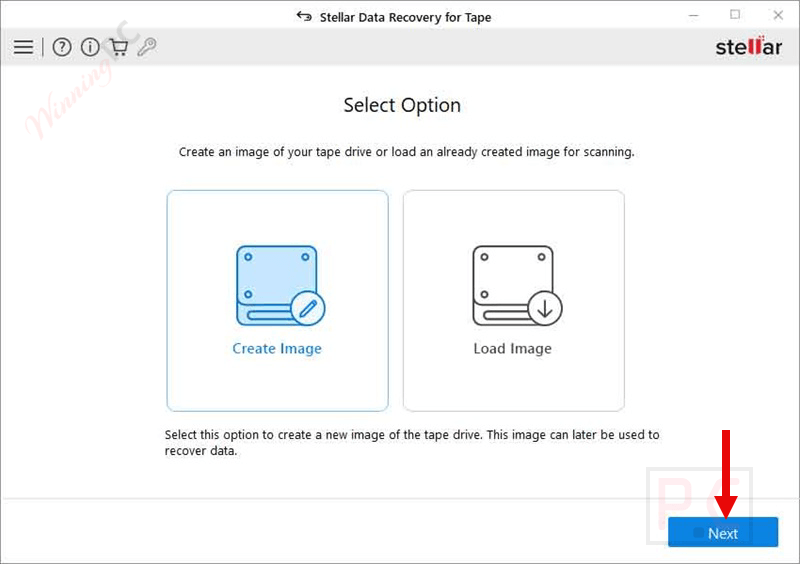
- Works seamlessly with all generations of LTO tapes, from the older LTO-1 cartridges to the latest LTO-9, to recover data regardless of the age of your storage media.
- Supports a wide range of backup formats from Veritas BKF, Symantec NetBackup, ARCserve, HP Data Protector, IBM Tivoli Storage Manager, TAR, CPIO, BRU, and even PAX archives.
- Recover every file type from business databases like SQL, MySQL, and Oracle, to Exchange mailboxes, Office documents, Outlook PST files, PDFs, photos, videos, and more.
- Works with all tape drives, including IBM, HP, Quantum, Oracle, and other models.
- All recoverable items are displayed in a tree-like structure, allowing you to preview documents, images, or emails before deciding what to restore, ensuring you recover only what you really need.
- You can create a tape image once, save it on your system, and recover data anytime later. Just load the saved .BKF file, scan, and restore; no need to rescan the physical tape.
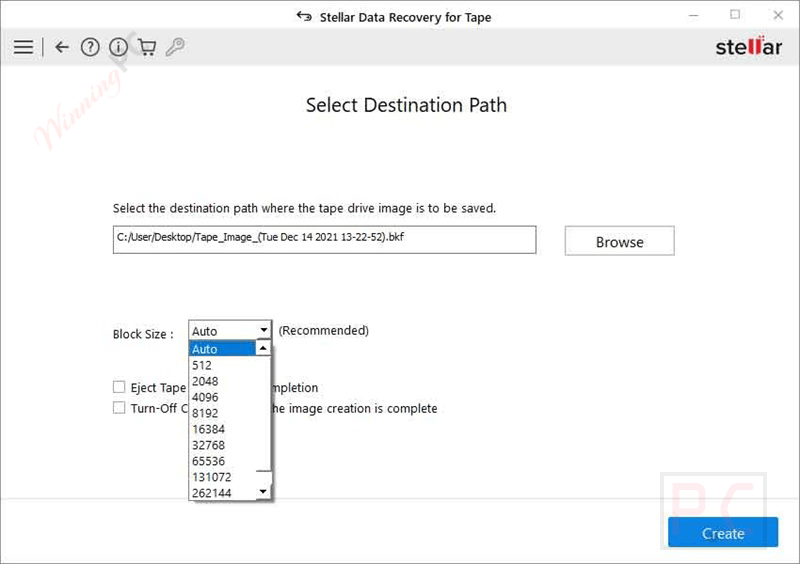
- You can set a custom block size for read/write operations or leave it on Auto. For old tapes showing wear, smaller block sizes often mean better recovery success.
- Restored files can be saved to your local drive, an external HDD or SSD, USB media, an SD card, or even directly to cloud storage, whichever fits your workflow best.
- The recovery process is kept simple: create an image of the tape, scan or load the image, then preview and save. No steep learning curve, just straightforward results.
Pros and Cons
Conclusion – Is Stellar Data Recovery for Tape Worth It?
I feel Stellar Data Recovery for Tape is an excellent choice if you’re dealing with LTO tape recovery. What I like is how the software keeps things simple with its step-by-step process, and it supports a wide range of different backup formats. It also covers nearly every LTO generation, making it extremely useful for IT teams, compliance professionals, or businesses that need to access old archives. Now, it’s not perfect; deep scans can feel a bit slow, and occasionally, it struggles with rare file types. However, if you prioritize getting the essentials back safely, this tool is definitely worth considering.
Review by Cathryn Lee – tech writer and software reviewer at WinningPC
How to Use (Step-by-Step Guide)
Step 1: Launch the software. Click on the Create Image option and select Next.
Step 2: Click Browse to select a location, choose the Block Size, and click Create.
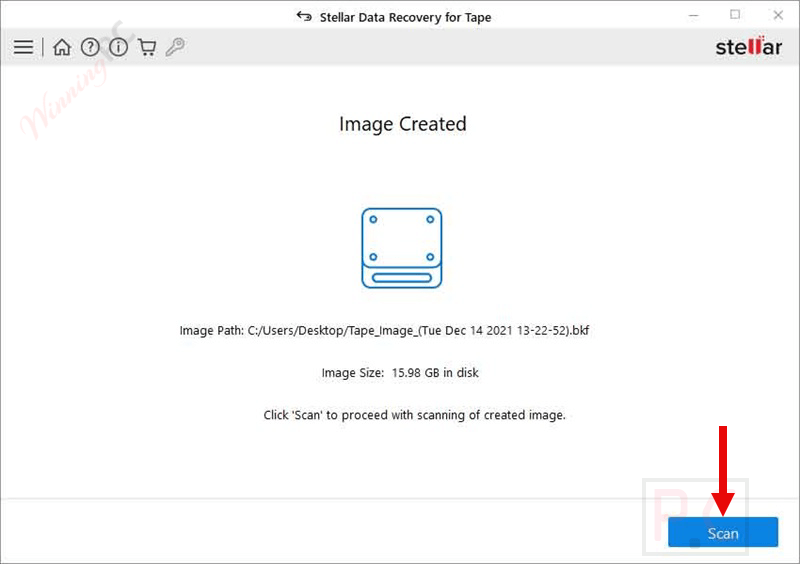
Step 3: The Image Created window appears. Click Scan to begin the tape recovery process.
Step 4: Recovered data is displayed in tabular form. Preview and save it at a desired location.
Frequently Asked Questions
What is Stellar Data Recovery for Tape used for?
It’s designed to recover data from LTO tapes, even if they’re corrupt, inaccessible, or created with outdated backup software.
Which LTO generations are supported?
The software is compatible with all LTO versions, from LTO-1 through LTO-9, ensuring complete backward compatibility.
Can it recover data without the original backup software?
Yes. It can directly read tape formats like Veritas, Symantec NetBackup, HP Data Protector, ARCserve, IBM Tivoli, TAR, CPIO, BRU, and more.
Does it support both Technician and Toolkit editions?
Yes. The Technician edition handles Veritas and BKF files, while the Toolkit edition provides full support for additional backup formats, including TSM, TAR, PAX, BRU, and ARCserve.
What types of files can be recovered?
You can restore databases (SQL, Oracle, Exchange), PST emails, documents, PDFs, photos, videos, and even virtual disk files (VHDX).
Is there a discount available?
Yes! When you buy through WinningPC, you can use the coupon code STE***R10 to save 25% on your purchase.
Why Choose WinningPC for Software Discounts?
At WinningPC, we are committed to providing 100% valid and verified coupon codes, so you can always shop with confidence.
- If you come across an invalid code or a better offer, let us know.
- Our team updates all discount information regularly to ensure accuracy.
- Official Authorization: We only share authentic discounts from trusted software developers.
- No Fake Discounts: Unlike some sites, we never use misleading deals. The final price you see is the true discounted price.
- Secure Purchases: All transactions are processed on the official vendor’s website, ensuring authenticity and data protection.
- Extra Support: If you face order or vendor issues, contact us. We’ll liaise with the vendor to help resolve your problem quickly.