
Stellar File Eraser is a data wiping tool built to permanently delete files, folders, and application traces. Using DoD-level erasure standards, the software overwrites both existing files and previously deleted data to block any recovery attempts. It works directly across multiple storage devices, including HDDs, SSDs, USB drives, SD cards, and servers.
- Product name: Stellar File Eraser 5.0
- Publisher: Stellar
- Homepage: https://www.stellarinfo.com/data-erasure/file-eraser.php
- License type: 1-year license
- Price:
$29.99$0.0 - Platform: Windows 11, 10, 8.1, 8, Windows server 2019, 2016, 2012 (64 bit)
- License code & download – last updated: Apr 30, 2026
Click here...
Unlocking content...
📝 Note: Please follow the Activation Guide to successfully claim your license.
Stellar File Eraser Coupon Codes (100% Working)

Stellar File Eraser
10% coupon code: regular price: $29.99, discounted price: $26.99
Stellar File Eraser - Mac
10% coupon code: regular price: $29.99, discounted price: $26.99
Bundle Stellar Data Recovery for Windows + Bitraser File Eraser
10% coupon code: regular price: $69.99, discounted price: $62
Activation Guide: How to get Stellar File Eraser Key for Free
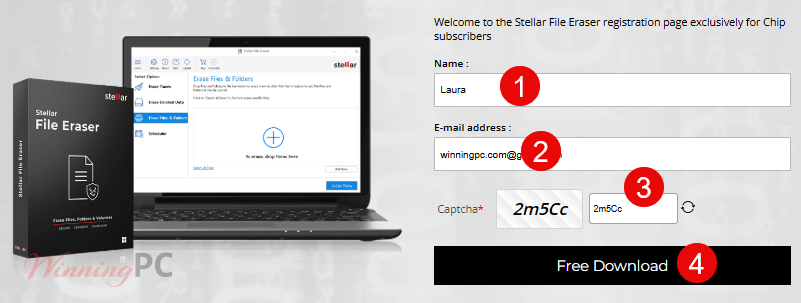
1. On the Stellar File Eraser giveaway page, enter your name/email to complete the form:
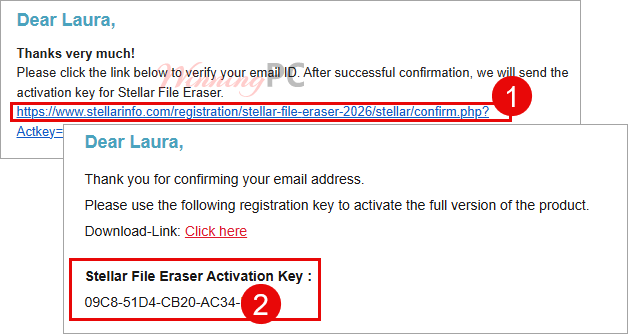
2. Check your mailbox to verify your email ID, and then you will receive the Stellar File Eraser activation key in the next email:
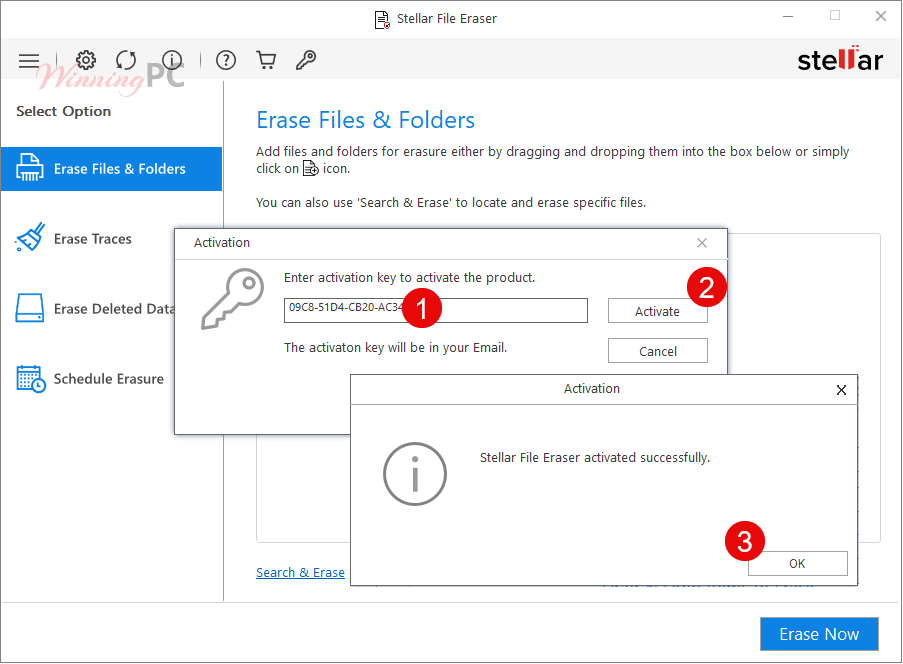
3. Enter activation key to activate the product:
4. Enjoy this Stellar app for one year free!
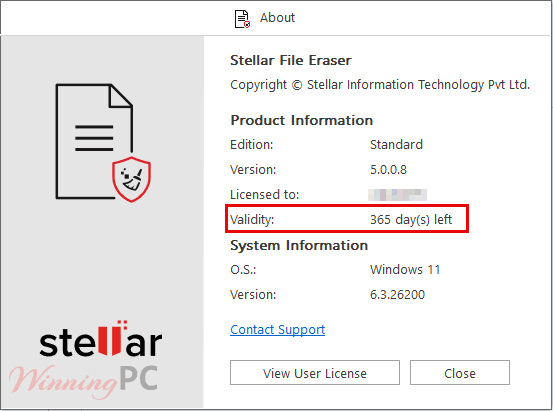
Stellar File Eraser main screenshot
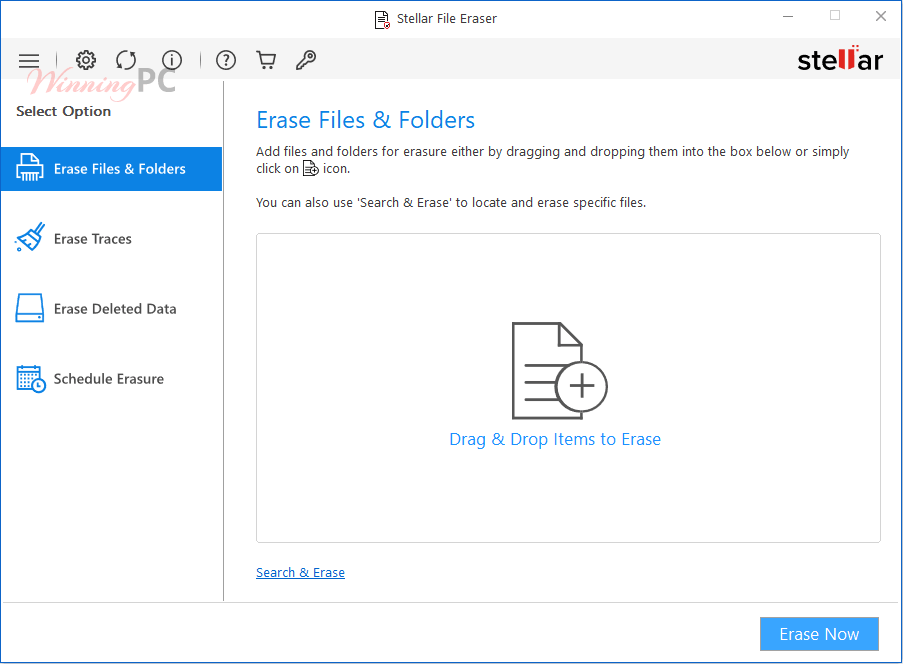
In-Depth Review & Features
Key Features
- Trace Removal: Clean temporary system traces, online activity across major browsers, and sensitive application logs to protect your privacy and boost PC performance.
- Unrecoverable Data Shredding: Permanently shred previously deleted files and wipe unused drive space using U.S. Department of Defense erasure standards.
- Targeted File Erasure: Locate files by name or extension, and create custom, repeatable erasure lists for efficient bulk deletion.
- Automated Task Scheduling: Schedule automatic data wiping tasks (daily, weekly, monthly, or at startup) while utilizing an ignore list to exclude essential files.
Pros & Cons
More screenshots


Frequently Asked Questions
Is the data really gone after using Stellar File Eraser?
Yes. Stellar File Eraser uses advanced, certified erasure algorithms such as DoD 5220.22-M, ensuring that once data is deleted, it cannot be recovered even with forensic-grade recovery software.
Can I wipe only specific files or folders without erasing the entire drive?
Absolutely. You can select individual files, folders, or file types for erasure. You can even use the file search by name or extension feature to locate sensitive data and add them to an “Erasure List” for repeated use.
Does it also erase internet browsing data and system traces?
Yes. The software removes:
– Browser history, cache, cookies, and saved passwords (Chrome, Firefox, Edge, IE, Opera, Safari, etc.).
– Temporary files and system-generated logs.
– Application traces from email apps, messaging tools, and other installed software.
Is it compatible with SSDs and external drives?
Yes. Stellar File Eraser supports secure erasure on SSDs and HDDs, USB flash drives and SD cards, External hard drives, and Windows servers and storage partitions.
Can I schedule file erasure automatically?
Yes, the software includes a Task Scheduler. You can automate wipe jobs to run daily, weekly, monthly, or at system boot, ensuring routine privacy protection without manual intervention.
How much does it cost? Is there a discount?
The regular price is $29.99 for a single-system license. But you can get an exclusive 10% discount by using the coupon code STE***R10 at WinningPC to save 10%!
Technical Details
| Language Support | English, Deutsch, Français, Italiano, Español, 日本語 |
| Money Back Guarantee | 30-Day |
| Operating System | Windows 11, 10, 8.1, 8, Windows server 2019, 2016, 2012 macOS X 10.13 onwards |
| Shipping | Register code will be sent to your email in minutes |
| Subscription | Lifetime |
| Support Services | Live Chat, Phone, Tickets |



The product page CLAIMS this product is FREE see stellarinfo.com/data-erasure/file-eraser.php there is no price mentioned on the page or buy option so either tickcoupon are lying claiming this costs $29.99 OR stellarinfo.com are lying saying it is free… Turns out stellarinfo are the liars they offer a free 30 day trial and pretend it’s a free program and do not mention it needs to be bought or rented to use it after that. I have spoken with a poorly educated support agent via their chat and it is a subscription model licensing system without justification.
I had a long chat and broached several inaccuracies, one notable deficiency of this program is that it DOES NOT ERASE FILENAMES! It only erases files contents and does not address file names, they even pretend it’s a security measure in windows (which of course it is not) It is absolutely trivial to erase file names by simply renaming the files prior to contents erasure… It is quite possible that the original file names can leak information! They have VERY limited accurate knowledge of the nitty gritty technicalities of good file erasure and appear to be unaware that immediate FLASH memory erasure is not possible. And also do not address on the site the problem with trying to erase NTFS filesystems files in modern windows with System Protection enabled on a NTFS drive… and claim their program securely erases without any caveats or exceptional circumstances which could be quite common! I have emphasised the importance of them being up front and open about their pricing model on the page before the user downloads and stop pretending the program is simply “FREE” when it is only a free 30 day trial and further use requires enrolling into a subscription agreement for the duration the program is to be used for. I have suggested they add a non-expiring model and a what’s new / version history so non-expiring license users can determine if its worth paying to update to new version or continue using the existing version. Only time will tell if they’ve learned their lesson and will change their ways but currently I don’t advise using this program as the vendors ARE CURRENTLY DISHONEST and if they can’t be trusted before download they cannot be trusted to securely erase data on your system as they don’t even understand the technicalities until it’s explained to them… they probably have not even heard of the need to overwrite cluster tips too… I never got around to teaching them about that too.
The product page CLAIMS this product is FREE see https://www.stellarinfo.com/data-erasure/file-eraser.php there is no price mentioned on the page or buy option so either winningpc are lying claiming this costs $29.99 OR stellarinfo.com are lying saying it is free… Turns out stellarinfo are the liars they offer a free 30 day free trial and pretend it’s a free program and do not mention it needs to be bought or rented to use it after that. I have spoken with a poorly educated support agent via their chat and it is a subscription model licensing system without justification.
I had a long chat and broached several inaccuracies, one notable deficiency of this program is that it DOES NOT ERASE FILENAMES! It only erases files contents and does not address file names, they even pretend it’s a security measure in windows (which of course it is not) It is absolutely trivial to erase file names by simply renaming the files prior to contents erasure… It is quite possible that the original file names can leak information! They have VERY limited accurate knowledge of the nitty gritty technicalities of good file erasure and appear to be unaware that immediate FLASH memory erasure is not possible. And also do not address on the site the problem with trying to erase NTFS filesystems files in modern windows with System Protection enabled on a NTFS drive… and claim their program securely erases without any caveats or exceptional circumstances which could be quite common! I have emphasised the importance of them being up front and open about their pricing model on the page before the user downloads and stop pretending the program is simply “FREE” when it is only a free 30 day trial and further use requires enrolling into a subscription agreement for the duration the program is to be used for. I have suggested they add a non-expiring model and a what’s new / version history so non-expiring license users can determine if its worth paying to update to new version or continue using the existing version. Only time will tell if they’ve learned their lesson and will change their ways but currently I don’t advise using this program as the vendors ARE CURRENTLY DISHONEST and if they can’t be trusted before download they cannot be trusted to securely erase data on your system as they don’t even understand the technicalities until it’s explained to them… they probably have not even heard of the need to overwrite cluster tips too… I never got around to teaching them about that too.
Bitdefender Internet security flag this software as malware blocked it ….
This softwares website is very much bait and switch in that it does not mention a paid for license is required for this there3 is no obvious BUY/subscribe or price displayed on the products home page or link to buy/rent, price, store on the mobile device style menu. I do not believe they have genuine Excellent Trustpilot reputation as I’d be well annoyed thinking I’d downloaded a FREE file eraser after arriving there from a search engine only to find it does not work fully unless I pay and I only find out the price after downloading, installing and trying to use it! Why should one have to pay a subscription for a stand alone file and folder over-writer… If there is no subscription and only lifetime license on sale why are we being offered a never sold trial of this? Also not mentioned by this products website or the description above:
That in order to securely erase data you MUST disable VSS/System Protection on the target drive as each write stores a copy of the previous data to the VSS database as unencrypted data that can be recovered by any recovery programs deep scan of the entire surface which includes the VSS database area… the true solution is to never put anything on a computer that needs to be securely erased or do without system restore and previous versions feature and use overwrite erasure programs like this. Note it is impossible to securely erase FLASH memory data as each write moves the previous FLASH memory cell out of the drives LBA address space and queues it for eventual erasure which can take some time and while it’s queued for erasure the chips can be physically removed from the device and placed in a custom reader that allows access to all FLASH memory cells on the chip and queued for erasure memory cells can be freely read, also remember every overwrite reduces the lifespan of all FLASH memory devices which includes USB thumb-drives, memory Cards or all types, and ALL SSD’s regardless of connection type of claimed FLASH memory chip shape or design. Physical destruction is only true way to way to erase FLASH memory without custom firmware. Without disabling VSS/System protection is is impossible to securely erase NTFS filesystems files under Windows Vista and above.
Cons: no price displayed up front on vendors website!
No instructions regarding VSS/System Protection prooves this vendor knows NOTHING about file erasure theory.