WinningPC
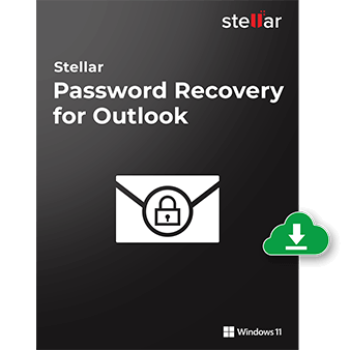
Published by Stellar, a leading data care corporation, Stellar Password Recovery for Outlook provides a comprehensive solution to recover lost or forgotten passwords of Microsoft Outlook PST files. With its help, you can easily regain access to your important Outlook data files and attachments without compromising data integrity. This software supports all major versions of Microsoft Outlook, including Outlook 2021, 2019, 2016, 2013, 2010, and earlier, to ensure you can recover passwords from both old and current PST files.
Unlike other Outlook password recovery software on the market, this tool doesn’t recover the original password for the PST files; instead, it creates different sets of valid passwords that you can use to unlock and open the encrypted or password-protected PST file. To help you save time and recover PST passwords quickly, Stellar Password Recovery for Outlook provides the “Find PST” option to help you find PST files in any drive volume, folder, or subfolder and lists them for password recovery. With its help, you can easily locate the PST file when you can’t find it or don’t know its location.
Stellar Password Recovery for Outlook Coupon Code Oct 2026
Stellar Password Recovery for Outlook
10% off coupon code: regular price: $29, discounted price: $26.10
You may also like

Stellar Toolkit for Outlook - 1 Year
10% Off coupon code: regular price: $199, discounted price: $179.10
Stellar Toolkit for Outlook - Lifetime
73% Off coupon code: regular price: $999, discounted price: $269.10

Super Saver Bundle (Win): 81% OFF
81% Off coupon code - Get 7 Windows Products at the Price of One! Regular price: $264.93, discounted price: $49.99

Super Saver Bundle (Mac): 84% OFF
84% Off coupon code - Get 7 Mac Products at the Price of One! Regular price: $309.93, discounted price: $49.99
Key Features and Screenshots
Microsoft Outlook helps you store sensitive emails, contacts, and calendar entries. Sometimes, you set the password for the Outlook PST file to avoid unauthorised access to critical information. However, losing or forgetting the password can disrupt productivity and compromise access to critical information.

- Recovers Lost or Forgotten PST Passwords: Stellar Password Recovery for Outlook is designed to unlock password-protected Microsoft Outlook PST files, allowing you to regain access to your emails, contacts, appointments, calendar entries, tasks, notes, etc.
- Generates Multiple Usable Passwords: Instead of retrieving the exact original password, this software scans the encrypted PST file and generates a set of up to six different valid passwords. Any of these can be used to unlock and open the password-protected PST file, ensuring an increase in the chances of successfully accessing the file.
- Unlock Multiple Outlook PST Files: You can add multiple locked or encrypted PST files to the software and recover passwords for all of them simultaneously. This feature is ideal for users who need to unlock several encrypted or password-protected PST files at once.
- Supports All Outlook Versions: Stellar Password Recovery for Outlook can recover lost or forgotten passwords for PST files created by various versions of Microsoft Outlook, including Outlook 2021, 2019, 2016, 2013, 2010, and 2007. Additionally, it allows you to use the tool on any Windows platform.
- Find PST File Feature: The software provides a “Find PST” option to locate PST files on your system if you are unsure/don’t remember the PST file’s exact location. It will locate all PST files available on your system by scanning your drives, folders, and subfolders. This is particularly useful for users who have multiple PST files stored in different directories.
- Unlocks Encrypted PST Files: This software can unlock encrypted PST files, allowing you to access your data even if the file was protected with a high level of encryption.
- Accurate and Instant Results: Stellar Password Recovery for Outlook analyzes the complete PST file and delivers accurate results, despite the complexity and length of the lost PST password. It can unlock files within a few clicks and moments, whether passwords contain container special characters, uppercase and lowercase characters, etc.


Frequently asked questions
How does Stellar Password Recovery for Outlook recover passwords?
The software scans the encrypted PST file and generates six different usable passwords, any of which can unlock the file.
Can it recover passwords with special characters?
Absolutely. The tool is capable of retrieving passwords that include special characters, regardless of their complexity.
What types of Outlook files does the software support?
Stellar Password Recovery for Outlook supports password recovery from all PST files created by any version of Microsoft Outlook.
Does the software require Outlook to be installed on my computer?
No, Outlook does not need to be installed for the software to recover passwords from PST files.
What is the process for recovering a password using the software?
The process involves launching the software, selecting the locked PST file, and initiating the recovery. The software then displays the recovered password or a list of possible passwords.
Are there any discounts available on Stellar Password Recovery for Outlook?
Yes, using the coupon code STEL***10 from WinningPC can provide you with a 10% discount on your purchase.
Technical Details
| Language Support | English, Deutsch, Français, Italiano, Español, 日本語 |
| Money Back Guarantee | 30-Day |
| Operating System | Windows 11, 10, 8.1, 8 |
| Shipping | Register code will be sent to your email in minutes |
| Subscription | 1-Year |
| Support Services | Live Chat, Phone, Tickets |