Laura Marano
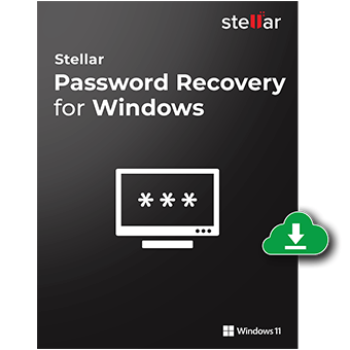
Stellar Password Recovery for Windows is a professional Windows password recovery tool that helps me reset lost or forgotten Windows login passwords. It works for both admin and user accounts, giving me a clean slate to regain access to password-protected Windows accounts and files efficiently. This tool uses a bootable drive to reset Windows login passwords without requiring old passwords. To enhance compatibility across different system architectures, Stellar Password Recovery for Windows supports both BIOS and UEFI modes, too.
Stellar Password Recovery for Windows Coupon Code

Stellar Black Friday Super Saver Bundle (Win): 81% OFF
81% Off coupon code - Get 7 Windows Products at the Price of One! Regular price: $264.93, discounted price: $49.99
Stellar Black Friday Super Saver Bundle (Mac): 84% OFF
84% Off coupon code - Get 7 Mac Products at the Price of One! Regular price: $309.93, discounted price: $49.99
Stellar Password Recovery for Windows
10% off coupon code: regular price: $49, discounted price: $44.10

Stellar Password Recovery for Windows Server
10% off coupon code: regular price: $199, discounted price: $179.10

Stellar Password Recovery Technician for Windows
10% off coupon code: regular price: $199, discounted price: $179.10
Key Features and Screenshots
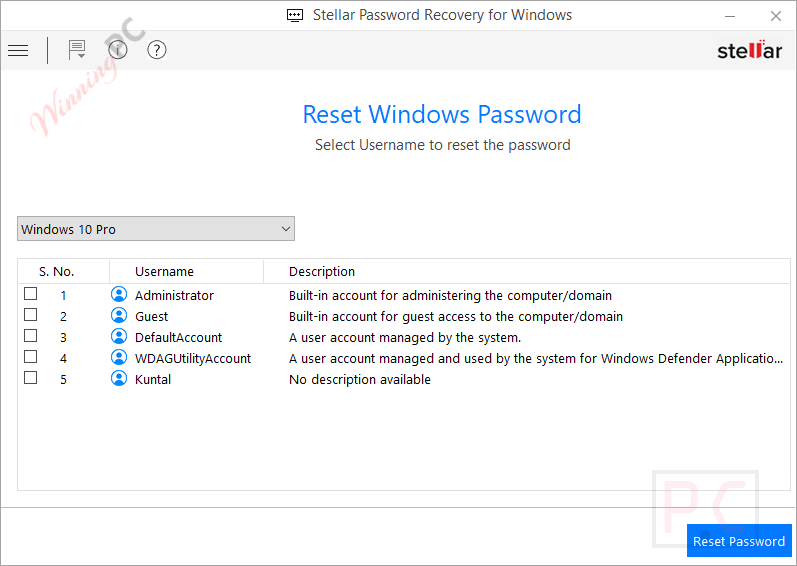
- Resets Windows Admin and User login passwords: Stellar Password Recovery for Windows can quickly reset Windows login passwords in minutes, allowing you to create a new, easy-to-remember password and access your PC again.
- Offers both BIOS & UEFI Mode to Boot Media: This tool supports both BIOS and UEFI boot modes. You just adjust your system settings so your PC can boot from the created USB or CD/DVD.
- Allows you to select the Operating System: You are allowed to choose the operating system before resetting a password. If your PC has more than one OS, simply pick the one you want and select the account to reset.
- Wide Compatibility: This tool works with all recent Windows versions. It can reset admin and user passwords on Windows 11, 10, 8.1, 8, and 7.
- Simple & User-friendly Interface: The software has a clean, easy-to-use interface that guides you through each step. You can reset Windows passwords without needing any outside help.
How to Use (Step-by-Step Guide)
Step 1. Boot into the system using the bootable media created with the software.
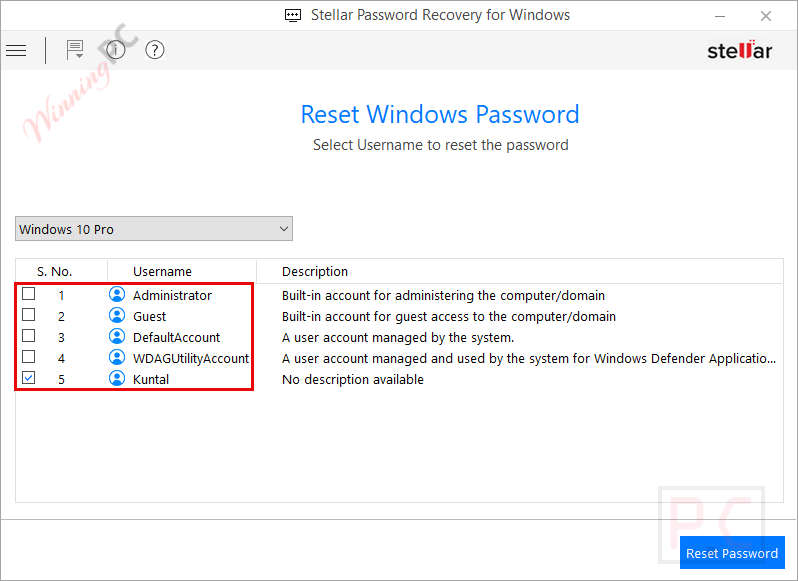
Step 2. Select the account requiring a password reset. Click Reset Password.
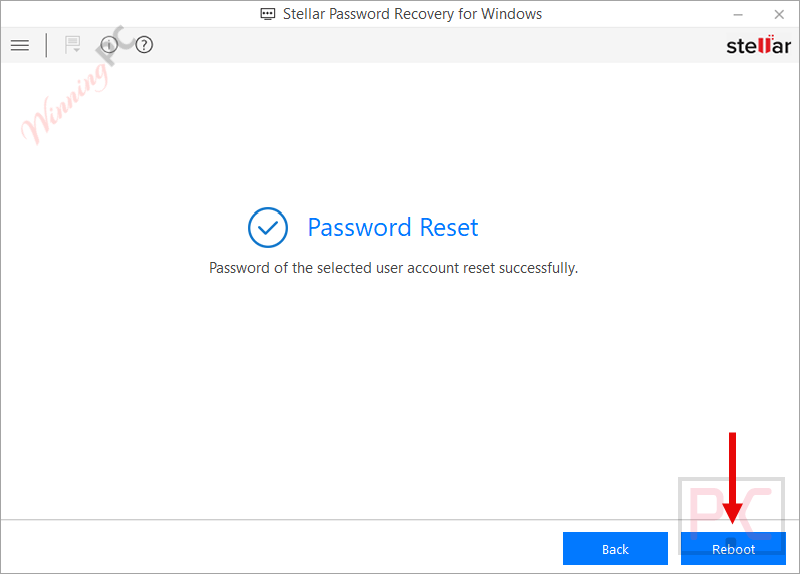
Step 3. The Password Reset message is displayed. Click Reboot.
Frequently asked questions
Can Stellar Password Recovery reset forgotten Windows login passwords?
Yes, the software can reset lost or forgotten Windows login passwords by creating a bootable recovery drive to bypass the login screen.
Does this software support both BIOS and UEFI boot modes?
It supports both BIOS and UEFI boot modes, ensuring compatibility with most modern and legacy systems.
How does the bootable USB/DVD creation work for password recovery?
The software allows users to create a bootable USB or DVD that can be used to start the computer and perform password recovery without needing to log into Windows.
How long does the recovery process take?
Recovery time depends on the complexity of the password and system performance, but Stellar is designed to provide quick results.
Do I need any technical skills to use Stellar Password Recovery for Windows?
No special skills are needed. The software offers a user-friendly, step-by-step interface, making it accessible even for beginners.
How can I get a discount when buying the software?
Use the coupon code STE***R10 at checkout on WinningPC to receive 10% off your purchase.
Why Choose WinningPC
- Why Trust? We are committed to providing 100% valid and verified coupon codes, so you can always shop with confidence.
- Found an Invalid Coupon or a Better Deal? If you encounter an invalid code or a better offer, please let us know. Our team updates all discount information regularly to ensure accuracy.
- Official Authorization: We only share authentic discounts from trusted software developers.
- No Fake Discounts: Unlike some sites, we never use misleading deals. The final price you see is the true discounted price.
- Secure Purchases: All transactions are processed on the official vendor’s website, ensuring authenticity and data protection.
- Extra Support: If you face order or vendor issues, contact us. We’ll liaise with the vendor to help resolve your problem quickly.
Technical Details
| Language Support | English, German, French, Italian & Spanish |
| Money Back Guarantee | 30-Day |
| Operating System | Windows 11, 10 / 8.1 / 8 / 7 |
| Shipping | Register code will be sent to your email in minutes |
| Subscription | 1-Year |
| Support Services | Tickets |