Laura Marano
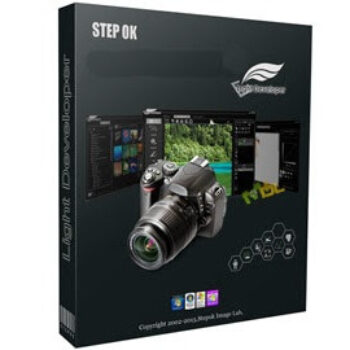
Stepok Picture Enlarger helps users scale up small images without the usual loss of clarity or unwanted artifacts. It uses AI-based processing to preserve edges, textures, and fine details, which is especially helpful for elements like hair, fabric, and natural surfaces. Stepok Picture Enlarger works with many image types, from standard photos and web graphics to scanned text, vector-style artwork, and hand-drawn images. It supports common formats such as JPEG, PNG, TIFF, BMP, and RAW. Batch processing is available for handling multiple files at once, and it can also be used directly inside Adobe Photoshop as a plugin.
Stepok Picture Enlarger Coupon Codes (100% Working)

Stepok Picture Enlarger
15% discount coupon code: regular price $79, discounted price $67.15
Key Features & Screenshots
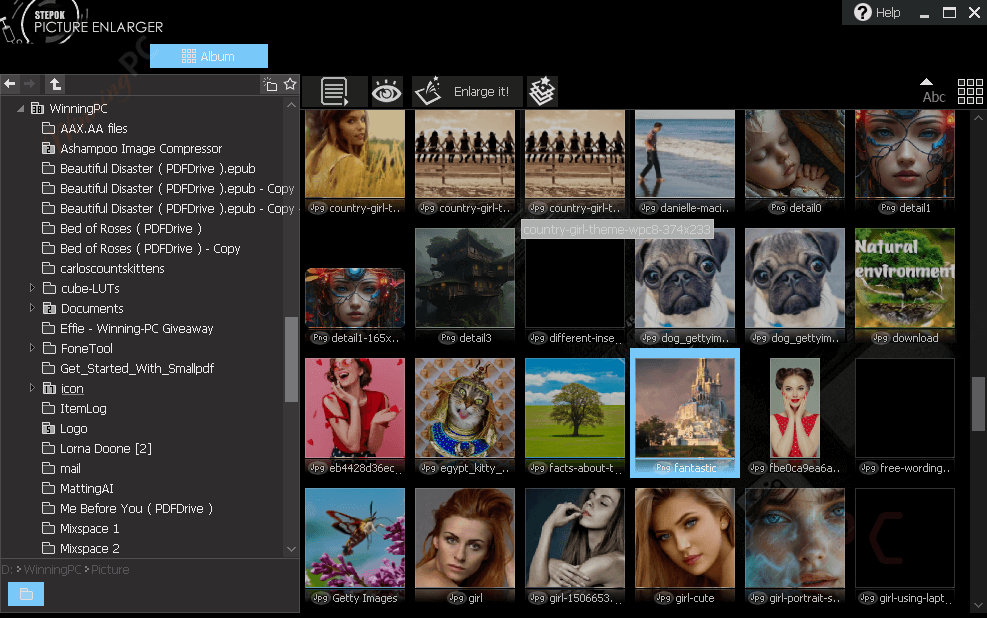
- AI-Based Image Enlargement: enlarge images using deep learning technology that keeps edges and fine details sharp, avoiding the blur often caused by traditional interpolation methods.
- Natural High-Resolution Texture Enhancement: add realistic detail to textures such as fur, fabric, and hair, helping enlarged images look more natural and less artificial.
- Broad Image Type and Format Support: work with photos, web images, vector-style graphics, scanned text, and hand-drawn artwork, including support for common formats and RAW files.
- Batch Image Processing: enlarge multiple images at the same time to save effort when working with large sets of files.
- Adobe Photoshop Plugin Integration: use Stepok Picture Enlarger directly inside Photoshop to fit smoothly into existing editing workflows.
- CPU-Friendly AI Engine: run the software efficiently on standard CPUs thanks to its compact neural network, without needing a high-end GPU.
- Large High-Resolution Output Support: create images up to 20,000 × 20,000 pixels on 64-bit systems and up to 10,000 × 10,000 pixels on 32-bit systems, with support for Windows XP through Windows 10.
More screenshots


Frequently Asked Questions
What image formats does Stepok Picture Enlarger support?
It supports all common image formats, including RAW files.
Is there a batch processing feature?
Yes, the software allows you to process multiple images at once, saving time and effort.
Can Stepok Picture Enlarger enhance scanned text and hand-drawn images?
Yes, it is designed to work well with photos, web images, vector graphics, scanned text, and hand-drawn images.
Can I use Stepok Picture Enlarger as a Photoshop plugin?
Yes, thí Stepok software can be integrated as a plugin within Adobe Photoshop for seamless workflow integration.
Does Stepok Picture Enlarger require a powerful GPU?
No, it uses a tiny neural network that runs efficiently on CPUs, making it accessible to users with standard home or office computers.
Are there any discounts available for purchasing Stepok Picture Enlarger?
Yes, various discounts are available through different platforms. For instance, WinningPC offers a coupon code WIN***PC15 for a 15% discount.
Technical Details
| Language Support | English, Français, Italian, Spanish, Swedish, and more… |
| Money Back Guarantee | 30-Day |
| Operating System | Windows XP/Vista/7/8/10 |
| Shipping | Register code will be sent to your email in minutes |
| Subscription | Lifetime |
| Support Services | Tickets |