On this page
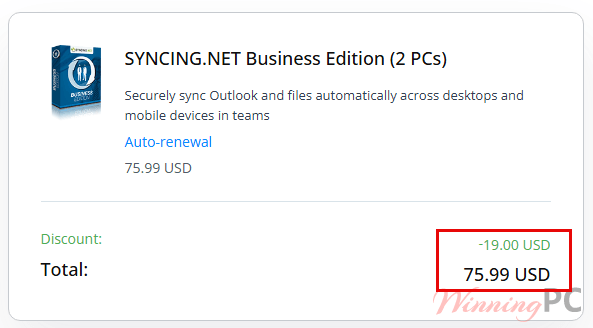
SYNCING.NET Business prices with the code applied

You may also like


SYNCING.NET FileSharing Edition (3 PCs)
for individuals and workgroups
Applying the code at the SYNCING.NET checkout
- Copy WIN***PC20 from the box above.
- Open the SYNCING.NET Business Edition page and pick your seat count, then click buy now.
- Paste the code into the coupon field at checkout.
- Complete payment. Your licence key arrives by email, and you enter it in the SYNCING.NET client to switch the 14-day trial into the full version.
How well does SYNCING.NET Business actually work?
The clever part is what it doesn’t send. When you edit a file or an Outlook item, SYNCING.NET pushes only the change to your colleagues’ machines instead of re-copying the whole thing, which is why real-time syncing over an ordinary office connection is realistic rather than aspirational. Everything moves peer to peer, so your data sits on your team’s own PCs and never parks in a vendor cloud. Support for .ost files matters more than it sounds: it means you can pull folders off an Exchange server, or even keep two Exchange servers in step, which most consumer sync tools simply cannot do. The rough edge is platform currency.
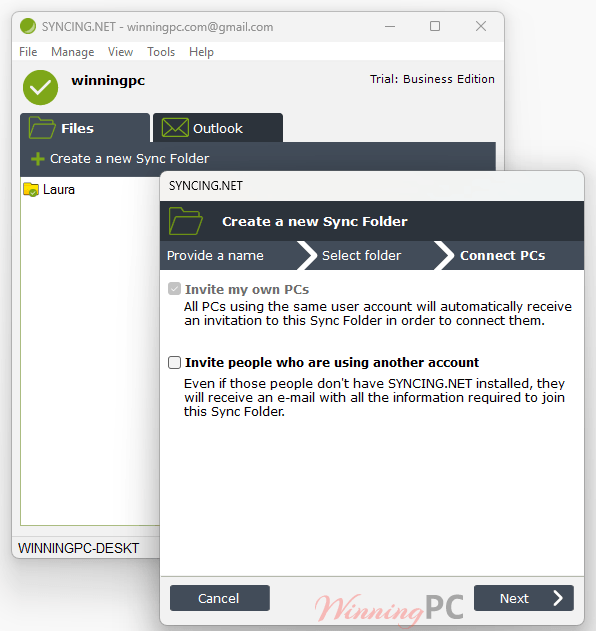
Key features
- Syncs Outlook mail, contacts, calendars, tasks and notes plus ordinary Windows folders, across up to 50 peers per group.
- Sends only changed data, not whole files, so large PST files don’t saturate your connection.
- Reads both .pst and .ost, so Exchange-hosted folders are in scope.
- 256-bit AES end-to-end encryption with 1024-bit RSA authentication, and data stored locally on member PCs.
- Bandwidth throttling and a two-click pause, useful when someone needs the connection for a call.
- Group creators alone can invite or remove members, so a project group can’t be reshaped by whoever joins it.
What we think
Is there a cheaper way to sync Outlook across a team?
| Tool | Price | Syncs Outlook items? | Needs a server or cloud account? | Best for |
|---|---|---|---|---|
| SYNCING.NET Business (our pick for Outlook-heavy teams) | $75.99 to $299.99 / year with code, 2 to 10 PCs | Yes: mail, contacts, calendar, tasks, notes | No, peer-to-peer | Small offices that live in Outlook and won’t run Exchange |
| Microsoft 365 Business Basic | $7 per user / month | Yes, natively via Exchange Online | Yes, Microsoft’s cloud | Teams that also want hosted email and are comfortable in the cloud |
| Syncthing | Free, open source | No, files and folders only | No, peer-to-peer | Anyone who needs file sync and doesn’t need Outlook data |
Two honest notes. If your office already pays for Microsoft 365, Exchange Online syncs Outlook across devices for you and SYNCING.NET is solving a problem you don’t have. And if all you actually need is shared folders, Syncthing does peer-to-peer file sync for nothing. SYNCING.NET earns its price only when you need Outlook items themselves synced and you specifically don’t want that data sitting on someone else’s servers.
Frequently Asked Questions
Is SYNCING.NET Business a subscription or a one-time purchase?
It’s a yearly subscription, renewed per PC count, and updates are included for the life of the subscription.
Does it work on Windows 11 and Microsoft 365 Outlook?
Not officially, as far as the published requirements go. SYNCING.NET lists Windows 10 and older, and Outlook 2019 and older, and it explicitly excludes Microsoft Store versions of Office.
Does my company data pass through SYNCING.NET’s servers?
Mostly no, with one exception worth knowing. Sync happens peer to peer and files live on your team’s own PCs. But when a colleague’s machine is offline, the “store and forward” buffer holds the changed data on SYNCING.NET’s servers, encrypted, until that PC reconnects, then deletes it. So the “cloudless” claim is accurate for normal operation but not absolute.
System Requirements & Details
| Operating system | Windows 10, 8, 7, Vista, XP (x86 and x64); Windows Server 2003 / 2008 / 2012. |
| Processor / RAM | Pentium-class 800 MHz or faster; 256 MB RAM, 512 MB or more recommended |
| Framework | Microsoft .NET Framework 2.0 or later |
| Supported Outlook versions | Outlook 2019, 2016, 2013, 2010 (32 and 64-bit), 2007, 2003. Microsoft Store versions of Office are not supported |
| Data it can sync | Outlook .pst and .ost files, contacts, calendars, tasks, notes, plus any Windows folders |
| Capacity limits | Up to 50 computers per group; up to 50 Outlook Groups and Sync Folders; up to 3,000 Outlook folders per pst; no limit on file size or count |
| Other requirements | Internet access (broadband recommended); proxy servers detected automatically |
| Other platforms | Mac (6.0.16.0) and Linux (6.1.1.0) clients sync files only, not Outlook items. iOS and Android apps sync contacts, calendars and files |