Chris Bruner
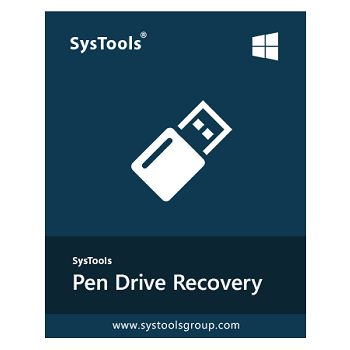
SysTools Pen Drive Recovery Tool retrieves lost files from corrupted or formatted USB flash drives. The software scans FAT, exFAT, and NTFS file systems to extract data compromised by malware infections, logical errors, or improper ejection sequences. It executes these sector-level restorations locally, bypassing standard volume warning messages to recover the raw data without altering the original drive structure.
✅ Verified for Oct 2026 by Chris: Get an instant 25% OFF SysTools Pen Drive Recovery. Apply coupon code BDJ***0OFF at checkout to claim your discount.
SysTools Pen Drive Recovery
25% discount coupon code: regular price $39.0, discounted price $29.25
−25%
WINP•••Copy → SysTools Pen Drive Recovery - Home User License
25% discount code: regular price $12.08, discounted price $8.97
−25%
WINP•••Copy → SysTools Pen Drive Recover Bundle Offer License

Bundle Offer - SysTools Pen Drive Recovery + Hard Drive Data Recovery
40% off promo code: regular price $78, discounted price $47.20
−40%
NOTE•••Copy → Bundle Offer - SysTools SSD Data Recovery + Pen Drive Recovery + Hard Drive Data Recovery
41% off promo code: regular price $107, discounted price $63.20
−41%
NOTE•••Copy → Key Features and Screenshots
- Multi-Scenario Recovery: Restore lost, corrupted, or shortcut files caused by virus infections, bad sectors, abrupt power loss, software crashes, or USB driver failures.
- Dual Scanning Modes: Choose between a standard “Scan” for corrupted or deleted files, and a “Formatted Scan” specifically designed to recover data from FAT and NTFS formatted drives.
- Extensive File Support: Retrieve a wide range of file types including photos (PNG, JPEG, GIF, BMP), documents (DOCX, PPTX, XLSX, PDF), compressed archives (ZIP), and multimedia (AVI, MPEG, WAV).
- Selective Extraction & Search: Locate specific items quickly using a powerful search function and extract selective files or folders using built-in checkboxes.
- Auto-Detection & Device Preview: Automatically discover connected removable disks and view detailed drive properties (Model, Disk Name, Total/Free Size) to ensure accurate recovery selection.
- Universal Windows Compatibility: Recover data from any pen drive brand or manufacturer, as long as the device is detectable on a Windows operating system.


Technical Details
| Language Support | English, Français, Italian, Spanish, Swedish, and more… |
| Money Back Guarantee | 30-Day |
| Operating System | Windows Vista, Windows 7, Windows 8/8.1, Windows 10/11 |
| Shipping | Register code will be sent to your email in minutes |
| Subscription | Lifetime |
| Support Services | Email, Tickets, Chat |