Laura Marano
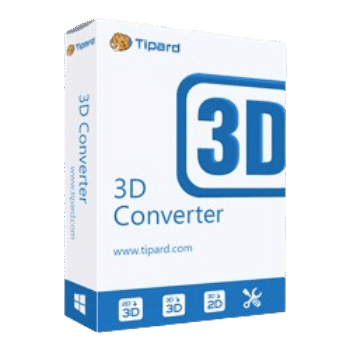
Tipard 3D Converter helps users convert 2D videos to 3D, switch between different 3D formats, and convert 3D movies back to standard 2D formats. It supports a wide range of video formats and includes useful editing options like bitrate, resolution, subtitles, and audio track selection.
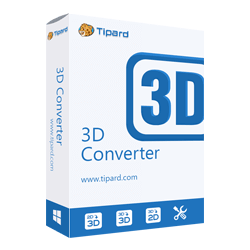
Tipard 3D Converter - Lifetime License
Use on 1 PC | Lifetime upgrade and support
Tipard 3D Converter for Mac - Lifetime License
Use on 1 Mac | Lifetime upgrade and support
📄 Licensing & Support Details
- License type: lifetime license
- 30-day money-back guarantee
- Register code will be sent to your email in minutes
- Free update
- 24/7 customer support
- The payment process is SSL-secured.
📝 How to apply
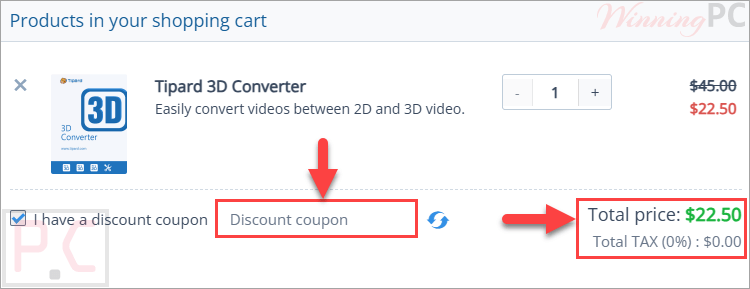
Press the ‘Copy Code’ button within the coupon box; this will copy the string and redirect you to the payment page to apply your savings.
Tipard 3D Converter: In-Depth Review & Features

Key Features:
- Convert standard 2D videos into 3D movies
- Convert between multiple 3D formats
- Convert 3D videos back to 2D formats
- Supports MP4, AVI, MOV, MKV, FLV, WebM, VOB, and more
- Compatible with HD videos, including TS, M2TS, and TRP
- Supports Red/cyan anaglyph 3D effect
- Supports side-by-side full and half-width 3D modes
- Supports top-and-bottom full and half-height 3D modes
- Preview videos before conversion
- Adjust video resolution and bitrate
- Select audio tracks and subtitles
- Compatible with portable devices, including iPhone, iPad, Android devices, PSP, and Apple TV
- Works with DVD and Blu-ray video files like VOB and MTS
- Fast conversion speed with one-click operation
- User-friendly interface suitable for beginners.
Pros & Cons:
More screenshots:


Frequently Asked Questions
Where can I find the latest Tipard 3D Converter coupon codes?
You can usually find updated Tipard 3D Converter deals on WinningPC, along with discounts listed on the official Tipard website during promotions and seasonal sales.
What is the biggest discount currently available?
Right now, WinningPC offers a 50% OFF discount for the Lifetime License, reducing the price from $45.00 to $22.50.
Can Tipard 3D Converter turn regular videos into 3D movies?
Yes. The software can convert standard 2D videos into several 3D formats, including side-by-side and anaglyph effects.
Does Tipard 3D Converter support MP4 and AVI files?
Yes. It supports MP4, AVI, MOV, MKV, FLV, WebM, VOB, and many other popular formats.
Can I convert 3D movies back to normal 2D videos?
Yes. The software includes a 3D-to-2D conversion feature for easier playback on regular devices.
Is Tipard 3D Converter beginner-friendly?
Yes. The interface is designed to be simple, and most conversions can be completed in just a few clicks.
Does the software support macOS?
Yes. It works on Mac OS X 10.7 and above and also supports newer Apple silicon chips.
Can I preview the 3D effect before exporting?
Yes. There is a built-in preview window that lets you check the output effect before conversion.
Which 3D modes are available in Tipard 3D Converter?
The software supports Red/cyan anaglyph, side-by-side full or half-width, and top-and-bottom full or half-height modes.
Is Tipard 3D Converter safe to install?
Yes. According to the developer, the software is clean, secure, and does not misuse personal information.
System Requirements & Details
| Operating System | Windows 7/8/10/11, Mac OS X 10.7 or above |
| Processor | 1.2GHz Intel or AMD CPU or above; Intel processor and Apple M-series chips supported |
| RAM & Storage | Windows: 1GB RAM recommended Mac: 512MB RAM recommended |
| Supported Input | MP4, AVI, MOV, MKV, FLV, WebM, TS, M2TS, VOB, RMVB, ASF, 3D videos, HD videos. |
| Supported Output | MP4, AVI, MOV, MKV, FLV, WebM, TS, M2TS, VOB, ASF, 3D video formats. |