
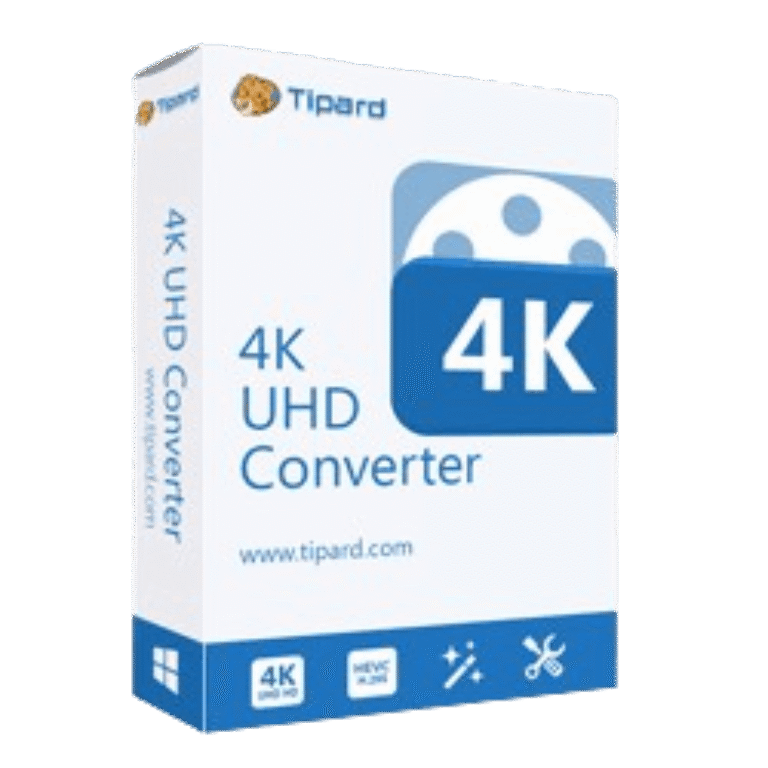

Tipard 4K UHD Converter Giveaway
| Product | Tipard 4K UHD Converter |
| Publisher | Tipard |
| Original price | $45 (1-Year) |
| Giveaway price | Free |
| License | 1-Year (version 9.2.38) |
| Platform | Windows 11, 10, 8, 7 |
| Installer | 4k-uhd-converter.exe |
| Use | Non-commercial use |
| Updates | No free updates |
| Support | No free tech support |
| Verified | Oct 2026 by Laura |
Tipard 4K UHD Converter Plans & Coupon Codes
Tipard 4K UHD Converter
2 plans · best save 50%
Is this Tipard 4K UHD Converter giveaway safe and legit?
Yes. This is a direct publisher promotion – no third-party resellers, no cracked builds.
No crack or keygen involved
You receive a genuine Tipard license key by email and activate it through the official installer downloaded from Tipard’s own servers. Nothing is patched or repackaged.
Official publisher source
Tipard runs this giveaway through their own platform. WinningPC links directly to the official registration page – we have no access to your key or account.
Secure HTTPS checkout for paid orders
If you choose the paid option instead, payment is handled entirely on Tipard’s encrypted storefront. Your card details never touch WinningPC.
30-day money-back guarantee on paid plans
Both the 1-Year and Lifetime paid licenses carry a 30-day refund window. The free giveaway key costs nothing, so there is no financial risk either way.
📝 How to apply
Once you press the ‘Copy Code’ button, the details are recorded, and you are sent straight to the checkout area to redeem your deal.

How to get your free Tipard 4K UHD Converter key
- Scroll to the registration form below and enter your name and email address.
- Click Get Now – Tipard processes the request and sends your annual license code to your inbox within a few minutes.
- Use the download link provided (or the button on this page) to install Tipard 4K UHD Converter on your Windows PC.
- Open the software and click Register. Enter the same email address and the license code from the email.
- Done – the full version is activated for one year at no cost.
Note: Keep the email Tipard sends you. If you need to reinstall, the license code is in that email.


How well does Tipard 4K UHD Converter actually work?
Tipard 4K UHD Converter is a conversion engine that is competent for most camera-to-edit or camera-to-device workflows. The codec coverage is wide – XAVC, AVCHD, MXF, HEVC, and two dozen others on the input side – which means you’re unlikely to hit an unsupported camera file unless you’re working with proprietary RAW formats. Downscaling 4K to 1080p produces clean results when the source is solid; the upscaling direction (SD or HD to 4K) works, but like all software upscaling, the output quality is only as good as the source allows.

The built-in editor handles trimming, cropping, colour adjustments, watermarking, 3D conversion, and rotation – enough for simple prep work before handing clips off to a proper editor. NVIDIA CUDA and AMD APP acceleration make a real difference on large 4K batches; without a supported GPU you’re looking at software-only speeds, which are slower. The interface is clean and gets out of the way – a first-timer can have a file converting in two minutes.
Key features
- Bidirectional 4K conversion: downscale 4K to 1080p/720p for phones and editing apps, or upscale HD/SD footage to 4K UHD with HEVC/H.265; supports Sony, Canon, and Panasonic camera formats (XAVC, AVCHD, MXF, MTS/M2TS) natively.
- Broad format library: reads over 20 4K container types plus HD video, audio, and more; outputs to MP4, MKV, AVI, WebM, 4K HEVC, 3D (Side-by-Side, Top/Bottom, Anaglyph), and device-optimised presets.
- Built-in video editor: trim, crop, colour-correct (brightness/contrast/saturation/hue), add watermarks, convert to 3D, rotate 90° or flip – no separate app needed for basic prep.
- Hardware acceleration: NVIDIA CUDA and AMD APP support for faster 4K encoding; batch conversion processes multiple files in one run.
- Device output presets: ready-made profiles for iPhone (4 through 17 series), iPad, iPod, Samsung Galaxy, Android, and gaming consoles (PSP, PS3, Xbox 360, Wii).
pro & Cons
more screenshots!


Frequently Asked Questions
Are there any promo codes for Tipard 4K UHD Converter?
Yes. WinningPC is a good place to check for current Tipard 4K UHD Converter coupons, along with Tipard’s official sales pages.
What is the best current Tipard discount?
The best deal listed on WinningPC is 50% OFF, bringing the 1-Year license to $22.50 and the Lifetime license to $25.00.
Can it convert 4K video to 1080p?
Yes. It can downscale 4K video to 1080p or 720p for Full HD playback.
Can it improve normal videos to 4K?
Yes. It can upscale common video formats such as MP4 to 4K Ultra HD.
Does it support Sony and Canon camera videos?
Yes. It supports 4K videos from major camera brands, including Sony, Canon, and Panasonic.
Can I use it for Final Cut Pro or Adobe Premiere Pro?
Yes. It can convert 4K UHD videos into formats compatible with Final Cut Pro, iMovie, Avid Media Composer, and Adobe Premiere Pro.
Does it support batch conversion?
Yes. You can import multiple 4K or HD videos and convert them together.
Can I merge several video clips?
Yes. The software can combine multiple video segments into one output file.
System Requirements & Details
| Operating System | Windows 7/8/10/11 Mac OS X 10.7 or above |
| Processor | Windows: 1.2GHz Intel or AMD CPU or above Mac: Intel processor and Apple M2/M3/M4/M5 chip |
| RAM & Storage | Windows: 1GB RAM or more Mac: 512MB RAM |
| Supported Input | 4K video, HD video, and audio formats including MP4, MOV, AVI, MKV, MTS, M2TS, WebM, MP3, WAV, FLAC, AAC, and more. |
| Supported Output | Video, 4K UHD, 3D video, HD video, audio, and images including MP4, MKV, MOV, AVI, WebM, JPG, PNG, and BMP. |




china is rising my friend what can we do
Yet another Chinese closed source commercial GUI on top of a pirated open source GPLv3 FFMPEG conversion engine. Like all the other plethora of illegal Chinese media converters…
Yet another Chinese closed source commercial GUI on top of a pirated open source GPLv3 FFMPEG conversion engine. Like all the other plethora of illegal Chinese media converters.