Laura Marano
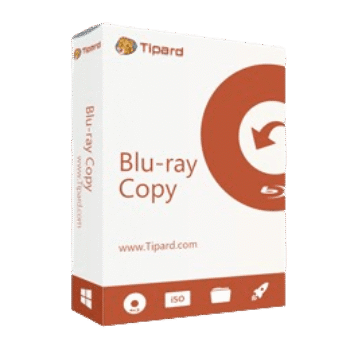
Tipard Blu-ray Copy helps users copy Blu-ray discs, folders, and ISO files to Blu-ray discs, folders, or ISO files with no quality loss. It supports 2D/3D Blu-ray copying, four copy modes, and optional HD audio removal to save space.
Tipard Blu-ray Copy for Windows
3 plans · best save 50%
📄 Licensing & Support Details
- License type: 1 month, 1 year, lifetime license
- 30-day money-back guarantee
- Register code will be sent to your email in minutes
- Free update
- 24/7 customer support
- The payment process is SSL-secured.
📝 How to apply
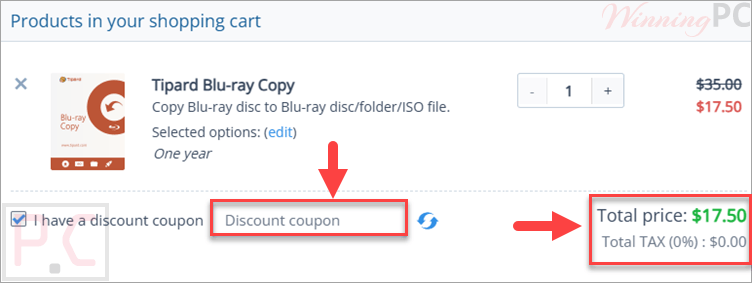
By hitting the ‘Copy Code’ button, the code gets saved, and you are navigated to the checkout screen to finish your purchase with savings.
Tipard Blu-ray Copy: In-Depth Review & Features

Key Features:
- Copies Blu-ray disc, folder, and ISO files to Blu-ray disc, folder, or ISO.
- Supports 2D and 3D Blu-ray copying.
- Can copy BD50 to BD50, BD25 to BD25, and BD50 to BD25.
- Includes four copy modes: Full Disc, Main Movie, Clone, and Write Data.
- Lets users select audio tracks and subtitles in Main Movie mode.
- Built-in preview for choosing the needed chapter or title.
- Converts Dolby TrueHD and DTS-HD Master Audio to Dolby AC3 to save space.
- Allows custom volume labels.
- Supports multiple burning engines.
- Available in English, French, German, and Japanese.
Pros & Cons:
More screenshots:


Frequently Asked Questions
Where can I find a Tipard Blu-ray Copy promo code?
WinningPC is a good place to check for active Tipard coupons, along with Tipard’s official store pages and seasonal sale pages.
What is the best Tipard Blu-ray Copy discount right now?
The best listed deal on WinningPC is 50% OFF, bringing the Lifetime License down from $62.50 to $31.25.
Is Tipard Blu-ray Copy safe to use?
Yes. The provided data says it is safe to use and will not steal data or cause data loss.
Can it copy 3D Blu-ray discs?
Yes. It supports 3D Blu-ray discs as well as 2D Blu-ray.
Can I copy a Blu-ray disc to an ISO file?
Yes. You can back up Blu-ray discs to Blu-ray folder or ISO image files.
Does it support Blu-ray folders?
Yes. It supports Blu-ray folders as both input and output.
What copy modes are included?
It includes Full Disc, Main Movie, Clone, and Write Data modes.
Can I choose only the main movie?
Yes. Main Movie mode lets you copy the main part or selected titles and chapters.
System Requirements & Details
| Language Support | English, French, German, Japanese |
| Operating System | Windows 7, Windows 8, Windows 10, Windows 11 |
| Processor | 1.2GHz Intel or AMD CPU, or above |
| RAM & Storage | 1GB RAM or higher recommended |
| Supported Input | Blu-ray disc, Blu-ray folder, Blu-ray ISO |
| Supported Output | Blu-ray disc, Blu-ray folder, Blu-ray ISO |