Laura Marano
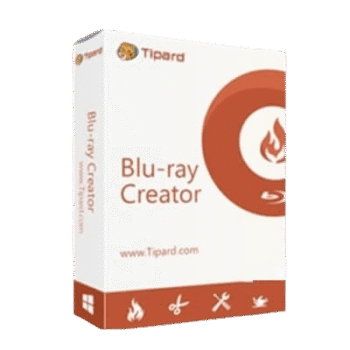
Tipard Blu-ray Creator helps you create Blu-ray discs, Blu-ray ISO files, and Blu-ray folders from SD, HD, 1080P, and 4K videos. It supports common formats like MP4, MOV, MKV, AVI, WMV, and QuickTime videos.
Tipard Blu-Ray Creator for Windows
2 plans · best save 50%
Lifetime License
Use on 1 PC | Free lifetime upgrade with no limitation.
📄 Licensing & Support Details
- License type: 1 year, lifetime license
- 30-day money-back guarantee
- Register code will be sent to your email in minutes
- Free update
- 24/7 customer support
- The payment process is SSL-secured.
📝 How to apply
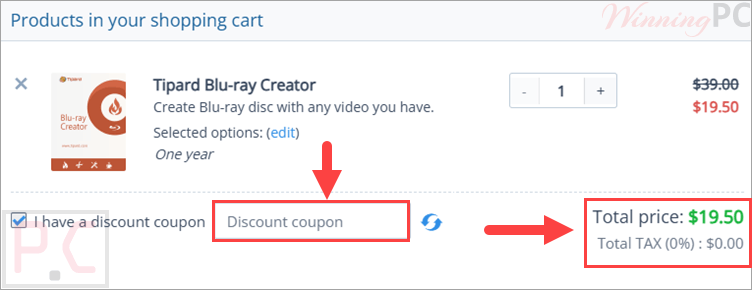
Simply click the ‘Copy Code’ button to copy the voucher; you will then be guided to the checkout area to finalize your purchase at the reduced price.
Tipard Blu-ray Creator License Key Free
- Product name: Tipard Blu-Ray Creator
- Website: https://www.tipard.com/
- License type: 1-Year
- Platform: Windows
- Giveaway link:
click here - Download: blu-ray-creator.exe
How to get the license key?
Please enter your name and email address and click the “Get Now” button on the Tipard Blu-Ray Creator giveaway page.

You will get an email from Tipard that contains an email address and the registration code to activate this software:

Click on the download link to download Tipard Blu-ray Creator for free. After it is finished downloading, open the file and follow the instructions to install the program. Paste exactly the information license in the clipboard to register the software

Tipard Blu-ray Creator: In-Depth Review & Features

Key Features:
- Burn videos to BD-25 and BD-50 Blu-ray discs.
- Create Blu-ray ISO images and Blu-ray folders.
- Add menu templates such as Memory, Music, Christmas Time, and Halloween Lamp.
- Customize menu text, title name, title frame, buttons, background music, and background image.
- Add, adjust, or replace subtitles and audio tracks.
- Fix audio and video out-of-sync issues.
- Clip, crop, and adjust brightness, contrast, saturation, and hue.
- Add text or image watermarks.
- Choose video resolution from SD to 1080P.
- Adjust frame rate and encoder settings.
- Use AC3 and PCM audio encoders.
- Preview Blu-ray projects before burning.
- Burn multiple Blu-ray copies.
- View the output Blu-ray size before creating the disc, ISO, or folder.
- Use GPU acceleration with NVIDIA CUDA, AMD APP Acceleration, and Intel Quick Sync Video.
Pros & Cons:
More screenshots:


Frequently Asked Questions
What is Tipard Blu-ray Creator used for?
It allows you to burn videos to Blu-ray discs, create Blu-ray folders, or generate ISO files.
What video formats are supported?
It supports most popular formats including MP4, MKV, AVI, MOV, WMV, MTS, FLV, and even 4K video files.
Does it support subtitles and multiple audio tracks?
Yes, you can add external subtitles (SRT, ASS, SSA) and multiple audio tracks (MP3, AAC, etc.) to your Blu-ray projects.
Is there a free trial available?
Yes, a trial version is available, but it has some feature limitations. For full access, a paid license is required.
How much does Tipard Blu-ray Creator cost?
The regular price varies depending on the license type (monthly, yearly, or lifetime). However, WinningPC offers a 50% discount coupon to help users save on their purchase.
Is there any way to get it for free?
Yes! WinningPC also runs giveaway promotions for a limited time, allowing users to get a 100% free license code. Make sure to follow their giveaway calendar so you don’t miss it.
System Requirements & Details
| Operating System | Windows 7, Windows 8, Windows 10, Windows 11 |
| Processor | 1.2GHz Intel or AMD CPU, or above |
| RAM | 1GB RAM or higher recommended |
| Supported Input | 3GP, AVI, DV, FLV, MOD, MJPEG, MKV, MPEG, MPEG4, MPV, QuickTime, RM, TOD, Video Transport Stream Files, Windows Media Files, HD MPEG2, HD MPEG4, HD QuickTime, HD WMV, HD TS, HD MTS, HD M2TS, HD TRP, HD TP. |
| Supported Output | Blu-ray disc, Blu-ray folder, Blu-ray ISO file, JPEG, PNG, BMP snapshot image. |