Laura Marano
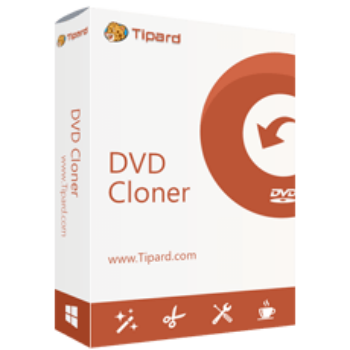
Tipard DVD Cloner lets you clone DVD discs, create ISO images, and save DVDs as folders while keeping the original quality. It also supports DVD burning, DVD-9 to DVD-5 compression, customizable copy modes, and region code removal.
Tipard DVD Cloner 6 for Windows
2 plans · best save 50%
Tipard DVD Cloner 6 for Mac
2 plans · best save 50%
📄 Licensing & Support Details
- License type: 1 year, lifetime license
- 30-day money-back guarantee
- Register code will be sent to your email in minutes
- Free update
- 24/7 customer support
- The payment process is SSL-secured.
📝 How to apply
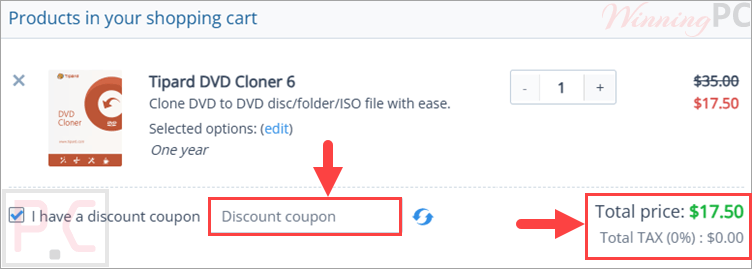
Select the ‘Copy Code’ button in the coupon area to copy the text, and you will be automatically taken to the checkout page, where you can redeem the discount.
Tipard DVD Cloner License Key Free Download
- Product name: Tipard DVD Cloner
- Website: https://www.tipard.com/
- License type: 1-year license
- Platform: Windows
- Giveaway link:
Tipard DVD Cloner Giveaway - Download: dvd-cloner-6.exe
How to get the license key?
Enter your Name and E-mail address and click on the “Get Now” button on the Tipard DVD Cloner giveaway page. In a few minutes, you will receive an email with an annual license. If you don’t see it in your inbox, please check the junk mail.

Launch the program and activate it:

Tipard DVD Cloner: In-Depth Review & Features

Key Features:
- Copy DVD discs to another DVD disc with original quality
- Back up DVDs as ISO image files or DVD folders
- Burn ISO images and DVD folders back to DVD discs
- Supports Full Copy, Main Movie, and Customize copy modes
- Clone only the main movie without menus or extra titles
- Select specific chapters, audio tracks, and subtitles
- Supports DVD-R(W), DVD+R(W), DVD-R DL, and DVD+R DL
- Compress DVD-9 to DVD-5 to reduce storage size
- Create multiple DVD copies automatically
- Remove DVD region code restrictions
- Built-in DVD preview player
- Adjustable writing speed for faster cloning
- GPU acceleration support for quicker copying
- Includes VSO, CdrTool, and IMAPI burning engines
- Works with DVD discs, ISO files, and DVD folders
- Supports Windows and macOS systems.
Pros & Cons:
More screenshots:


Frequently Asked Questions
Where can I find a Tipard DVD Cloner coupon code?
You can usually find updated Tipard promo codes and discounts on WinningPC, along with offers from the official Tipard website during seasonal sales and special promotions.
What is the best current discount available?
Right now, WinningPC offers a 50% OFF discount for both the 1-Year and Lifetime licenses of Tipard DVD Cloner.
Can Tipard DVD Cloner copy DVDs without losing quality?
Yes. The software supports 1:1 DVD copying, allowing you to clone DVDs without quality or data loss.
Does Tipard DVD Cloner support ISO image files?
Yes. It can create ISO images from DVDs and also burn ISO files back to DVD discs.
What copy modes are available in Tipard DVD Cloner?
The software includes Full Copy, Main Movie, and Customize copy modes.
Can I copy only the main movie from a DVD?
Yes. The Main Movie mode copies only the longest title while skipping menus and extra content.
Is Tipard DVD Cloner beginner-friendly?
Yes. The interface is simple and designed for users with little or no technical experience.
Does Tipard DVD Cloner remove DVD region codes?
Yes. It can create region-free DVD copies for broader playback compatibility.
System Requirements & Details
| Language Support | English, Français, Italian, Spanish, Swedish, and more… |
| Operating System | Windows 11, Windows 10, Windows 8, Windows 7 macOS 10.12 or above (support macOS Tahoe) |
| Supported Input | DVD disc, ISO image, DVD folder |
| Supported Output | DVD disc, ISO image, DVD folder |