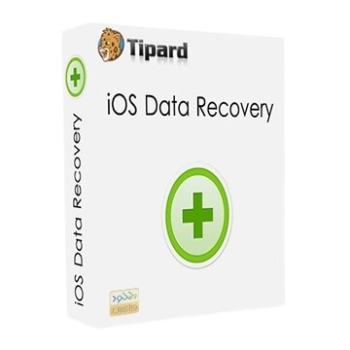
Tipard iOS Data Recovery helps recover deleted or lost files from iPhone, iPad, and iPod devices. The software can recover photos, messages, contacts, WhatsApp data, notes, videos, and other important content directly from iOS devices, iTunes backups, and iCloud backups.
Tipard iOS Data Recovery for Windows
2 plans · best save 50%
Lifetime License
Lifetime license | Free lifetime upgrade with no limitation.
Tipard iOS Data Recovery for Mac
2 plans · best save 50%Lifetime License
Lifetime license | Free lifetime upgrade with no limitation.
📄 Licensing & Support Details
- License type: 1 year, lifetime license
- 30-day money back guarantee
- Register code will be sent to your email in minutes
- Free update
- 24/7 customer support
- Payment process is SSL-secured.
📝 How to apply
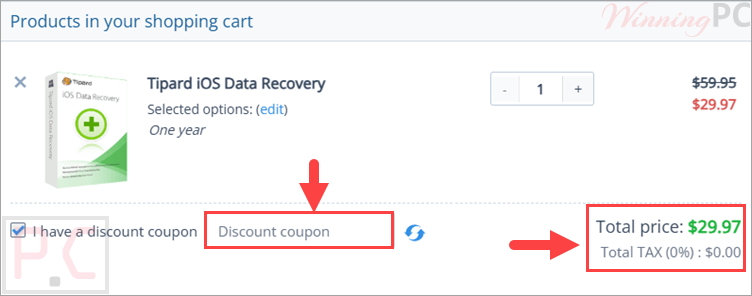
Simply hit ‘Copy Code’ in the promotional box, which copies the sequence and takes you to the checkout screen to finalize your discount.
Key Features & Screenshots

Key Features:
- Recover deleted data directly from iPhone, iPad, and iPod
- Restore files from iTunes backup without overwriting existing data
- Extract and recover selected files from iCloud backup
- Recover contacts, SMS, WhatsApp, call history, notes, reminders, calendar entries, and Safari bookmarks
- Retrieve photos, videos, voice memos, message attachments, and app documents
- Preview files before recovery
- Select specific files instead of restoring everything
- Supports newer iPhone models including iPhone 17 series and iPhone 16 series
- Works with older devices like iPhone 4/3GS and iPod touch 4
- Safe recovery process without damaging current files
- Clean and beginner-friendly interface.
Pros & Cons:
More screenshots:


Frequently Asked Questions
Where can I find working coupon codes?
You can usually find the latest discounts and promo offers for Tipard iOS Data Recovery on WinningPC.
Can this software recover deleted photos from an iPhone?
Yes. It can recover deleted photos directly from supported iPhones or from iTunes and iCloud backups.
Does Tipard iOS Data Recovery support WhatsApp recovery?
Yes. The software can recover WhatsApp messages and related attachments from compatible iOS devices.
Can I preview files before restoring them?
Yes. The software includes a preview feature that lets you check files before recovery.
Is the software compatible with the latest iOS version?
Yes. It is designed to support the latest iOS versions and modern Apple devices.
Are there any discounts available?
Yes! You can currently get a 50% discount on all subscription plans of Tipard iOS Data Recovery. This is the best deal available – perfect if you want full access at half the price.
Is there a free trial available?
Yes. A demo version is available so users can test the software before purchasing.
System Requirements & Details
| Language Support | English, Français, Italian, Spanish, Swedish, and more… |
| Operating System | Windows XP (SP2 or later), Windows Vista/7/8/10 Mac OS X 10.7 or above (include macOS Monterey) |
| Supported Input | iPhone, iPad, iPod, iTunes Backup, iCloud Backup |
| Supported Output | Photos, videos, contacts, messages, WhatsApp data, notes, call logs, bookmarks, app data, and more. |