Laura Marano
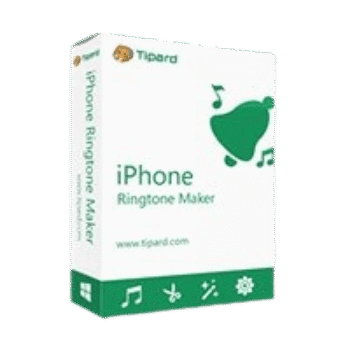
Tipard iPhone Ringtone Maker creates custom M4R ringtones for iPhone from audio files, videos, DVDs, and even recorded sounds. It also lets you trim clips, adjust volume, add fade effects, and transfer ringtones directly to iPhone, iTunes, or your PC.
Tipard iPhone Ringtone Maker for Windows
2 plans · best save 50%
Lifetime License
Lifetime license | Free lifetime upgrade with no limitation
Tipard iPhone Ringtone Maker for Mac
1 plan · best save 50%Lifetime License ★ Best Deal
Lifetime license | Free lifetime upgrade with no limitation
📄 Licensing & Support Details
- License type: 1 year, lifetime license
- 30-day money-back guarantee
- Register code will be sent to your email in minutes
- Free update
- 24/7 customer support
- The payment process is SSL-secured.
📝 How to apply
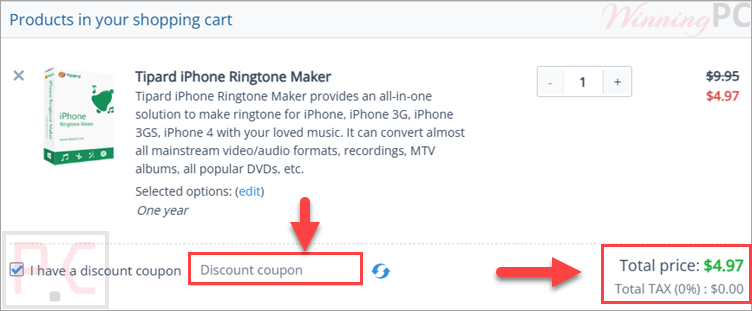
Choose the ‘Copy Code’ button found in the coupon box to copy the string and proceed to the checkout page for your reduced price.
Tipard iPhone Ringtone Maker: In-Depth Review & Features

Key Features:
- Create custom iPhone M4R ringtones from audio, video, and DVD files
- Supports popular formats like MP3, WAV, AAC, FLAC, MP4, AVI, MKV, MOV, and more
- Convert downloaded online videos or music into iPhone ringtones
- Extract ringtone clips directly from DVDs
- Trim exact ringtone segments using sliders or manual timestamps
- Adjust the ringtone volume from 0% to 200%
- Add fade-in and fade-out audio effects
- Export ringtones directly to iPhone, iTunes, or Windows PC
- Edit existing iPhone ringtones by renaming or removing them
- Built-in player for preview-listening before conversion
- Supports multiple interface languages, including English, French, German, and Japanese
- Works with the latest iPhone models and recent iOS/iTunes versions
- Beginner-friendly interface with one-click ringtone creation.
Pros & Cons:
More Tipard iPhone Ringtone Maker Screenshots:


Frequently Asked Questions
Where can I find working promo codes for Tipard iPhone Ringtone Maker?
You can usually find the latest Tipard iPhone Ringtone Maker discounts and coupon deals on WinningPC, along with promotions from the official Tipard website during seasonal sales.
What’s the biggest discount currently available for Tipard iPhone Ringtone Maker?
Right now, WinningPC offers a 50% OFF discount for both the 1-Year License and Lifetime License versions of Tipard iPhone Ringtone Maker.
Can I make iPhone ringtones from MP3 files?
Yes. The software converts MP3 files into the M4R format required for iPhone ringtones.
Does Tipard iPhone Ringtone Maker support video files?
Yes. You can extract ringtone audio from videos such as MP4, AVI, MOV, FLV, MKV, and many other formats.
Can I transfer ringtones directly to my iPhone?
Yes. The program allows direct export of created ringtones to iPhone, iTunes, and your computer.
Is there a free version available?
Yes. A demo version is available with all major features included, but file conversion is limited to 5 minutes.
Can I trim only a specific part of a song?
Yes. You can select the exact start and end points using sliders or manual time settings.
What output format does the software use?
The output ringtone format is M4R, which is the standard format for iPhone ringtones.
System Requirements & Details
| Language Support | English, French, German, Japanese |
| Operating System | Windows 7/8/10/11 Mac OS X 10.7 or above |
| Processor | 1.2GHz Intel or AMD CPU or above |
| RAM & Storage | Windows: 1GB RAM recommended Mac: 512MB RAM minimum |
| Supported Input | DVD, Video, Audio, HD Video formats |
| Supported Output | M4R |
| Supported Devices | iPhone 3GS and later, including iPhone 17 series |
| Additional Features | Fade-in/out effects, volume adjustment, direct iPhone export |