On this page
Trafft.com prices with the code applied

Trafft Mini - Monthly
3 users, 3 locations and unlimited appointments, billed month to month
Trafft Mini - Yearly (40% off)
A full year of Mini at $5.99 a month, the cheapest way into a paid plan
Trafft Growth - Monthly
5 users and 5 locations, with Stripe, PayPal and Zoom unlocked
Trafft Growth - Yearly (36% off)
Twelve months of Growth at $15.99 a month, invoices and custom fields included
Trafft Professional - Monthly
15 users and unlimited locations, plus recurring bookings and deposits
Trafft Professional - Yearly (40% off)
Best value pick: 15 users for $29.99 a month and $240 off the year
Trafft Business - Monthly
30 users with API access, webhooks, WhatsApp and a custom domain
Trafft Business - Yearly (38% off)
30 seats for a cent less than Professional annual costs at list price
How to redeem your Trafft discount
- Copy the code from the offer box above.
- Open the Trafft pricing page and switch the toggle to Annually if you want the larger discount.
- Pick your tier and start the signup.
- Paste the code into the promo or coupon field at checkout and confirm the total drops.
- Pay, then log in and connect your calendar and payment gateway.
Is this Trafft coupon legit?
Yes. This is a promotional code from Trafft’s own affiliate programme, applied on Trafft’s checkout, not a resold or grey-market licence.
Nothing to crack or patch
Trafft is a hosted service. There is no installer, no keygen and no licence file.
Official publisher checkout
You buy directly from Traff, no third-party key reseller sits in the middle.
Your card never touches WinningPC
Payment happens on Trafft’s encrypted checkout. We test the code by adding a plan to the cart ourselves, the same way we handle every coupon we publish.
30 days to change your mind
Trafft advertises a 30-day money-back guarantee. Refund conditions sit in Trafft’s terms of service.
How well does Trafft work?
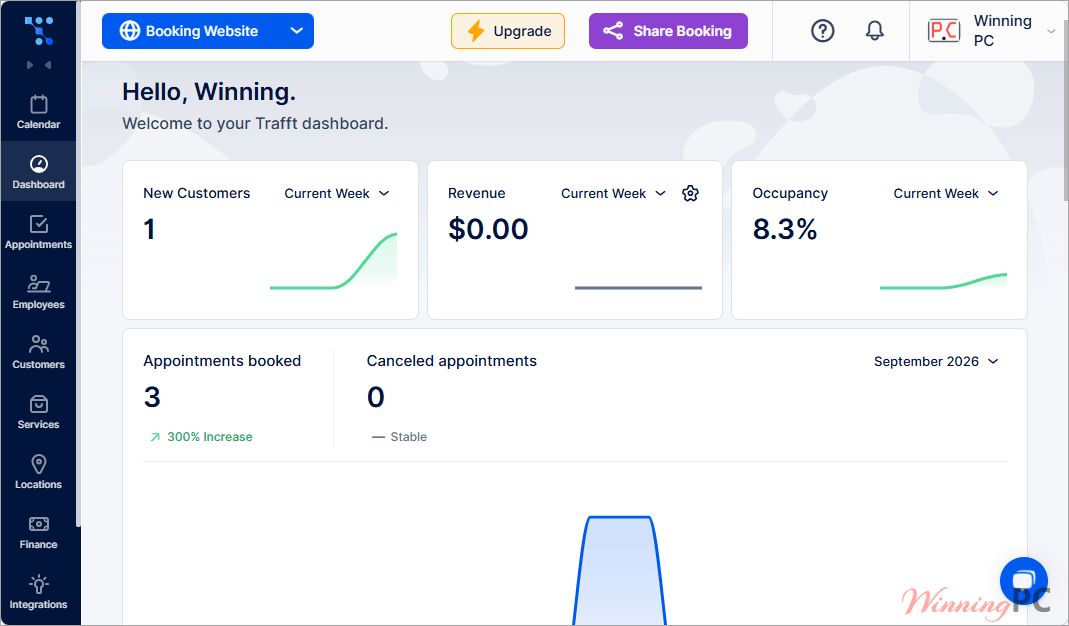
Where Trafft earns its money is the admin side rather than the booking form. The KPI dashboard and per-employee calendar views let a manager read occupancy and revenue without exporting anything, which is the part cheaper scheduling tools tend to skip entirely. The booking form itself is competent rather than remarkable: eight base themes, light and dark mode, automatic customer time zone detection, a chatbot still marked Beta.
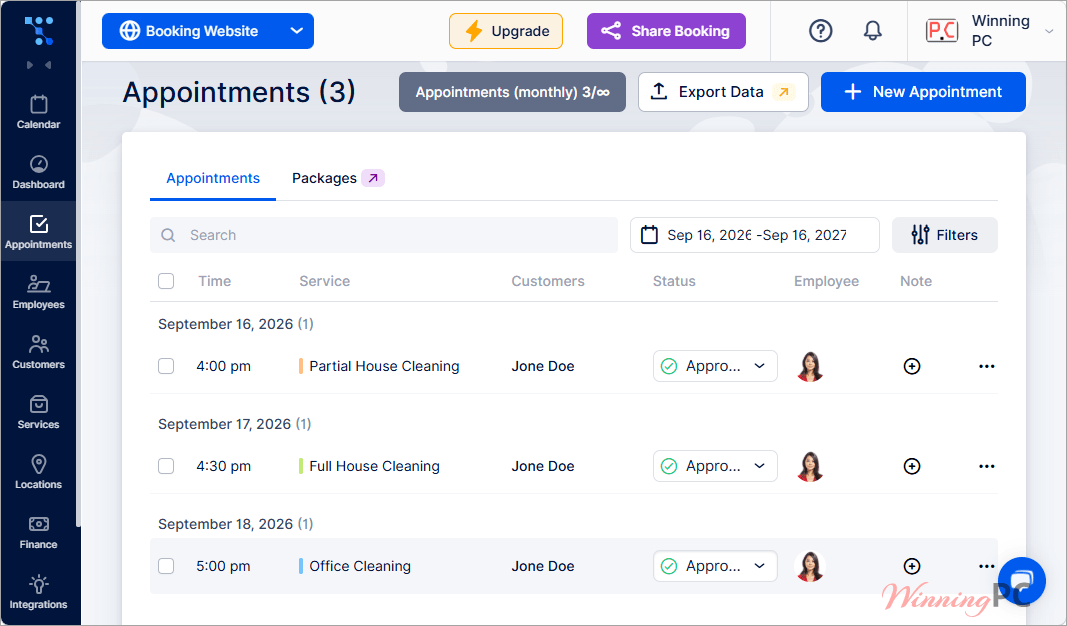
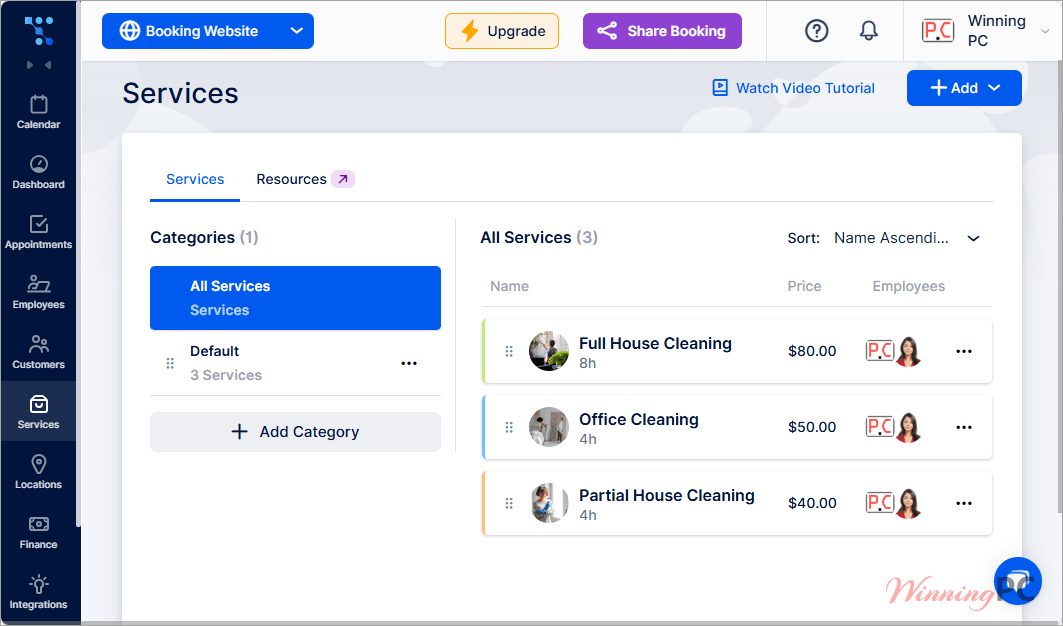
What matters more is how much sits behind the higher tiers. Card payments beyond Square only appear on Growth, and API, webhooks, custom domain and branding removal are Business-only, so a five-person clinic that needs Stripe cannot stay on the cheapest paid plan. Setup has one trap worth knowing about too: a service with no employee assigned to it will not appear on the booking form at all, and that catches out a lot of first-time users.
Key features
- An auto-generated booking website plus an embeddable form, a shareable link and a QR code, so you can take bookings without building a page first
- A free WordPress plugin that drops the form into Gutenberg or Elementor, with the option to preselect a category, service, employee or location
- Two-way sync with Google, Outlook and Apple Calendar, and meeting links generated automatically through Zoom, Google Meet or Microsoft Teams
- Square payments on every tier, with Stripe, PayPal, Mollie and Authorize.net from Growth upward, and deposits plus refunds from Professional
- A KPI dashboard for new customers, revenue and occupancy, backed by invoices, taxes and employee commission for the finance side
What we think
Screenshots
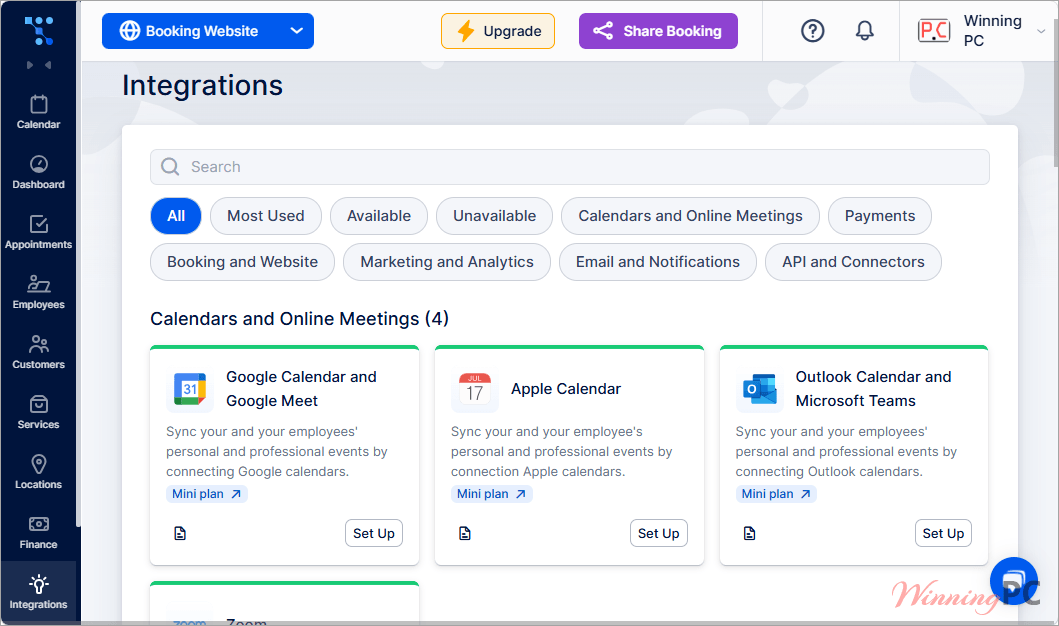
Which Trafft plan should you buy?
| Plan | Users | Locations | What it unlocks first | Yearly with code | Best for |
|---|---|---|---|---|---|
| Mini | 3 | 3 | Unlimited appointments, calendar sync, group bookings, taxes, discount coupons | $71.88 ($5.99/mo) | Solo pros and two-person teams |
| Growth | 5 | 5 | Stripe, PayPal, Mollie, Authorize.net, custom fields, invoices, Zoom, multilingual site | $191.88 ($15.99/mo) | Small teams taking card payments |
| Professional | 15 | Unlimited | Recurring appointments, service packages, deposits, refunds, Zapier, ratings, gift cards | $359.87 ($29.99/mo) | Multi-location businesses |
| Business | 30 | Unlimited | API, webhooks, custom domain, branding removal, WhatsApp, Reserve with Google, SMTP | $599.87 ($49.99/mo) | Agencies and teams past 16 seats |
Questions people ask about Trafft
Does the code work out better on monthly or yearly billing?
Yearly, by a wide margin. On Mini and Professional the code takes 40% off the annual total against 20% on monthly, so Mini works out at $5.99 a month instead of $7.99 and Professional at $29.99 instead of $39.99. Across twelve months that is $24 and $120 saved on top of the discount you were already getting.
Does Trafft charge a commission on each booking?
No. Trafft states there are no per-booking commissions, add-on charges or contracts, only the plan you pick. Your payment processor still takes its own cut, and VAT or GST is added where it applies.
How many users do I get, and what if I need more?
Mini covers 3 users, Growth 5, Professional 15 and Business 30. Each plan lists an additional-user rate if you need to go slightly over, and anything past 50 users moves to a custom Enterprise quote.
Will the discount still apply when my subscription renews?
Check this at checkout before you pay. Trafft does not publish a renewal rate for coupon purchases, and promotional codes commonly apply to the first term only. Annual billing at least locks the discounted rate in for a full twelve months either way.
Do I need a paid plan to use the WordPress plugin?
No. Booking System Trafft is free on WordPress.org and works on every tier, free plan included. You install it, enter your Trafft account domain, then add the block in Gutenberg or Elementor, or use the trafftbooking shortcode in any other builder. Trafft’s setup documentation walks through the preselect options.
Can I get a refund if Trafft is not right for my business?
Yes, within 30 days. Trafft advertises a 30-day money-back guarantee on paid plans. Between that and the card-free 14-day trial, you can test the whole platform before the refund window ever matters.
Is Trafft the same thing as Amelia?
No, though they come from the same company. TOUCH ME SOFT built Amelia first as a self-hosted WordPress plugin, then built Trafft as a cloud platform. Amelia runs on your server, Trafft runs on Trafft’s and connects to WordPress through a plugin rather than being one.
What you need to run it
| Platform | Browser-based, no desktop install |
| Mobile apps | Android and iOS dashboard apps |
| WordPress plugin | PHP 7.4 or higher, tested up to WordPress 7.0.4 (plugin v1.0.19) |
| Page builders supported | Gutenberg and Elementor, plus a shortcode for other builders |
| Account requirement | A Trafft account and an internet connection |
| Desktop hardware | Not specified by the publisher |