On this page
Troop Messenger Coupons & Pricing
Troop Messenger - Monthly
2 plans · best save 20%
Troop Messenger - Yearly
2 plans · best save 20%
Enterprise ★ Best Deal
Experience the Free Trial for 1 Month | 1 TB
Storage
Is the Troop Messenger coupon legit?
Yes. SUB**BE20 is an authorized discount code for WinningPC readers, redeemed directly on Troop Messenger’s official checkout.
Official authorized source
This code is shared with WinningPC by Troop Messenger directly. It is not a grey-market reseller code or a third-party key.
No crack or keygen
You subscribe through Troop Messenger’s own SaaS platform and receive a legitimate subscription. Nothing is patched or repackaged.
Secure HTTPS checkout
Payment is processed on Troop Messenger’s encrypted store. Your card details never touch WinningPC.
14-day money-back guarantee
All paid SaaS plans are refundable within 14 days of purchase, so there is no financial risk if the platform doesn’t fit your team’s workflow.
How to Use the Troop Messenger Coupon Code
- Choose your plan (Premium or Enterprise) and billing cycle on the coupon & pricing box, then click on the “COPY” button.
- Copy the code SUB**BE20 from the box above. Go to troopmessenger.com/pricing.
- Click the plan button to proceed to Troop Messenger’s checkout page.
- Find the coupon or promo code field at checkout and paste the code above.
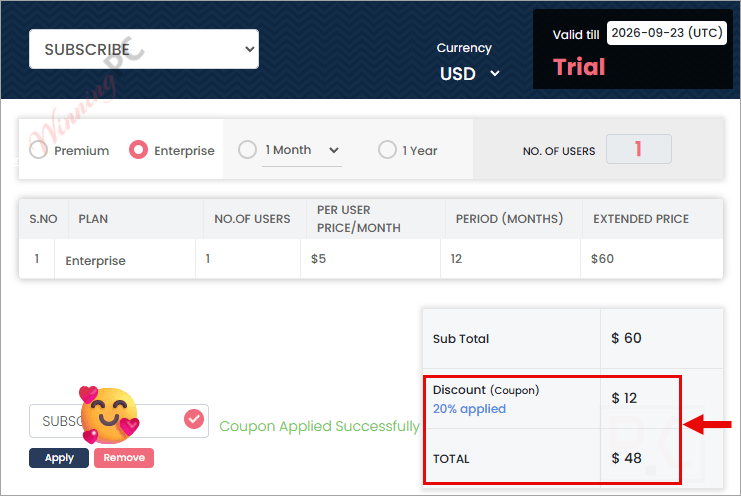
- Confirm the 20% discount is applied and the total matches the pricing table above before completing payment.
Troop Messenger Review & Features
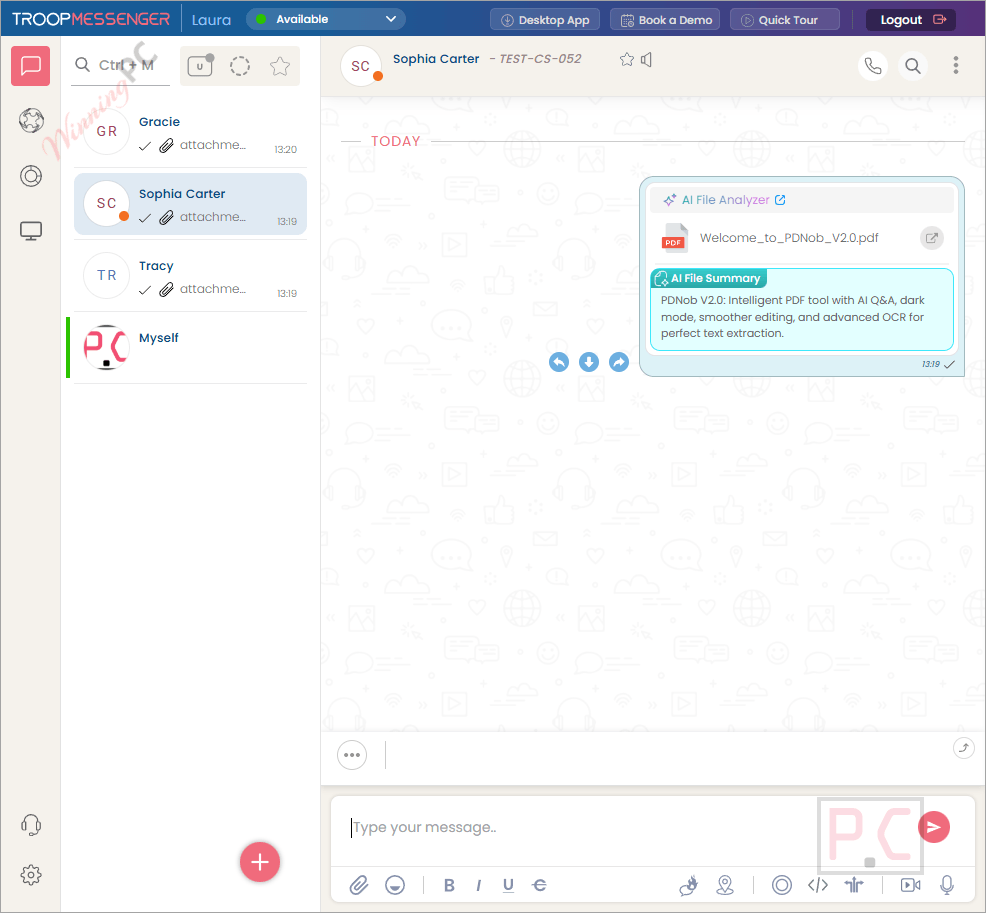
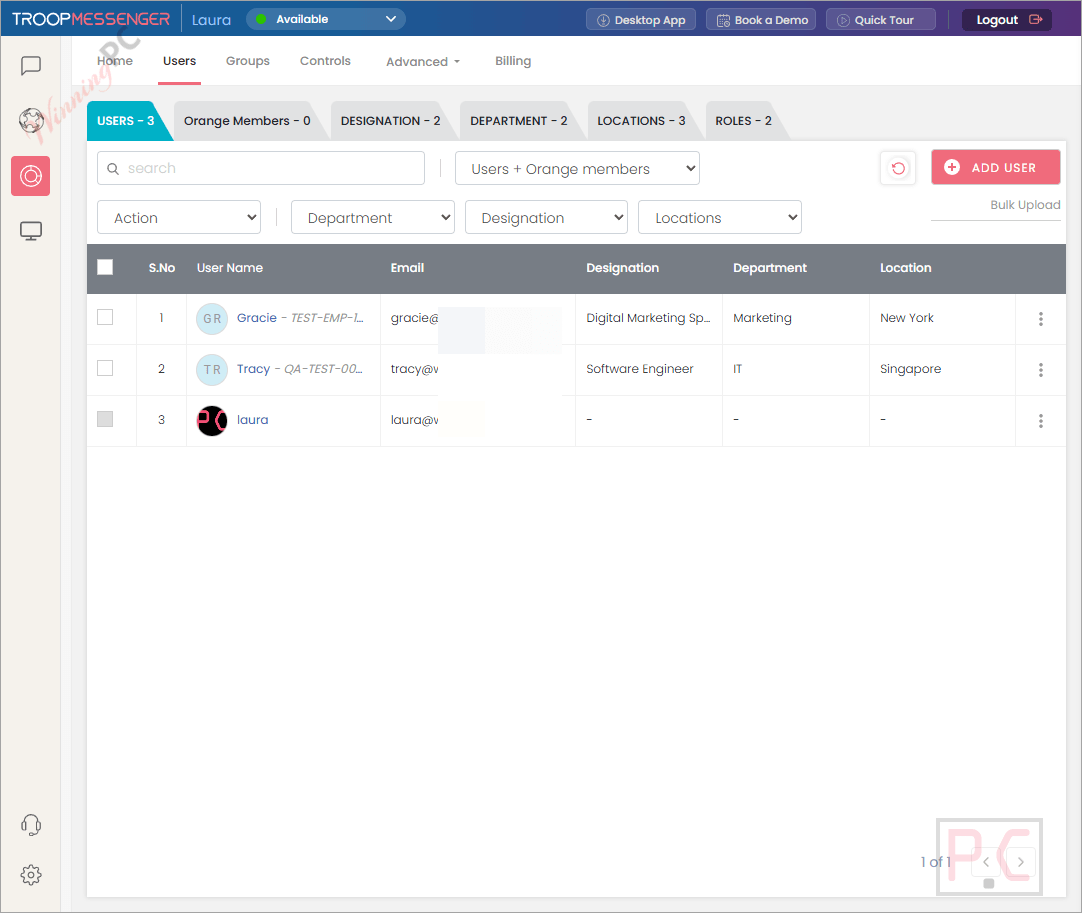
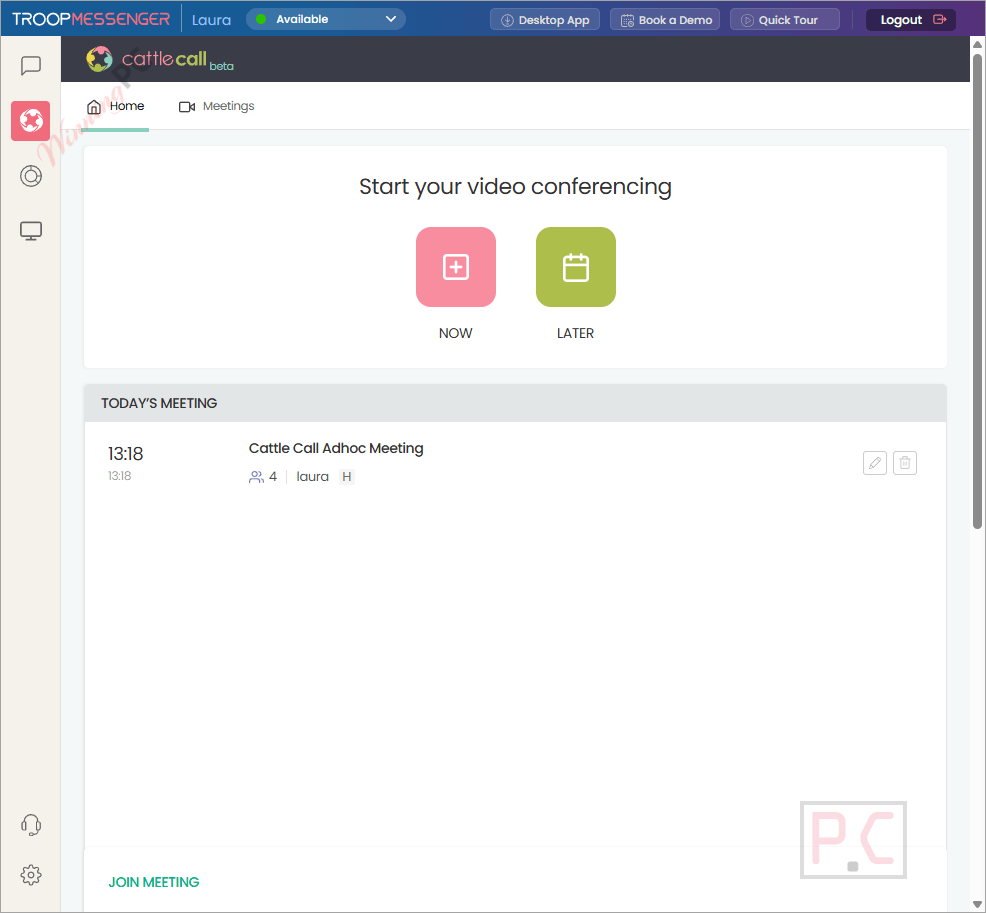
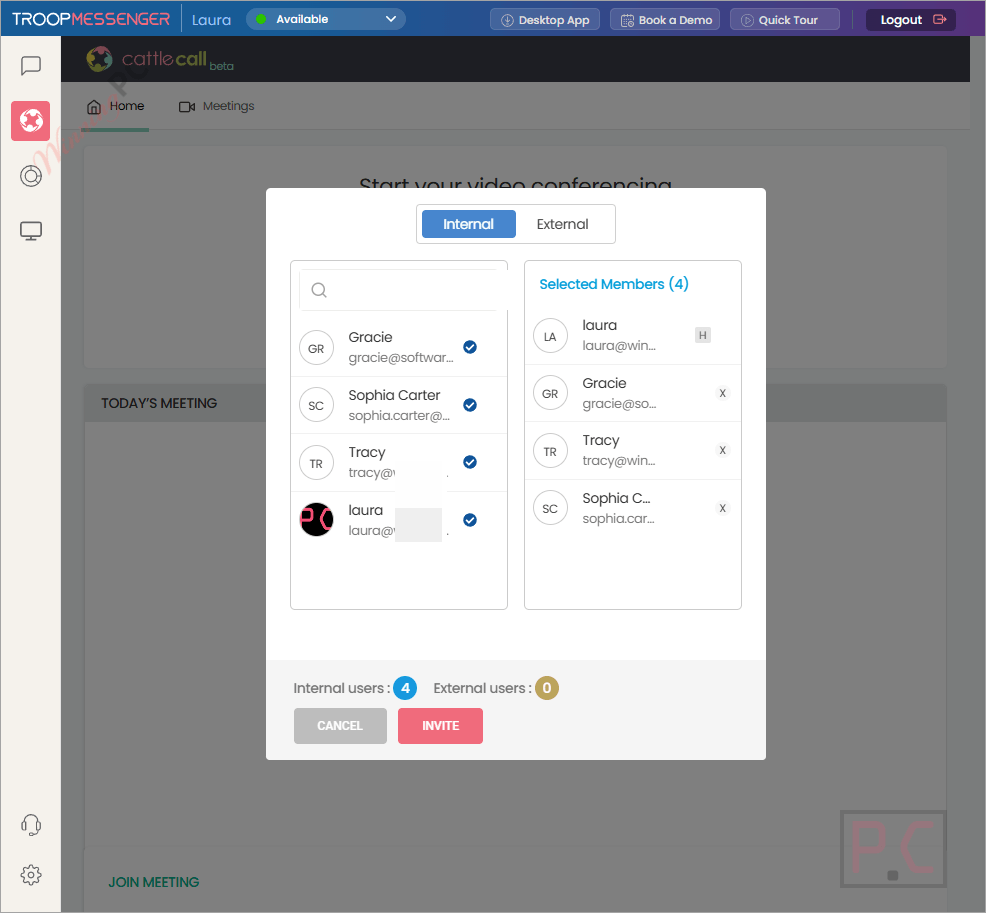
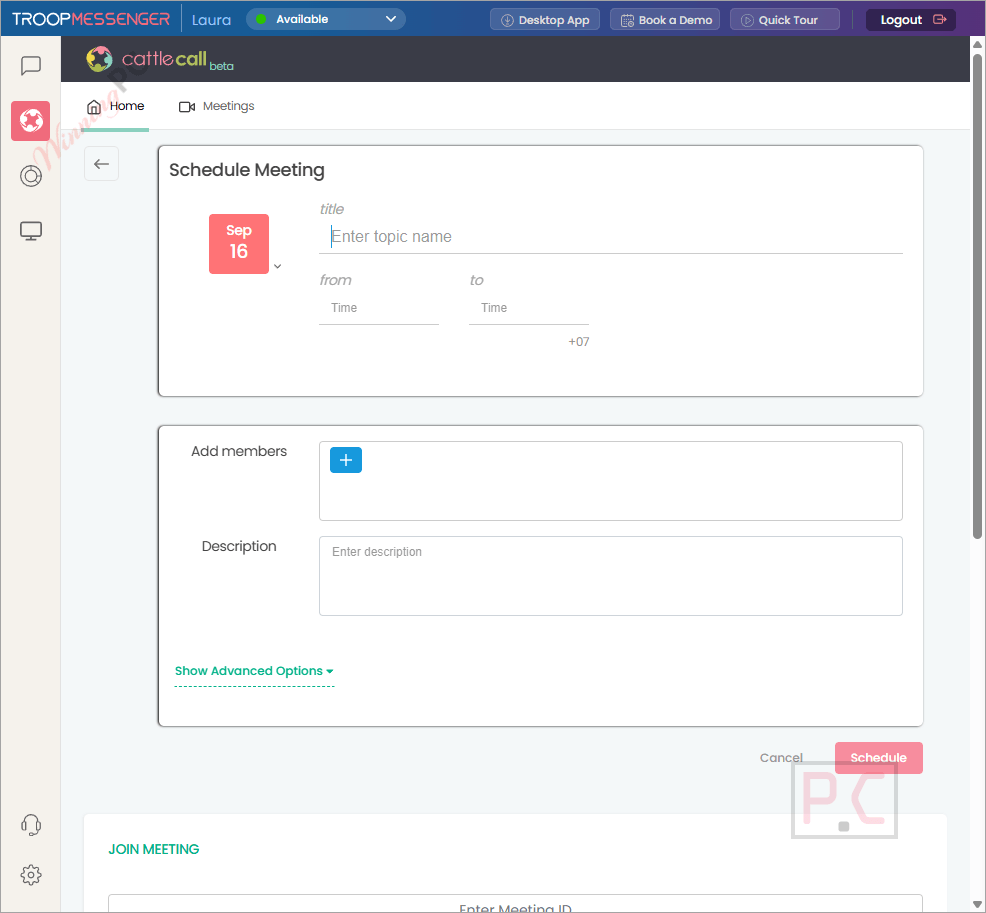
Troop Messenger punches well above the $2.50/user price point in terms of feature depth. The core messaging suite is solid: 1:1 and group chat, voice and video calls, file sharing, and screen sharing all work without switching apps. The real differentiator is the deployment flexibility. The on-premise option gives IT teams full data ownership and is genuinely unusual at this price tier. The enterprise security stack – LDAP/SSO, MFA, IP-based access restrictions, audit logs, and role-based controls – is the kind of thing you normally pay significantly more for.
Key features
- End-to-end encrypted messaging, calls, and file transfers across all plans.
- SaaS, private cloud, and full on-premise / air-gapped deployment options.
- Burnout (self-destructing private chat window) and Forkout (mass broadcast messaging).
- AI-powered reply suggestions, meeting summaries, and a built-in AI assistant.
- Jointly Code: a collaborative in-app code editor for developer teams on calls.
What we think
Screenshots
Premium vs Enterprise: which plan should you choose?
| Feature | Premium | Enterprise |
|---|---|---|
| Regular price (monthly) | $2.50/user/mo | $5.00/user/mo |
| Regular price (yearly) | $30.00/user/yr | $60.00/user/yr |
| Price with SUBSCRIBE20 | Not applicable | $4.00/user/mo · $48.00/user/yr |
| Storage | 150 GB | 1 TB |
| 1:1 Messaging & Group Chat | Yes | Yes |
| File Sharing | Yes | Yes |
| Audio Calling | Yes | Yes |
| Group Video Calling | No | Yes |
| Remote Screen Sharing | No | Yes |
| Burnout (self-destructing chat) | No | Yes |
| Role-Based Access Controls | No | Yes |
| Best for | Small teams needing secure basic messaging at the lowest price | Orgs needing conferencing, full security controls, and the WinningPC discount |
How Troop Messenger compares to Slack, Teams, and Rocket.Chat
| Tool | Starting price | On-premise | E2E encryption | Free option | Best for |
|---|---|---|---|---|---|
| Troop Messenger (our pick) | $2.00/user/mo (with code) | Yes, full | Yes | 7-day trial | Security-first teams, regulated industries |
| Slack | $4.38/user/mo, when paying monthly | No | In-transit only | Yes (limited) | General business comms, broad app integrations |
| Microsoft Teams | $9.99/user/mon | Limited | In-transit only | Yes (personal) | Organizations already inside Microsoft 365 |
| Rocket.Chat | Free (self-hosted) | Yes | Yes | Yes (self-hosted) | Tech-savvy teams wanting open-source control |
Rocket.Chat is the closest open-source alternative if budget is the primary constraint. If your team is already embedded in the Microsoft 365 ecosystem, Teams makes sense for the integration alone. Troop Messenger’s clearest advantage over both Slack and Teams is on-premise deployment with genuine E2EE – neither of those platforms offers this for standard business plans.
Common questions about Troop Messenger
What is the cheapest Troop Messenger plan after the discount?
The lowest entry point is $2.00 per user per month (Premium Monthly, with code SUB**BE20). For annual billing, the Yearly Premium works out to $24.00 per user per year, which is the same effective monthly rate.
Which Troop Messenger plans does this code apply to?
SUB**BE20 applies to Enterprise plans only – both the Monthly ($5.00 → $4.00/user) and Yearly ($60.00 → $48.00/user/yr) tiers. It does not apply to Premium Monthly or Premium Yearly. If you only need the Premium feature set, the regular price of $2.50/user/month is already competitive without a code.
Is there a free trial before committing?
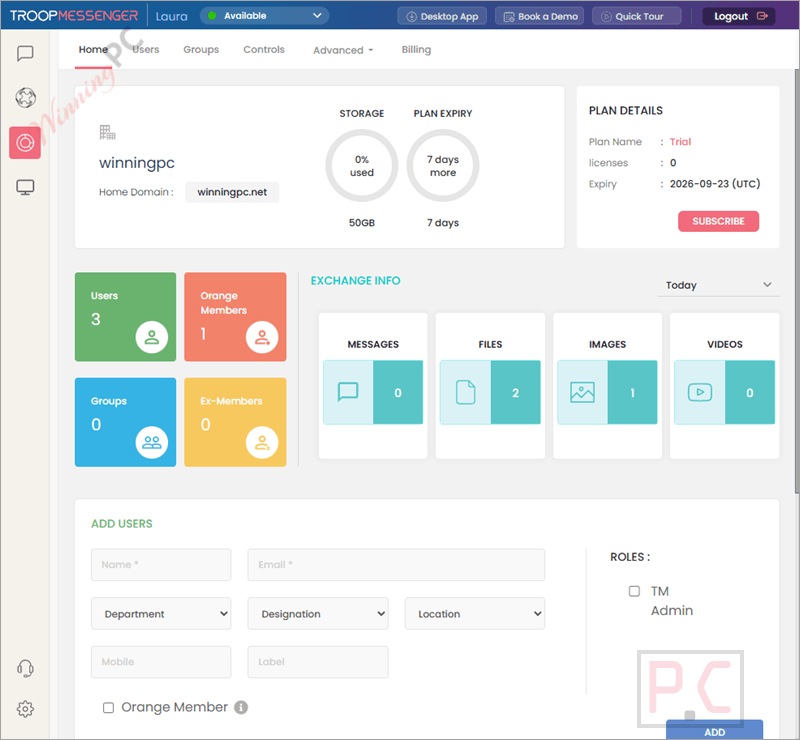
Yes. All Troop Messenger SaaS plans include a 7-day free trial, and no credit card is required to start it. That gives you enough time to test messaging, calls, and admin controls before paying anything.
What does Enterprise add that Premium doesn’t include?
Four things that matter for growing teams: group video calling, remote screen sharing, the Burnout self-destructing chat window, and role-based access controls. Enterprise also jumps from 150 GB to 1 TB of storage. If your team holds video standups or handles any sensitive communications, the upgrade to Enterprise at $4.00/user/month (with code) is worth it.
Does Troop Messenger support on-premise deployment?
Yes. Troop Messenger offers SaaS, private cloud (your own AWS/Azure/GCP), and fully on-premise (self-hosted, air-gapped) deployment. The on-premise tier is priced separately – contact Troop Messenger directly for a quote. This is the feature that separates it most clearly from Slack and Microsoft Teams, which do not offer equivalent on-premise options for standard business plans.
Is Troop Messenger a good fit for teams currently on Slack?
It depends on what you need from Slack. If you use Slack mainly for its integration marketplace (Salesforce, GitHub, Google Workspace, etc.), the switch may be bumpy – Troop Messenger’s third-party integration library is smaller. But if data security, on-premise hosting, or cost are the drivers, Troop Messenger covers the core collaboration use cases at a fraction of Slack’s price, especially with the 20% WinningPC code applied.
System Requirements & Details
| Windows | Windows 11, Windows Server |
| macOS | n/a |
| Linux | Ubuntu, CentOS |
| Android | 5.0 and up |
| iOS | 12.0 or later |
| iPadOS | 12.0 or later |
| iPod touch | iOS 12.0 or later |
| Apple Vision | visionOS 1.0 or later |
| Web (browser) | All major modern browsers |
| Processor / RAM / Disk | Not specified |
| Supported input formats | N/A (messaging platform, not a file converter) |
| Supported output formats | N/A |
| File sharing formats | Text files, PDFs, PPTs, images, videos, URLs (via chat) |
| Internet requirement | Required for SaaS; on-premise requires own server infrastructure |
| Multilingual UI | 13+ languages including Hindi, Arabic, Portuguese, Japanese, Korean |