On this page
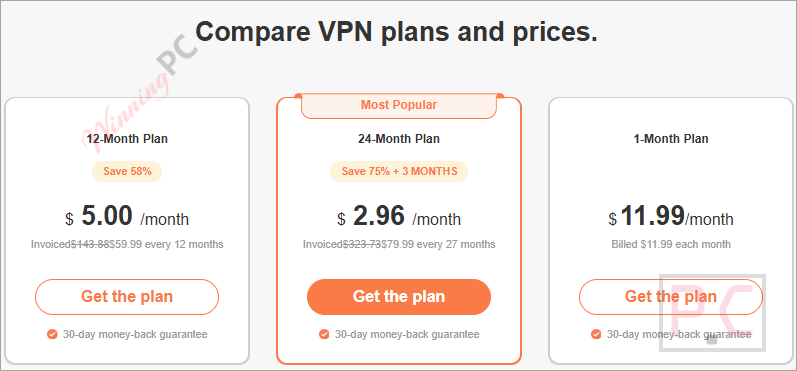
TurboVPN Coupons & Pricing
TurboVPN
3 plans · best save 75%
24-Month Plan + 3 MONTHS ★ Best Deal
24/7 Support | 30-day VPN free trial guarantee
How to Use the TurboVPN Coupon Code
- Click on the “Get Deal” button above.
- You will be directed to the TurboVPN plan and prices. Choose the plan (1-Month Plan, 12-Month Plan, 24-Month Plan) that you want to get.
- Confirm the price updates – the 12-Month plan should show $59.99, the 24-Month + 3 plan $79.99.
- Complete your purchase, then download the TurboVPN app on any of your devices and sign in with the same account.
Can you trust this TurboVPN deal?
Yes. A few specifics worth knowing:
No crack or keygen involved
You download the official TurboVPN app directly from the developer’s servers and activate with a genuine license – nothing patched or repackaged.
Official authorized source
This code processes through TurboVPN’s own checkout, not a grey-market key reseller or third-party store.
Secure HTTPS checkout
Payment is handled on TurboVPN’s encrypted store; your card details never touch WinningPC.
30-day money-back guarantee
If the premium plan doesn’t work for you, contact TurboVPN’s 24/7 live support within 30 days for a full refund. The process is straightforward by their stated policy.
Hands-on with TurboVPN
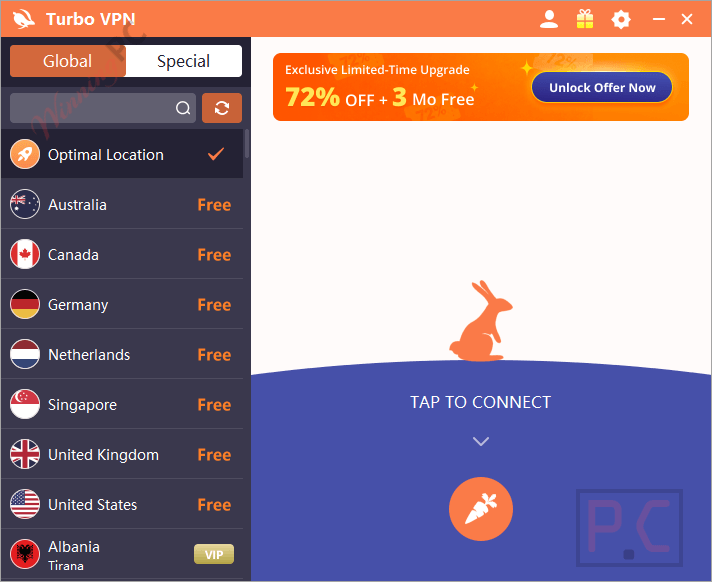
The server network is the headline stat, and it holds up: 21,000+ servers across 111 locations gives TurboVPN one of the wider global footprints at this price tier. AES-256 encryption paired with IKEv2, OpenVPN UDP, and L2TP-IPSec covers both speed-sensitive use cases (streaming, gaming) and high-security ones. The kill switch and split tunneling are genuinely useful additions – budget VPN services often quietly leave these out.
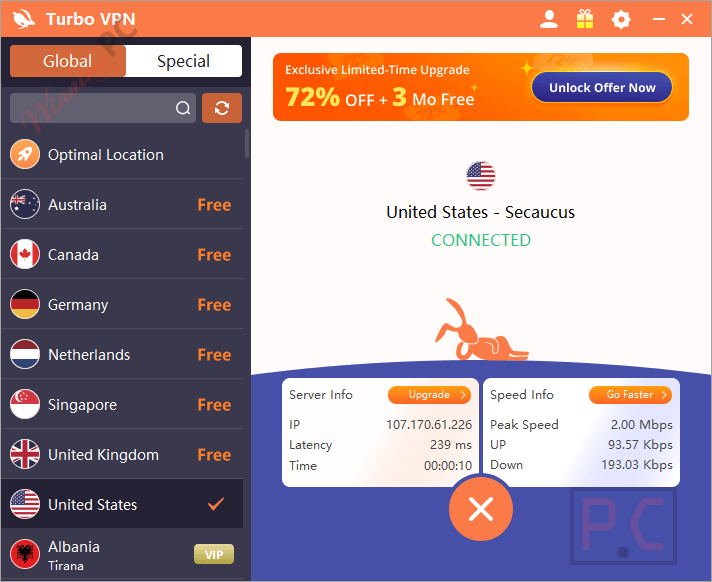
Supporting 10 simultaneous device connections on a single account is generous; most competitors cap at 5 or 6. The free tier is a real differentiator too: the Windows desktop version is entirely ad-free, though mobile users will see occasional ads. The one gap worth naming: TurboVPN does not publicly disclose its jurisdiction or parent company, which matters if you’re evaluating it purely on privacy credentials.
Key features
- 21,000+ servers across 111 global locations.
- AES-256 encryption with IKEv2, OpenVPN UDP, and L2TP-IPSec protocols.
- Kill switch + split tunneling (premium plans).
- 10 simultaneous device connections per account.
- Free tier: permanent, ad-free on Windows desktop, ad-supported on mobile.
- Strict no-logs policy; 30-day money-back guarantee; 24/7 live chat support.
What we think
more TurboVPN Screenshots!
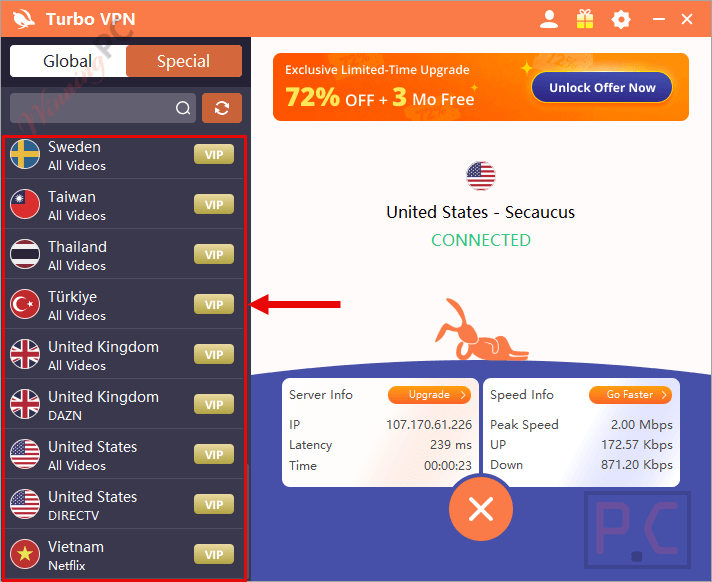
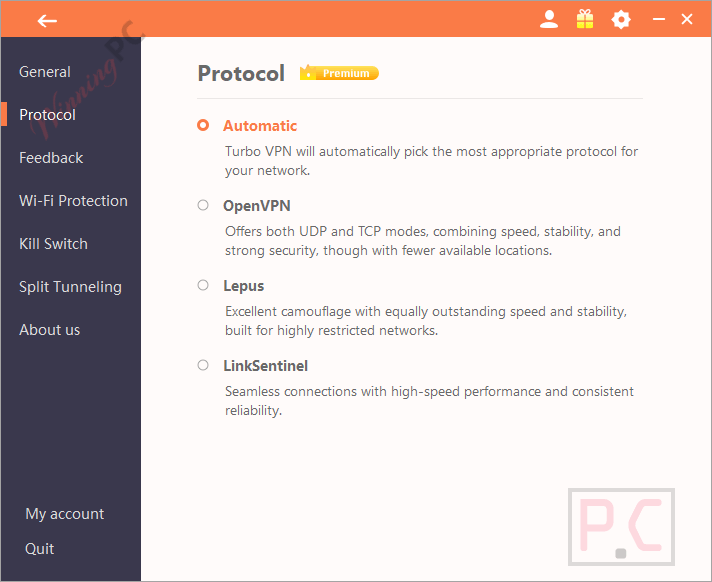
Comparing the TurboVPN plans
| Plan | Price with | Duration | Monthly Equiv. | Best For |
|---|---|---|---|---|
| 1-Month | $11.99 (no discount) | 1 month | $11.99 | Short-term testing only |
| 12-Month | $59.99 | 12 months | $5.00 | Flexible yearly commitment |
| 24-Month + 3 Months | $79.99 | 27 months | $2.96 | Maximum savings; long-term users |
All plans: 10 devices, 30-day money-back, full server access. Note: the coupon does not apply to the 1-Month plan.
TurboVPN vs the alternatives
| Tool | Best Deal Price | Server Network | Devices | Free Option | Best For |
|---|---|---|---|---|---|
| TurboVPN (our pick) | $2.96/mo (24-mo+3) | 21,000+/ 111 locations | 10 | ✅ Yes (ad-free desktop) | Multi-device users; free-tier testing |
| Surfshark VPN | $2.39/mo (24-mo+4) | 4500+/ 100 countries | Unlimited | ✅ 7-day free trial (up to 3 devices) | Households needing unlimited devices |
| AdGuard VPN | $2.4/mo (2-yr) | 75+ locations | 10 | ✅ 3 GB/month | Ad-blocking + VPN in one tool |
| iTop VPN | $1.25/mo (2-yr) | 3200+/ 100+ locations | 8 | ✅ Yes, limited | Budget users with light VPN needs |
| ClearVPN | $2.6/mo (1-yr) | 45+ locations | 6 | ✅ Free version + 3-day Premium trial | Mac/iOS users wanting a streamlined UI |
Frequently Asked Questions
How many devices can I use at the same time?
All premium plans support 10 simultaneous device connections on one account. That covers Windows, macOS, iOS, Android (including an Android Lite client), Chrome extension, Xbox, PlayStation, and Nintendo Switch – a broader device list than most rivals.
Is TurboVPN’s free tier actually usable?
Yes, with caveats. The Windows desktop free plan is entirely ad-free. Mobile (iOS and Android) shows occasional ads. In both cases, you’re limited to a smaller server selection and miss premium features like kill switch and split tunneling. It’s a genuine way to test the service before paying, not a stripped-down bait product.
Will TurboVPN noticeably slow my connection?
Speed impact depends on server distance and load. TurboVPN automatically picks the fastest compatible protocol from IKEv2, OpenVPN UDP, and L2TP-IPSec for your network. For most everyday browsing and HD streaming, the overhead is minimal. If you notice slowdown, switching to a server geographically closer to your actual location usually resolves it.
Does TurboVPN’s kill switch actually protect you?
Yes. The automatic kill switch cuts your device’s internet connection the moment the VPN drops unexpectedly, preventing your real IP from being exposed even if the app glitches or your Wi-Fi switches networks. It’s available on all premium plans and particularly useful on public Wi-Fi or when torrenting.
System Requirements & Details
| Field | Value |
|---|---|
| Operating system | Windows, macOS, iOS, Android, Android Lite, Chrome (extension), Xbox, PlayStation, Nintendo Switch |
| Supported input/output formats | N/A – VPN service, no file conversion |
| Internet connection | Required |
| Simultaneous connections | 10 devices on one premium account |