
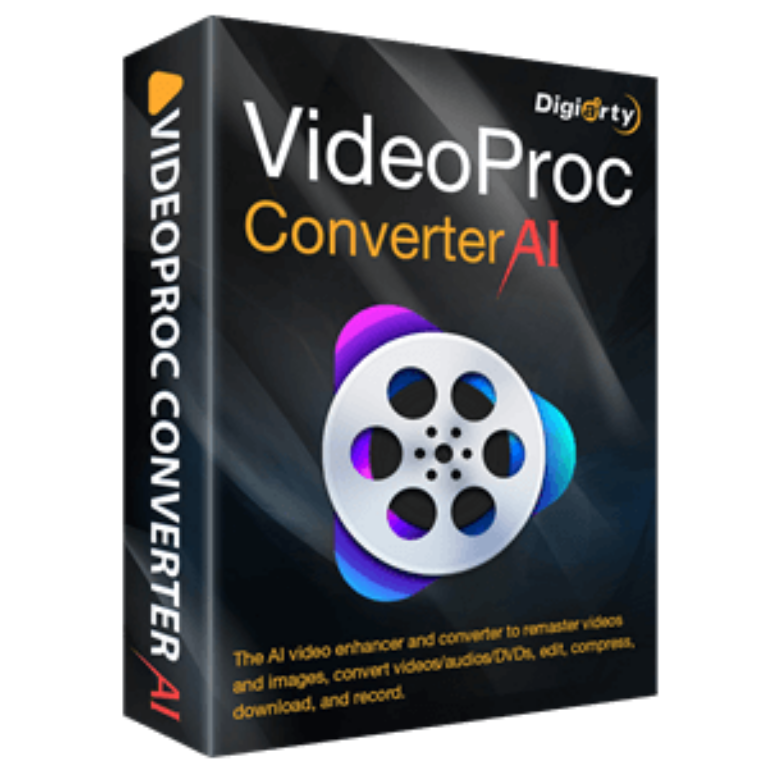

VideoProc Converter AI Giveaway

VideoProc Converter AI
Enhance video/image/audio quality, upscale videos to 4K, and restore old footage and photos using AI
- Product
- VideoProc Converter AI v7.8
- Product website
- videoproc.com
- License
- Lifetime
- Platform
- Windows 7, 8/8.1, 10, 11 or later
macOS 10.15 or higher - AI features (giveaway)
- New AI image & audio features disabled; latest AI models disabled
- Free updates
- Disabled
- Updated
- 2026-10-10
Continue on videoproc.com
The publisher handles registration and license delivery on its official website.
The free license is no longer available.
VideoProc Converter AI Coupon Codes October 2026
VideoProc Converter AI for Windows
4 plans · best save 67%
VideoProc Converter AI for Mac
4 plans · best save 67%You may also like
WinX 4-in-1 Bundle (Lifetime / 1 PC)
WinX DVD Ripper Platinum | WinX MediaTrans | WinX DVD Copy Pro | Winxvideo AI | Gift: 5KPlayer

Aiarty Image & Video Tools Bundle (Lifetime License)
Lifetime Free Upgrade | VideoProc Converter AI + Gifts | Aiarty Image Enhancer | Aiarty Image Matting | Gift: 5KPlayer
📄 Licensing & Support Details
- License options: 1-Year Subscription and Lifetime License
- Supports 1 PC or 2–5 PCs depending on the plan
- 30-day money-back guarantee
- Free trial available
- GPU acceleration support for NVIDIA, AMD, Intel, and Apple Silicon
- Compatible with Windows and Mac systems
📝 How to apply
- Click “Copy” in the coupon section above.
- The code will be applied automatically while you are redirected to the checkout page for the special offer.
Is this VideoProc Converter AI giveaway safe and legit?
Yes. VideoProc Converter AI is a well-established product by Digiarty Software, and this giveaway runs through their official publisher page.
No crack or keygen
You receive a genuine Lifetime license key issued directly by Digiarty Software. Nothing is patched, repackaged, or modified.
Official publisher source
The giveaway is authorized and distributed through VideoProc’s own developer platform, not a grey-market key reseller.
Secure HTTPS checkout
If you choose a paid plan instead, payment goes through Digiarty’s encrypted store. WinningPC never touches your payment details.
Zero financial risk either way
The giveaway license costs nothing. If you choose a paid plan, Digiarty backs it with a 30-day money-back guarantee – so there’s no risk there either.
How to Get the VideoProc Converter AI License Key Free
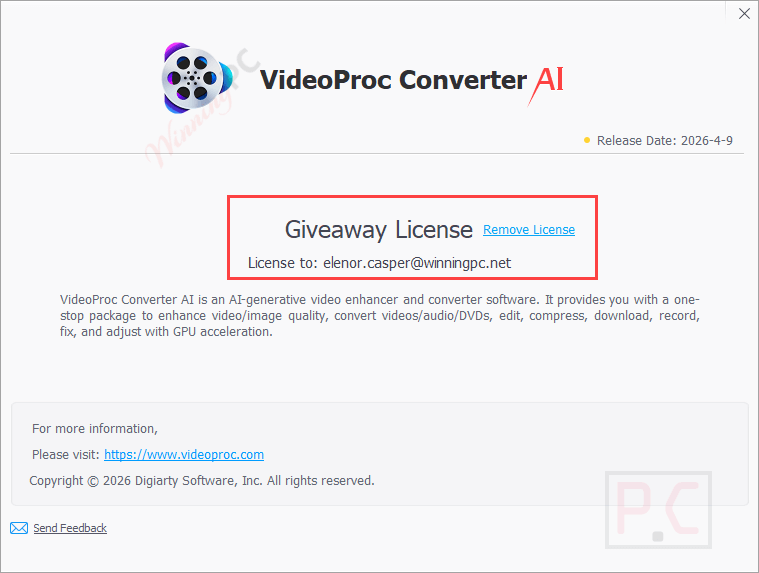
- Open the VideoProc Converter AI giveaway page and enter your valid email address.
- Check your inbox for the email from Digiarty containing your Lifetime license key.
- Download and install VideoProc Converter AI from the developer’s official site (videoproc.com).
- Launch the app, open the registration dialog, and paste in the key from your email.
- The full version activates immediately – you can start converting, editing, or running AI enhancements right away.


Hands-on with VideoProc Converter AI: what it actually does
VideoProc Converter AI earns its “AI” badge through sheer scope: few converters at this price point bundle GPU-accelerated AI upscaling, a built-in site downloader, a DVD ripper, and a screen recorder alongside the core conversion engine. The hardware acceleration is the genuine differentiator – on 4K and 8K footage, the Level-3 GPU pipeline keeps things moving where CPU-only tools stall for minutes.
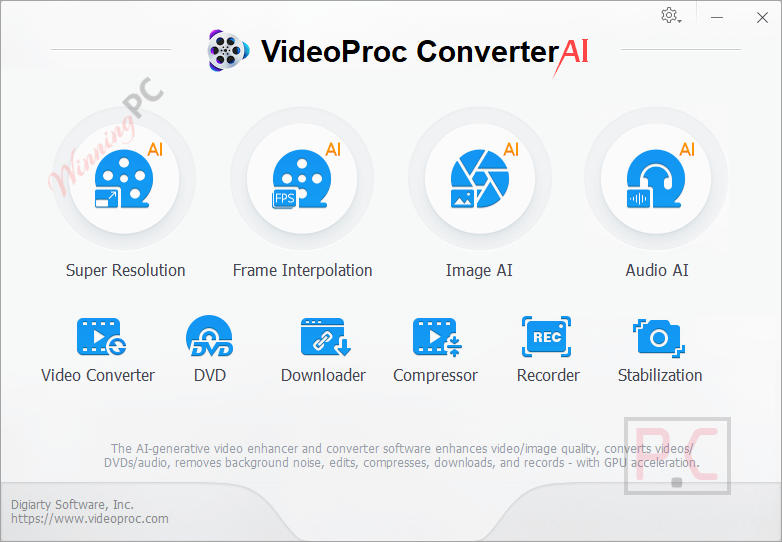
That said, the AI tools carry real hardware requirements: Frame Interpolation needs Vulkan 1.2+, Super Resolution needs DirectX 12 or specific NVIDIA/AMD generations, and older machines may find several AI features simply unavailable. The giveaway license adds one more layer: the newest AI image and audio tools are locked, and there are no future software updates. For conversion, basic editing, DVD ripping, and the foundational AI enhancement tools, you still get a lot for free.
Key features
- AI Super Resolution V3: Upscales videos by up to 400% to deliver natural HD/4K results with a 40% to 80% speed boost.
- Level-3 Hardware Acceleration: Optimized for Intel, NVIDIA, AMD, and Apple Silicon, maximizing processing efficiency to run up to 47X faster in real-time.
- Batch Video Compressor: Shrinks massive 4K video files by over 90% using a simple ratio slider and seven different compression methods.
- 29 Quick-Edit Tools: Includes options to cut, merge, crop, rotate, adjust color, fix fisheye distortion, force audio sync, and apply 16 special effect filters.
- Media Downloader: Saves videos, music, playlists, and subtitles in batches from over 1,000 popular platforms and 2,000 niche sites.
- Screen & Webcam Recorder: Captures Windows, Mac, or iOS screens alongside system audio and voice, complete with picture-in-picture and green screen modes.
- AI Image Restoration: Enhances and upscales photos, restores faces, and colorizes old black-and-white images.
What we liked, what we didn’t
More VideoProc Converter AI screenshots!


Frequently Asked Questions
Where can I discover the latest promotions or discount codes for VideoProc Converter AI?
The most reliable spot to pick up active promo codes for this tool is right here at WinningPC. We regularly partner directly with Digiarty Software to bring you verified savings you won’t easily spot anywhere else.
What is the absolute lowest price I can get on a VideoProc Converter AI license right now?
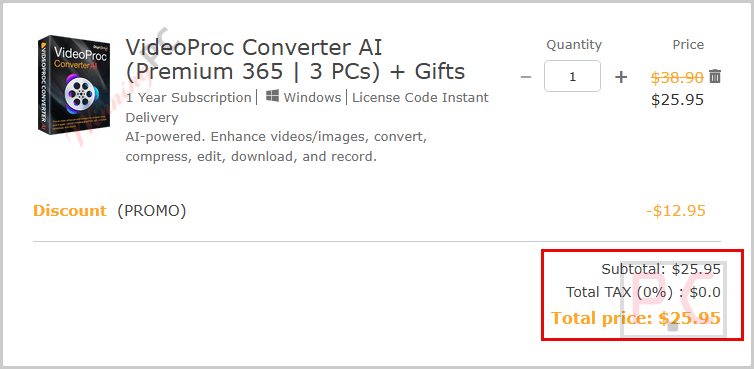
Currently, you can shave up to 71% off the standard retail price through WinningPC. This massive discount drops the lifetime license (for 2-5 PCs) down to just $39.95, a sharp decrease from the usual $119.90.
Does this software slow down your computer while processing heavy video files?
No, it is highly optimized. By relying on Level-3 Hardware Acceleration via your GPU, it keeps average CPU usage down to just 2%, so you can work on other tasks on your computer simultaneously.
Can it fix the distorted, curved edges on my action camera footage?
Yes, the de-fisheye tool easily straightens out curved lines and corrects lens distortion from wide-angle lenses on cameras like GoPro and DJI.
Does VideoProc Converter AI handle external subtitles?
Absolutely. You can extract subtitles, enable or disable them, and easily hardcode or softcode external subtitle files (.ass, .ssa, .srt) directly into your media.
What formats can I convert my videos into?
The software supports nearly all standard and advanced formats, allowing you to convert files into MP4, HEVC, AVI, MKV, MOV, MP3, AAC, and GIF, ensuring they play seamlessly on Apple devices, Androids, and HDTVs.
Is it possible to record my screen and myself at the same time?
Yes. The screen recorder supports picture-in-picture mode, letting you record your screen, webcam, and system audio simultaneously—perfect for gaming or instructional videos.
Can I digitize my old DVDs with this software?
Yes, VideoProc Converter AI includes a dedicated tool to digitize DVDs, allowing you to unlock and back up physical movies for playback on modern devices.
System Requirements & Supported Formats
| Operating system (Windows) | Windows 7/8/8.1/10/11 – 32-bit and 64-bit supported |
| Operating system (Mac) | macOS 10.13+ (classic features); macOS 10.15+ (AI tools); macOS 13.0+ (CoreML Super Resolution) |
| Apple Silicon | M1/M2/M3/M4/M5 (Pro, Max, Ultra) natively supported |
| Processor | 1 GHz Intel or AMD (minimum) |
| RAM | 1 GB minimum; 2 GB recommended; 2 GB minimum for AI tools |
| Hard disk | 200 MB for installation; 1 GB minimum for AI tools |
| GPU – hardware acceleration | NVIDIA GeForce GT 630+; Intel HD Graphics 2000+; AMD Radeon HD 7700+ |
| AI – Frame Interpolation | GPU with Vulkan 1.2+ |
| AI – Stabilization | CPU/GPU with OpenCL 1.0+ |
| AI – Super Resolution (Gen Detail/Real Smooth models) | DirectX 12.0+ (DirectML): Intel Haswell 4th-gen HD+, AMD Radeon R9 390+, NVIDIA GTX 980+ |
| AI – Super Resolution (Anime/Zyxt models) | Vulkan 1.2+; Intel HD 2000+, NVIDIA GT 630+, AMD Radeon HD 7700+ |
| AI – Super Resolution (TensorRT/NVIDIA) | CUDA Runtime 11.1+; driver 452.39+; any NVIDIA GPU Compute Capability 6.1+ |
| AI – Super Resolution (macOS) | macOS 13.0+ for CoreML hardware acceleration |
| Supported input formats | 370+ codecs: AVI, AV1, AVCHD, DivX, DV, DVR-MS, F4V, FLV, H.264/AVC, H.265/HEVC, MKV, MOD, MOV, MP4, MPEG, MPEG2, MTS, MXF, OGM, OGV, QT, RM, RMVB, SWF, TS, VOB, VP6, VP8, VP9, WebM, WMV, WTV, XAVC-S, Xvid, 3G2, 3GP, and more; resolutions up to 8K 4320p; HDR, 3D, 360° VR, Alpha video; DVD (all regions, encrypted, 99-title, slightly damaged) |
| Supported output formats | 420+ formats: MP4, MKV, MOV, AVI, H.264, H.265/HEVC, ProRes, DV, 4K, 3G2, Xvid, device presets (iPhone, Android, PS4, Xbox); audio: MP3, M4A, WAV, FLAC, AC3, OGG, WMA, AIFF, ARF, M4B |


can you give me the VideoProc license
I tried the version 3.5 it didn’t work
Can someone help me with the Videoproc license please.
not work !!!
Hi,
A new giveaway is available!
Latest code for all, ver 3.5: DBZTQ-3G6SU-SIWBU-HT2CH