

VidMage Coupons & Pricing

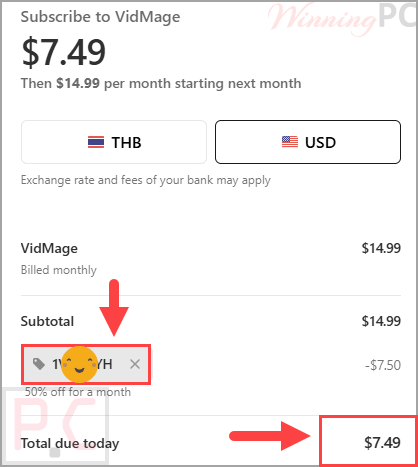
VidMage - Monthly Plan
50% off coupon code: regular price $14.99, discounted price $7.49
VidMage - Yearly Plan
72% off coupon code: regular price $179.88, discounted price $49.99
📄 Licensing & Support Details
- License Type: Monthly or Yearly Subscription.
- Cancel anytime
- Keep your data 100% private and secure.
- 30-day money-back guarantee.
How to apply the VidMage coupon code
Click the ‘Copy Code’ button in the VidMage coupon box above. The code will be copied, and you will be redirected to the checkout page, where you can apply it to secure your discounted price.
VidMage: In-Depth Review & Features

Key Features
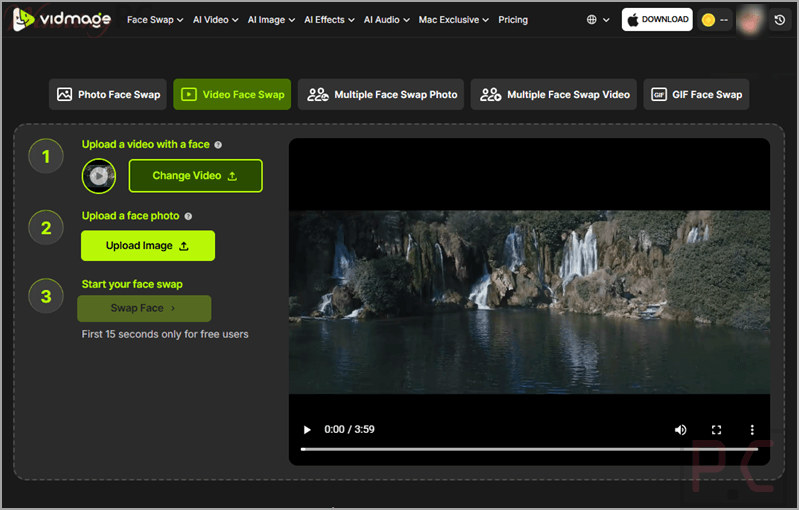
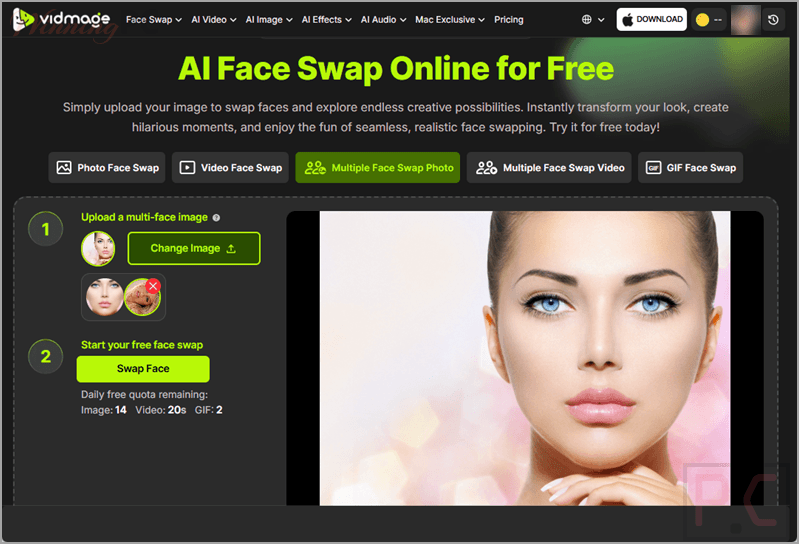
- Photo and Video Swapping: Replace single or multiple faces in static images and short video clips.
- Meme and GIF Generation: Swap faces onto popular internet memes or static GIFs for easy sharing.
- Head Swap: Correct bad expressions or blinks by swapping heads from better takes.
- Mac Desktop Client: A dedicated offline app that supports real-time video swapping and up to 4 faces at once.
- Suite of Extra AI Tools: Includes an Image/Video Upscaler, Object Remover, AI Clothes Changer, Motion Control, Photo Dance, AI Talking Photo, and Video Enhancer.
Pros & Cons
More screenshots:
Frequently Asked Questions
Where can I find a coupon code or deal for VidMage?
The latest and best deals can be found on WinningPC, alongside the official software website or the developer’s social media channels.
What is the best discount currently available for VidMage?
The best current discount is 72% OFF, available directly on WinningPC.
Is the VidMage face swap tool free?
Yes, you can use it for free with daily limits. You are allowed up to 15 free image swaps and 20 seconds of video processing per day before you need to use credits.
Are my uploaded photos and videos safe?
Yes. On the web version, all files are automatically deleted within 1 hour of uploading. If you use the Mac version, the processing happens completely offline, meaning no data is ever sent to external servers.
What are the benefits of using the Mac version over the web app?
The Mac version offers complete privacy since it runs locally. It also allows for real-time video face swapping during playback, removes file size and resolution limits, and processes media faster without waiting for cloud uploads.
System Requirements & Details
| Feature | Specifications |
|---|---|
| Operating System | Web browser, macOS |
| Supported Input | Web: PNG, JPG, GIF (static), M4V, MP4, MOV. Mac: PNG, JPG, WEBP, GIF (static), all major video formats via FFmpeg. |