Vovsoft AI Automator is a lightweight Windows desktop utility designed to schedule, manage, and run AI language model workflows. It allows you to process AI prompts locally or via cloud APIs directly from your PC, ensuring full control and privacy over your data without the overhead of complex server infrastructure.
- Product name: Vovsoft AI Automator v1.0
- Publisher: Vovsoft
- Homepage: https://vovsoft.com/software/ai-automator/
- License type: lifetime
- Price:
$19$0.0 - Platform: Windows 11, 10, 8/8.1, 7, Vista (32-bit & 64-bit)
- Giveaway download link – last updated: Apr 22, 2026
Click here...
Unlocking content...
📝 Note: Please follow the Activation Guide to successfully claim your license.
The giveaway version usually comes with no free updates. If you want to use Vovsoft AI Automator forever with priority support, we highly recommend the lifetime deal below.
Vovsoft - AI Automator
30% Off coupon code, regular price $19, discounted price $13.30

Vovsoft Universal License
115+ programs | Lifetime license | All future updates
Please follow the instructions below to download and enjoy Vovsoft AI Automator for free without the license key. If you have any questions or need help, feel free to leave a comment at the bottom of this post.
1. Download the giveaway installer by clicking on the giveaway download link above. Run the downloaded .exe file and follow the standard on-screen instructions to install the software on your Windows PC.
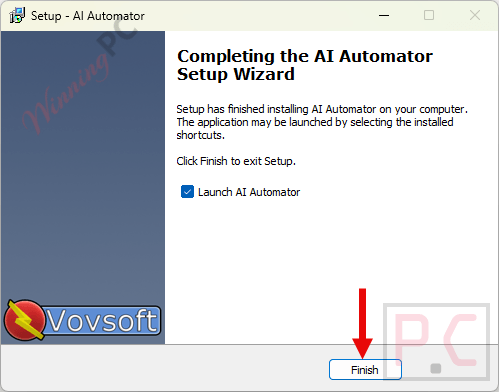
2. Once installed, run the program and have fun. Registration is unnecessary because our system automatically registers the software for you when you download it from our site.
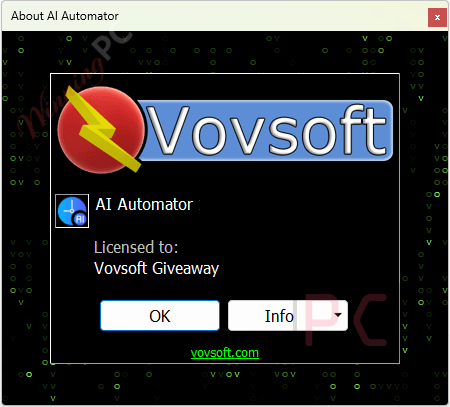
3. Now, you can use the software for a lifetime for free!
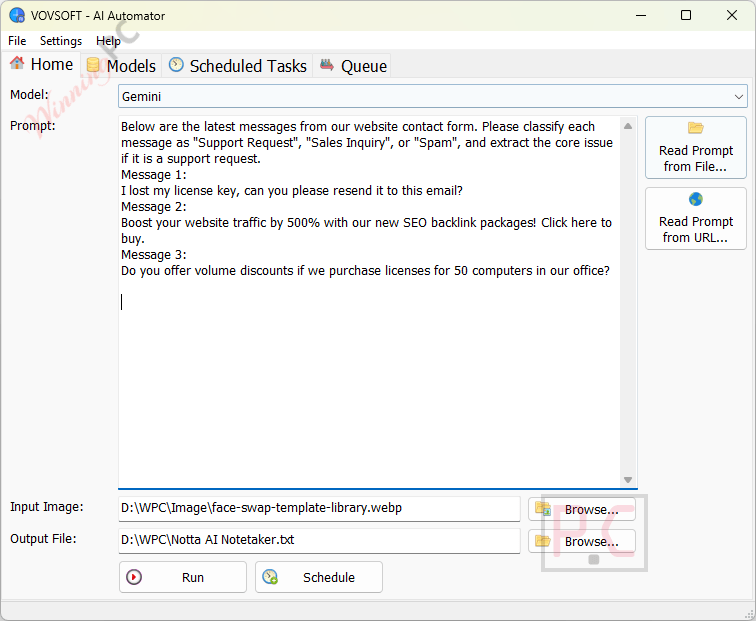
Key Features & Screenshots
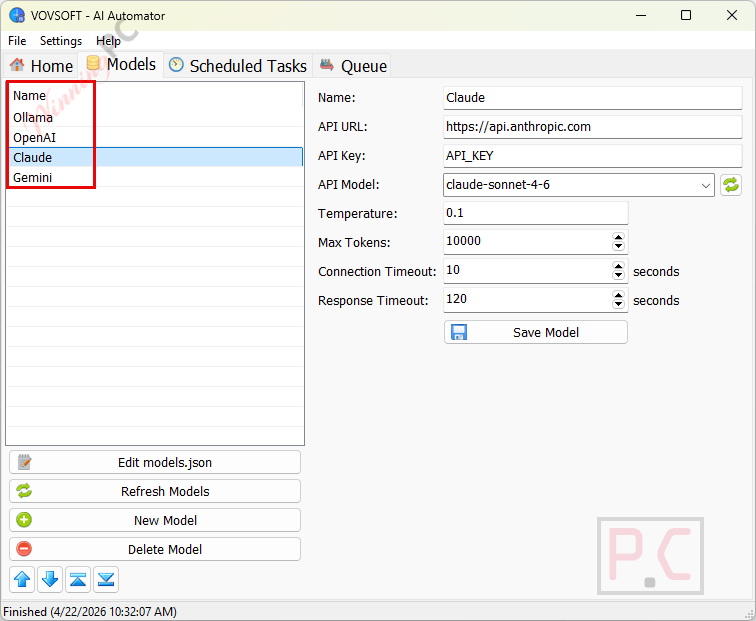
- Local Hardware & Cloud Flexibility: Works seamlessly with local AI runtimes like Ollama using your CPU or GPU (NVIDIA RTX, AMD, Intel) and connects to cloud services like OpenAI, Anthropic Claude, and Google Gemini.
- AI Task Scheduler: Automates periodic tasks by running prompts at specific time intervals. It operates silently in the background, saving outputs directly to your local drive.
- Batch Prompt Scheduler: Features a built-in queue system to process large batches of text or image inputs sequentially, saving you from waiting on individual responses.
- Flexible Prompt Input: Fetch prompt data from local files or specific web URLs to create dynamic workflows.
- Simplified AI Automation: Runs entirely as a desktop application with complete transparency, avoiding the hidden server costs and token drain often associated with heavy automation platforms.
Frequently Asked Questions
How can I get the Vovsoft AI Automator license key for free legally?
The safest and most reliable way to get a legal, free license key is through official partners like WinningPC. We work directly with Vovsoft to provide authentic giveaway licenses for our readers.
Where can I find the best coupon code?
WinningPC consistently secures the highest available discounts. You can use our exclusive coupon code WIN***GPC to get 30% off the lifetime version of Vovsoft AI Automator.
Can I reinstall the software after formatting my PC?
Generally, giveaway licenses are valid for a single installation. Reinstalling after formatting or after the giveaway period has ended may result in losing the activation.
Do I need a powerful GPU to use this?
Only if you are running local AI models (like Ollama) that require heavy rendering. If you are using cloud APIs (like OpenAI or Claude), the software will run smoothly on standard hardware since the processing is handled remotely.
System Requirements & Details
| Feature | Specifications |
|---|---|
| Supported OS | Windows 11, Windows 10, Windows 8/8.1, Windows 7, Windows Vista (32-bit & 64-bit) |
| Processor | 1 GHz or faster compatible processor |
| RAM | 512 MB or higher |
| Disk Space | Minimum 50 MB of free hard disk space for installation |
| Internet | Required for cloud API interactions and initial model downloads. |