On this page
Vovsoft Giveaway
Vovsoft Compare Two Texts
Shows differences between 2 texts
- Product
- Vovsoft Compare Two Texts
- Website
- vovsoft.com
- License
- Lifetime
- Platform
- Windows 11, 10, 8/8.1, 7, Vista
- Usage
- Non-commercial only
- Updates
- No future upgrades
- Support
- No support
- Updated
- November 10, 2026
Get your unique code by email
License key delivered free to your inbox within minutes.
Protected by Cloudflare Turnstile · Email quality checked by Reoon
All codes have been claimed or the giveaway has closed.
Vovsoft Compare Two Texts Coupon Code Nov 2026

Vovsoft Universal License
115+ programs | Lifetime license | All future updates
How to Get the Vovsoft Compare Two Texts License Key for Free
Enter your email in the giveaway form at the top of this page to receive your free license code.
Download and install Vovsoft Compare Two Texts on your Windows PC, so this takes seconds.
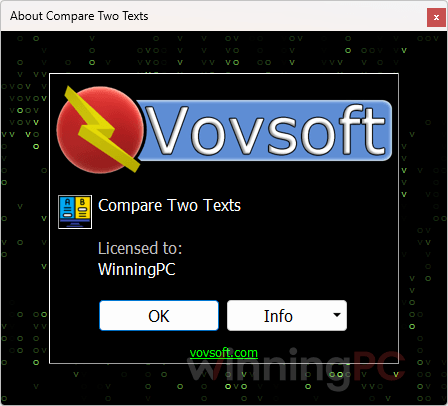
Open the program and enter the license key from step 1 to activate it.
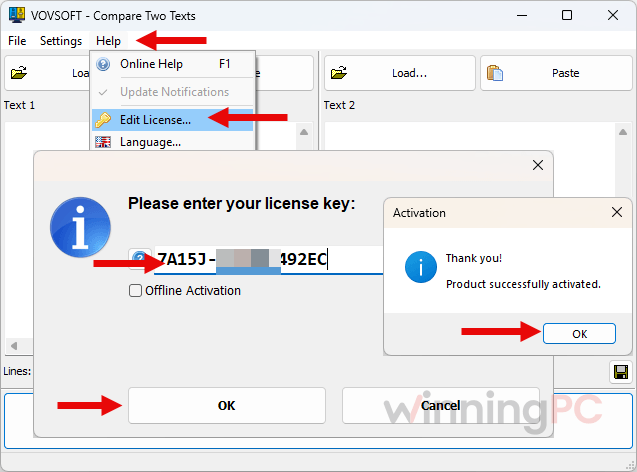
Finish activation before December 17, 2026. Once it’s activated, the license is yours for life.
Is this Vovsoft giveaway safe and legit?
Yes. The license comes from Vovsoft’s own giveaway, and you activate the standard, unmodified program with it.
No crack, no keygen
You install the regular Vovsoft build and enter a genuine key. Nothing is patched or repackaged.
Issued by the publisher
The free code comes through Vovsoft’s giveaway form, not a key reseller or a grey-market site.
Only your email is needed
No payment details and no hoops to jump through, just an address to receive the code.
Secure checkout if you upgrade
The paid license is sold on Vovsoft’s official store over HTTPS, so your card details never touch WinningPC.
How well does Compare Two Texts actually work?
Vovsoft Compare Two Texts is quick and fuss-free for the job it’s built for. Drop two files onto the window and the differences are already colored in. No project setup, nothing to configure before your first result. The ignore-whitespace and ignore-case toggles earn their place: text copied out of an email or a web page often carries stray spaces, and without those switches every one of them would show up as a “change”. Word support is the real differentiator.
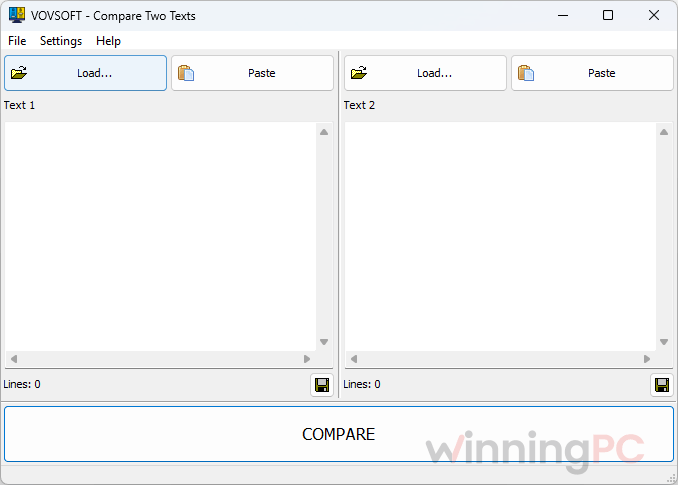
Many lightweight diff tools only read plain text, which means copying everything out of a .docx first. The limits are just as clear, though. Changes are marked line by line, it’s Windows only, and there’s no folder comparison or merging, so developers juggling whole projects will outgrow it fast.
Key features
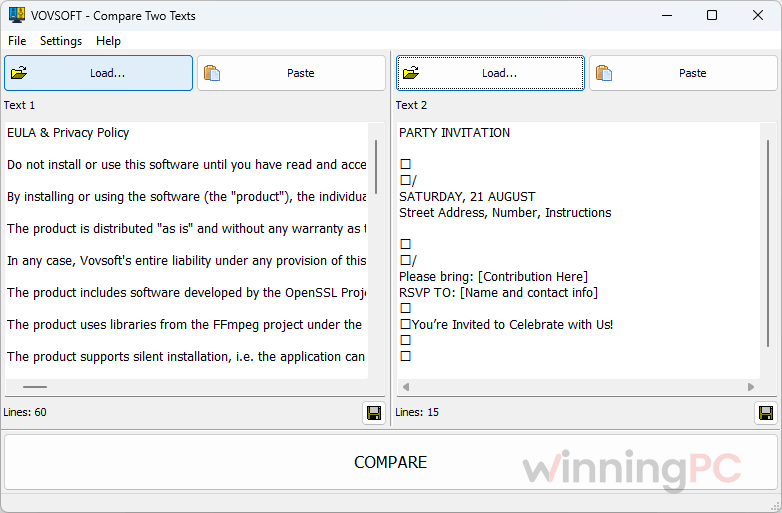
- Load texts your way: drag and drop files from Windows Explorer, use the built-in Load buttons, or paste straight from the clipboard.
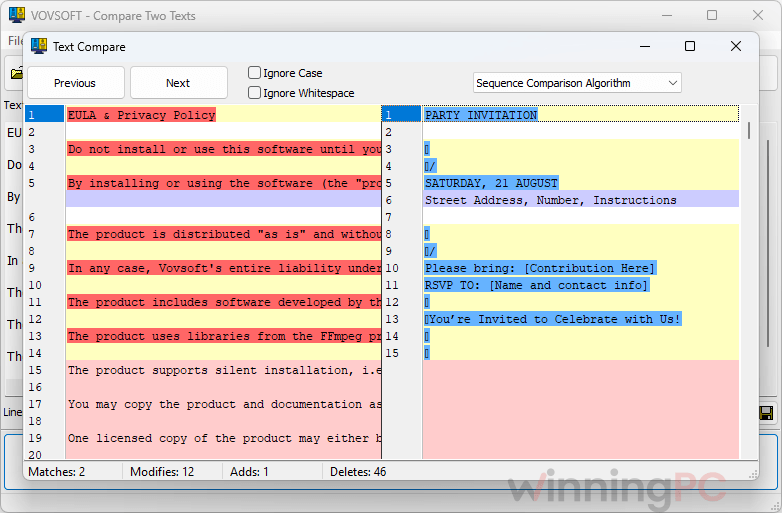
- Color-coded differences: additions, deletions and modifications are highlighted line by line, and Previous/Next buttons jump you straight to each change.
- Fewer false alarms: one click tells it to ignore whitespace or letter case, and a dropdown lets you switch comparison algorithms for trickier jobs.
- Word documents included: compares plain .txt files as well as Microsoft Word .doc and .docx files.
- Summary at a glance: the status bar counts matches, modifications, additions and deletions, so you know the scale of the changes before you scroll.
What we think
More Vovsoft Compare Two Texts Screenshots
Frequently Asked Questions
Is Vovsoft Compare Two Texts free?
It’s normally free to try, with a paid lifetime license at $19. Through this giveaway you get that license at no cost, as long as you install and activate it before December 17, 2026.
Can it compare two Word documents?
Yes. It opens .doc and .docx files directly, as well as plain .txt files, so you can check two drafts of a report without copying the text out first.
Does the giveaway license ever expire?
No, it’s a lifetime license. The catch is that it doesn’t include free updates or tech support, so the version you activate is the version you keep. If you’d rather get new versions as they come out, the paid license includes lifetime updates, and code WIN***GPC brings it down to $13.30.
What happens if I don’t activate it by December 17, 2026?
You lose the free license. The terms require you to install and activate the code before December 17, 2026, so it’s safest to activate it the same day you get it. After that, the 30% coupon is the fallback.
Does it run on Windows 11?
Yes. Vovsoft lists support for Windows 11, 10, 8/8.1, 7 and Vista. There’s no Mac or Linux version.
Is there a portable version?
Yes, a 3.43 MB portable build is available alongside the 4.21 MB installer. The giveaway steps only mention installing the program, though, so use the installer to activate your free key.
Is the paid version a one-time payment?
Yes. The paid license is a lifetime license with lifetime free updates, at $19 regular or $13.30 with code WIN***GPC.
System Requirements & Details
| Operating system | Windows 11, Windows 10, Windows 8/8.1, Windows 7, Windows Vista (64-bit) |
|---|---|
| Download size | 4.21 MB (installer), 3.43 MB (portable) |
| Supported input formats | Plain text (.txt), Microsoft Word (.doc, .docx), pasted or typed text |
| Interface languages | 32, including English, Arabic, Chinese, French, German, Japanese, Korean, Russian, Spanish and Vietnamese |