
Vovsoft Copy Files Into Multiple Folders is a full-featured yet easy-to-use batch copy software. It copies one or multiple files to many folders, with or without overwriting existing content. This software is great for those who only wish to move a set of files to multiple directories in an effortless manner.
- Product name: Vovsoft Copy Files Into Multiple Folders 7.5
- Publisher: Vovsoft
- Website: https://vovsoft.com
- License type: lifetime
- Price:
$19.0$0.0 - Platform: Windows 11, 10, 8/8.1 (32-bit & 64-bit)
- License code & download – last updated: May 11, 2026
Click here...
Unlocking content...
📝 Note: Please follow the Activation Guide to successfully claim your license.
Vovsoft Copy Files Into Multiple Folders Coupon Code Oct 2026
Vovsoft Copy Files Into Multiple Folders
30% Off coupon code, regular price $19, discounted price $13.3

Vovsoft Universal License
115+ programs | Lifetime license | All future updates
Activation Guide: Vovsoft Copy Files Into Multiple Folders Key Download
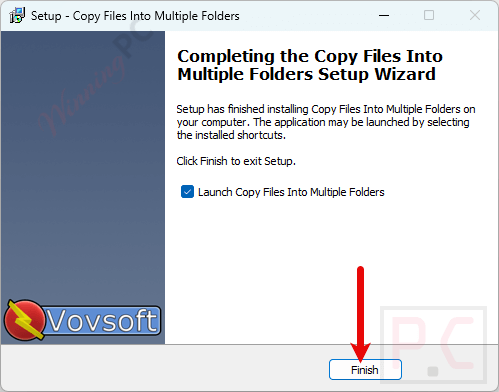
Click on the download link above to download Copy Files Into Multiple Folders for free. After the download is finished, run the .exe file to install it.
Open the software and insert the registration key to activate it with full functions.
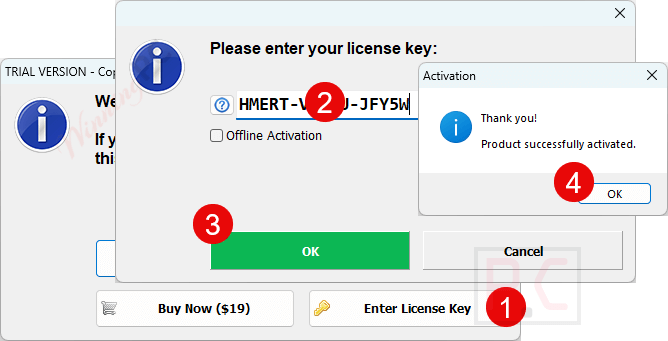
Got it for a lifetime free!
Copy Files Into Multiple Folders Screenshot!

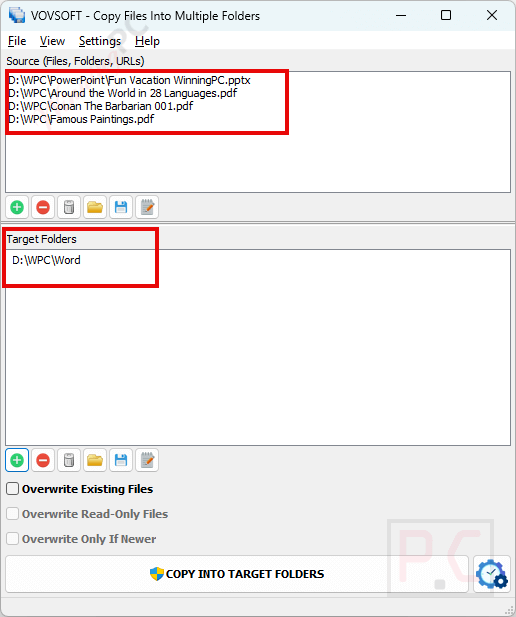
Add files
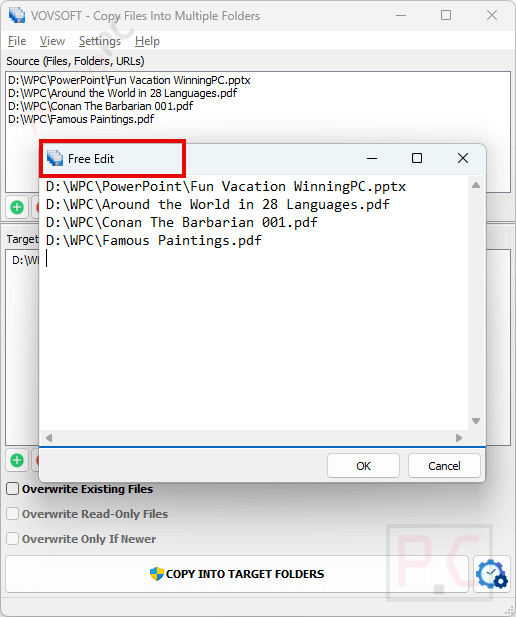
Free edit
Copy Files Into Multiple Folders Processing!

Main Features
- Batch Copying: Vovsoft Copy Files Into Multiple Folders allows you to copy one or multiple files to various folders in one operation, saving time compared to manual copying.
- Drag-and-Drop Functionality: You can add files, folders, or URLs to the list using drag-and-drop actions with ease, simplifying the process of selecting items to copy.
- Overwrite Options: You can also specify whether to overwrite existing files, overwrite read-only files, and overwrite only if newer.
- Processing Log: A log displays which files were copied or skipped after the operation, providing transparency and tracking of the process.
- Move Mode: This option deletes the source files and folders after they have been copied to the target folders.
- Mirror Mode: This function deletes the contents of the target folders before copying, ensuring only the latest files are present.
- User-Friendly Interface: It is designed to be intuitive, allowing first-time users to navigate its functions without difficulty.
Technical Details
| Language Support | English, Français, Italian, Spanish, Swedish, German, Japanese, Chinese, and more… |
| Money Back Guarantee | 30-Day |
| Operating System | Windows |
| Shipping | Instant Delivery by Email |
| Subscription | Lifetime |
| Support Services | Live Chat, Tickets |




Copy Files Into Multiple Folders
No licensekey?
Full version ~ pre-registered installer. No license code is required.
Please Update your Download: Installer / Portable
This Version is 5.3x
License #1: 6PND3-EQGUA-GHSD2 is good for version 5.4.0.0
Hi, the download links are already the latest version.