

Vovsoft EML Converter is a Windows EML converter that efficiently manages EML files. You are allowed to open and read emails, including both HTML and text content, convert EML files to HTML or TXT, and search messages using keywords. It also supports the search function to help you search within EML files using keywords or phrases. This tool also has a function that lets you view and save email attachments, ensuring that all data in the email is preserved. Vovsoft EML Converter also includes a batch mode to export multiple EML files at once, saving time.
Vovsoft EML Converter Coupon Code Nov 2026 (100% Working)

Vovsoft EML Converter
30% Off coupon code, regular price $19, discounted price $13.30

Vovsoft Universal License
115+ programs | Lifetime license | All future updates
Giveaway: Vovsoft EML Converter License Code for Free
WinningPC has partnered with Vovsoft to give away a lifetime license for Vovsoft EML Converter for free. Please enter your email address on the giveaway form below to get your free license code.
- Product name: Vovsoft EML Converter v1.2
- Website: https://vovsoft.com
- License type: lifetime
- Platform: Windows
- Download: eml-converter.exe eml-converter-portable.zip
- License code – last updated: Jan 23, 2026
The giveaway has ended!
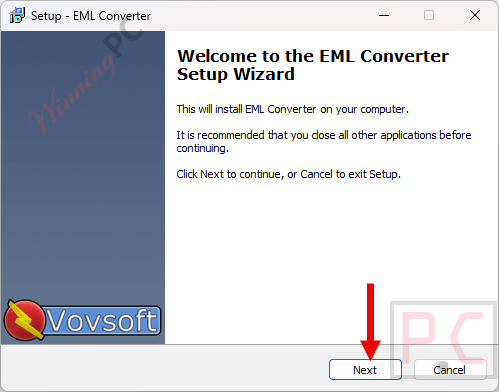
Install the software on your computer
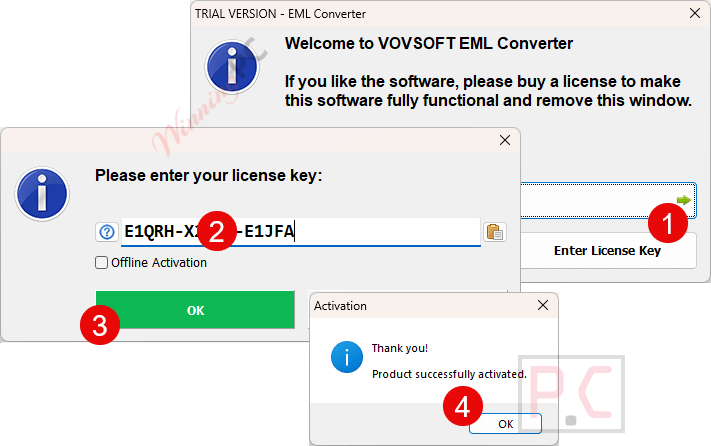
Please copy and paste your license code to activate the software with full functions
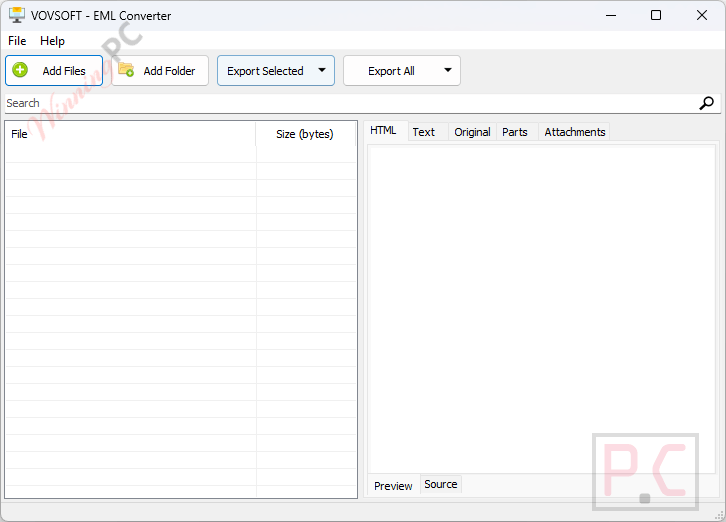
Got it!

Vovsoft Merge XML Files screenshot
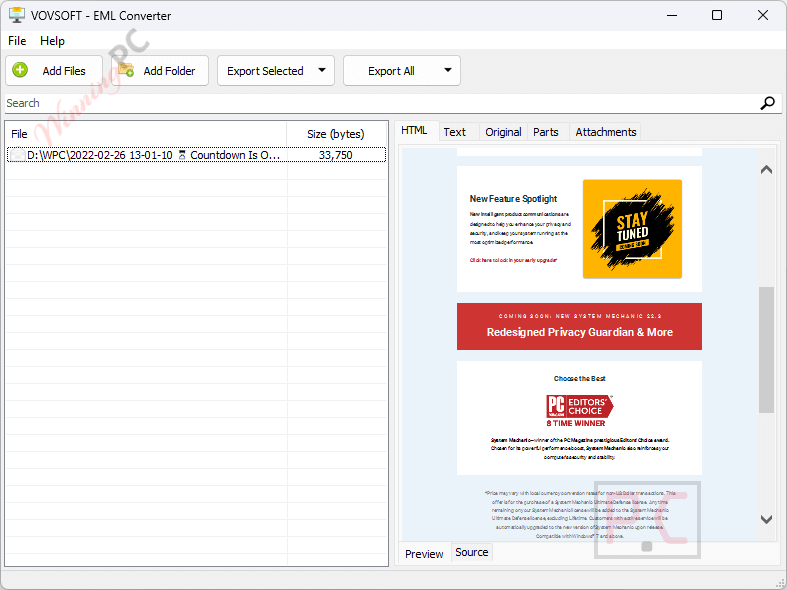
Add Files!
Main Features
- EML file display: Lets you open and read EML files inside the program, including both HTML and plain text content.
- EML to HTML and TXT conversion: Allows you to convert emails into HTML or TXT formats for use with other tools or systems.
- Keyword search inside emails: Helps you quickly find specific words or phrases within EML files.
- Attachment viewing and saving: Makes it easy to see and store email attachments without losing related files.
- Batch export support: Enables exporting multiple EML files at once as HTML, text, original source, or attachments.
- EML reader and browser mode: Works as a viewer and browser, so you can review and move through email content smoothly.
- EML search tool: Functions as a search utility to locate needed information across stored emails.
- Email recovery assistance: Helps recover important emails and attachments when email server problems occur.
Frequently Asked Questions
Which file format does the software support?
The program works specifically with EML files created by email clients that save messages in EML format.
Can I read EML files without converting them?
Yes, you can open and read EML files directly inside the software, including HTML and plain text content.
What formats can EML files be converted to?
You can convert EML files to HTML or TXT for easier viewing or use in other applications.
Does it support searching inside emails?
Yes, you can search EML files using keywords or phrases to quickly find specific messages or content.
Can it be used as an EML viewer only?
Yes, it works well as a simple EML reader if you just need to review email content.
How can I get a discount on Vovsoft EML Converter?
WinningPC provides the coupon code WIN***GPC, which gives you 30% off when purchasing Vovsoft EML Converter.
Why Choose WinningPC
- Why Trust? We are committed to providing 100% valid and verified coupon codes, so you can always shop with confidence.
- Found an Invalid Coupon or a Better Deal? If you encounter an invalid code or a better offer, please let us know. Our team updates all discount information regularly to ensure accuracy.
- Official Authorization: We only share authentic discounts from trusted software developers.
- No Fake Discounts: Unlike some sites, we never use misleading deals. The final price you see is the true discounted price.
- Secure Purchases: All transactions are processed on the official vendor’s website, ensuring authenticity and data protection.
- Extra Support: If you face order or vendor issues, contact us. We’ll liaise with the vendor to help resolve your problem quickly.
Technical Details
| Language Support | English, Français, Italian, Spanish, Swedish, and more… |
| Money Back Guarantee | 30-Day |
| Operating System | Windows 11, Windows 10, Windows 8/8.1, Windows 7, Windows Vista, Windows XP (32-bit & 64-bit) |
| Shipping | Register code will be sent to your email in minutes |
| Subscription | Lifetime |
| Support Services | Live Chat, Tickets |





I noticed a (my!) fault:
“EMLView.wlx”: DOES show also up HTML graphics:
in the “EMLview.ini” I had to add this new line: OpenHTMLPageOnStart=2
So for me the only disadvantage of EMview.wlx remains, that it does NIT export attachments (what IS included in EML Converter!).
You can leave vovsoft developer specific feedback about what you think would improve his programs in the help | Send feedback menu option, he is very accepting of constructive feedback. I am going to make some suggestions myself and report at least one .eml that does not render or show source in it but cannot currently share the .eml file to allow debugging as it contains private information…
TK
(It is not the only VOVSOFT app that…)
>>> LACKS BASIC FEATURES (or are they hidden/don´t work in standard mode???):
– not able to get it to work by drawing Files on it/its Dt-link 🙁
– can´t wipe “done” files from the file list.
– seems NOT to work on all regular .eml files
While this – again – was a good IDEA(!) by VOVSOFT for a specific tool, all above drawbacks make it TOO uncomfortable for dayli work.
TIP/HINT for VOVSOFT:
The (old!) “EMLView.wlx” – a lister-plugin for TotalCommnader might be an inspiration for further improvements?!
The bad with “EMLView.wlx”: it does NOT show up HTML graphics and can NOT export attachments.
Hope that helps and does not dis-encourage you VOVSOFT guys. 🙂