
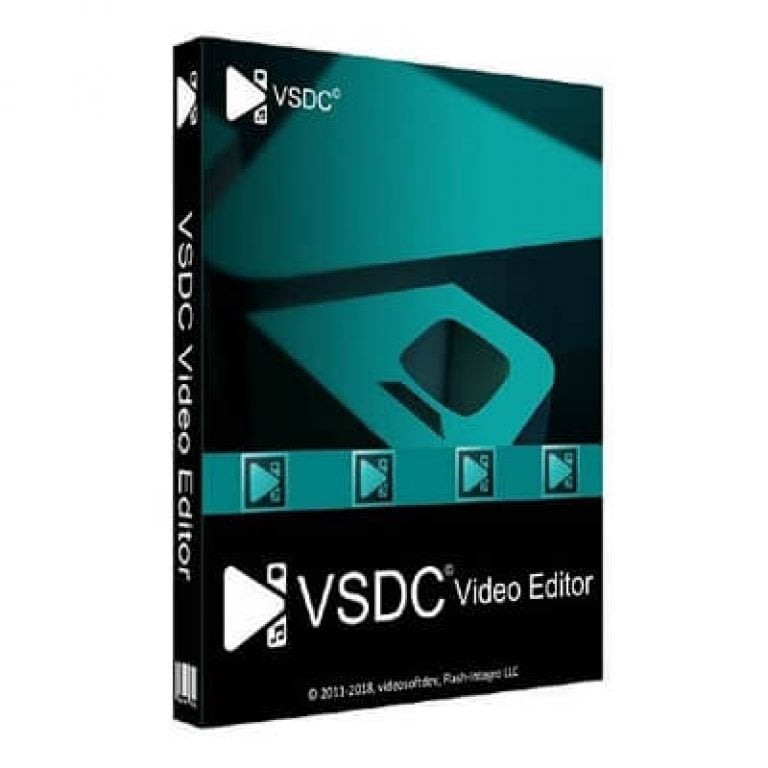

VSDC Video Editor PRO Giveaway
VSDC Video Editor PRO
VSDC Video Editor PRO lets you easily create and edit videos with effects and audio, supporting 4K, HD, and GoPro formats for professional-quality results.
- Product
- VSDC Video Editor PRO
- Product website
- videosoftdev.com
- License
- 1-Year
- Platform
- Windows 7, 8, 10, 11
- Installer
- vsdc-video-editor-pro
- Updates
- Free updates during subscription
- Renewal
- Optional, user-enabled only
- After Expiration
- Reverts to Free version
- Updated
- 2026-07-20
Continue on videosoftdev.com
Share to reveal the official giveaway page, then register there to receive your license.
This giveaway ended on .
50% Off VSDC Video Editor PRO Coupon Code
How to get your free VSDC Video Editor PRO license?
- Fill out the registration form with your name and email address on VSDC’s official giveaway page.
- Check your inbox for the license key email from VSDC.
- Download VSDC Video Editor PRO from the official site.
- Launch the installer and complete the setup. Open VSDC, go to Activation/Activate, and enter the license key you received by email.
- Restart your video editor afterwards. Now, you’re set for 12 months.


VSDC Video Editor Pro Coupon Code Oct 2026

📝 How to apply
- Getting the discount is easy – just click the “Copy” button above.
- The coupon will be applied automatically before redirecting you to the order page.

Hands-on with VSDC Video Editor Pro
VSDC Video Editor PRO is a Windows video editor for creating and editing videos with support for HDR footage in the BT.2020 color space. It includes GPS telemetry overlays that sync speed, altitude, and route data from GPX files with video, making it useful for drone, cycling, and motorsports footage. The beat-sync tool analyzes music to automatically animate effects such as scale, color, rotation, and transparency in time with the audio.

Key features
- Motion tracking with overlay attachment: bind text, logos, or blur masks to any moving object; VSDC calculates the path automatically
- HDR & 4K support with BT.2020 color space: full HDR10, HDR10+, and Apple Dolby Vision pipeline with no quality loss
- Beat-sync effect engine: proprietary BPM/frequency detection animates scale, color, rotation, and strobe effects to music rhythm
- AI Art Generator: applies painterly visual styles (Van Gogh, Picasso) to video footage via a template library
- GPU hardware acceleration: faster rendering on 4K projects and effect-heavy timelines in the PRO build
- HSL Chroma Key: color removal with manual HSL adjustment for cleaner masks than the standard free-version chroma key
Pros & Cons
More VSDC Video Editor PRO Screenshots!


Questions people ask about VSDC Video Editor Pro
Where is the best place to find active promo codes for VSDC Video Editor PRO?
WinningPC is your top source for verified deals on this software. We work directly with developers to provide official discounts and offers that you won’t easily find elsewhere.
Does the software force a watermark onto my exported videos?
No. Even the free tier of VSDC leaves your videos 100% free of watermarks or time limits. The Pro version simply unlocks advanced processing tools and commercial usage rights.
What kind of media files can I import into my projects?
You can import a massive range of formats, including standard MP4, AVI, MOV, and MKV files, as well as professional formats like ProRes. It also handles modern codecs from DJI drones, GoPro, and smartphones.
Can my older computer handle 4K editing with this program?
Yes, this is one of VSDC’s biggest strengths. It is heavily optimized for efficiency. For the best 4K editing experience, 8-16GB of RAM and a dedicated graphics card are recommended to take full advantage of the Pro version’s hardware acceleration.
How does the automated beat-sync feature work?
The software analyzes your audio track to detect the BPM and specific frequencies (like bass or treble drops). It then automatically animates your chosen visual parameters—like color cycling, zooming, or rotation—to match the music’s rhythm.
Is there a way to fix shaky footage from my action camera?
Absolutely. The Pro version includes a dedicated video stabilization tool designed specifically to smooth out shaky clips and give them a steady, professional look.
How can I learn to use the advanced masking and tracking tools?
The developer maintains an active, official YouTube channel packed with step-by-step tutorials for both beginners and advanced users. There is also a comprehensive user manual and dedicated blog guides on their website.
System Requirements & Details
| Feature | Specifications |
|---|---|
| Language Support | Multiple languages |
| Operating System | Windows 7, 8, 10, 11 |
| Processor | Modern multi-core processor recommended |
| RAM & Storage | 8GB–16GB RAM recommended for 4K editing |
| Supported Input | MP4, AVI, MOV, MKV, ProRes, GoPro, DJI, Insta360 footage |
| Supported Output | 4K, 8K, HDR10, HDR10+, Dolby Vision exports |


I WAS REGISTERED MY EMAIL AM YESTERDAY. NO ANY CODE WAS RECEIVED UNTIL NOW. ARE GETTING FUN OF ME
Sorry for this inconvenience.
I have just sent you a license code, please check your mailbox.
There’s no link there.
humm, the giveaway has ended 🙁
I will let you know when a new giveaway is available.
The giweaway link doesn’t work
The new giveaway link is updated.
this giveaway must be over: the link in the ad sends you to a page that has on giveaway.
The new giveaway link is updated.
Do you know if there will be a new giveaway available soon?
I would really like to be able to use this software for a lifetime!
Sorry, I’m not sure.
The new giveaway link is updated.