On this page
WinSnap Coupons & Pricing
WinSnap discount code
2 plans · best save 50%
WinSnap Single PC License ★ Best Deal
Simple per computer license | FREE updates for life
WinSnap Single User License
Up to 3 computers owned by 1 person | FREE updates for life
How to Use the WinSnap Coupon Code
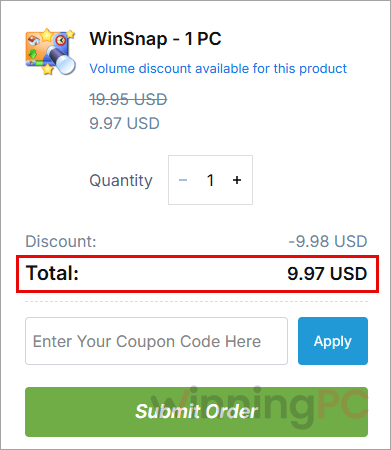
In the WinSnap pricing box on this page, choose 1 PC or 1 User. NTWind’s checkout opens with the WinningPC coupon already applied, so there’s no code to copy or paste.
Check the total before you pay. The 1 PC plan should show $9.97 and the 1 User plan $17.47. If you see the full price, go back and open checkout from the pricing box again.
Complete payment on NTWind Software’s Billing Information page to receive your WinSnap license code.
Open WinSnap, click “Enter License Key” on the trial reminder, and paste your code to unlock the full version.
Is the WinSnap coupon legit?
Yes. The discount runs through NTWind Software’s own checkout, and you get a genuine license straight from the developer.
Straight from the developer
Your key is issued by NTWind Software, not a reseller or a grey-market key shop.
Official installer, no crack
Download WinSnap from ntwind.com or install it through Microsoft’s WinGet with winget install -e –id ntwind.WinSnap. Nothing is patched or repackaged.
Payment stays with NTWind
You enter card details on NTWind’s Billing Information page, so they never pass through WinningPC.
Test it before paying
WinSnap includes a 30-day trial with every feature unlocked, so you can check it handles your own windows and apps first.
How well does WinSnap work?
Window capture is where WinSnap earns its price. On Windows 11 it keeps the rounded corners and Mica background intact, and it can swap the native shadow for one you control (color, size, direction, opacity). That sounds like a small thing until you drop a screenshot onto a colored slide and it actually looks clean instead of sitting in a gray box.
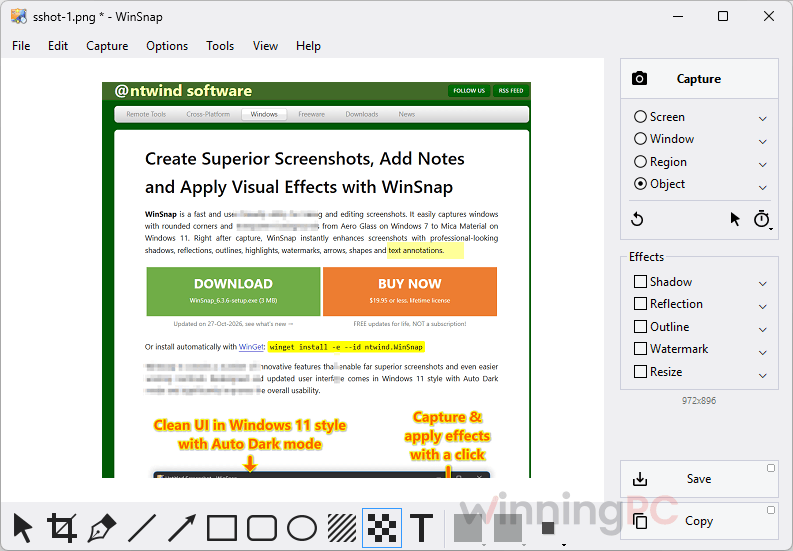
Effects apply right after capture, so a finished, annotated shot usually takes a couple of clicks rather than a trip into a separate editor. The limits are clear, though. It’s a still-image tool for Windows only, and the editor covers the everyday jobs (arrows, text, blurring) rather than real photo editing. For documentation work, that’s the right trade.
Key features
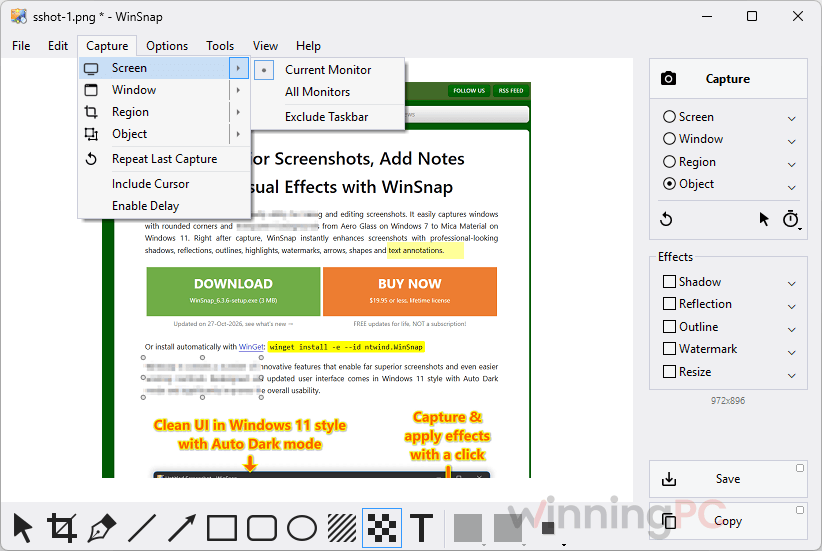
- Four capture modes: Window, Object, Region and full screen. Hold Ctrl to grab several windows, menus or regions in one shot, or lock Region to a fixed size for consistent captures.
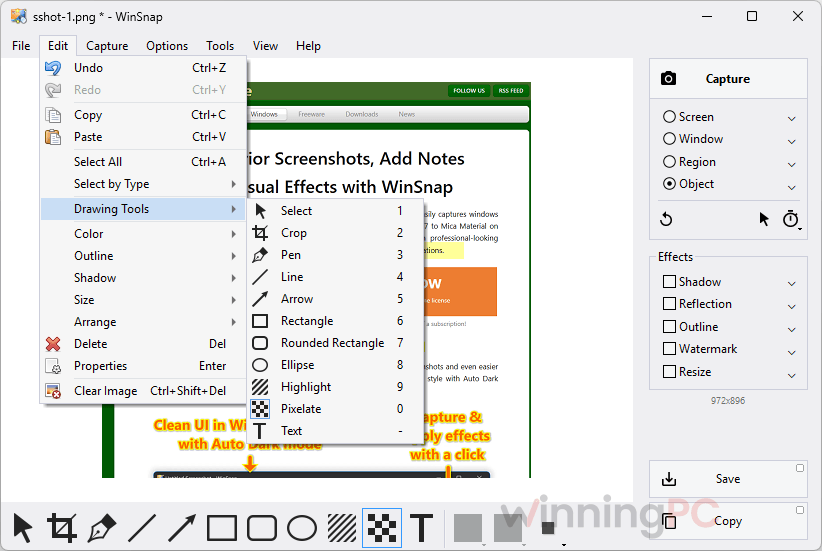
- Markup built in: arrows, lines, shapes, text, a smooth spline pen, multicolor highlights, plus a pixelate tool for hiding emails or passwords.
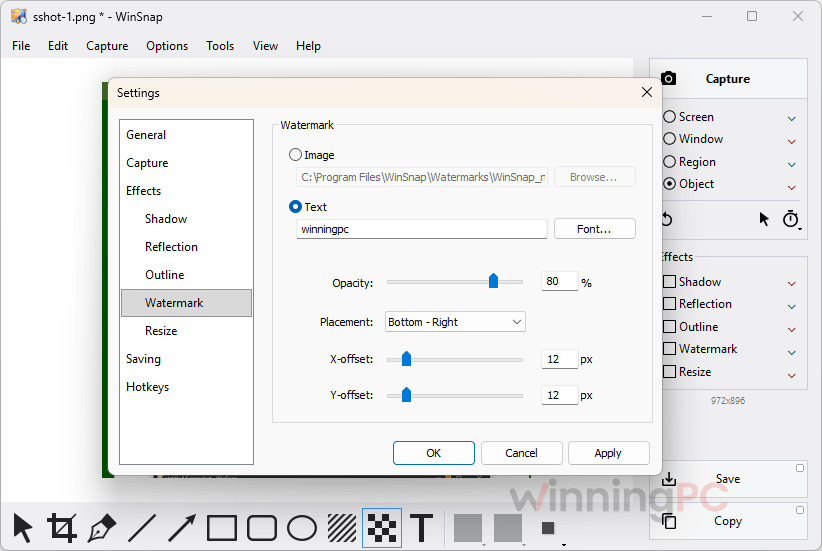
- Spotlight effects and presets: colorize or blur everything except the area you care about, and reuse saved presets for shadows, reflections, outlines and watermarks.
- Transparent PNG output: empty space saves as transparent, and with Microsoft Office installed you can paste transparent captures straight into Word, PowerPoint, Outlook or OneNote.
- Modern, lightweight app: Windows 11-style interface with Auto Dark mode, a native 64-bit build installed automatically, and a 3 MB installer.
What we think
More WinSnap Main Screenshots
WinSnap vs Snagit, free tools and screen recorders
WinSnap captures still images. Several popular “alternatives” are actually video recorders, so check the Main job column before comparing prices.
| Tool | Main job | Price | Platform | Best for |
|---|---|---|---|---|
| WinSnap (our pick for screenshots) | Screenshots + markup | $9.97 one-time with coupon (1 PC) | Windows | Polished window shots for docs and slides |
| TechSmith Snagit | Screenshots, scrolling capture, quick video | $29.0/yr | Windows, Mac | Users who need scrolling capture and video in one app |
| Windows Snipping Tool | Basic screenshots | Free, built in | Windows | Occasional quick grabs |
| ShareX | Screenshots, recording, upload automation | Free, open source | Windows | Power users who don’t mind a busy interface |
| EaseUS RecExperts | Screen and webcam video recording | $11.98/yr or $34.97/life (1 PC) | Windows, Mac | Recording meetings and gameplay |
| iTop Screen Recorder PRO | Screen and screen video recording | $25.99/life/PC $20.99/yr/PC | Windows | Budget video recording |
Frequently Asked Questions
Do I need to type a WinSnap coupon code?
No. The 50% WinningPC discount is applied automatically when you open checkout from the pricing box on this page. Just confirm the total reads $9.97 (1 PC) or $17.47 (1 User) before paying.
Is WinSnap a one-time payment or a subscription?
It’s a one-time payment. Both plans are lifetime licenses with free updates for life, and nothing renews.
How many computers can I install WinSnap on?
One with the 1 PC plan, or up to three with the 1 User plan, as long as all three computers belong to the same person.
Does WinSnap work on Windows 11 and Windows 7?
Yes. It supports every version from Windows 7 to Windows 11 and handles titlebar transparency and window shadows on all of them. The installer adds the native 64-bit version automatically.
Can WinSnap record video?
No. WinSnap is built for still screenshots. If you need screencasts, look at a recorder such as EaseUS RecExperts, or at Snagit, which does both.
Can I get a refund?
You can request one within 30 days of purchase, and NTWind reviews each request. That’s a review, not an automatic money-back promise, so it’s worth using the free 30-day trial to make sure WinSnap fits your workflow before you buy.
Can I install WinSnap with WinGet?
Yes. Run winget install -e –id ntwind.WinSnap in Terminal or PowerShell and WinGet fetches the official NTWind installer. Activate it with your license code afterwards.
System Requirements & Details
| Field | Value |
|---|---|
| Operating system | Windows 7, 8, 8.1, 10, 11 |
| Architecture | Native 64-bit version included, installed automatically |
| Clipboard | Copies with transparency into Word, PowerPoint, Outlook and OneNote (Microsoft Office required) |
| Latest version | WinSnap 6.3.6 (released 27 Oct 2026) |
| Other install option | winget install -e –id ntwind.WinSnap |