


WinXvideo AI Giveaway

WinXvideo AI
Easy-to-use media toolkit powered by AI. Fast enhance old, low-quality, noisy or blurry videos and images, upscale to 4K, record screen, convert and compress 4K/8K/HDR videos with hardware acceleration.
- Product
- WinXvideo AI
- Product website
- winxdvd.com
- License
- Lifetime
- Platform
- Windows 7, 8/8.1, 10, 11 or later (64-bit version supported)
- Usage
- Non-commercial only
- Updates
- No future upgrades
- Support
- No support
Continue on winxdvd.com
The publisher handles registration and license delivery on its official website.
The free license is no longer available.
How to Get the WinXvideo AI License for Free
- Click to unlock the giveaway form on this WinningPC page.
- Receive your Winxvideo AI license key and download link.
- Download and install Winxvideo AI from the link provided.
- Open the app, click “Register”, paste your licensed email and license code, then click “Activate”. Make sure you’re online during activation.


WinXvideo AI Coupon Codes & Deals
Winxvideo AI
3 plans · best save 75%
Winxvideo AI (Family Lifetime/ 3-5 PCs) ★ Best Deal
One-time Payment | Lifetime Upgrades
You may also like

Winxvideo AI + Aiarty Image Enhancer
Bundle content: Winxvideo AI (Lifetime License) + Aiarty Image Enhancer (Lifetime)
📝 How to apply
- Simply select the “Copy” button in the coupon box above.
- The discount code will be applied automatically, and you’ll be redirected to complete your purchase with the reduced price.
What the free key gives up versus buying
Is this Winxvideo AI giveaway safe and legit?
Yes. The key and download come straight from the publisher, and there’s nothing sketchy to install.
No crack or keygen
You install Digiarty’s official build and activate it with a genuine key. Nothing is patched or repackaged.
Official publisher giveaway
The license and installer come from Digiarty, the studio behind WinX DVD and VideoProc, in business since 2006 and cited by PCWorld, CNET, and TechRadar.
Secure checkout if you upgrade
Paid plans run on WinX’s own encrypted store (processor Verifone) with a 30-day money-back guarantee. The free key costs nothing either way.
Clean and malware-free
Independent reviewers consistently flag the installer as virus-free.
Hands-on with Winxvideo AI: what it actually does
Where Winxvideo AI earns its keep is rescuing footage you’d otherwise write off. Point it at a grainy 480p clip and the Gen Detail V3 model can rebuild it toward 1080p or 4K with believable texture, while frame interpolation lifts 24fps to a smooth 60 or 120fps for slow-motion. The all-in-one design is the real draw: one app converts, compresses (up to 90% smaller), records the screen at 4K 60fps and handles basic trims. It isn’t flawless. AI jobs lean heavily on your GPU, long videos can take hours, and reviewers report occasional crashes when pushing past 2x upscaling. Think capable generalist, not a Topaz-grade specialist.
Key features
- AI Super Resolution with four models (Gen Detail V3, Real Smooth V3, Anime, Zyxt) to upscale video and images up to 4K/8K/10K.
- AI Video Stabilization plus Frame Interpolation, boosting 24/30fps up to 60/120/240fps for smoother motion or slow-mo.
- AI audio tools: background-noise suppression and vocal/instrumental separation for karaoke tracks or clean voiceovers.
- Full GPU-accelerated converter and compressor (shrink 4K files up to 90% with format support in the hundreds).
- Screen recorder up to 4K 60fps, plus basic editing: trim, crop, merge, subtitles and watermarks.
What we liked, what we didn’t
Screenshots


Which Winxvideo AI plan is worth buying?
| Plan | Price with code | Devices | Term | Updates | Best for |
|---|---|---|---|---|---|
| 1-Year | $19.95 (reg $59.95) | 3 PCs | 1 year | Yes, for 1 year | Several PCs cheaply, short-term |
| Lifetime | $29.95 (reg $89.95) | 1 PC | Forever | All future | One main PC, long-term |
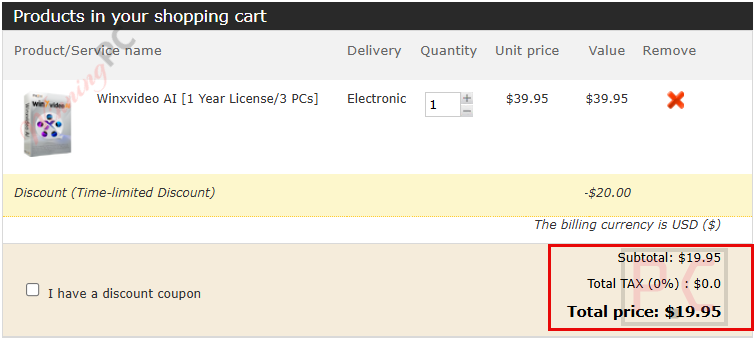
| Family Lifetime | $39.95 (reg $159.95) | 3-5 PCs | Forever | All future | Best value: multiple PCs for good |
Winxvideo AI vs the alternatives
| Tool | Price | AI focus | Platform | Best for |
|---|---|---|---|---|
| Winxvideo AI | Free key / $29.95 lifetime | All-in-one upscale, convert, record | Windows & Mac | Everyday users on a budget |
| DVDFab All-In-One | ~$279 | Deep, pro-grade restoration | Windows & Mac | Professionals wanting max quality |
| Video2x | Free, open-source | Upscaling only, no toolkit extras | Windows | Tinkerers who want free AI upscaling |
| HandBrake | Free, open-source | Convert/compress only, no AI | Win/Mac/Linux | Basic format conversion |
Questions people ask about Winxvideo AI
Does the free giveaway license include updates and support?
No. The giveaway key unlocks Winxvideo AI v3.2 for life, but it doesn’t include version upgrades or tech support. If you want future AI models and help from Digiarty, the paid license (from $29.95 with code WX***20) adds both.
Does Winxvideo AI work on Mac?
Yes, it runs on macOS 10.15 or later. Historically the Mac build focused on convert, compress, record and edit while the AI enhancement tools trailed the Windows version, so check the current Mac feature list before claiming the key if AI upscaling is your goal.
Which paid plan is the best value?
The Family Lifetime at $39.95. It’s only $10 more than the single-PC Lifetime ($29.95) yet covers 3-5 PCs forever with all future updates, so the per-computer cost is by far the lowest.
Is the “75% off” the same on every plan?
No. The 75% discount applies to the Family Lifetime plan. The 1-Year (3 PCs) and single Lifetime plans are 67% off with the same code, though both still land well below list price.
Do I need a powerful GPU?
For the AI tools, effectively yes. They require Vulkan 1.2+ and a supported NVIDIA, Intel or AMD GPU; on low-end machines AI jobs run slowly or can fail. Conversion, compression and recording are much lighter.
How long does AI upscaling take?
It depends heavily on your hardware and clip length. Short clips finish quickly on a modern GPU, but long or high-frame-rate videos can take hours, so trim to the section you need before running.
Is there a free trial if I miss the giveaway?
Yes. Digiarty offers a free trial, but it caps exports at 5 minutes and adds a watermark. The giveaway key or a paid license removes both limits.
System Requirements & Supported Formats
| Feature | Specifications |
|---|---|
| Language Support | English, French, German, Italian, Japanese, Spanish, Korean, Chinese |
| Operating system | Windows 7/8/8.1/10/11 (64-bit); macOS 10.15 Catalina or late |
| Processor | 1 GHz Intel® or AMD® processor (Minimum) |
| RAM & Storage | Minimum 1GB RAM (2GB recommended for AI); 1GB free disk space |
| Supported Input | Video (AV1, MP4, HEVC, MKV, AVI, etc.), Audio (MP3, FLAC, WAV, etc.), Image (PNG, JPG, WebP, etc.) |
| Supported Output | Video (4K MP4, HEVC, MKV, AVI, MOV, etc.), Audio (MP3, WAV, FLAC, etc.), Image (PNG, JPG) |





what am i doing wrong? Non of above code worked for me, keeps telling me: email and registration code verification failed with error code 1. can someone pls help?
Use my giveaway code:
Download: https://www.winxdvd.com/download/winxvideo-ai.exe
Winxvideo AI 1-Year Full license: AIHNE-RJBPF-XUO5F-53ZBF
thanks a lot, but this also did not work for me.
Okay, I have checked again, Please use this one:
Email: laura@ **please check your mailbox**
Giveaway License: AIZA3-47TNY-QDTGJ-KKRFS
Noted:
1. The giveaway license entitles you to the use of Winxvideo AI V3.5 after software activation. It doesn’t contain any free updates and tech support.
2. Please activate the license in 15 days or it will be invalid.
A big thanks to you Sir, this time it worked. Keep up the good work. Love your site. Thanks again. Love from India
I tried to use your code on it because it said
“E-mail and registration code verification failed with error code 1.”
Please fix it or re-new code and re-new email
I must be blind as I do not see… Open the WinXvideo AI giveaway page and enter your email address to get a free license code… I see a giveaway comparison, but no place to enter email address.
Why not use our giveaway code directly?
It’s what I did and it works, must have missed it the first time
Ungültige Lizenzen!!!
Nach der Eingabe der Lizenz wird vom Programm folgende Meldung ausgegeben:
“Achtung!
Überprüfung der E-Mail und des Registrierungscodes fehlgeschlagen.
Fehlercode 1.”
Bitte um Hilfe!
Vielen Dank im Voraus!
The problem A lot of people are having and with a bit of messing around you have to run Winxvideo AI as admin to get it to work.
Unusable due to the eye-damaging dark mode. It’s interesting how many idiots there are around the world. Dark mode was once only developed because of the energy-guzzling smartphone displays. It had absolutely nothing to do with the eyes. In fact, as part of evolution, nature has opted for a healthy, light background. It is therefore particularly insane when programmers do not offer a switch to natural colors for their programs. Their brain decomposition has already reached a dangerous level.