
Wise Program Uninstaller PRO Giveaway
Wise Program Uninstaller
Designed to completely uninstall any stubborn software, Windows built-in apps, and UWP/Universal programs from your PC without leaving leftover registry traces.
- Product
- Wise Program Uninstaller PRO
- Website
- wisecleaner.com
- License
- Lifetime
- Platform
- Windows 7 ~ 11
- Support
- No support
- Updates
- No future upgrades
- Usage
- Non-commercial only
- Updated
- 2026-08-10
Get your unique code by email
License key delivered free to your inbox within minutes.
This giveaway ended on .
Protected by Cloudflare Turnstile · Email quality checked by Reoon
This giveaway has ended, but you can still get a 50% discount for Wise Program Uninstaller (1 year subscription / 3 PCs)
Wise Program Uninstaller Coupon Code October 2026

Wise Program Uninstaller (1 year subscription / 3 PCs)
Billed annually, cancel anytime | 60-day money-back guarantee
You may also like:
IObit Uninstaller PRO
2 plans · best save 70%
Revo Uninstaller Pro 5
2 plans · best save 75%
Soft Organizer Pro
2 plans · best save 38%
Is this Wise Program Uninstaller giveaway safe and legit?
No crack or keygen
You download the official WiseCleaner installer. The PRO license activates automatically during setup; nothing is patched or bypassed.
Official authorized giveaway
The offer runs directly through WiseCleaner’s own giveaway page, not a third-party key reseller or grey-market site.
Secure download
The installer is hosted on WiseCleaner’s servers over HTTPS. No payment details are required to claim the free license.
No purchase risk
The giveaway key is completely free. If you later buy the paid PRO plan, it includes a 60-day money-back guarantee.
How to claim your free Wise Program Uninstaller PRO license
- Click on the “Download Installer” button above to get the special giveaway installer directly from WinningPC.
- Run the installer on your Windows PC. The giveaway build activates the PRO license automatically during setup.
- Once installed, launch Wise Program Uninstaller. Your Lifetime PRO license is already active – no code entry required.
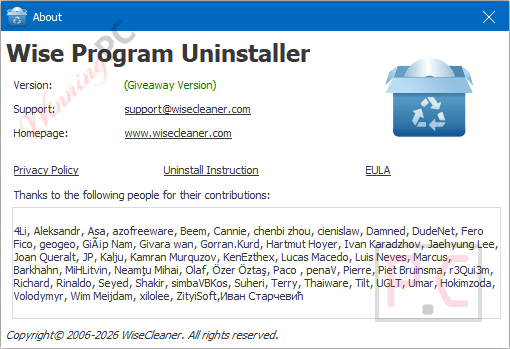
Hands-on with Wise Program Uninstaller Pro
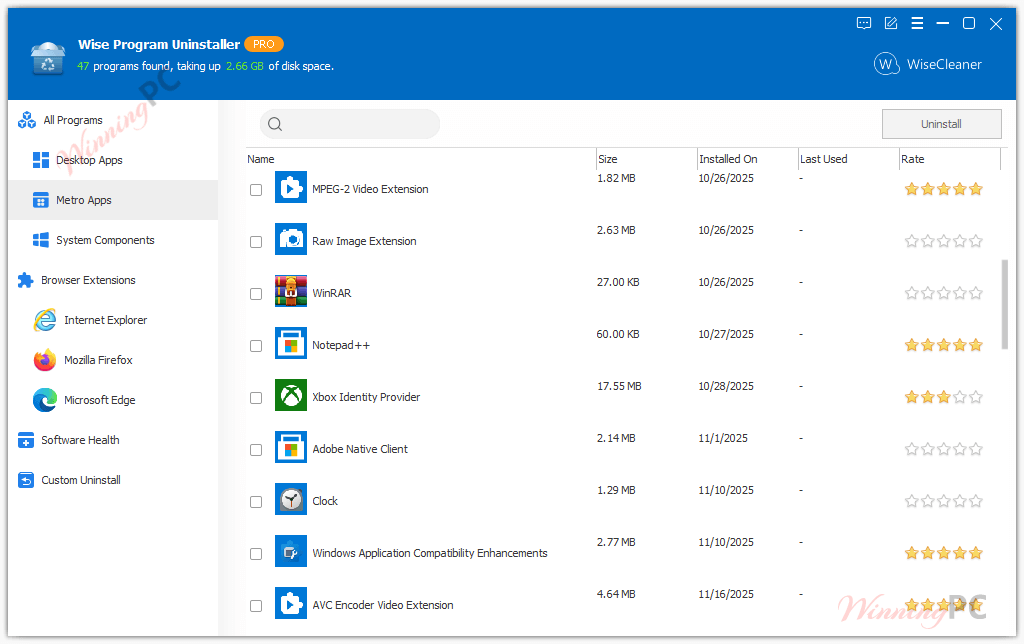
Wise Program Uninstaller is a small Windows tool that helps you remove software completely. It handles regular desktop programs, built-in Windows apps, UWP apps, and even items that never appear in the Control Panel. Instead of stopping at a basic uninstall, it scans for leftover files, folders, and registry entries and clears them out. When a program refuses to uninstall or hides its traces, the force and custom options step in to clean things up. Wise Program Uninstaller also includes tools to tidy browser extensions and improve overall software hygiene.

Key features
- Force Uninstall: removes programs that resist standard removal by scanning for every leftover file, folder, and registry entry.
- Custom Uninstall: handles software not listed in Windows Settings or Control Panel by targeting the installation folder directly.
- Software Health module (PRO): one-click scan for registry leftovers, temp files, startup entries, scheduled tasks, and app permissions.
- Batch browser extension removal: bulk-clears toolbars, plugins, and add-ons across Chrome, Firefox, Edge, and Internet Explorer in one pass.
- Right-click context menu: uninstall any app directly from its desktop shortcut without opening the main interface.
pros & cons
more screenshots!

Wise Program Uninstaller PRO vs the Alternatives
| Tool | Price | Force Uninstall | Leftover Scan | Browser Cleanup | Best for |
|---|---|---|---|---|---|
| Wise Program Uninstaller PRO (this giveaway) | Free (Lifetime, giveaway) | ✅ | ✅ | ✅ Batch, all major browsers | Home users wanting a clean, simple tool |
| IObit Uninstaller PRO | $10.06/(3 PCs) with Gift Pack | ✅ | ✅ | ✅ | Feature-heavy; includes ad/bloatware detection |
| Revo Uninstaller Pro | $6.23/1 Year | ✅ | ✅ Log-based | ❌ Limited | Power users who want deep installation-log tracking |
| Soft Organizer Pro | $15.62/Home License (2-PC) | ❌ | ✅ Snapshot-based | ❌ | Minimal UI; snapshot-based cleanup approach |
| BCUninstaller (free, open-source) | $0 | ✅ | ✅ | ❌ | Advanced users who want a no-cost, no-frills option |
One honest note: BCUninstaller (Bulk Crap Uninstaller) does much of what Wise Program Uninstaller PRO does, for free, with no commercial-use restrictions. It’s more technical to use. For non-technical home users, Wise’s cleaner interface makes more sense. For anyone comfortable with a more utilitarian UI, BCUninstaller is a legitimate free alternative worth considering.
Frequently asked questions
Can Wise Program Uninstaller remove Windows built-in apps?
Yes, it supports built-in Windows and UWP apps.
What is Force Uninstall used for?
It removes programs that fail to uninstall or leave traces behind.
How does Custom Uninstall work?
You point to a program folder, and it finds related files and registry entries.
Will it delete leftover registry entries automatically?
Yes, it scans for leftovers and lets you remove them after uninstalling.
Can it clean browser extensions?
Yes, it can batch-remove extensions from major browsers.
Does Wise Program Uninstaller help improve system performance?
Removing leftovers and unused extensions can free resources and reduce clutter.
Can I uninstall apps from the desktop shortcut?
Yes, using the right-click context menu option.
System Requirements & Details
| Operating system | Windows 11, 10, 8/8.1, 7 (32-bit and 64-bit editions) |
| Processor | Pentium 1 GHz or above |
| RAM | 4 GB or above |
| Disk space | 40 MB minimum |
| Support Services | Email, Tickets |
| Language Support | English, Arabic, Azeri, Belarusian, Bulgarian, Catalan, Chinese Simplified, Chinese Traditional, Czech, Danish, Dutch, Estonian, Finnish, French, Georgian, German, Greek, Hungarian, Indonesian, Italian, Japanese, Korean, Kurdish, Persian, Polish, Portuguese, Romanian, Russian, Serbian, Slovak, Slovenian, Spanish, Swedish, Tajik, Thai, Turkish, Ukrainian, Vietnamese |