
On this page
XtraCSV: Advanced CSV Converter Giveaway
XtraCSV
Batch-convert CSVs to Excel, JSON, SQL, XML, Parquet and more on Windows - without data loss.
- Product
- XtraCSV
- Product website
- winningpc.com
- License
- Lifetime
- Platform
- Windows 10/11
- Usage
- Personel license( 2PCs)
- Updates
- Free updates and upgrades
- Support
- Free customer support (email & chat)
- Updated
- 2026-07-22
Continue on winningpc.com
Share to reveal the official giveaway page, then register there to receive your license.
This giveaway ended on .
The limited-time giveaway!
The free license is no longer available.
Claiming the key, step by step
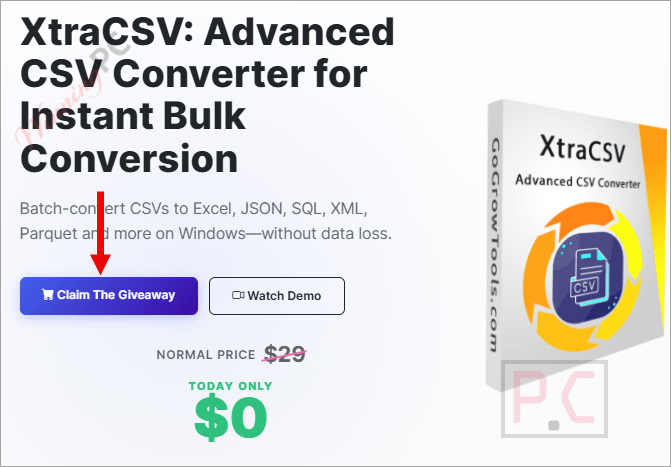
- Click the “Claim The Giveaway” button on the official giveaway page below.
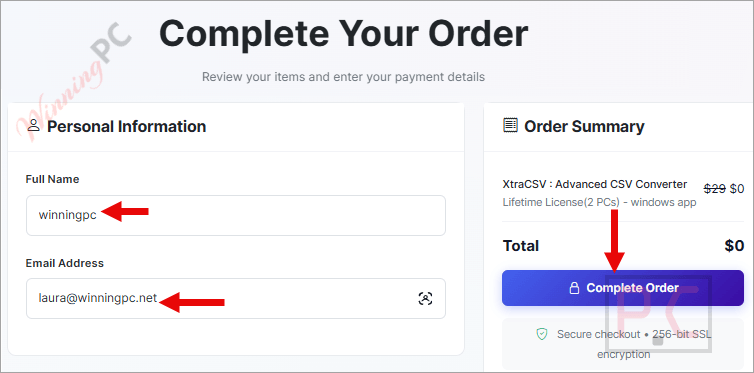
- Fill in your name and email on the registration form, then click “Complete Order”.
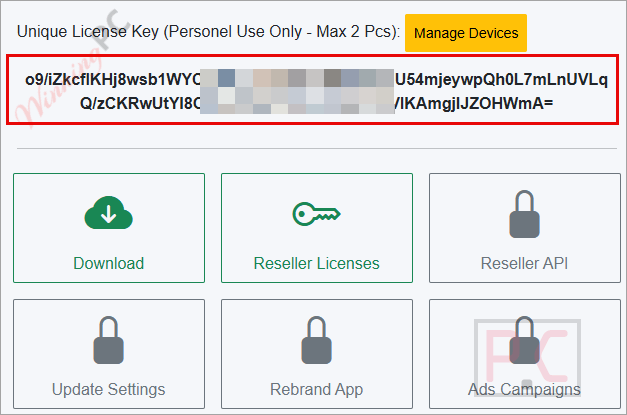
- XtraCSV creates your account automatically with the Lifetime license activated – log in with your registered email to find your license key.
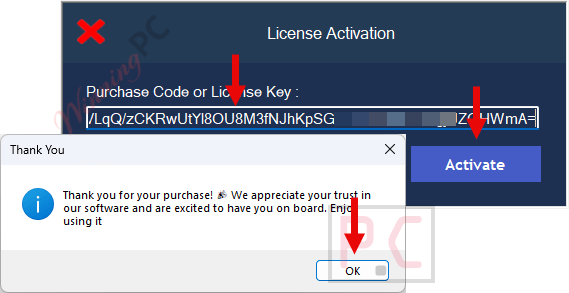
- Download and install XtraCSV on your Windows PC, enter the license key when prompted, and activate.
- Done. Full Lifetime access, 2 PCs, no payment required.
Advanced CSV Converter Coupon Code (86% Off)




Is the GoGrowTools Discount & Giveaway Safe and Legit?
No crack or keygen
You download XtraCSV’s official installer and activate it with a genuine license key generated by the publisher’s own system. Nothing is patched or repackaged.
Official publisher giveaway
Registration goes directly through XtraCSV’s own giveaway page, not a third-party reseller or key auction site.
Offline software, so no data risk
XtraCSV never uploads your files anywhere. The only information you hand over to claim the key is a name and email address.
Zero financial exposure
The giveaway key costs nothing, so there’s no payment risk involved.
How well does XtraCSV: Advanced CSV Converter actually work?
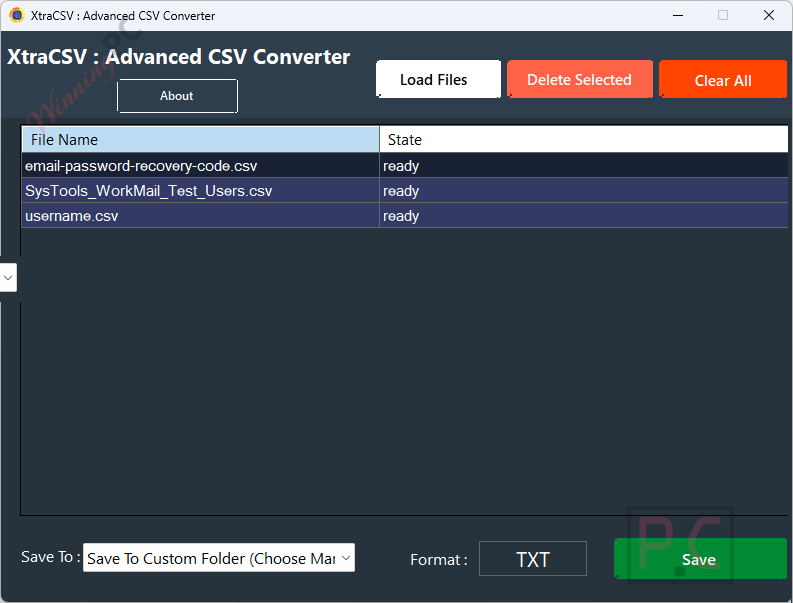
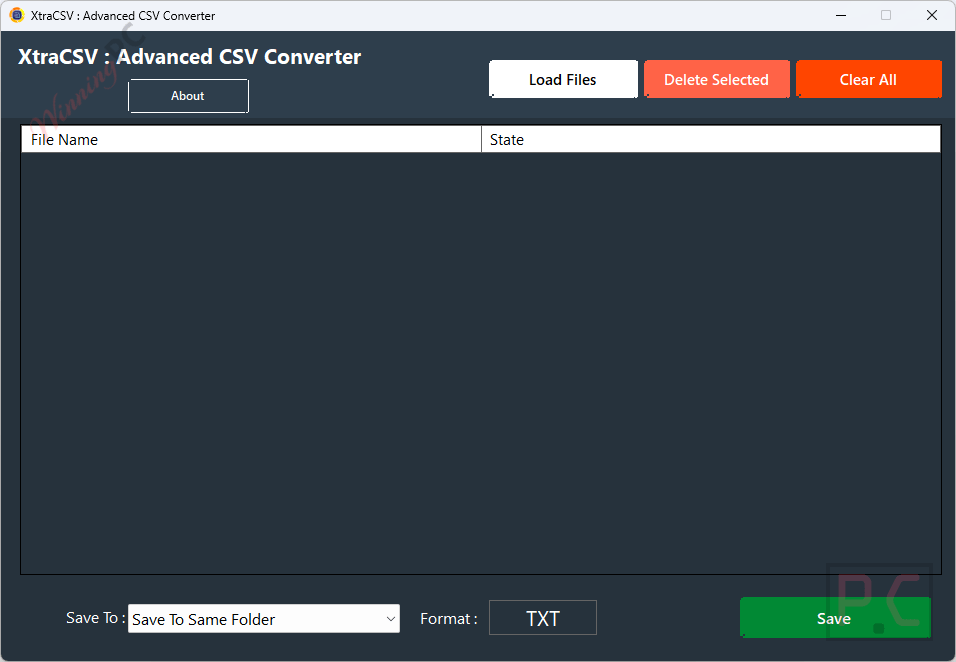
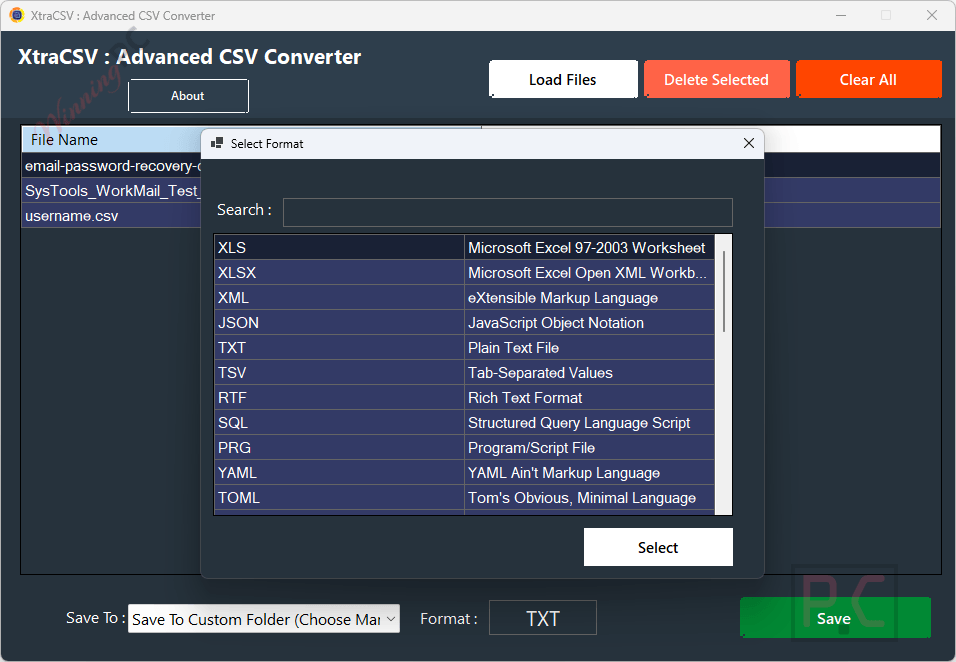
XtraCSV: Advanced CSV Converter does one job and does it without fuss: you point it at a folder of CSV files, pick your output format, and let it run. The format list is the standout story here. Most batch-CSV tools cover the obvious targets – XLSX, JSON, SQL – and stop there. XtraCSV keeps going: SAS, SPSS, and Stata for statistical workflows; YAML, TOML, Protobuf, and MessagePack for developers pushing data between services; HDF5, NetCDF, and FITS for scientific pipelines that nobody else in this price bracket supports.
Key features
- One-click batch conversion: process hundreds of CSV files at once; drag-and-drop a folder and go.
- 30+ output formats: XLSX, JSON, SQL, XML, YAML, TOML, BSON, Protobuf, MessagePack, SAS, SPSS, Stata, R data, MATLAB, HTML, Markdown, LaTeX, KML, HDF5, NetCDF, FITS, Feather, VCF, ICS, XLIFF, Google Sheets, and more.
- Smart column mapping: define column types, rename headers, and save profiles for consistent multi-run output.
- Auto-detect delimiters and encodings: handles commas, tabs, semicolons, and UTF variants automatically to prevent broken fields.
- Fully offline: runs on Windows with no cloud upload; sensitive data never leaves your machine.
- CLI support: automate conversions via script or Windows Task Scheduler without touching the GUI.
What we think
Screenshots
GoGrowTools vs Other Video Converters
| Tool | Price | Output formats | Batch conversion | Offline | Best for |
|---|---|---|---|---|---|
| XtraCSV: Advanced CSV Converter | Free (giveaway) / $4.20 with code | CSV, Excel, SQL, JSON, XML, HTML, TXT, Markdown, LaTeX, Parquet, Feather, SQLite, Access, DBF, PDF, and more | ✅ | ✅ | Converting CSV to many file formats |
| Vovsoft CSV to XLS Converter | $19/lifetime | XLS | ❌ | ✅ | CSV to Excel conversion |
| Vovsoft CSV to SQL Converter | $19/lifetime | SQL | ❌ | ✅ | Creating SQL scripts from CSV |
| Vovsoft CSV to JSON Converter | $19/lifetime | JSON | ❌ | ✅ | CSV to JSON conversion |
| Vovsoft CSV to VCF Converter | $19/lifetime | VCF (vCard) | ❌ | ✅ | Converting contacts from CSV to VCF |
Frequently Asked Questions
Is the XtraCSV: Advanced CSV Converter giveaway legit, or is it a scam?
Legit. This is a publisher-run giveaway – you register with a name and email and receive an official license key from XtraCSV’s own system. No payment details, no cracked installer, no grey-market key seller involved.
What formats can XtraCSV export to?
XtraCSV supports 30+ output formats: XLS, XLSX, XML, JSON, TXT, TSV, RTF, SQL, PRG, YAML, TOML, BSON, MessagePack, Protobuf, Numbers, Google Sheets, SAS, SPSS, Stata, R data, MATLAB, HTML, Markdown, LaTeX, ODT, Properties, KML, HDF5, NetCDF, FITS, Feather, VCF, ICS, and XLIFF.
Does XtraCSV handle large CSV files?
According to the developer, XtraCSV includes a large-file engine built for high row counts and bulk processing. The practical ceiling depends on your machine’s available RAM and disk space – no specific file-size limit is published, so test on your own hardware if you’re dealing with multi-GB files.
Can I run XtraCSV from the command line or automate it?
Yes. XtraCSV includes CLI support, so you can kick off batch conversions from a script, a scheduled task in Windows, or any automation tool that can call an executable.
System Requirements & Details
| Feature | Specifications |
|---|---|
| Operating system | Windows 10, Windows 11. |
| Internet connection | Not required – fully offline |
| Supported input formats | CSV |
| Supported output formats | XLS, XLSX, XML, JSON, TXT, TSV, RTF, SQL, PRG, YAML, TOML, BSON, MESSAGE_PACK, PROTOBUF, NUMBERS, GOOGLE_SHEETS, SAS, SPSS, STATA, R_DATA, MATLAB, HTML, MARKDOWN, LATEX, ODT, PROPERTIES, KML, HDF5, NETCDF, FITS, FEATHER, VCF, ICS, XLIFF. |
| Other | GUI + CLI included; Windows Task Scheduler compatible |



Program requires internet access to check license status at every launch, crashing if it cannot check. It is also not an installed program but just a bunch of files and folders in a zip archive, they’ve not developed into using installation packages with install and uninstall function. Executables are also unsigned so you’ll have to lower the security settings in windows 11 to run this.