Cathryn Lee

4K Image Compressor reduces the file size of images (JPG, JPEG, PNG, HEIC, WEBP) and PDFs to specific megabyte or kilobyte sizes, or by a set percentage. It allows you to process multiple files offline, convert between formats, and compare quality before saving.
4K Image Compressor
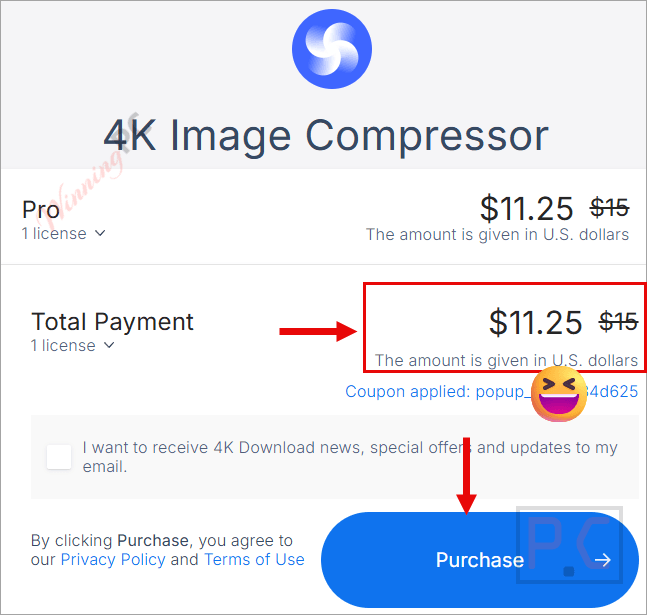
1 plan · best save 25%
Pro License (lifetime) ★ Best Deal
Lifetime license used on up to 3 computers | Free updates

4K Bundle Pro (lifetime) Editor's Pick
PRO licenses for all 4K Download applications | One-time fee for 3 computers.
📄 Licensing & Support Details
- Lifetime license
- 14 days money-back guarantee
- Free updates
- Chat & email support
📝 How to apply
- Click the “Copy Code” button in the coupon section above to grab this deal.
- The code will be applied automatically, and you’ll be taken to the checkout page to enjoy the discount.
4K Image Compressor: In-Depth Review & Features

Key Features
- Accepts uploads in 14 different formats, including HEIC, RAW, EPS, and SVG.
- Provides side-by-side viewing modes to visualize quality differences between the original and optimized files.
- Removes unnecessary data from PDFs to create compact, web-friendly documents.
- Functions entirely without an internet connection to keep your files private.
- Includes dedicated workflows for web developers, photographers, and mobile app creators to speed up loading times and save storage.
Pros & Cons
More 4K Image Compressor screenshots


Frequently asked questions
Where can I find a coupon or deal for 4K Image Compressor?
The latest and best deals can be found on WinningPC, alongside the official software website or the developer’s social media channels.
What is the best discount currently available for 4K Image Compressor?
The best current discount is 25% OFF, available directly on WinningPC.
Does 4K Image Compressor need an internet connection?
No, it works entirely offline. Your files never leave your computer.
Can I resize multiple images at once?
Yes, it includes a batch processing feature to quickly reduce the size of multiple files at the same time.
Which image formats can I upload to the app?
You can upload JPG, JPEG, PNG, WEBP, HEIC, HEIF, PDF, BMP, JFIF, RAW, GIF, ICO, SVG, and EPS formats.
Can I convert image formats using this software?
Yes, it allows you to convert files to JPG, JPEG, PNG, WEBP, HEIC, and HEIF.
Can I set an exact target file size?
Yes, you can specify the target size in megabytes (MB), kilobytes (KB), or bytes.
System Requirements & Details
| Feature | Specifications |
|---|---|
| Language Support | English, French, German, Italian, Spanish, Swedish, Dutch, Czech, Turkish, Finnish, Polish, Russian, Hungarian, Portuguese, Japanese, Korean, Traditional Chinese, Simplified Chinese |
| Operating System | Windows 11 and newer macOS 12 and newer Ubuntu 22.04 64-bit (GNOME only) and newer |
| Subscription | Lifetime |
| Supported Input | JPG, JPEG, PNG, WEBP, HEIC, HEIF, PDF, BMP, JFIF, RAW, GIF, ICO, SVG, EPS |
| Supported Output | JPG, JPEG, PNG, WEBP, HEIC, HEIF |
| Support Services | Email, Chat |