Chris Bruner
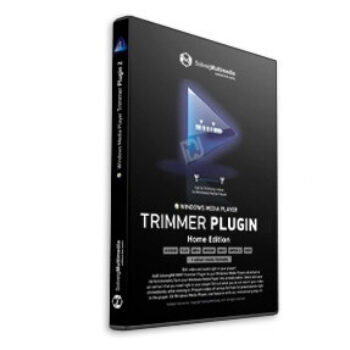
The SolveigMM WMP Trimmer Plugin is an advanced extension for Windows Media Player that transforms it into a powerful multimedia editor. By simply installing the plugin on your computer, you can significantly enhance the functionality of your media player. You are allowed to cut and trim video or audio files without re-encoding, ensuring the original quality is preserved. Experience the best in video editing with the WMP Trimmer Plugin. This plugin allows you to effortlessly select and save multiple segments directly within the player as you watch, mute audio streams, and extract audio content from video files into separate audio files.
Supporting a wide range of popular file formats, including MP4, HEVC, AVI, WMV, WAV, MPEG Audio, MPEG-2, MPEG-1, AVCHD, TS, MOV, MKV, FLV, and WEBM, it allows quick, frame-accurate editing directly within WMP. SolveigMM WMP Trimmer Plugin is perfect for editing webinars, removing commercials from recorded TV shows, censoring content for children, creating custom ringtones, making funny clips to share with friends, or editing videos for YouTube.
SolveigMM WMP Trimmer Plugin Discount

SolveigMM WMP Trimmer Plugin 4 Home Edition (1-year subscription)
The license is valid for use on up to 5 PCs, but only on 1 PC at a time
Key Features & Screenshots

- Extensive Format Support: This plugin supports a wide array of media formats, including AVI, WMV, ASF, WAV, WMA, MP3, MPEG-2, MPEG-1, AVCHD, FLV, MP4, MOV, WEBM, and MKV. This broad compatibility ensures that it adaptable to various media types.
- Extracts sound: The SolveigMM WMP Trimmer Plugin enhances Windows Media Player by enabling users to extract audio tracks from video files and save them as separate audio files. This feature is particularly useful for creating audio-only versions of videos, such as music tracks or podcasts.
- Mute audio: You can also mute audio on some selected segments without re-encoding the media files. This means the original quality of your video and audio remains intact, providing a seamless editing experience.
- Voice-over: During the file playback in Windows Media Player, you are allowed to add your voice narrations with the help of the voice-over feature of Plugin 4. You are allowed to do several voice-over recordings at necessary time positions and also to move existing recordings.
- Subtitle Support: WMP Trimmer Plugin supports editing files with embedded and external subtitles for creating professional-quality videos with accurate and synchronized subtitles.
- Frame-Accurate Editing: Achieve precise cuts and trims with frame-accurate editing. This feature is essential to exactly control edits, ensuring that every frame is perfectly aligned.
More screenshots:


Frequently Asked Questions
Which media formats are supported by the WMP Trimmer Plugin?
It supports a wide range of formats including AVI, WMV, ASF, WAV, WMA, MP3, MPEG-2, MPEG-1, AVCHD, FLV, MP4, MOV, WEBM, and MKV.
Can I edit videos without losing quality?
Yes, the WMP Trimmer Plugin allows for lossless editing, meaning you can trim and cut videos without re-encoding, preserving the original quality.
Can I use the plugin to extract audio from video files?
Yes, the plugin allows you to extract audio from video files and save it as a separate audio file.
Is batch processing supported?
Yes, the plugin supports batch processing, allowing you to edit multiple files simultaneously.
Can I mute audio in specific parts of a video?
Yes, the plugin allows you to mute audio on selected fragments without re-encoding the entire file.
Are there any discounts available for purchasing the WMP Trimmer Plugin?
Yes, you can use the coupon code “AI**Y30” provided by WinningPC to get 30% off your purchase.
Technical Details
| Language Support | English, German, Italian, Chinese, Turkish, Japanese, Russian |
| Money Back Guarantee | 30-Day |
| Operating System | Windows Vista/7/8/10/11 Windows Media Player 9 or higher |
| Shipping | Register code will be sent to your email in minutes |
| Subscription | 1-Year |
| Support Services | Email, Tickets |