Chris Bruner
Are you looking for a fast, easy, and reliable way to edit your audio, such as remove vocals or isolate instruments from your favorite songs and videos? Then Kingshiper Vocal Remover might be the utility to lend you a hand. Designed for content creators, DJs, karaoke enthusiasts, or just someone who loves experimenting, this tool can separate vocals from instrumentals in a variety of audio files. Using advanced AI-based audio processing, Kingshiper Vocal Remover can accurately detect and split different elements in a track. You can effortlessly extract either clean instrumental versions or isolated vocals in just a few seconds, making it ideal for remixes, practice sessions, or custom karaoke tracks.
Kingshiper Vocal Remover also features an “Instruments” function that lets you isolate specific sounds or instruments from a song. Whether it’s drums, piano, or guitar, this function helps you focus on or extract individual components from a multi-track recording. Additionally, the “Vocals” feature supports batch processing for both audio and video files, allowing you to remove vocals or trim them with precision, perfect for streamlined editing or vocal analysis.
Kingshiper Vocal Remover Discount & Coupon Code

Kingshiper Vocal Remover - 1 Month/ 1 PC
One license for 1 PC | 30-day money back guarantee
Kingshiper Vocal Remover - 1 Year/ 1 PC
One license for 1 PC | 30-day money back guarantee
Kingshiper Vocal Remover - Lifetime/ 2 PCs
One license for 2 PCs | 30-day money back guarantee
You may also like:

iMyFone MusicAI - 1 Month Plan
53% off coupon code: regular price $14.99, discounted price $6.99
iMyFone MusicAI - 1 Quarter Plan
65% discount code: regular price $49.99, discounted price $17.49
iMyFone MusicAI - 1 Year Plan
55% off promotion code: regular price $139.99, discounted price $62.99
Kingshiper Vocal Remover License Key Free
- Product name: Kingshiper Vocal Remover
- Website: https://www.kingshiper.com/
- License type: 6-month
- Platform: Windows
- Giveaway link:
KSVocalRemoverIns_022_415.exe
How to get the license key?
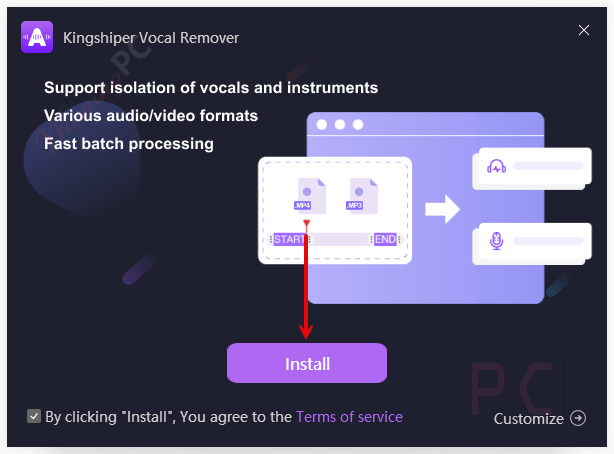
Simply click the giveaway download link above to get the software and install it on your PC.
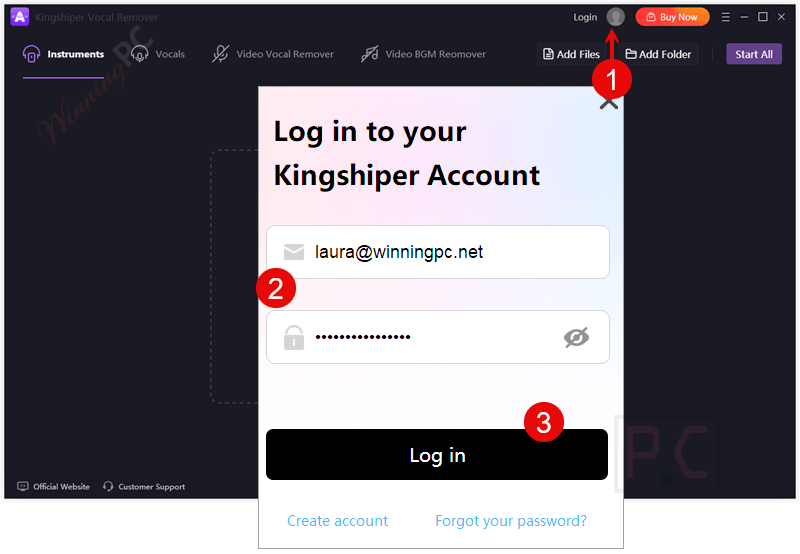
Kindly click “Login” after the installation is finished. You can create a new account or sign in with your current one by just entering your email address and password.
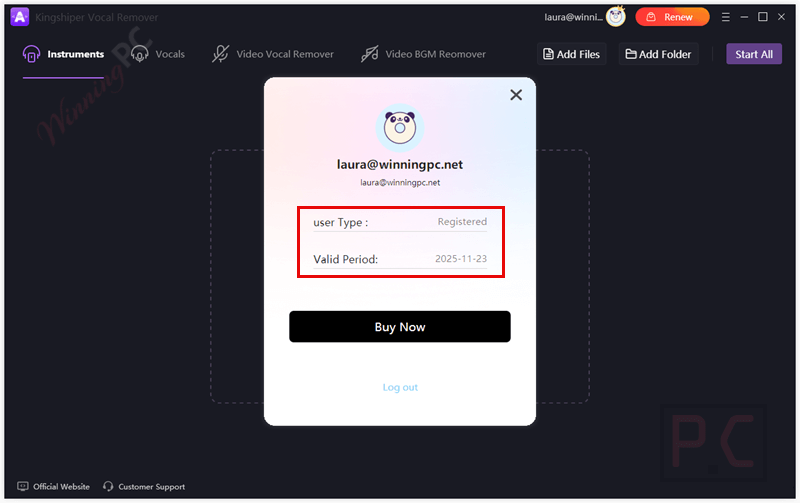
After logging in successfully, you will be given a free 6-month license for Kingshiper Vocal Remover.
Kingshiper Vocal Remover main screenshot
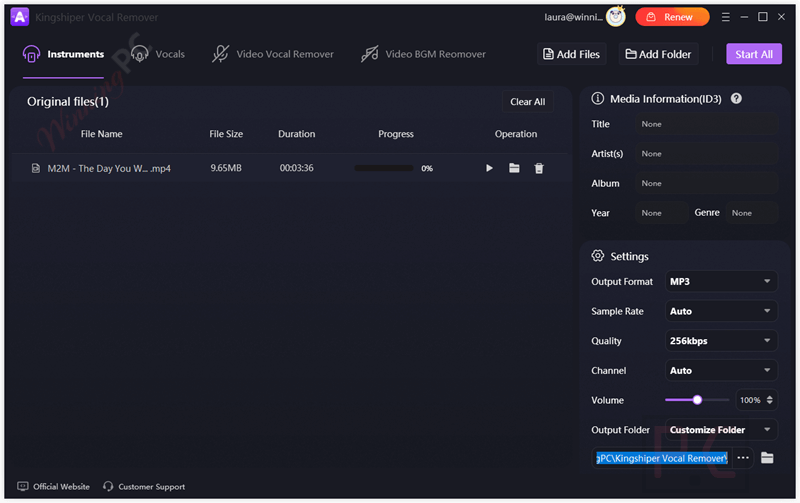
Main Features
- Instruments: The Instruments feature allows you to pinpoint and extract individual instruments from a full audio mix. Whether it’s the steady beat of drums, the smooth strumming of guitar, or the melodic lines of a piano, you can isolate and focus on each instrument with impressive accuracy.
- AI-Powered Vocal Separation: Leveraging advanced artificial intelligence, the Vocals feature of the software precisely detects and extracts vocals from audio tracks and videos with just a few clicks. This tool maintains the original quality of the instrumentals without unwanted distortions or artifacts to help you make karaoke tracks or remix songs.
- Video Vocal Remover: With this feature, you can remove vocals directly from video files and then replace them with your own narration or music, making it easy to create clean background tracks for presentations, tutorials, vlogs, or creative projects.
- Video BGM Remover: Designed to remove background music from video files, the video BGM remover function can remove the background noise from any video. It can analyze the audio layers within the video, then separate and mute the background music while keeping other important audio elements intact, such as spoken dialogue, ambient sounds, or sound effects.
- Supports Multiple Audio Formats: This tool is compatible with more than 1000 audio and video formats, including mainstream types like MP3, WAV, FLAC, MP4, AVI, and more. No need to worry about converting your files, just upload and let the tool do the work.
- High-Quality Output: Thsi tool maintains original audio/video sample rates and bitrates for lossless export, ensures the output files retain high sound quality, whether you’re extracting vocals, instrumentals, or full tracks.
- Fast Batch Processing: This tool supports one-click batch processing, enabling you to process multiple files at once to create a beautiful and polished sound. This feature is a time-saver for users who work with large numbers of tracks.
- Customizable Output Settings: It also provides detailed output customization, including sample rate, bitrate, channel selection, volume, frame rate, and resolution for both audio and video, as well as ID3 tag editing for metadata management.
Frequently asked questions
Can I use Kingshiper Vocal Remover to make karaoke tracks?
Yes! It is perfect for creating karaoke tracks. It removes vocals from songs while preserving the original instrumental background, making it ideal for singing practice or hosting karaoke nights.
Which audio formats does the software support?
It supports a wide range of popular audio formats, including MP3, WAV, FLAC, M4A, and AAC. You can drag and drop your file into the app, and it will handle the rest automatically.
Can I process multiple songs at once?
Yes, this tool supports batch processing. You can import multiple files and extract vocals or instrumentals from all of them in one go, saving you time and effort.
Is Kingshiper Vocal Remover powered by AI?
Yes, it uses advanced artificial intelligence algorithms to analyze and split vocals from instrumentals with impressive precision. The result is a clean, studio-quality audio split.
Is there a coupon code for Kingshiper Vocal Remover?
Yes! WinningPC.com provides a special coupon to help users save money on Kingshiper Vocal Remover. Visit the site to get the latest offer and enjoy the best price available.
Technical Details
| Language Support | English, Français, Italian, Spanish, Swedish, and more… |
| Money Back Guarantee | 30-Day |
| Operating System | Windows 7, Windows 8/8.1, Windows 10/11 macOS 10.13 High Sierra and later |
| Shipping | Register code will be sent to your email in minutes |
| Subscription | 1-Month, 1-Year, Lifetime |
| Support Services | Email, Tickets |