
 WinningPC
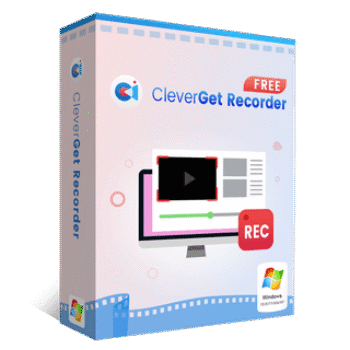
CleverGet Recorder is a streaming video recorder that captures online videos from platforms such as Amazon, Netflix, Hulu, HBO Max, Disney+, YouTube, and Facebook. It records on-demand videos, live streams, concerts, and DRM-protected content in up to 4K resolution and 60FPS. Recordings can be saved in MP4 or MKV formats. The built-in scheduler allows users to set recording times in advance, making it suitable for capturing live broadcasts when away from the computer. CleverGet Recorder helps users save personal copies of streaming content for offline viewing.
Key Features of CleverGet Recorder
- Free Streaming Video Recorder: records and saves streaming videos from over 1,000 websites, including Netflix, Amazon Prime Video, Disney+, Hulu, YouTube, and HBO Max.
- Smart Video Detection: automatically detects videos played in the built-in browser, letting you start recording with one click.
- Ultra HD Recording: captures videos in resolutions up to 4K at 60fps for smooth playback and high-quality archiving.
- MP4 & MKV Output: allows you to save recordings in MP4 or MKV formats compatible with most devices and editing software.
- Custom Recording Settings: lets you choose format, resolution, recording speed, frame rate, audio settings, codec, and save location.
- Scheduled Recording: sets specific recording times and durations, then automatically stops and saves when finished.
- Built-in Browser Playback: browses and plays streaming content directly inside the integrated browser without switching windows.
- Ad-Skip Recording (Beta): presets ad lengths for supported platforms and skips them automatically during recording.
Why Choose CleverGet Recorder
- No watermark or ads: Unlike many free screen recorders that stamp your recordings with intrusive watermarks or interrupt with ads, CleverGet Recorder lets you download clean, full-length videos without restrictions. What you see is what you get: professional-quality results, hassle-free.
- Easy-to-use, beginner-friendly interface: Many premium tools come with a steep learning curve. This tool has a simple and intuitive interface that makes it easy for anyone, whether you’re a casual viewer or content creator, to start recording right away, even with no tech experience.
- Lightweight and smooth performance: While some professional recorders are heavy and slow, this tool runs smoothly with minimal system resource usage.
- 100% free, no trial limits: Where most tools offer “free trials” or limit quality/resolution behind a subscription, it gives you 4K video recording at 60FPS from the start, no signup, no subscription, no expiration.
- Trusted brand: Developed by Leawo Software, a recognized name in digital media solutions, CleverGet Recorder delivers quality and reliability you can trust, without the price tag.
How to Use CleverGet Recorder
Step 1. Download & install
Visit the official site and install CleverGet Recorder on your PC:
– Download Link (Windows): https://www.leawo.org/downloads/cleverget-recorder.html
– Download Link (Mac): https://www.leawo.org/downloads/cleverget-recorder.html?sys=mac

Step 2. Launch the Program
Open the software and use the built-in browser to navigate to your desired streaming site (e.g., Netflix, YouTube, Disney+).

Step 3. Play the Video
Start playing the video you want to record. This tool will automatically detect it.

Step 4. Choose Format & Quality
Select your preferred video format (MP4/MKV), resolution (up to 4K), frame rate, audio track, and subtitle options.

Step 5. Start Recording
Click the download icon to begin recording. You can also schedule recordings in advance if needed.

Step 6. Access Your Videos
Once done, your recordings are saved locally and ready to watch offline, without ads, buffering, or expiration dates.

Frequently asked questions
Is CleverGet Recorder really free to use?
Yes! CleverGet Recorder is 100% free to download and use, with no trial limits, watermarks, or ads. You can get the official free version safely from WinningPC.
What streaming platforms does CleverGet Recorder support?
It supports 1000+ websites, including Netflix, Amazon Prime Video, Disney+, Hulu, YouTube, HBO Max, and more, making it one of the most versatile recorders available.
Can this tool record DRM-protected videos?
CleverGet uses screen recording to capture streaming content. While it may bypass playback limits, users should comply with their country’s copyright laws.
Does the software skip ads while recording?
Yes. It offers a beta ad filter feature that can automatically skip ads during recording by using preset ad durations, ideal for a clean offline viewing experience.
Does CleverGet Recorder support scheduled recording?
Yes, it includes a recording scheduler, letting you preset a start time and duration so you can record live streams or shows automatically.
Is there any watermark on the recorded videos?
No. Unlike many free tools, CleverGet Recorder does not add any watermarks to your videos.
Why Choose WinningPC
- Why Trust? We are committed to providing 100% valid and verified coupon codes, so you can always shop with confidence.
- Found an Invalid Coupon or a Better Deal? If you encounter an invalid code or a better offer, please let us know. Our team updates all discount information regularly to ensure accuracy.
- Official Authorization: We only share authentic discounts from trusted software developers.
- No Fake Discounts: Unlike some sites, we never use misleading deals. The final price you see is the true discounted price.
- Secure Purchases: All transactions are processed on the official vendor’s website, ensuring authenticity and data protection.
- Extra Support: If you face order or vendor issues, contact us. We’ll liaise with the vendor to help resolve your problem quickly.
Technical Details
| Language Support | English, Français, Italian, Spanish, Swedish, and more… |
| Money Back Guarantee | 30-Day |
| Operating System | Windows 7/8/8.1/10/11 macOS 10.15…/14/15 |
| Shipping | Register code will be sent to your email in minutes |
| Subscription | Freeware |
| Support Services | Email, Tickets |



A closed source media capture program using unlicensed GPLv3 FFMPEG binary distribution and embedded chrome browser to capture playing video and audio stream. Can capture video and audio playing in a tab in “the background” while watching and listening to a different stream in another tab. It cannot record multiple tabs simultaneously though and does not record system sounds just the streams audio that is in the recorded tab. One can force the recording to a specific dimension in the settings which is handy where a service streams at say 720×576 but resizes on the fly in the browser to 1280×720 correcting the distorted aspect ratio. One can specify 1280×720 and the 720×576 stream is re-encoded to the desired dimensions, obviously no data is added it just looks better. It’s a good start and works well. I will keep it but have disabled automatic update checks in case they suddenly make it a commercial product without warning… The only part that will NEED updating is the chrome browser component when security fixes need to be applied. currently reported chrome is Chrome/132.0.0.0 because of the operation under windows 7 and 8 we may be limited to depreciated builds of chrome as current chrome does not support those legacy versions windows so bear that in mind when surfing using this browser, don’t go where malicious actors may lurk as this won’t have latest security patches for the browser engine! It is nicer that audials TV recorder in that it supports MP4/MKV output not just webm output.
it needs an option to keep current tabs over restarts and a favorites facility as one cannot easily edit the home page it renders on startup.
further investigations… there is an executable bbtool.exe in this installation that attempts to write direct to the installed drive bypassing windows filesysystem driver and triggers a controlled memory access violation which this type of program should not need or even attempt… Leawo what are you trying to achieve by this low level disk access?