
On this page
Coolmuster JPG to PDF Converter Giveaway
Coolmuster JPG to PDF Converter
Effortlessly convert JPG, JPEG, PNG, BMP, and TIFF images to PDF format.
- Product
- Coolmuster JPG to PDF Converter
- Product website
- coolmuster.com
- License
- 1-Year
- Platform
- Windows 11/10/8/7
- Installer
- cool-jpg-to-pdf-converter.exe
- Use
- Non-commercial only
- Updates
- No free updates
- Support
- No free tech support
- Updated
- 2026-08-17
Continue on coolmuster.com
The publisher handles registration and license delivery on its official website.
This giveaway ended on .
JPG to PDF Converter - Lifetime License(1 PC)
Coolmuster JPG to PDF Converter Coupon Code
Coolmuster JPG to PDF Converter
3 plans · best save 50%
You may also like

All Products Bundle, Lifetime (Windows)
One-time payment, permanent lifetime license | Free lifetime software upgrades
All Products Bundle, Lifetime (Mac)
One-time payment, permanent lifetime license | Free lifetime software upgrades
📄 Licensing & Support Details
- License Type: 1-Month, 1-Year, or Lifetime license for 1 PC.
- Support: Free customer support included.
- Guarantee: 30-day money-back guarantee.
📝 How to apply
- Getting the discount is easy — just click the “Copy” button above.
- The coupon will be applied automatically before you are redirected to the order page.
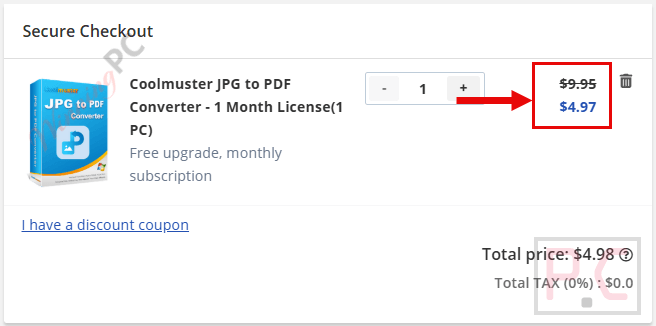
How to Get a Coolmuster JPG to PDF Converter License Key for Free?
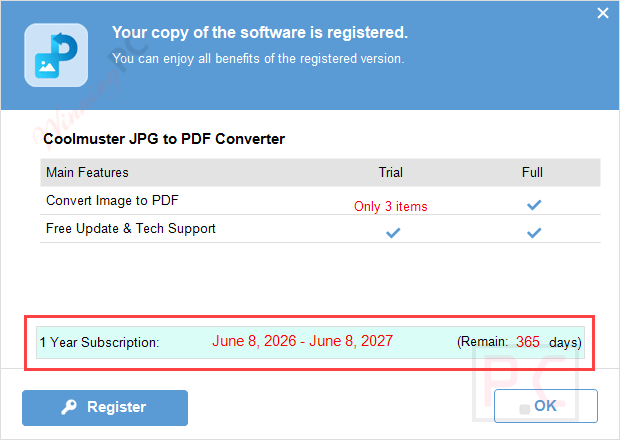
- On the Coolmuster JPG to PDF Converter giveaway page, just enter your email address to get a free license code.
- After installing and starting the software, please register the program using the email address you entered and the license code above (please copy and paste the license code for registration).
- Enjoy it for one year free.


How well does Coolmuster JPG to PDF Converter work?
Coolmuster JPG to PDF Converter is an image converter tool designed to convert JPG, JPEG, PNG, TIFF, and BMP images into PDF documents without reducing image quality. It supports batch conversion, customizable PDF settings, and simple document management features for fast and organized image-to-PDF creation.

Key features
- Converts multiple formats, including JPG, JPEG, PNG, TIFF, and BMP, directly into PDF documents.
- Batch processing capability to convert several images at the same time.
- Maintains the original image resolution, color accuracy, and formatting during the conversion process.
- Customizable settings for PDF page sizes, orientation, and document margins.
- Built-in tools to easily rename, rearrange, and merge multiple image files into a single PDF.
- Simple, easy-to-use interface designed to be accessible for users of all skill levels.
More Screenshots

pros & cons
Frequently Asked Questions
What is Coolmuster JPG to PDF Converter?
Coolmuster JPG to PDF Converter is a software tool that converts various image formats such as JPG, PNG, TIFF, and BMP into high-quality PDF documents.
Which image formats are supported by Coolmuster JPG to PDF Converter?
The software supports JPG, PNG, TIFF, and BMP formats.
Can I convert multiple images to PDF simultaneously?
Yes, the batch conversion feature allows you to convert multiple images to PDF at the same time.
Is there an option to merge multiple images into a single PDF?
Yes, the software allows you to combine multiple images into one PDF document.
How can I get Coolmuster JPG to PDF Converter at a discount?
Use the coupon code IV***OFT on WinningPC to get 50% off on Coolmuster JPG to PDF Converter.
System Requirements & Details
| Feature | Specifications |
|---|---|
| Language Support | English, Français, Italian, Spanish, Swedish, and more… |
| Operating System | Windows 11/10/8/7 |
| Processor | 1GHz (32-bit or 64-bit) or above |
| RAM & Storage | 256MB RAM minimum (1024MB recommended), 200MB free disk space |
| Supported Input | JPG, JPEG, PNG, TIF, BMP |
| Supported Output |




pointless single function program utilising a 3rd party converter engine like all their others using the same 3rd party converter engine presumably to fool customers to by the same 3rd party code over and over again with a different single function GUI they program. Basically a scam… better to find a GUI that provides ALL the functionality of the same 3rd party converter and if you have to buy it, buy it only the once!