Laura Marano
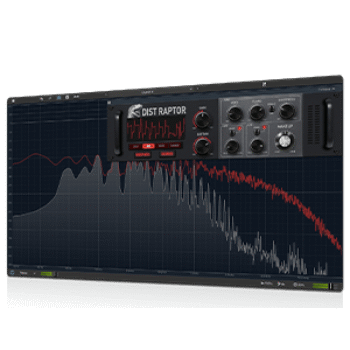
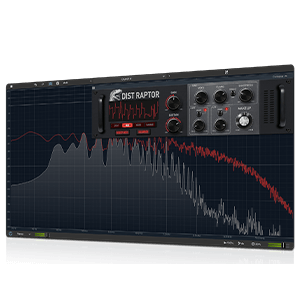
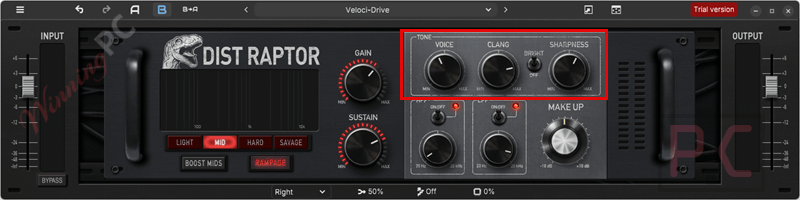
ToneLib TL DistRaptor is a full-featured distortion plug-in designed to add anything from light overdrive to heavy, aggressive distortion to audio tracks. It includes four distinct gain modes: Light, mid, hard, and savage, with Rampage Mode adding an extra stage for more intense tones. You can also use the advanced tone controls to shape the character with Voice, Clang, Sharpness, and a Bright switch. Besides, built-in high- and low-pass filters help the sound sit cleanly in a mix. This music production tool has two interfaces: rack and full-screen views to help you set up the most convenient plugin workspace.
ToneLib TL DistRaptor Plans & Coupon Code (100% Working)
Key Features and Screenshots
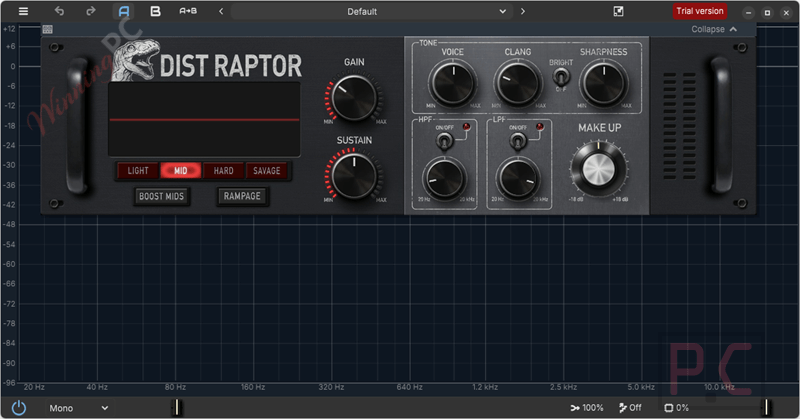
- Four distinct gain modes: Offers light overdrive through mid, high, and extreme distortion, each with its own tone and dynamic response.
- Rampage Mode: Adds an extra gain stage to push any gain mode into more aggressive and intense territory.
- Advanced tone stack controls: Voice, Clang, Sharpness, and a Bright switch let you shape timbre, edge, and clarity in a precise way.
- Built-in high-pass and low-pass filters: Simple controls help trim extreme frequencies so the sound fits cleanly into a mix.
- Make-Up gain control: Allows you to set the final output level after processing for proper volume balance.
- Flexible animated visual interface: Displays signal activity clearly and can be customized to match different working styles.
- Rack and fullscreen display modes: Switch between a compact rack view for quick tweaks or a full view for detailed monitoring.
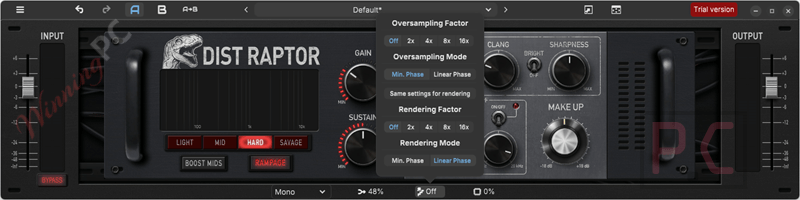
- Advanced oversampling options: Lets you adjust quality settings for real-time use and increase precision during offline rendering.
- Fully scalable interface: Multiple scaling options make it easy to set up a comfortable workspace on any screen size.
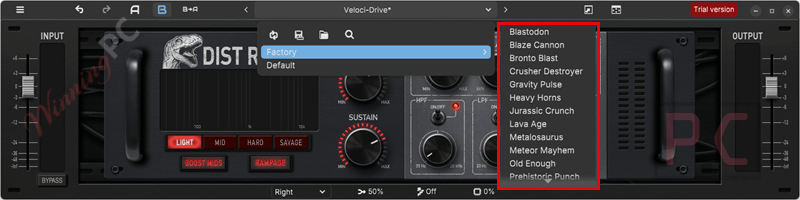
- 20+ ready-to-use presets: Includes a wide selection of starting points for different tones and applications.
- VST and standalone support: Can be used inside a DAW or run on its own without needing one.
More screenshots!
Factory
Oversampling Factor
How to Use (Step-by-Step Guide)
Step 1. Install and open TL DistRaptor
Add the VST to your plug-in folder, then launch it in your DAW (or open the standalone version).
Step 2. Load TL DistRaptor
Insert it on a track in your DAW or open the standalone version.
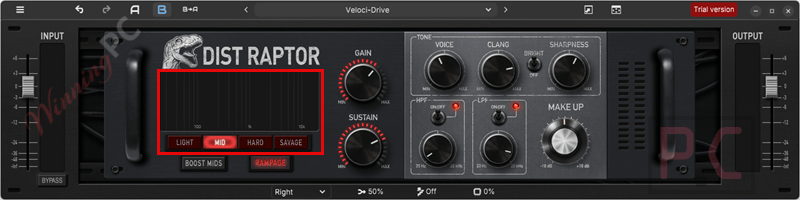
Step 3. Choose a gain mode
Pick one of the four modes, from light drive to heavy distortion.
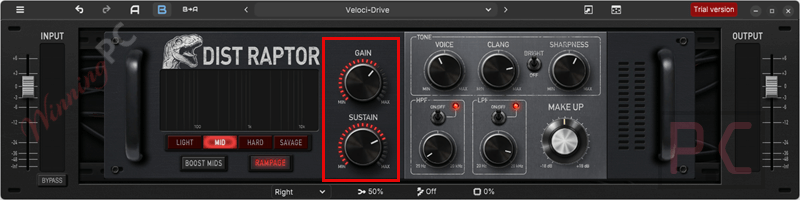
Step 4. Adjust gain and sustain
Turn the Gain knob to set intensity and shape sustain as needed.
Step 5. Fine-tune the tone
Adjust Voice, Clang, Sharpness, and Bright to shape the sound.
Step 6. Clean up with filters
Use HP/LP filters to control lows and highs.
Step 7. Set output level
Balance volume with the Make-Up control.
Step 8. Optimize quality
Adjust oversampling for the best balance between sound quality and CPU use.
Frequently Asked Questions
How many gain modes does TL DistRaptor have?
The plug-in includes four different gain modes, each with its own tone and response.
What does Rampage Mode do?
Rampage Mode adds an extra gain stage, making the distortion more intense and aggressive.
Does TL DistRaptor include tone-shaping controls?
Yes, it offers Voice, Clang, Sharpness, and a Bright switch to shape the distortion character.
Does TL DistRaptor support oversampling?
Yes, advanced oversampling options are available for cleaner sound at higher quality settings.
Will oversampling affect CPU usage?
Higher oversampling settings can use more CPU, especially on older systems.
Is there a discount available for TL DistRaptor?
Yes! WinningPC provides the coupon code Winning***DR to help you get 50% off* when purchasing ToneLib TL DistRaptor.
Why Choose WinningPC
- Why Trust? We are committed to providing 100% valid and verified coupon codes, so you can always shop with confidence.
- Found an Invalid Coupon or a Better Deal? If you encounter an invalid code or a better offer, please let us know. Our team updates all discount information regularly to ensure accuracy.
- Official Authorization: We only share authentic discounts from trusted software developers.
- No Fake Discounts: Unlike some sites, we never use misleading deals. The final price you see is the true discounted price.
- Secure Purchases: All transactions are processed on the official vendor’s website, ensuring authenticity and data protection.
- Extra Support: If you face order or vendor issues, contact us. We’ll liaise with the vendor to help resolve your problem quickly.
Technical Details
| Language Support | English, Français, Italian, Spanish, Swedish, and more… |
| Money Back Guarantee | 30-Day |
| Operating System | TL DistRaptor comes in 64-bit VST / VST3 / AU / Standalone. Windows 11, 10, 8 or 7 (64-bit only); macOS 10.13 or higher (64-bit only); Ubuntu 18 or higher (64-bit only); |
| Shipping | Register code will be sent to your email in minutes |
| Subscription | Lifetime |
| Support Services |