Laura Marano
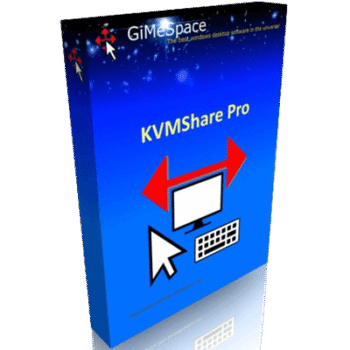
I often switch between my desktop and laptop, and I know how annoying it can get juggling two keyboards and mice. That’s why I started using GiMeSpace KMShare – it lets me control both computers with just one keyboard and mouse: no cables, no mess, just smooth control and easy switching. You can set one computer as the server and the other as the client, connect them by IP address, and you’re ready to go. It even remembers your setup and can reconnect automatically next time.
What makes it great is its ability to copy files or transfer clipboard content between the two machines. Everything happens instantly, and there’s no lag at all. It even supports extensive clipboard data up to 250MB and handles custom formats. Plus, there’s no limit to how many files you can move around. For anyone using multiple computers at home or in the office, or for those who want to utilize an older device, GiMeSpace KMShare efficiently optimizes your productivity.
Top Keyboard & Mouse Sharing Software Coupon Codes
ShareMouse Pro - Incl. 1-year maintenance
20% off coupon code: regular price $149.95, discounted price $119.96
GiMeSpace KMShare License Code for Free Download
- Product name: GiMeSpace KMShare
- Website: https://gimespace.com/
- License type: lifetime
- Platform: Windows
- Download: GMSKMShare.exe
- License code – last updated: Oct 08, 2025
Click here...
- License code: 481058396730127
Click on the download link above and install GiMeSpace KMShare on your computer.
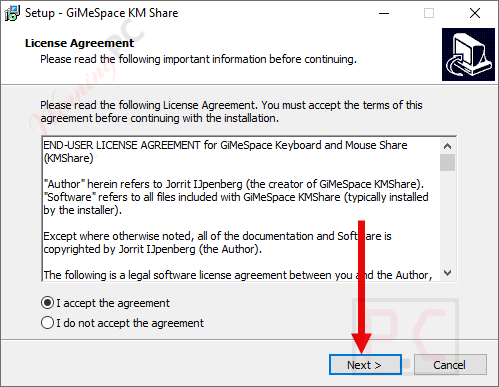
Once the installation is complete, launch the program. Please copy and paste your license code to activate the software with full functions.
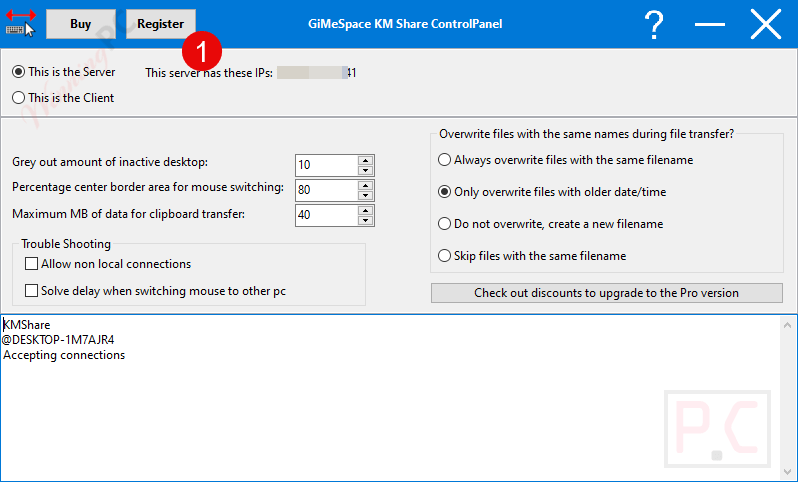
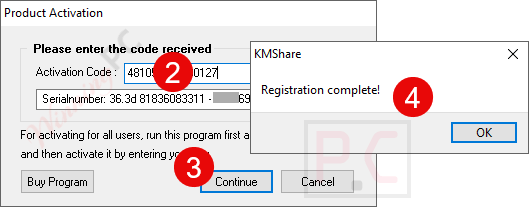
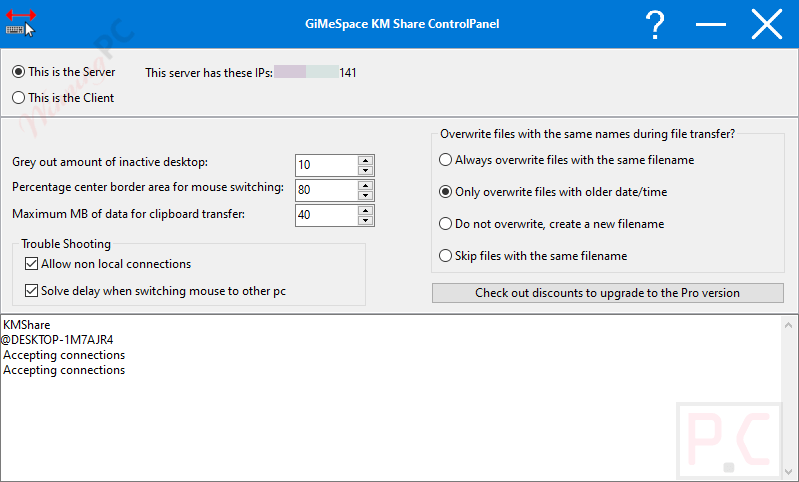
GiMeSpace KMShare screenshot
Main Features
- Seamlessly control two computers using a single keyboard and mouse. Move your cursor between screens, just as you would when using multiple monitors.
- Enjoy ultra-smooth cursor transitions between computers with no lag or jitter, surpassing similar KVM or sharing software.
- Simply assign one computer as the server and the other as the client. Connect them through your local Wi-Fi or Ethernet network and begin working immediately.
- Once connected, KMShare remembers your devices and can auto-connect on startup for a faster workflow.
- Instantly share text, images, and other clipboard data when switching between computers. You can even set a maximum data size to manage large transfers efficiently.
- Copy files or folders from one computer and instantly select a save destination on the other – easy, fast, and secure.
- Select the side of the screen that allows cursor transfer and adjust the active zone size to prevent accidental switching.
- Keep track of your active computer by dimming inactive screens, helping you focus better while multitasking.
- All connections work only within your local network. The software doesn’t open any external ports, keeping your system safe from online threats.
- Uses port 24800 (TCP and UDP); simply allow this in your firewall settings for smooth communication.
- Utilizes minimal system resources and delivers high data transfer speeds, even on older computers.
Technical Details
| Language Support | English, Français, Italian, Spanish, Swedish, and more… |
| Money Back Guarantee | 30-Day |
| Operating System | Windows XP, Vista, 7, 8, 10, and 11 |
| Shipping | Register code will be sent to your email in minutes |
| Subscription | Lifetime |
| Support Services | Ticket, Email |