Laura Marano
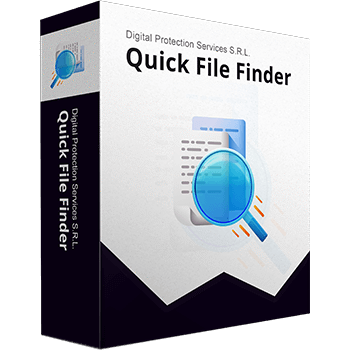
Quick File Finder helps me a lot when I’m looking for duplicate files on my computer. This duplicate file finder application can locate any file on my system within milliseconds, regardless of its location. With its help, I can easily find and remove duplicate photos, videos, audio, documents, archives, and other files with just one click, making my computer faster and more organized.
Quick File Finder provides advanced features, including Auto Mark, Real-Time Preview, and Deep Photo Match, to help me clean up my PC safely, efficiently, and effortlessly. Besides, the Drag & Drop UI lets me drag folders or files into the app to start scanning instantly, reclaiming valuable disk space and boosting PC performance in minutes.
Top Duplicate File Finder Software Coupon Codes
You may also like

4DDiG Duplicate File Deleter
71% discount coupon code: regular price $59.9, discounted price $17.46

EaseUS DupFiles Cleaner - Perpetual use
70% discount coupon: regular price $69.95, discounted price $20.98

SORCIM Clone Files Checker
60% Off coupon code, regular price $39.97, discounted price $15.99
PassFab Duplicate File Deleter
58% off coupon code: regular price $49.95, discounted price $20.98

Wise Duplicate Finder PRO (1 year subscription / 3 PCs)
60% discount coupon code: regular price $19.95, discounted price $7.98
Giveaway: Quick File Finder License Code for Free
WinningPC has partnered with Bit Guardian to give away a 1-year license for Quick File Finder for free. Please enter your email address on the giveaway form below to get your free license code.
- Product name: Quick File Finder
- Website: https://www.quickfilefinder.com/
- License type: 1-year
- Platform: Windows
- Download: qffsetup.exe
- License code – last updated: Nov 11, 2025
The giveaway has ended!
Download and install the software on your computer.
Click on the “Activate Now” button from the main software screenshot. Then paste your license code in the box provided and click on the “Activate Now” button.
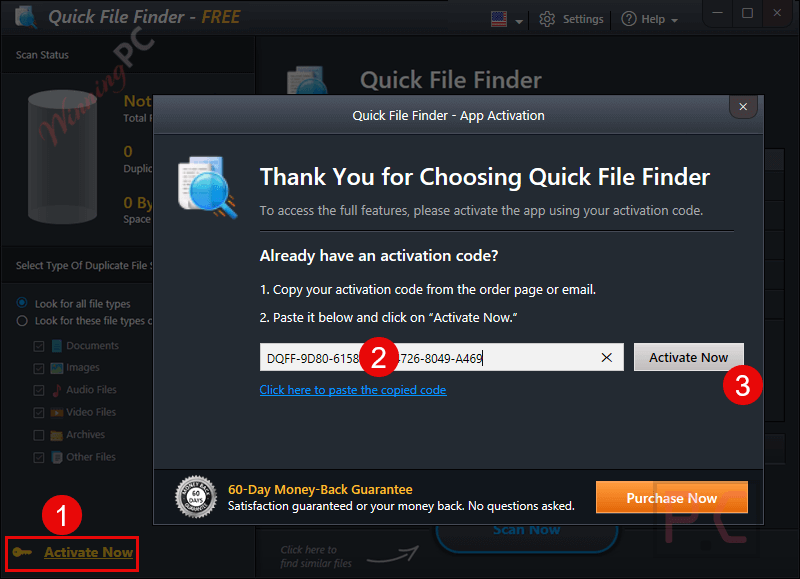
Got it for 1-year free!
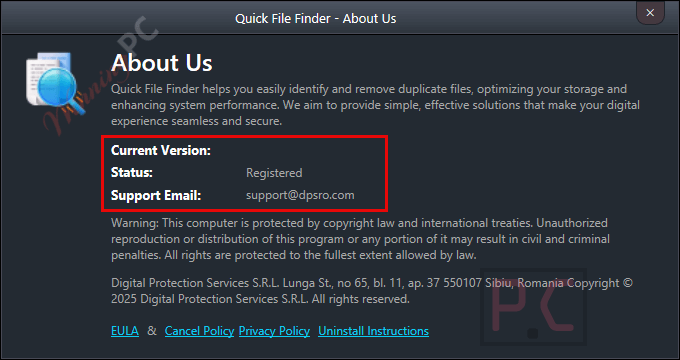
Quick File Finder main screenshots

Scan Files

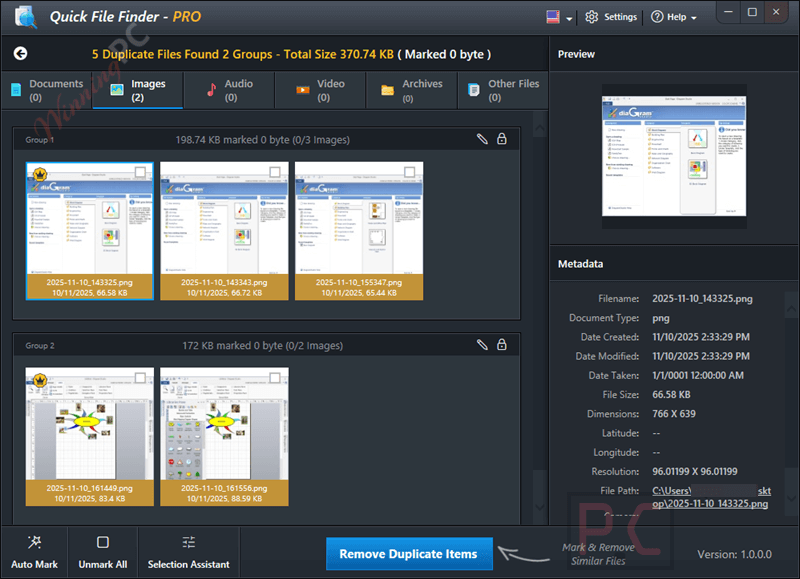
Duplicate Files Found
Main Features
- Smart Scan Engine: Quickly identifies exact and similar duplicate files across your system.
- Auto Mark Feature: Automatically selects the best version of each duplicate group for safe deletion.
- All File Types: Supports comparison for a wide range of file types, including documents, images, videos, music, archives, and more.
- Drag & Drop Interface: Start scanning by simply dragging folders or files into the app.
- Deep Photo Match: Advanced image comparison detects edited, resized, and visually similar photos.
- Real-Time Preview: View file details before deletion (file size, path, date, type).
- Organized Group View: Duplicates are grouped for easy navigation and verification.
- Lightning-Fast Scan Speed: Scans thousands of files in seconds without slowing down your PC.
- Smart Storage Optimization: Frees up disk space by removing clutter and duplicates.
Why Choose WinningPC
- Why Trust? We are committed to providing 100% valid and verified coupon codes, so you can always shop with confidence.
- Found an Invalid Coupon or a Better Deal? If you encounter an invalid code or a better offer, please let us know. Our team updates all discount information regularly to ensure accuracy.
- Official Authorization: We only share authentic discounts from trusted software developers.
- No Fake Discounts: Unlike some sites, we never use misleading deals. The final price you see is the true discounted price.
- Secure Purchases: All transactions are processed on the official vendor’s website, ensuring authenticity and data protection.
- Extra Support: If you face order or vendor issues, contact us. We’ll liaise with the vendor to help resolve your problem quickly.
Technical Details
| Language Support | English, Français, Italian, Spanish, Swedish, and more… |
| Money Back Guarantee | 60-Day |
| Operating System | Windows 11, Windows 10, Windows 8.1, Windows 8, and Windows 7 (Both 32-bit or 64-bit) |
| Shipping | The registration code will be sent to your email in minutes |
| Subscription | 3-Month |
| Support Services | Email, Ticket |