Chris Bruner

💡 FolderMill is 20% off for the 2 PC plan—$798 instead of $998. The discount applies automatically through the deal link. ✅ Verified Sep 2026 by Chris. FolderMill runs on Windows and automates document conversion and printing through monitored Hot Folders.
FolderMill is a Windows automation utility for organizations that need to convert, route, or print large volumes of documents without relying on repetitive manual work. It suits individual users, small businesses, and enterprise teams that want document processing centralized on a desktop, workstation, or Windows Server.
FolderMill - Workstation edition
A workstation deployment | Free technical support
Table of Contents
Key Features and Screenshots
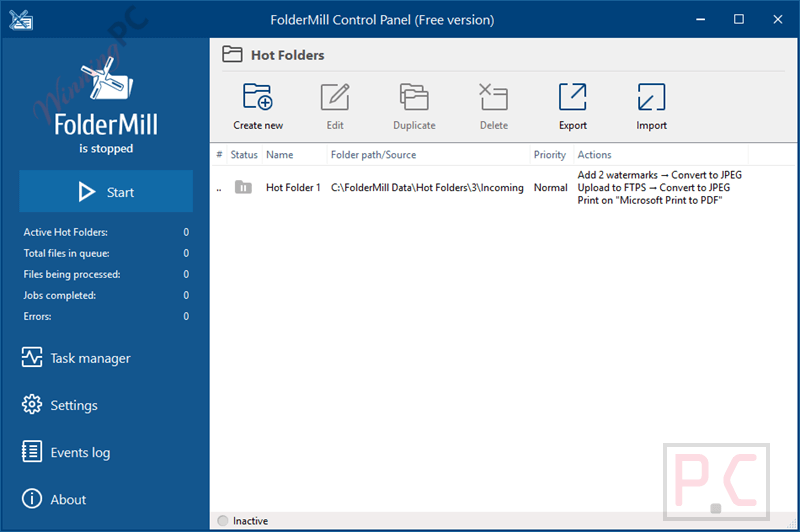
Key Features:
- Monitors Hot Folders in real time and starts preconfigured conversion or printing actions when new files appear.
- Converts supported Word, PDF, Excel, HTML, CAD, email, presentation, HEIC, and image files to PDF, XPS, JPEG, PNG, or TIFF, with OCR for searchable PDFs.
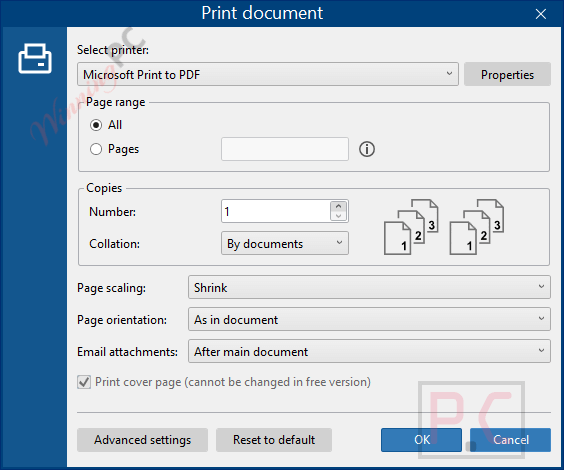
- Prints through local, network-shared, or virtual printers, including multiple printers or trays and N-up page layouts.
- Route files by filename, document contents, page size, page count, or page color.
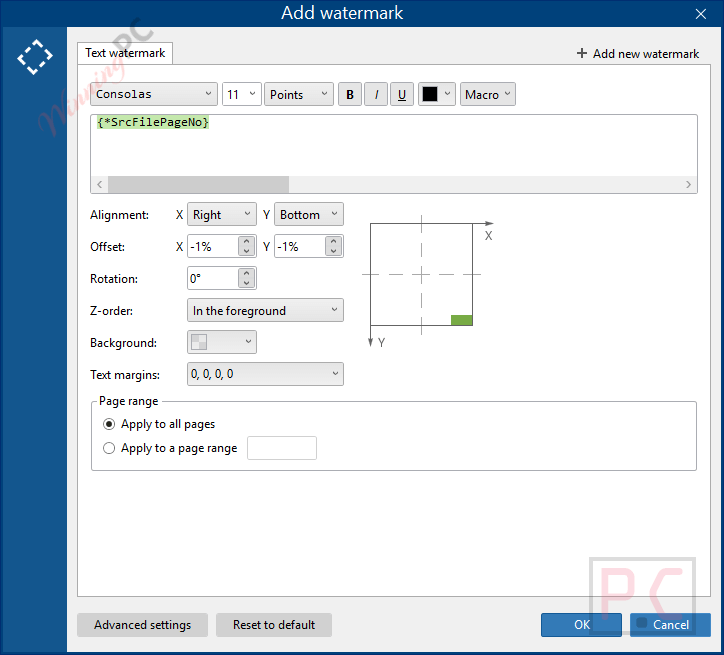
- Adds watermarks, renames files, merges or splits PDF and TIFF documents, crops, resizes, rotates, inserts pages, runs EXE or BAT files, and sends email alerts.
Pros & Cons:
More screenshots
How to Use (Step-by-Step Guide)
Step 1. Install FolderMill
Download FolderMill and install it on your Windows PC or Windows Server.
Step 2. Create a Hot Folder
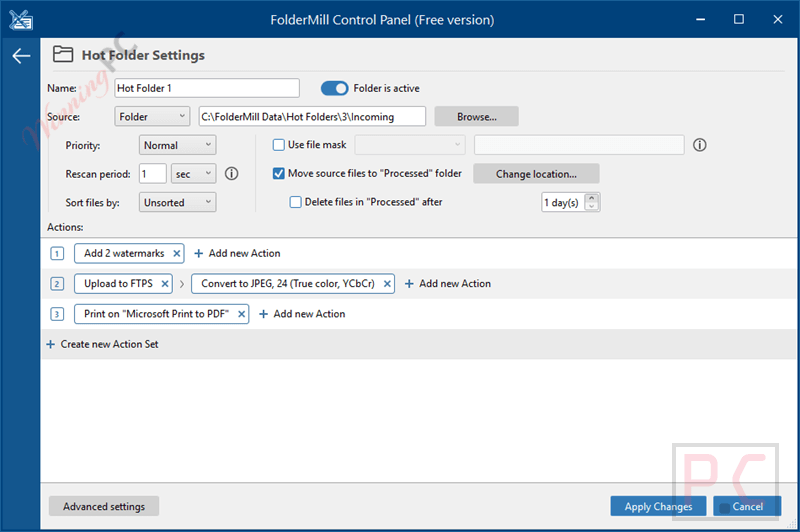
Open FolderMill and add a new Hot Folder. This folder will be watched continuously for new files.
Step 3. Choose the File Source
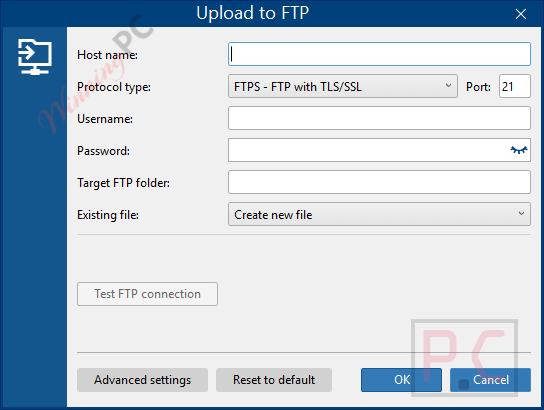
Select where files will come from. You can use a local folder, a shared network folder, an email inbox, or an FTP location.
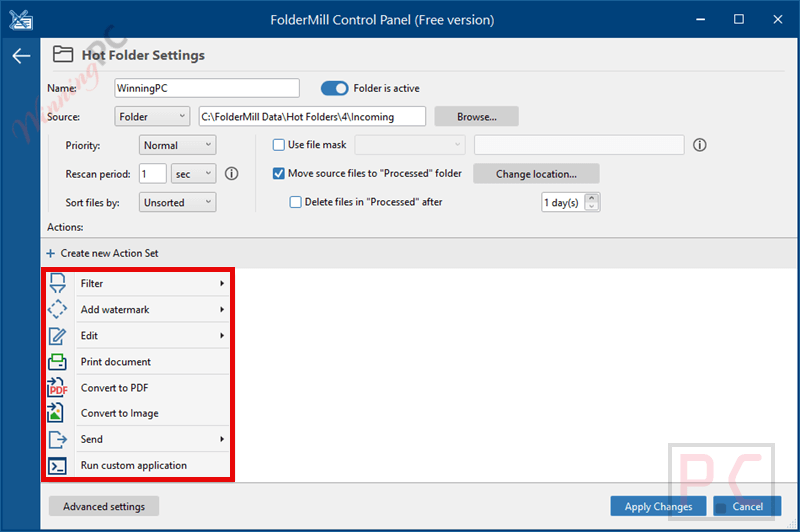
Step 4. Add Processing Actions
Set the actions you want FolderMill to perform. You can choose actions like filtering files, converting to PDF or image formats, adding a watermark, or printing documents.
Step 5. Set the Output Destination
Decide where processed files should go. You can send them to a printer, save them to a folder, upload them to an FTP server, or send them by email.
Step 6. Combine Multiple Actions (Optional)
If needed, combine several actions in one workflow. For example, convert files to PDF and print them at the same time.
Step 7. Start FolderMill
Click Start to activate the Hot Folder. FolderMill will now watch for incoming files automatically.
Step 8. Drop Files into the Hot Folder
Copy or drop files into the Incoming folder. No manual steps are required after this.
Step 9. Get the Results
Converted files will appear in the output folder, and printed documents will be sent to the selected printer.
Step 10. Monitor Jobs and Logs
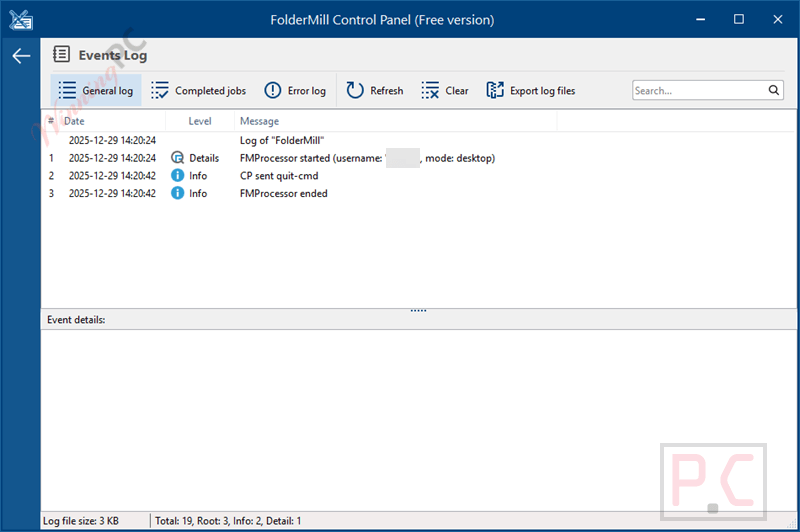
Use the built-in task manager to check job status, view logs, and receive alerts if any errors occur.
Frequently Asked Questions
Can I combine multiple actions in one workflow?
Yes. You can filter files, add watermarks, convert formats, and print documents in a single process.
Does FolderMill need a user interface to work?
No. Once configured, it runs quietly in the background and processes files automatically.
Do end users need to install FolderMill on their computers?
No. Users only need access to the shared Hot Folder. No software or print drivers are required on their PCs.
Does FolderMill keep logs of processed files?
Yes. It includes job tracking, real-time status monitoring, and detailed logs for troubleshooting.
Can FolderMill help with document archiving?
Yes. It can convert and store documents in PDF or image formats for long-term archiving and compliance.
Is there a discount available for FolderMill?
Yes. WinningPC provides a coupon that helps you get 20% off FolderMill when purchasing through the official website.
System Requirements & Details
| Language Support | English, Français, Italian, Spanish, Swedish, and more… |
| Money Back Guarantee | 30-Day |
| Operating System | Windows Vista, Windows 7, Windows 8/8.1, Windows 10/11 |
| Shipping | Register code will be sent to your email in minutes |
| Subscription | Lifetime |
| Support Services | Tickets |