Laura Marano

Epubor JPAudiobook Mate is a Windows and Mac ebook converter tool that converts audiobooks from audiobook.jp to MP3 format. This tool supports both subscription content and the books you purchase individually, completely removes DRM restrictions from Audiobook JP, and can save files by track. Epubor JPAudiobook Mate also lets you download PDF files included in some books. You can play converted MP3 files on many devices, including the Apple Books app and Sony’s WALKMAN.
You may like this product deal:

BookFab AudiobookJP Converter
Regular price $109.99
Key Features and Screenshots
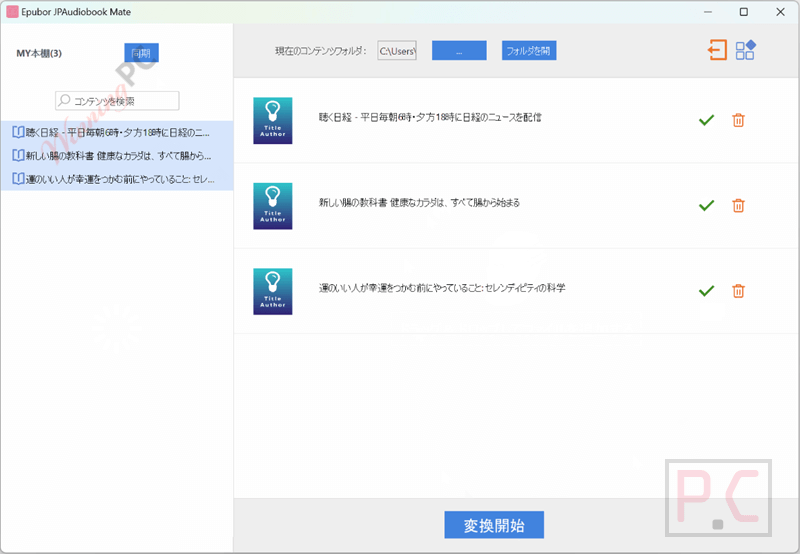
- Convert audiobook.jp titles to MP3: Changes audiobooks and podcasts from audiobook.jp into standard MP3 files that work on most devices.
- Support for subscription and single-purchase content: Handles both unlimited listening titles and individually bought books without any difference.
- Save files by track: Keeps converted audio split by chapters or tracks instead of one long file.
- Download attached PDF materials: Let’s you save the included PDF files when a book comes with extra reading materials.
- Remove audiobook.jp DRM restrictions: Clears playback limits so the files can be used freely for personal listening.
- Play on multiple devices: Makes audiobooks usable on Apple Books, Sony WALKMAN, iPad, and other music players.
- Android emulator–based syncing: Syncs downloaded audiobook.jp files through Android Studio with the audiobook.jp app installed.
How to Use
Step 1. Install Epubor JPAudiobook Mate and Android Studio on your Windows or Mac computer.
Step 2. Install the audiobook.jp app in the Android emulator and download your audiobooks.
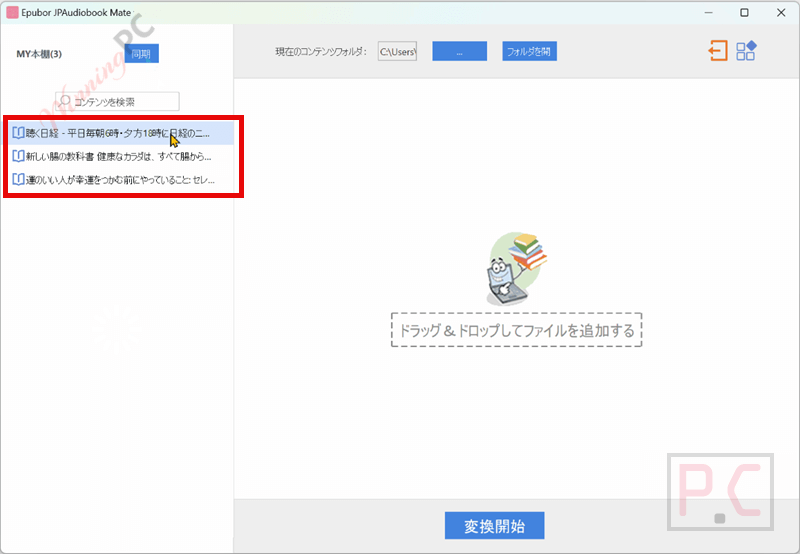
Step 3. Open Epubor JPAudiobook Mate and click Sync while the emulator is running.
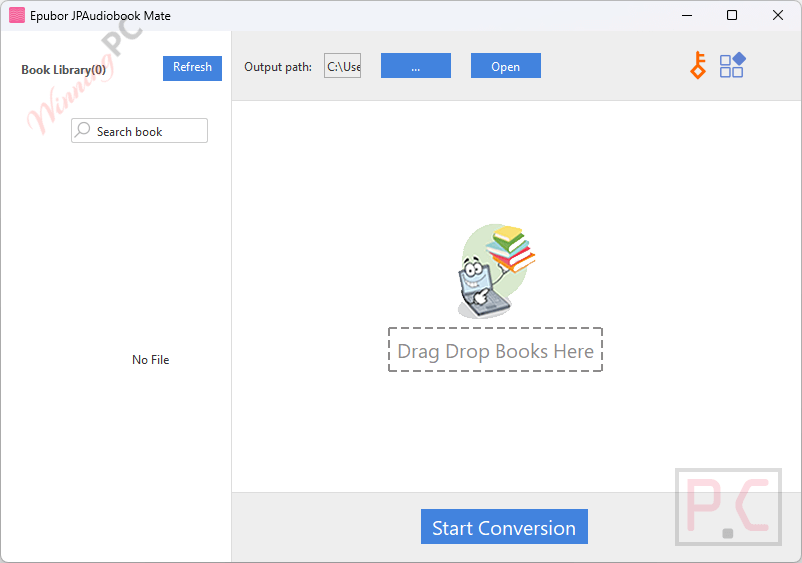
Step 4. Drag the detected audiobooks to the conversion list.
Step 5. Click Convert to save the files as MP3 (tracks stay separated, PDFs download if included).
Frequently Asked Questions
Can it convert both subscription and purchased audiobooks?
Yes, it supports unlimited listening titles as well as audiobooks bought individually on audiobook.jp.
What output format does the software use?
All converted files are saved in standard MP3 format, which works on most audio devices and players.
Does it keep audiobooks separated by chapters?
Yes, converted audiobooks can be saved by track, so chapters remain organized instead of merging into one file.
Does Epubor JPAudiobook Mate remove DRM?
Yes, it removes audiobook.jp DRM so you can play your audiobooks freely for personal use.
Can I download PDF files that come with some audiobooks?
Yes, if an audiobook includes PDF materials, the software allows you to download and save them to your computer.
Is there a discount available for this software?
Yes! WinningPC provides the coupon code SP***5, which gives you 20% off Epubor JPAudiobook Mate for a limited time.
Why Choose WinningPC
- Why Trust? We are committed to providing 100% valid and verified coupon codes, so you can always shop with confidence.
- Found an Invalid Coupon or a Better Deal? If you encounter an invalid code or a better offer, please let us know. Our team updates all discount information regularly to ensure accuracy.
- Official Authorization: We only share authentic discounts from trusted software developers.
- No Fake Discounts: Unlike some sites, we never use misleading deals. The final price you see is the true discounted price.
- Secure Purchases: All transactions are processed on the official vendor’s website, ensuring authenticity and data protection.
- Extra Support: If you face order or vendor issues, contact us. We’ll liaise with the vendor to help resolve your problem quickly.
Technical Details
| Language Support | English, Français, Italian, Spanish, Swedish, and more… |
| Money Back Guarantee | 30-Day |
| Operating System | Windows 10, 11 Mac OS X 10.14 and later |
| Shipping | Register code will be sent to your email in minutes |
| Subscription | 1-Year |
| Support Services | Email, Live Chat, Tickets |