Cathryn Lee
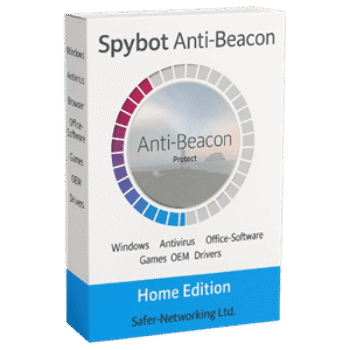
If you are looking for a free license key for Spybot Anti-Beacon Home, you are in the right place. Telemetry and data collection have become standard practice for operating systems and software, often at the expense of your privacy. We are helping you reclaim control over your data with this official giveaway offer.
- Product: Spybot Anti-Beacon Home
- Current Price:
$9.99(Free) - License Type: Official Giveaway (1-Year License)
- OS: Windows 7, 8, 10, 11
- Status: 🔥 Active
ℹ️ Details on how to get the license key are explained below.
What Is Anti-Beacon?
Spybot Anti-Beacon is a dedicated privacy tool designed to block the various tracking (telemetry) issues present in Windows and popular third-party software. Developed by the team behind Spybot – Search & Destroy, it provides a straightforward way to disable data collection scripts that run in the background without your explicit consent.
Key Features
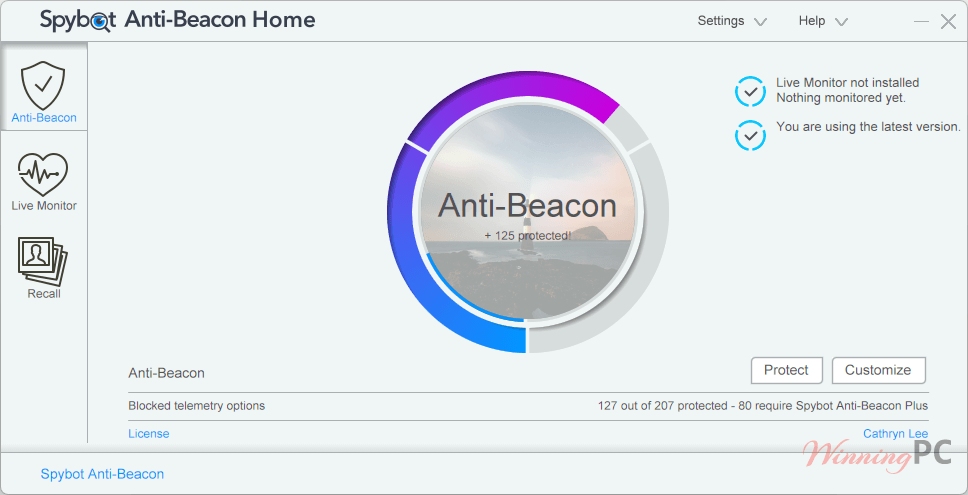
- One-Click Protection: Easily secure your system by clicking the “Center Wheel” to apply recommended privacy settings instantly.
- Comprehensive Immunizers: Blocks telemetry for Windows, Microsoft Office, popular browsers, antivirus software, and even gaming platforms.
- Live Monitor: Real-time tracking of attempted telemetry connections, including a unique carbon emissions tracker to show the environmental impact of data transmissions.
- Refresh Immunization: Automatically reapplies your privacy settings at every logon to ensure Windows updates don’t revert your changes.
- Full Customization: Choose specifically which services to block or permit, giving you total freedom over your system’s behavior.
How to get the Spybot Anti-Beacon License Key for free?
- Product name: Spybot Anti-Beacon Home
- Website: https://www.safer-networking.org/
- License type: 1-year
- Platform: Windows
- Download: spybot-anti-beacon/download/
- Giveaway page – last updated: Apr 02, 2026
Click here to request a free key | Alternative link
While the giveaway version provides excellent protection, it does not include future major version updates or priority technical support. For users who want permanent privacy protection and the latest immunizer updates as Windows evolves, we recommend the Spybot Anti-Beacon Plus version.
Spybot Anti-Beacon Plus
20% off coupon code: regular price $11.21, discounted price $8.97
You may also like
Spybot Professional Edition
20% discount: regular price $27.99, discounted price $22.40
Please follow the instructions below to get your license key or activate the software successfully. If you have any questions or need help, feel free to leave a comment at the bottom of this post.
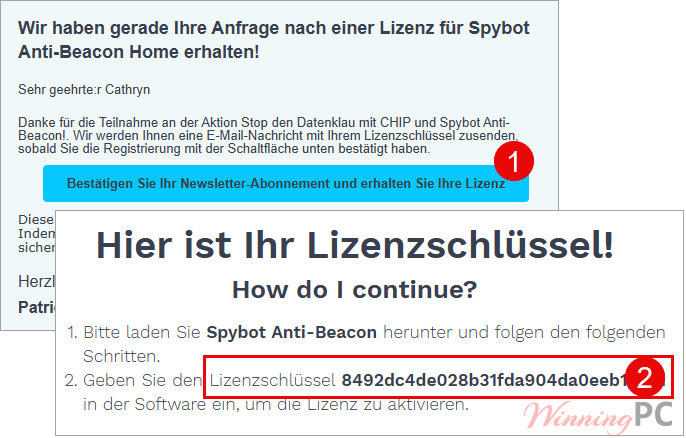
1. Go to the official giveaway landing page (link provided in the box above). Enter your name and a valid email address to register for the campaign.
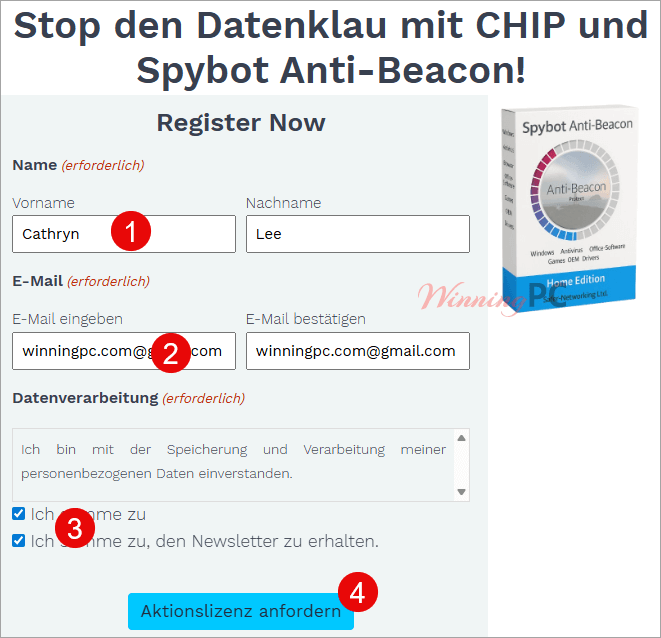
2. Check your inbox for a confirmation email. Once you click the confirmation button to join the newsletter, a second email containing your unique license key will be sent to you.
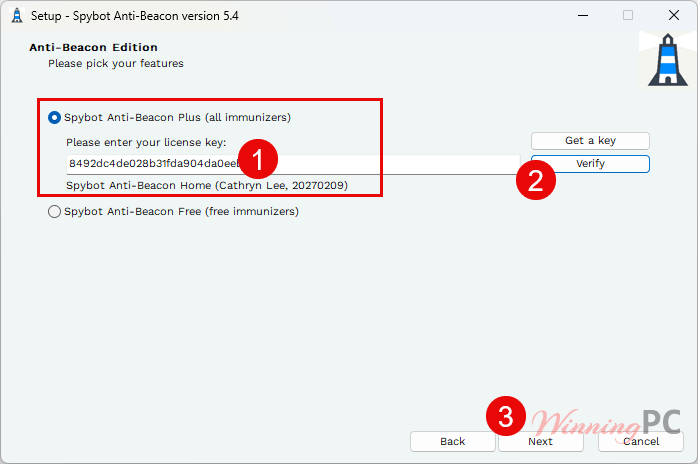
3. Insert your license code during installation
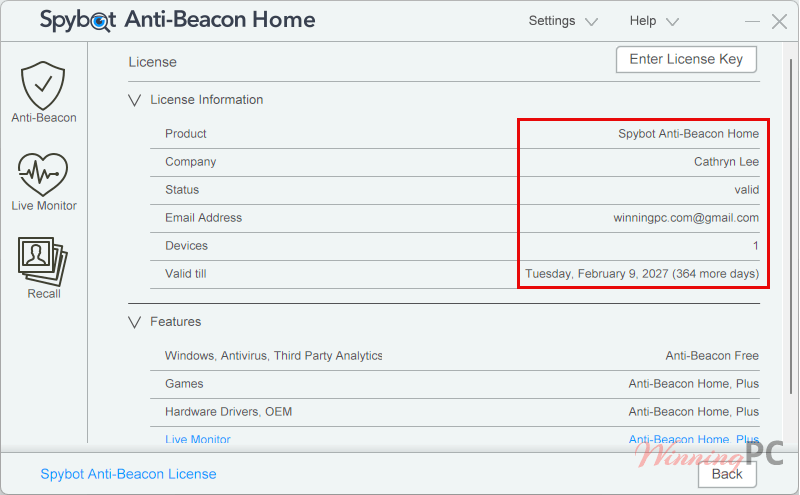
4. Enjoy this software for free!
Frequently Asked Questions
How can I get Spybot Anti-Beacon license key for free legally?
The safest and most reliable way is through WinningPC. We partner with developers like Safer-Networking to provide official promotional keys that are 100% legal and secure.
Where can I find the best coupon code for Spybot products?
WinningPC maintains exclusive deals with developers. Use the code WIN***PC20 to get the best current discount on Spybot Anti-Beacon Plus and other Spybot utilities.
Does Anti-Beacon support Windows 11?
Yes, the software is updated regularly and currently supports Windows 11 (including version 22H2 and newer) as well as Windows 7, 8, and 10.
What happens if a Windows feature stops working after immunization?
If you notice a loss in functionality, open the software, click Customize, and test the immunizers one by one to identify which one is blocking the specific service you need.
Is the Live Monitor feature included in the Home version?
Yes, the Live Monitor and the Carbon Emissions tracker are available to help you see how much data is being blocked in real-time.
Do I need to run the software every time I start my PC?
If you enable the “Refresh Immunization at each logon” setting, the software will automatically ensure your privacy settings are active without manual intervention.
Can I use this license for my business?
No, the Home license provided in this giveaway is strictly for personal, non-commercial use.
Technical Specifications
| Operating System | Windows 7, 8, 8.1, 10, and 11 (32-bit and 64-bit). |
| Processor | 1 GHz or faster. |
| RAM | 512 MB minimum. |
| Disk Space | Approximately 50 MB of free space. |