Cathryn Lee
If you’re a CorelDraw power user, you know the frustration of repetitive prepress tasks that eat up your entire afternoon. ReproScripts Core was built to kill that manual labor. However, the retail price for individual plugins can add up fast. We’ve tracked down the best working discounts to help you automate your workflow for a fraction of the cost.
Status: ✅ Active & Verified
Last Checked: October 2026
Offer: 20% Off Lifetime Licenses
You may also like

ReproScripts VDP (no PPML) + Barcodes Bundle
30% Off: regular price $280, discounted price $196
ReproScripts all libraries bundle
62% Off: regular price $830, discounted price $316.00
Price Comparison Table
| Plan Name | Official Price | WinningPC Price | You Save |
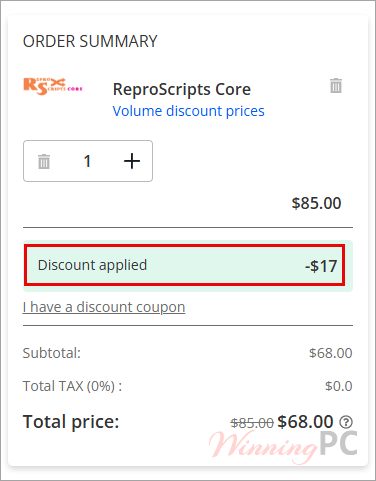
| ReproScripts Core (Single) | $85 | $68 | $17.0 (20%) |
| All Libraries Bundle | $830 | $316 | $514.0 (62%) |
Redemption Guide
- Click the discount link above to go directly to the ReproScripts secure checkout.
- The discount is auto-applied; you will see the original price slashed and the new lower price immediately.
- Ensure the “Coupon Code” field reflects the WinningPC partner rate. Complete your purchase and check your email for the license key.
What is ReproScripts Core?
ReproScripts Core is a specialized library of six plugins for CorelDraw designed to automate routine prepress and design tasks. While CorelDraw is powerful, it lacks native efficiency for bulk operations like document-wide color replacement or deep-nested font swaps. This ReproScripts tool is built specifically for prepress specialists and designers who need to clean up client files, standardize outlines, or convert complex documents to curves without the manual “click-and-fix” grind. It increases predictability and ensures your final output is print-ready every time.

In-Depth Review & Features
- Replace Colors: This isn’t just a simple find-and-replace. It groups colors by tint and even handles color model changes for images (CMYK, RGB, Duotone).
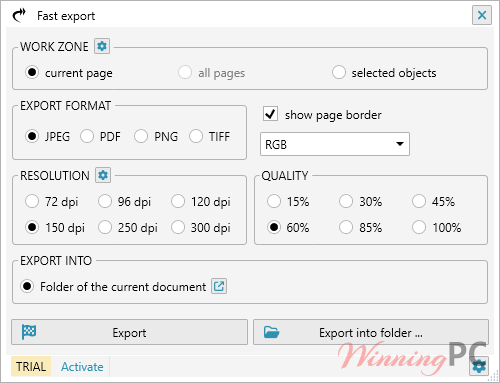
- Fast Export: Stop fiddling with PDF/Raster settings every time. Predefine your styles and export in bulk.
- Convert to Curves: The “safety net” for printing. It hunts down text across all pages, groups, and PowerClips to ensure no font errors occur at the print shop.
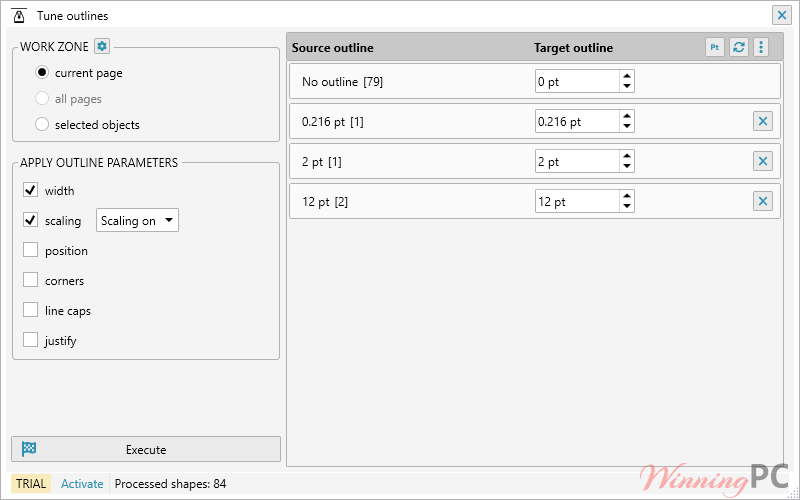
- Tune Outlines: Quickly adjust stroke thickness across the entire document. Setting a “null” thickness removes strokes globally—perfect for cleaning up messy vector imports.
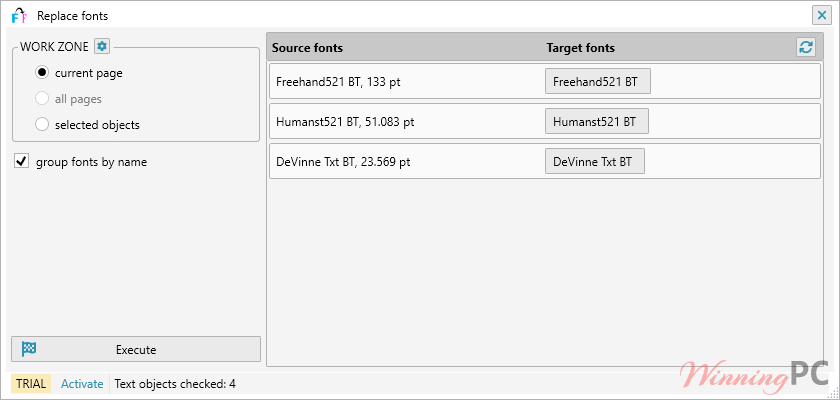
- Replace Fonts: Swap fonts across the whole project by name, ignoring size/type for a rapid design overhaul.
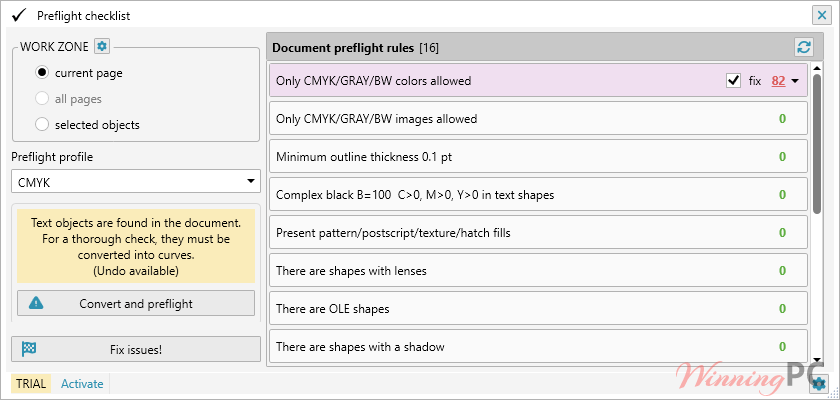
- Preflight Checklist: The heavy hitter for pros. It scans for typical errors and auto-corrects them based on specific printing technologies.
Pros & Cons
More screenshots
Frequently Asked Questions
Is this the best coupon for ReproScripts Core?
Yes. WinningPC currently offers a 52% discount on the full library bundle, which is the highest discount rate available on the market.
Does it work with the latest CorelDraw?
Yes, the current version of ReproScripts Core is fully compatible with CorelDraw 2025 as well as legacy versions back to X6.
Can I use the plugins on multiple computers?
Typically, licenses are per-user. Check the specific EULA during checkout, but most prepress shops buy one license per workstation.
Will the “Convert to Curves” tool miss text inside groups?
No. One of the main selling points is its ability to dig through all groups and PowerClips at any nesting level.
Technical Specifications
| CorelDraw | CorelDraw Graphics Suite: 2017 through 2025. CorelDraw Technical Suite: Supported. CorelDraw Standard: X6 through X8. |
| OS | Windows 10/11 (compatible with your CorelDraw environment). |