
 Laura Marano
WinningPC is proud to announce an exclusive partnership with Tatasoft to bring our readers a free license key for Tatasoft Disk Clone. If you need to migrate your operating system, back up your data, or upgrade your hard drive to an SSD, this tool provides a straightforward solution.
- Product: Tatasoft Disk Clone
- Current Price:
$59.95(Free) - License Type: Lifetime
- OS: Windows
- Status: 🔥 Active
ℹ️ Details on how to get the license key are explained below.
What Is Tatasoft Disk Clone?
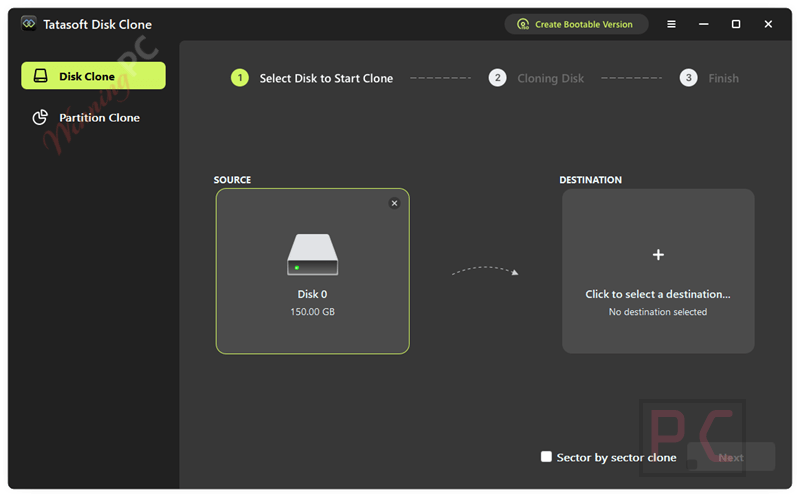
Tatasoft Disk Clone is a dedicated disk cloning software for Windows environments. It allows users to make exact 1:1 copies of hard disks, migrate operating systems to new drives without reinstalling, and back up specific partitions. Whether you are upgrading from an older HDD to a faster SSD or creating a portable Windows OS on a USB drive, it simplifies the transfer process while keeping your data intact and bootable.
How to get the Tatasoft Disk Clone License Key for free?
- Product name: Tatasoft Disk Clone
- Website: https://www.tatasoft.com/
- License type: lifetime
- Platform: Windows
- Download: TatasoftDiskClone.exe
- License code – last updated: Mar 20, 2026
The giveaway has ended!

DoYourClone for Windows Lifetime License
50% Off: regular price $59.00, discounted price $29.50

EaseUS Disk Copy Professional (Lifetime Upgrades)
50% Off: regular price $59.90, discounted price $29.95

Hasleo Disk Clone Professional + Lifetime Free Upgrades
42% off promo code: regular price $59.95, discounted price $34.95
4DDiG Disk Copy - Lifetime/1 PC
65% discount code: regular price $99.95, discounted price $34.96
O&O DiskImage Premium 22 for 1 PC
For 1 PC | Full version with no time-limit, electronic delivery

DMDE Professional Edition 1-OS
15% discount coupon code: regular price $95.0, discounted price $80.75
Please follow the instructions below to get your license key or activate the software successfully. If you have any questions or need help, feel free to leave a comment at the bottom of this post.
1. Please insert your email address into the giveaway form above to get your free license code
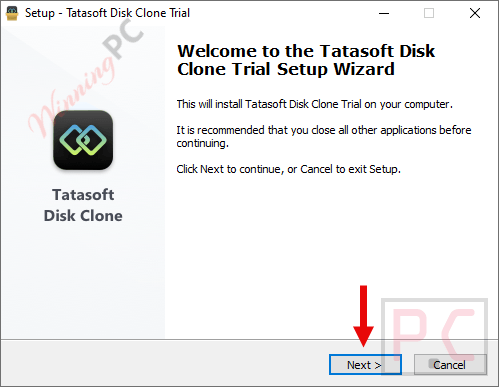
2. Download the official Tatasoft Disk Clone installer from the developer’s website. Run the setup file and follow the on-screen instructions to install the software on your Windows PC.
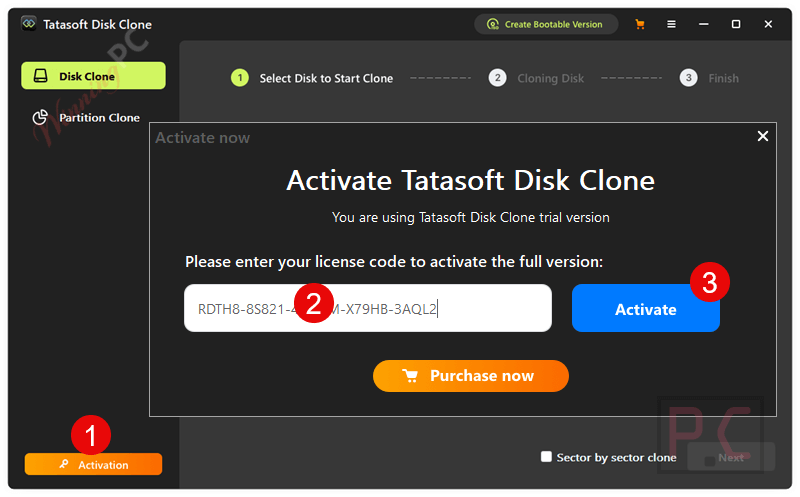
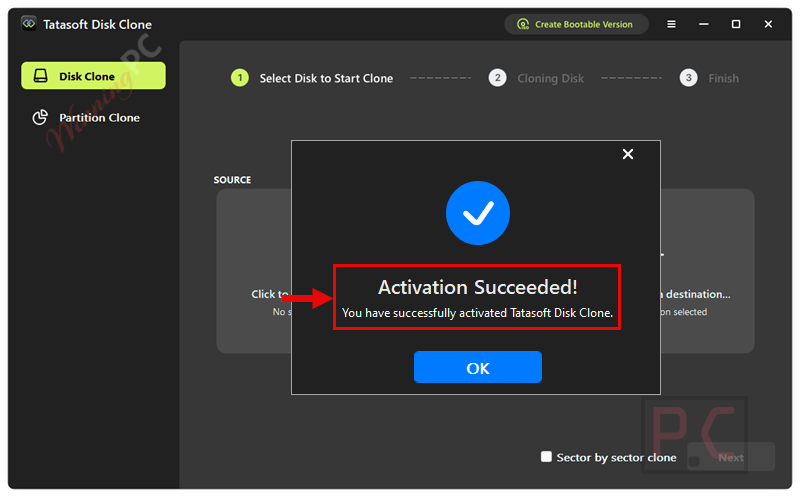
3. Open the program, find the “Activate” button, and enter the provided license key.
4. Enjoy the full features.
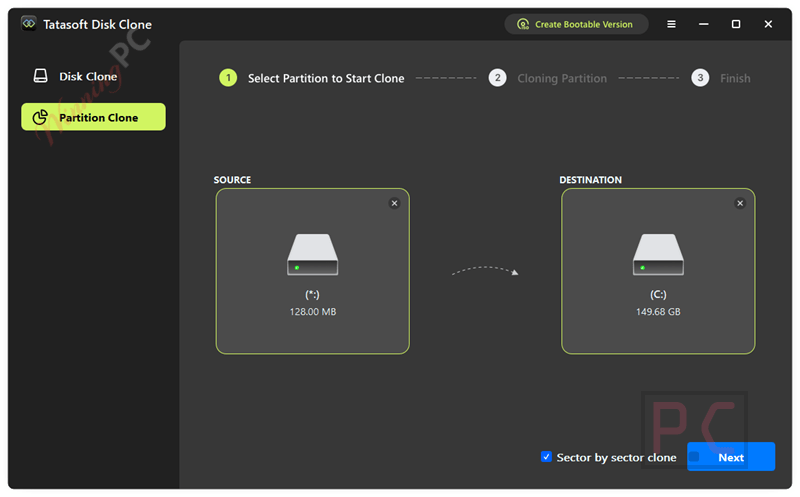
Partition Clone
Key Features & Screenshots
- Move Windows without Reinstalling: Migrate your Windows OS, installed applications, and personal files directly to a new startup disk.
- Upgrade HDD to SSD: Copy data from an older, slower hard drive to a solid-state drive for improved system performance and faster boot times.
- Sector-Level Cloning: Create an exact 1:1 replica of the original disk, copying only used sectors or the entire drive layout.
- Clone Selected Partitions: Target specific partitions for backup or migration instead of copying the entire drive.
- Create WinPE Bootable Media: Build a bootable CD/DVD or USB flash drive to clone disks or restore systems even when the computer cannot boot normally.
- Portable Windows OS: Clone your system to an external drive so you can boot and run your personalized Windows environment on different machines.
Frequently Asked Questions
How can I get Tatasoft Disk Clone license key for free legally?
You can get a 100% legal, free license key for Tatasoft Disk Clone directly through WinningPC. We partner directly with developers to provide verified giveaways to our readers.
Can I clone a larger HDD to a smaller SSD?
Yes, provided the smaller SSD has enough storage capacity to hold all the actual data currently stored on the larger HDD.
What happens if I select sector-by-sector cloning?
Sector-level cloning makes an exact 1:1 copy of your drive. If you select this option, the destination disk must be equal to or larger than the source disk.
Can I migrate my operating system without reinstalling it?
Yes. The software allows you to clone your system disk to a new drive and make it bootable, avoiding the need to reinstall Windows or your applications.
Does it support Windows Server editions?
Yes. Tatasoft Disk Clone supports multiple Windows Server versions, including 2022, 2019, 2016, 2012, 2008, and 2003.
Technical Specifications
| Operating System | Windows 11/10/8.1/8/7/Vista; Windows Server 2022/2019/2016/2012 R2/2012/2008 R2/2008/2003 R2/2003 |
| Supported File Systems | FAT16/FAT32/exFAT, NTFS, NTFS5 |
| CPU | At least 1GHz |
| Disk Space | At least 100 MB of free space for installation |
| Supported Devices | HDD, SSD, USB Drives, SD cards, and other internal/external storage devices from major brands (Samsung, WD, Seagate, HP, Dell, etc.) |



buddy who use vista now? are you a brother from another planet TK?
People still use XP where appropriate… Vista is being used here on a laptop operating as a media server, it’s not as obsolete as you obviously think it is… Microsoft have only recently stopped publishing security patches for it… I was patching it monthly up till MS stopped providing them with Jan 2026 being the last publicly distributed cumulative security patch for windows server 2008/Vista. I am unconcerned about running the machine without future patches as I don’t go around running programs found on the web without thinking and using my expertise first. EVERY version of windows ever produced has security vulnerabilities and it is the responsibility of the nut between the keyboard and the seat to use it responsibly and not go about exposing their systems potential vulnerabilities to attackers. But yes I have frequently felt like I must be from another planet when I see what others think and do. Such feelings often come with high IQs
According to the vendors website this is supposed to support Vista 32bit and it appears ok initially but I found it impossible to complete creating an emergency boot ISO file with the procedure always erroring out before completion. Nothing was wrong with the system with hundreds of Gigbytes free on system drive and oodles of RAM over 6GBytes of physical RAM available… Did not feel it was sophisticated enough to handle a multi-drive windows 10 system so did not install it there and try again.