
 Chris Bruner

If you need a tool to download videos from websites, live streams, and online media sources, TubeDigger is worth a look.
Status: ✅ Active & Verified
Last Checked: September 2026
Offer: 40% Off

TubeDigger (Lifetime)
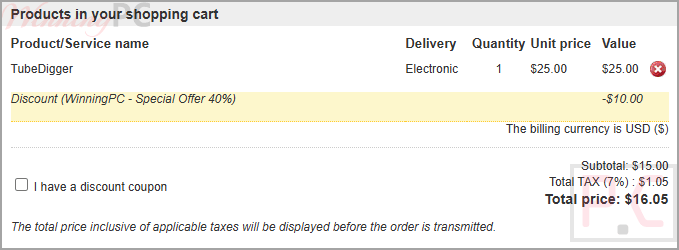
40% discount coupon code: regular price $25.0, discounted price $15.0
📄 Licensing & Support Details
- 30-day money-back guarantee
- Lifetime license
- Updates Free
- Secure Checkout
- The license key can be used simultaneously on multiple computers.
📝 How to apply
- To continue to the payment area, click the “Copy Code” button located above.
- Using our protected link applies a 40% discount at checkout, preventing issues with invalid or unauthorized codes.
- Kindly review the cost and billing information before finalizing your purchase.
What is TubeDigger?
TubeDigger is a desktop video downloading and recording tool built for capturing online videos, live streams, webcam feeds, and other streaming media in their original quality. Beyond downloading, it also includes built-in tools for media conversion, joining video files, muxing audio/video tracks and subtitles, and subtitle downloading in SubRip (.srt) format.
In-Depth Review & Features
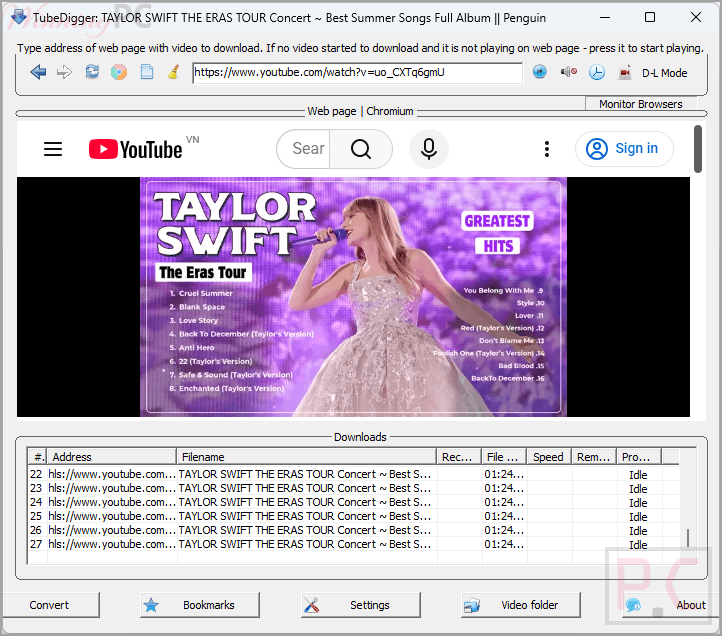
- Video downloading from websites: downloads videos and streams from a wide range of online sites.
- Live stream recording: records live streams and webcam feeds in original quality.
- Download accelerator: increases speed by using multiple connections.
- Browser monitoring: can monitor and detect videos from external browsers.
- Auto-refresh recording: refreshes and resumes recording if a live stream temporarily goes offline.
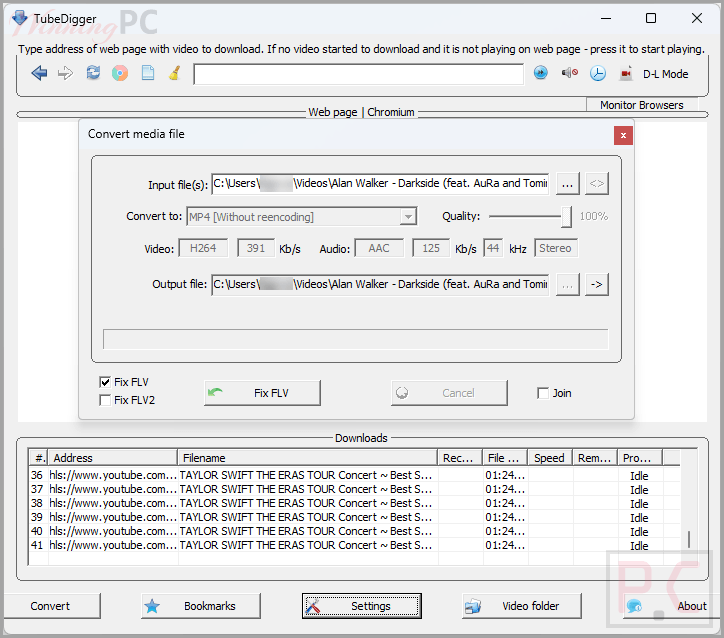
- Built-in converter: converts media files into other formats.
- Join & mux tools: join videos and combine audio, video, and subtitle tracks.
- Subtitle downloader: saves subtitles in .srt (SubRip) format.
Pros & Cons
More screenshots
Frequently Asked Questions
Where can I find the TubeDigger coupon code?
The best discount code is available on WinningPC, offering a 40% lifetime license discount, reducing the price from $25 to $15.
Does TubeDigger include free updates?
Yes, all updates are free after purchase.
Can I install TubeDigger on multiple PCs?
Yes, the license supports installation on up to 5 computers, and they can be used simultaneously.
Is there a free trial?
Yes. You can download this software and try it in trial mode before purchasing.
What are the trial limitations?
Trial mode limits downloads to 50% of the file size and recording to 4 MB.
How do I update TubeDigger?
Simply download and run the latest installer. There is no need to uninstall the old version first.
Can it download subtitles?
Yes. TubeDigger can download subtitles as .srt files from supported sites.
What is the refund policy?
Orders can be fully refunded within 30 days after purchase if you are not satisfied.
Technical Specifications
| Supported OS | Windows 11 / 10 / 8 / 7. |
| Money Back Guarantee | 30-Day |
| Supported languages | en, de, ru, pt, cn, jp, fr, bg, cz, it, es, ar. |
| Subscription | Lifetime |






Installed the trial version. Download is terrible. It can’t download any video from YouTube. It always failed.