Chris Bruner
SysTools Mac MBOX Converter is a Mac-based email conversion tool designed to export MBOX files into multiple formats, including PST, PDF, EML, EMLX, HTML, MHT, MSG, CSV, and TXT. It supports batch conversion, preserves email data integrity, and offers advanced filtering and export customization options.
SysTools Mac MBOX Converter
Personal License | 1 Year Free Product Updates
Bundle Offer
2 plans · best save 25%
Bundle Offer - SysTools Mac MBOX Converter + Mac EML Converter + Mac OLM Converter ★ Best Deal
Personal License | No Refund
Bundle Offer - SysTools Mac MBOX Converter + Windows MBOX Converter
Personal License | No Refund
📄 Licensing & Support Details
- 100% Safe and Secure
- Instant Delivery by Email
- 24*7 Free Technical Support
- 1 Year Free Product Updates
- 30-Day Money Back Guarantee
📝 How to apply
- Getting the discount is easy – just click the “Copy” button above.
- The coupon will be applied automatically before redirecting you to the order page.
In-Depth Review & Features
Main Features
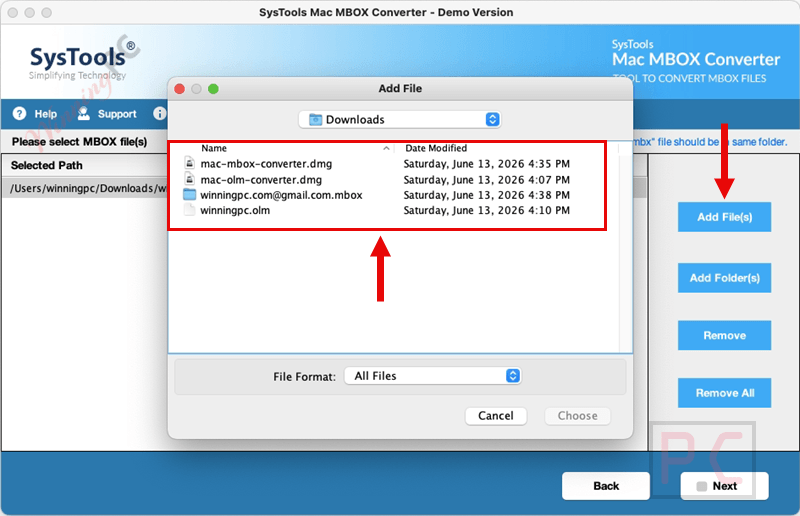
- Batch conversion of multiple files using the “Add Folder” function.
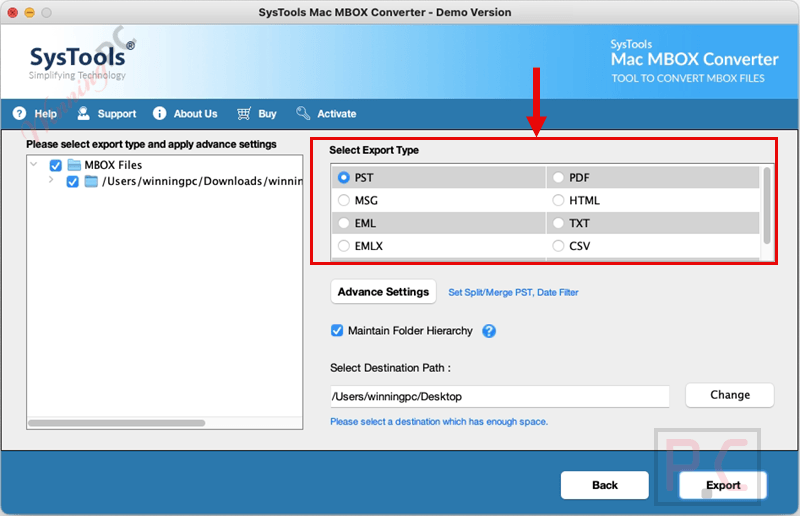
- Nine export options available, such as PDF, EML, EMLX, CSV, TXT, MHT, MSG, HTML, and PST.
- Date-range filter to sort and export specific emails based on timelines.
- File naming conventions using date, subject, or a combination of both.
- Generates a CSV activity report containing mail count, fail count, and task status.
- Advanced PDF settings including page margins, orientation, and Bates Number stamps.
- Option to merge multiple mailboxes into a single PST file or create separate ones.
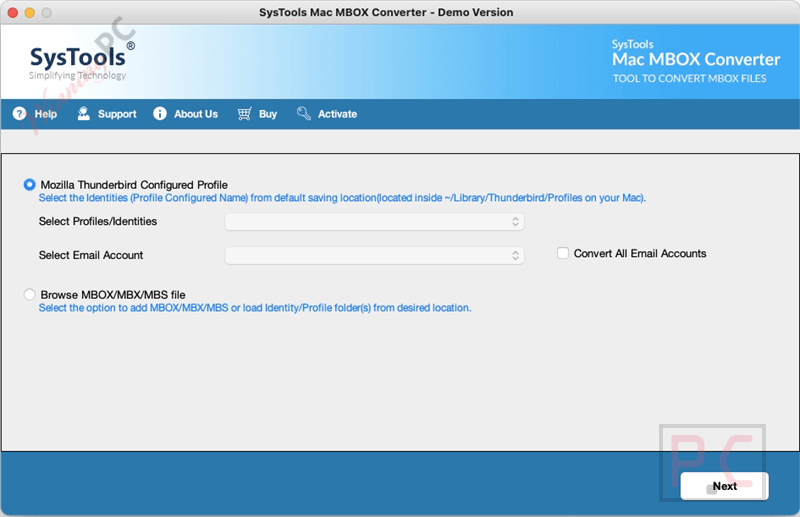
- Direct extraction of Mozilla Thunderbird profile mailboxes without extra steps.
Pros & Cons
More SysTools Mac MBOX Converter screenshots!
Frequently Asked Questions
Where can I find active promo codes for SysTools Mac MBOX Converter?
You can discover the latest deals and promos for this software directly on WinningPC, alongside offers from the official developer.
What is the biggest price drop available right now for this MBOX migration tool?
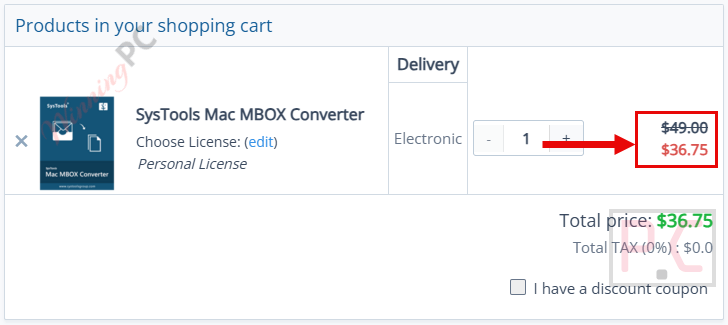
Currently, WinningPC offers a 25% OFF discount, lowering the regular price of $49 down to just $36.75 for a Personal License.
Can I process several MBOX files at the exact same time?
Yes, you can utilize the ‘Add Folder’ button to upload and convert an entire directory of files simultaneously.
Will my email attachments be lost during the export?
No, SysTools Mac MBOX Converter ensures that all attached files, inline images, and email body content are fully saved.
Do I need to have Microsoft Outlook installed to generate a PST file?
No, the application works completely on its own and does not require Outlook or any other client to function.
Is SysTools Mac MBOX Converter possible to filter my emails before saving them?
Yes, a built-in Date-Filter lets you set a specific timeline, so you only export messages from that exact period.
How do I organize my output files effectively?
You can apply naming conventions to single email files by using parameters like subject, date, and time.
Can SysTools Mac MBOX Converter handle files downloaded from Google Takeout?
Yes, it can easily read Google Takeout MBOX files and maintain their entire internal folder structure.
Is there a way to extract message data into a spreadsheet?
Yes, you can select CSV as the export format, which will format the text for spreadsheets while placing attachments into a separate folder.
System Requirements & Details
| Feature | Specifications |
|---|---|
| Language Support | English |
| Operating System | MacOS X 10.8 (Mountain Lion) to MacOS X 15.0 (Sequoia) |
| Processor | Mac Computer with Intel Processor or Apple Silicon (Apple M1) |
| RAM & Storage | 4 GB RAM, 200 MB of free hard disk space |
| Supported Input | MBOX, MBX, MBS |
| Supported Output | PDF, EML, HTML, EMLX, CSV, TXT, MHT, MSG, PST |