
Every ZeroBounce discount, priced out

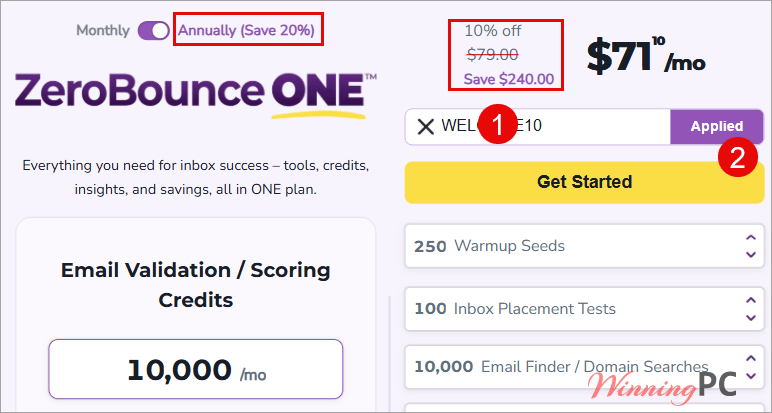
ZeroBounce ONE - Annually
Extra discount + 15% off on Pay-As-You-Go Credits and autopay
How to claim your discount at checkout
- Log in to your ZeroBounce account.
- Go to the Pricing & Plans page or the ZeroBounce ONE and select your preferred plan and billing term.
- In the popup or checkout page, look for “Have a promo code?”
- Enter your ZeroBounce coupon code, click Apply, and confirm that the discounted price is shown before completing payment.
How well does ZeroBounce actually work?
The validation engine is the part that earns the price. It runs nine passes over each address, and the two that matter most are the last two: unknown results get retested from different IP addresses in different countries to get around greylisting, and passing addresses get sorted into abuse, toxic domain, catch-all or disposable buckets rather than a flat valid/invalid verdict. That sorting is what lets you keep a catch-all segment instead of deleting it.
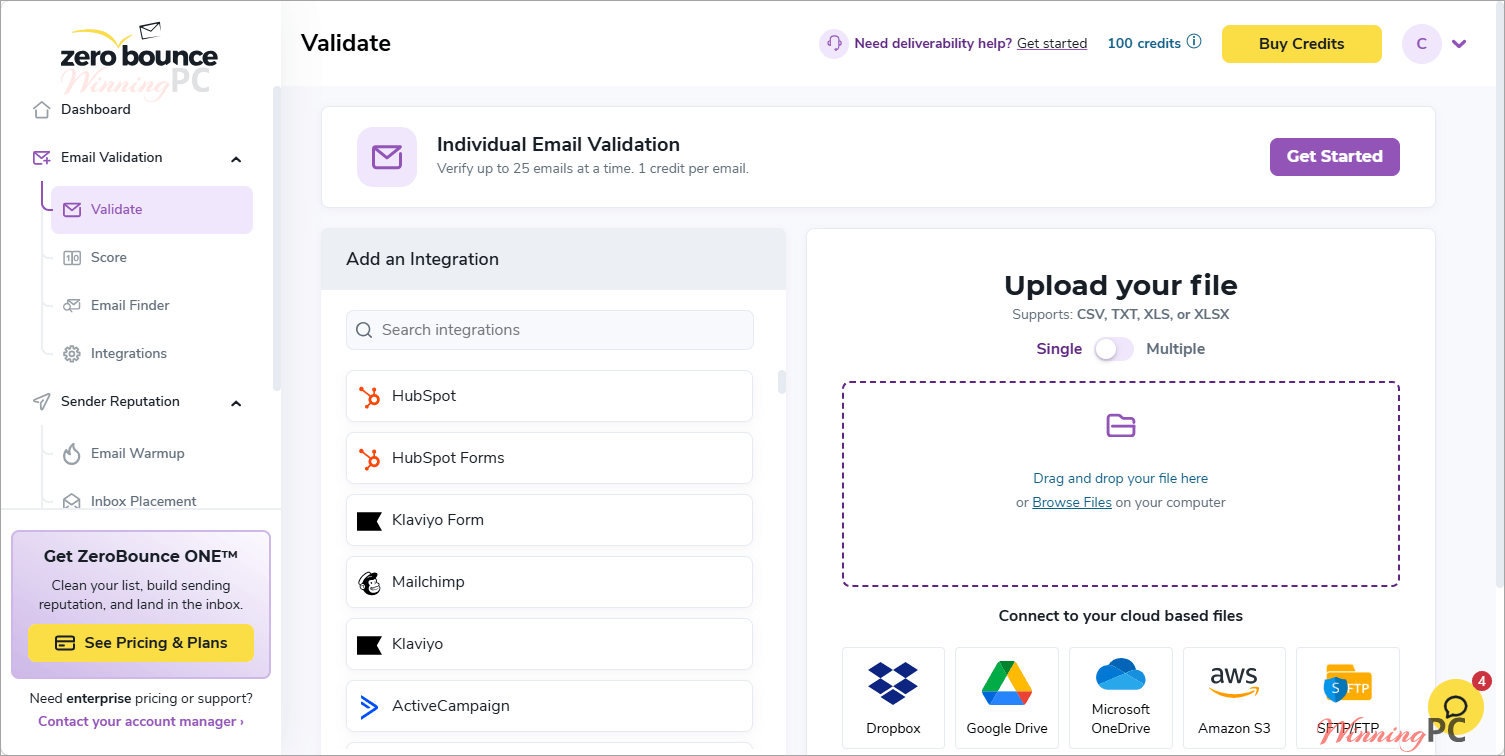
Where ZeroBounce is weaker is the thing every verifier is weak at: catch-all domains, where no tool can confirm a mailbox exists. ZeroBounce answers that with AI Email Scoring on a 1 to 10 scale, but scoring burns a second credit per address, so a list that is half catch-all costs meaningfully more than the headline rate suggests. Speed is fine for most workloads, roughly 45 to 60 minutes per 100,000 contacts, faster on common freemail domains.
Key features
- Validation with data append: Every clean address comes back with first and last name, IP location, gender, SMTP provider, domain age and whether it is a free or paid account, at no extra credit cost.
- Email Warmup: Connects any SMTP mailbox and builds engagement gradually, with per-provider inbox, spam and promotions reporting plus SPF, DKIM and DMARC alignment tracking.
- Inbox Placement Test: Sends a real campaign through 20+ providers including Gmail, Outlook, Yahoo, GMX, Zoho and iCloud, then breaks down where it landed by spam engine.
- Blacklist and DMARC monitoring: Watches your domain, IPv4 and IPv6 against 200+ blacklists every eight hours, and reports DMARC failures with alerts for spoofing.
- Email Finder: Works out a company’s address pattern from a name and domain, then verifies the result in real time. Costs 20 credits per successful query, which is the detail most people miss.
What we liked, what we didn’t
Which ZeroBounce plan should you buy?
| Plan | Credits | Tool access | Credits roll over? | Best for |
|---|---|---|---|---|
| Freemium | 100/mo | Validation, 1 inbox test, 1 server test, 1 blacklist monitor, 10 Email Finder queries | No, replenished monthly | Testing the accuracy on a sample before you commit |
| Pay-as-you-go | What you buy, 2,000 minimum | Validation, scoring and Email Finder only | Never expire | Cleaning a list once a quarter |
| ZeroBounce ONE monthly | 10,000/mo and up | Full suite including Warmup, DMARC Monitor and the Deliverability Dashboard | Yes | Teams sending every month who want to cancel freely |
| ZeroBounce ONE annual | 10,000/mo and up | Identical to monthly | Yes | Committed senders chasing the lowest per-credit rate |
Is there a cheaper option than ZeroBounce?
| Tool | Typical entry rate | Anything beyond validation? | Best for |
|---|---|---|---|
| ZeroBounce ONE (our pick) | $79.20/mo effective on annual billing, about $0.0079 per credit | Yes: warmup, DMARC, blacklist monitoring, inbox placement, Email Finder | Teams that need deliverability tooling, not just a clean list |
| NeverBounce | Around $0.008 per email at 10,000 | No, verification only | Teams already inside the ZoomInfo stack |
| MillionVerifier | From roughly $4.90 for 2,000 credits | No, verification only | Bulk list cleaning on a tight budget |
| ZeroBounce Freemium | $0 | Partial: one inbox test, one server test, one monitor | Lists under 100 addresses a month |
Be honest with yourself about which column you are buying. If all you need is a clean CSV once a quarter, MillionVerifier does that job for a fraction of the price and your remaining credits sit there indefinitely. ZeroBounce earns its rate when you also need warmup seeds, DMARC reporting and blacklist alerts, because buying those separately costs more than $99 a month. And if your list is genuinely small, the free tier’s 100 monthly credits may be all you ever touch.
Frequently Asked Questions
What is the biggest ZeroBounce discount right now?
20% off, through annual billing on ZeroBounce ONE. That takes the year from $1,188 to $950.40, an effective $79.20 a month for 10,000 credits, and saves $237.60 against paying monthly at list price.
Does code WEL**E10 stack with the 20% annual discount?
The code covers all ZeroBounce ONE plans and pay-as-you-go credits, so it should apply on annual billing too, but we could not confirm the two stack. If they do, the year comes to $855.36, which is 28% off rather than 30%, because the 10% is calculated on the already-discounted total. Enter the code and read the total before confirming.
What is the cheapest way to buy ZeroBounce credits?
Annual ZeroBounce ONE, at about $0.0079 a credit. Monthly with the code works out at $0.00891, and twelve months of that is $1,069.20 against $950.40 for the year up front. Pay-as-you-go is cheaper for a single job but locks you out of Warmup and DMARC Monitor.
Is there a free ZeroBounce plan?
Yes. Freemium gives you 100 validation credits a month, one inbox placement test, one email server test, one blacklist monitor and 10 Email Finder queries.
How many credits does Email Finder use?
20 credits per successful query. That is the number most pricing comparisons leave out. The 10,000 credits in ZeroBounce ONE stretch to 10,000 validations or 500 Email Finder lookups, and you draw from the same pool for both.
Is ZeroBounce ONE a contract?
It bills on your signup date until you cancel, and unused credits roll over. Tests, monitors, searches and warmup seeds do not roll over, so those reset whether you used them or not.
System Requirements & Details
| Platform | Browser-based, plus a REST API and an iOS app. No desktop install. |
| Supported input formats | .CSV, .XLS, .XLSX, .TXT |
| Supported delimiters | Comma, pipe, tab, semicolon |
| Upload sources | Direct upload, Dropbox, Google Drive, Microsoft OneDrive, Amazon S3, SFTP/FTP, or 60+ integrations |
| Result output | Password-protected .ZIP files split by status code, with new columns appended as “ZB {Column Name}” |
| API | 16 SDK languages; 99.99% stated uptime |
| Other requirements | A file extractor such as 7-Zip; Email Warmup needs an SMTP-capable mailbox; the Deliverability Dashboard needs a ZeroBounce ONE subscription and a connected Google Postmaster account |