On this page
Sysinfo PST Viewer Coupons & Pricing
Sysinfo PST Viewer
4 plans
Can you trust this SysInfo deal?
Yes. Every button sends you to SysInfo’s own order page, and the software itself is built so your mailbox never leaves your PC.
Official source
You buy directly from SysInfo, the publisher, not from a reseller or a grey-market key shop.
Read-only by default
SysInfo says the viewer never alters, overwrites or deletes your original PST, even while exporting. “Remove PST” only clears it from the current session.
Works offline
Viewing and file exports happen locally with no cloud upload. An internet connection is only needed if you choose to import into Microsoft 365.
30-day money-back
Every license is refundable within 30 days, and the free demo lets you test your own file before spending anything.
How to Use the Sysinfo PST Viewer Coupon Code
Click the Single User, Administrator, Technician or Enterprise deal button on this page to open the official SysInfo PST Viewer order page.
Fill in your billing information. Click “Submit Order” to receive your license code.
Enter the code in the installed program to lift the demo’s 100-emails-per-folder export limit.
Sysinfo PST Viewer Review & Features
SysInfo PST Viewer‘s read-only design is the part that matters most. When the PST is the only copy of a mailbox (say, evidence for a dispute or a departed employee’s archive), you can’t afford a tool that “repairs” the file in place, and this one won’t touch the original. Skip and Resume earns its keep on big archives too: an export that dies at 80% of a 40 GB file picks up where it stopped instead of starting over. The limits are worth knowing up front, though.
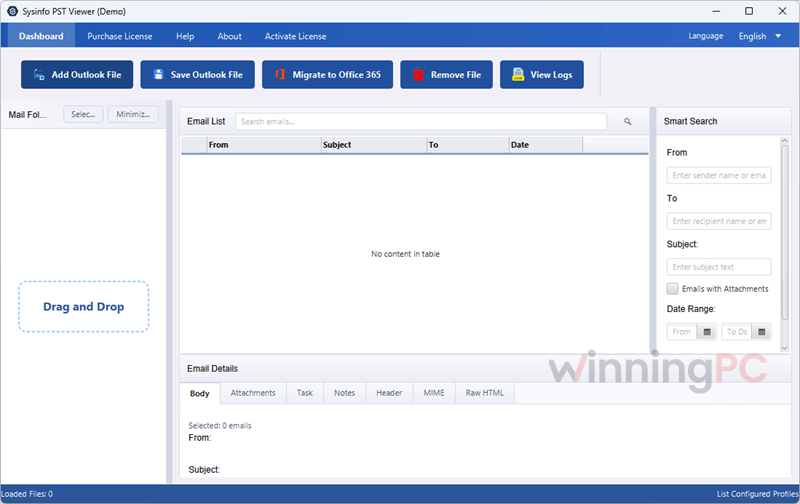
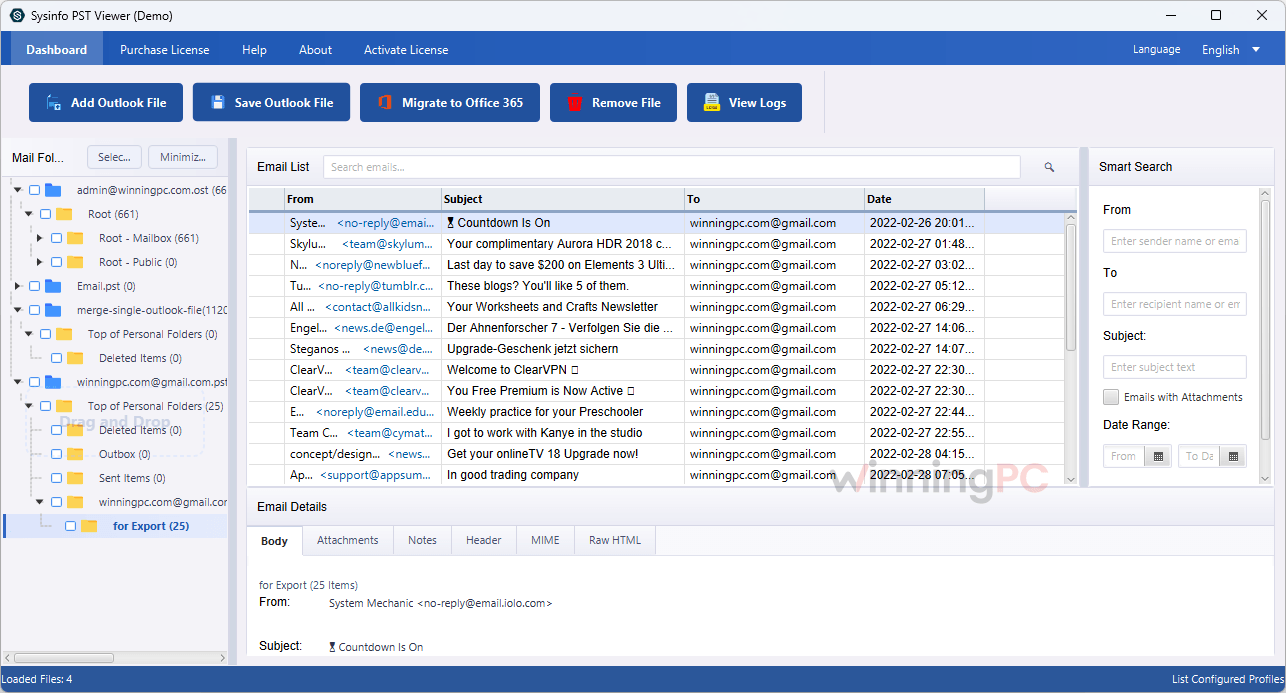
The preview panel shows 20,000 emails at a time, so huge mailboxes need searching rather than scrolling. Heavily corrupted files only get a warning, not a rescue. And the Microsoft 365 import requires admin consent in Microsoft Entra ID, which puts that half of the tool firmly in IT-admin territory.
Key features
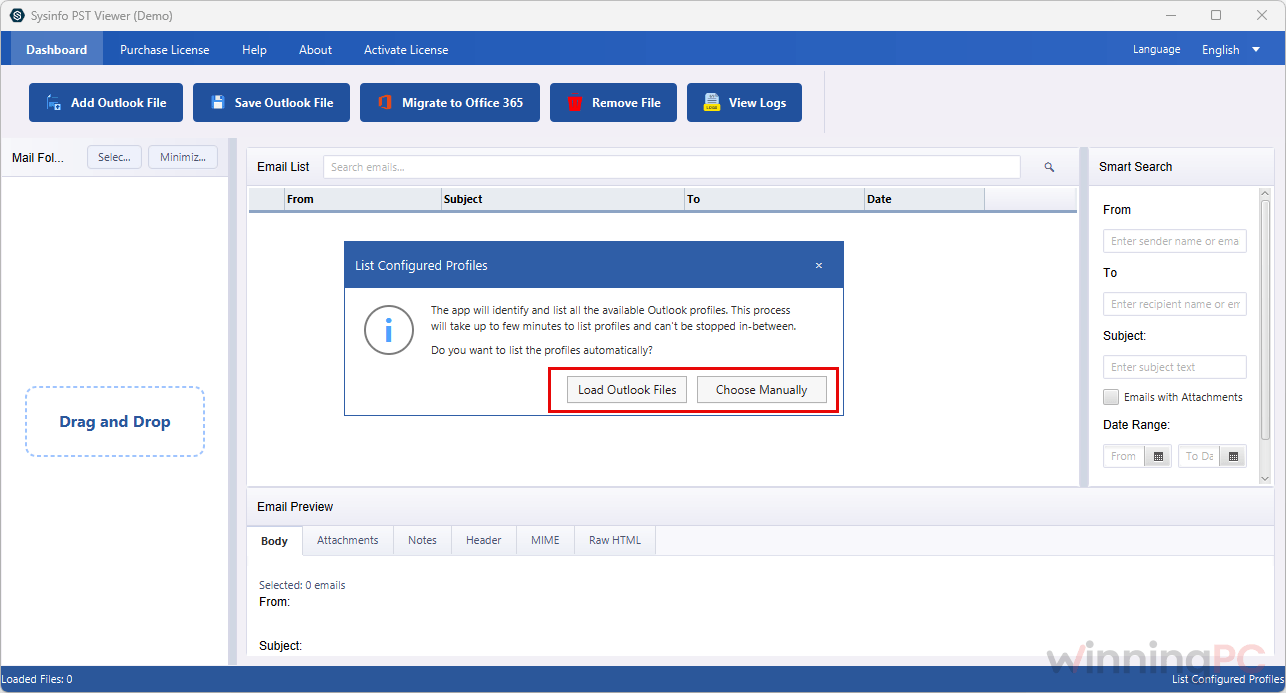
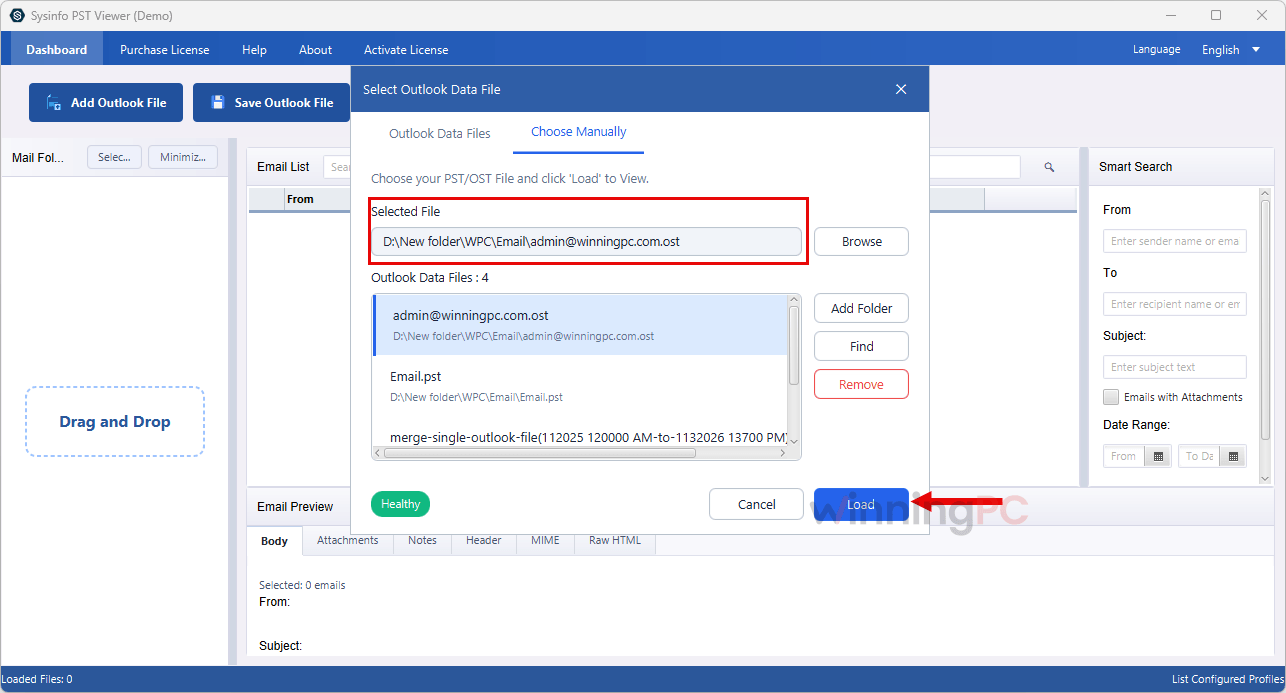
- Open PST files without Outlook, including orphaned, password-protected and oversized ones, with automatic detection of existing Outlook profiles.
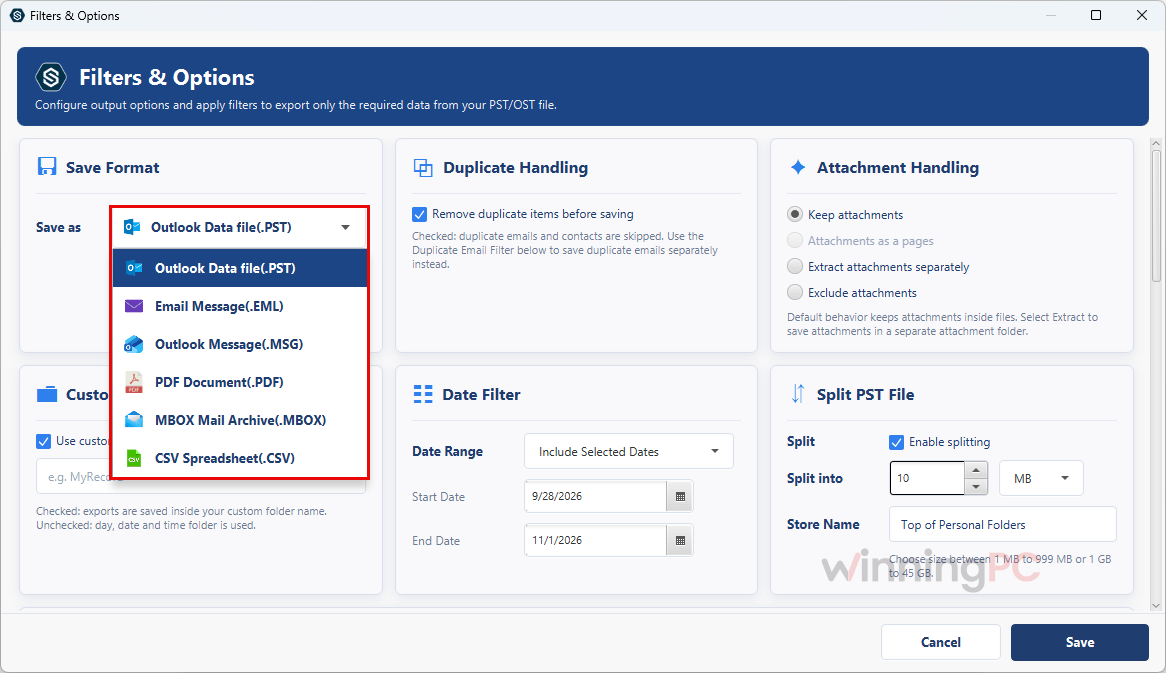
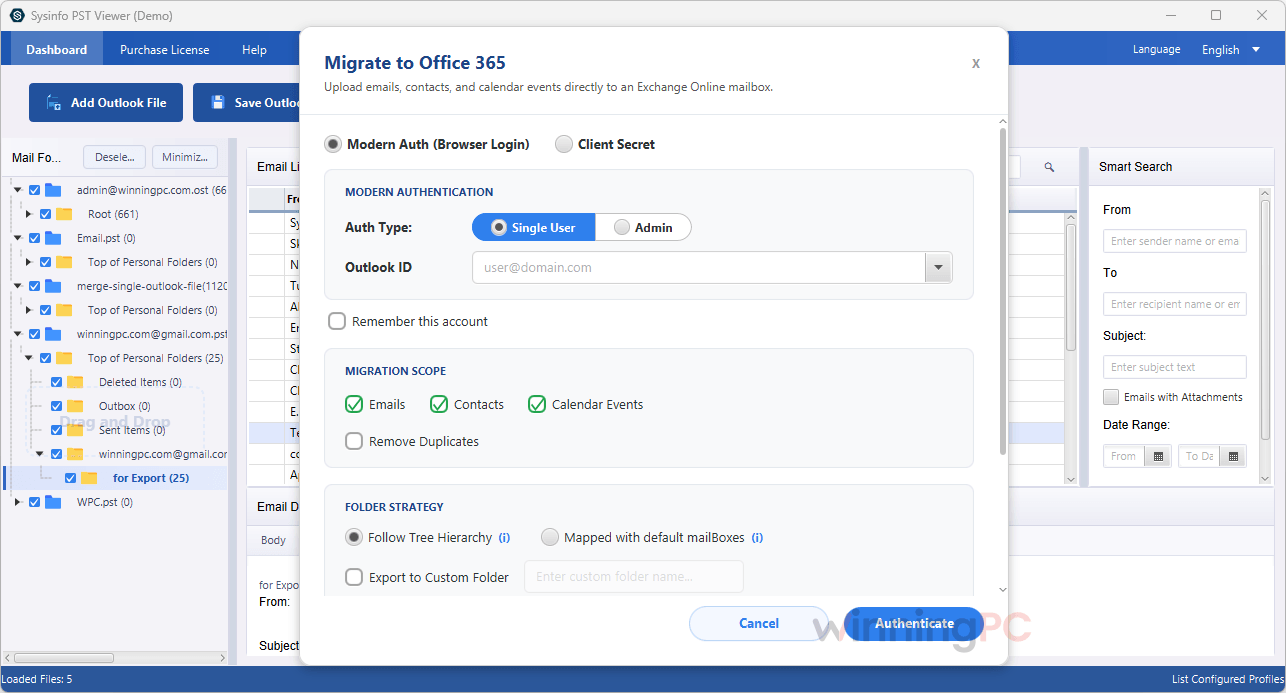
- Export to PST, EML, MSG, MBOX, PDF (single or merged) and CSV, or import straight into Microsoft 365 with 1-to-1, 1-to-many and many-to-many folder mapping.
- Advanced search by From, To, Subject, date range and attachments, plus header, MIME, raw HTML and hex views for forensic checks.
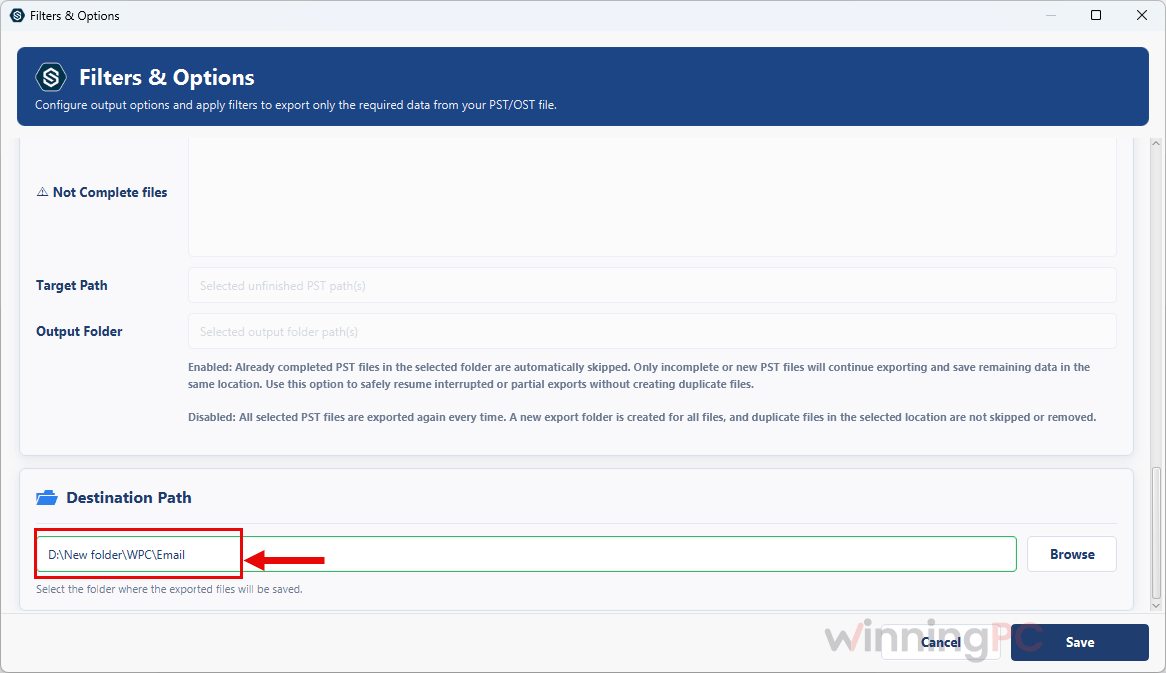
- Export controls that save cleanup later: date and text filters, duplicate removal, four attachment-handling options and automatic splitting past 45 GB.
- Interface in English, French, German, Italian, Spanish or Japanese.
What we think
More Sysinfo PST Viewer Main Screenshots
Which Sysinfo PST Viewer Plan Should You Buy?
| License | Opens OST files? | Cost per system per year | Best for |
|---|---|---|---|
| Single User | No, PST only | $24.50 | One person with a home and a work PC |
| Administrator | Yes | $39.80 | Rarely the right pick (Technician costs $100 more for 2 extra systems and a second year) |
| Technician | Yes | $21.36 | IT consultants and small teams handling OST files |
| Enterprise | Yes | $16.63 | Larger teams running multi-year archive or migration projects |
SysInfo PST Viewer vs the alternatives
| Tool | Price | License model | Strongest at | Best for |
|---|---|---|---|---|
| SysInfo PST Viewer (this deal) | From $49 | 1 to 3 year licenses | Viewing + 6 export formats + Microsoft 365 import in one tool | Admins who need to read and migrate PSTs |
| SysTools PST Viewer Pro+ | $96.75 | 1-year, 1 machine | Viewing + export to PST, MBOX, MSG, EML, EMLX | One user who wants a license that never expires |
| vMail PST to MBOX Converter | $21.75 | 1 year/2PCs | Converting PST to MBOX, EML, MSG and HTML | Moving Outlook mail into Thunderbird or Apple Mail |
| BitRecover PST Converter Wizard | $23.20 | 1 year, 2 machines | 39 output options | Bulk conversion to unusual formats |
| Microsoft Outlook | $0 extra if you already own it | Your existing license | Opening PST natively | Anyone with a working Outlook install |
Frequently Asked Questions
Is SysInfo PST Viewer free?
Yes, for viewing. The free demo opens and previews whole PST files, and exports up to 100 emails per folder. You only need a paid license for larger exports or full Microsoft 365 imports.
Can the $49 Single User license open OST files?
No. According to SysInfo, the Single User license covers PST files only. OST viewing and export come with the Administrator, Technician and Enterprise licenses.
Is Sysinfo PST Viewer a one-time payment?
No. Each license has a validity period: 1 year for Single User and Administrator, 2 years for Technician, 3 years for Enterprise. The listing doesn’t say whether licenses renew automatically or what happens when they expire, so check the order page before you pay.
Can it open a corrupted PST file?
Usually, if the damage is minor. SysInfo says it reads files with light or header-level corruption, including ones ScanPST.exe gives up on, but shows a warning for severely corrupted files. Load yours in the free demo first and you’ll know before buying.
Does Sysinfo PST Viewer work on Mac or Linux?
Yes, SysInfo lists both. On a Mac it needs macOS 10.13 High Sierra or later, on either Apple Silicon or an Intel chip. Linux is supported too, though SysInfo doesn’t publish which distributions. The listing also doesn’t say whether one license covers several operating systems, so choose the right edition on the order page.
My antivirus or Windows Defender blocks it. Is it safe?
SysInfo says every release is scanned and malware-free, and its own troubleshooting suggests allowing the program in your security settings. Rather than switching protection off completely, download only from sysinfotools.com and add an exception for the installer.
Do I need Sysinfo PST Viewer to move a PST into Microsoft 365?
Not necessarily. Microsoft offers its own PST import service in Microsoft Purview, but it’s a command-line, admin-level job. SysInfo adds point-and-click folder mapping, CSV mapping for many accounts and automatic retries when Microsoft throttles the upload. You’ll still need Global Admin consent either way.
How large a PST file can Sysinfo PST Viewer open?
SysInfo states there’s no size limit, from a few MB to hundreds of GB. Two practical caps apply: the preview panel lists 20,000 emails at once, and exports to PST or MBOX split automatically past 45 GB.
System Requirements & Details
| Field | Value |
|---|---|
| Available for | Windows, macOS, Linux |
| Windows versions | Windows 11, 10, 8.1, 8, 7; Windows Server 2008 and 2012 (32 & 64-bit) |
| macOS versions | macOS 10.13 High Sierra and later, including Catalina, Big Sur, Monterey, Ventura and Sonoma |
| Processor (Windows) | Intel Core 2 Duo E4600 (2.40 GHz) or better |
| Processor (Mac) | Apple Silicon (M1 or M2) or Intel-based Mac |
| RAM | 4 GB (8 GB recommended) |
| Disk space | 1 GB minimum |
| Version / size | 26.6 (released 9 June 2026), 220 MB download |
| Supported input formats | PST (ANSI & Unicode, Outlook 2000 to 2024 LTSC); OST with Administrator, Technician or Enterprise license |
| Supported output formats | PST, EML, MSG, MBOX, PDF (single or merged), CSV; direct import to Microsoft 365 |
| Other requirements | No Outlook needed. Internet + Microsoft Entra ID admin consent only for Microsoft 365 import |