Chris Bruner

Auto Print Order is an email automation tool that instantly prints incoming website orders, invoices, and delivery slips directly to your selected printer. Bypassing the need to manually check inboxes, it automatically generates physical packing lists and receipts to accelerate daily operations for high-volume environments like e-commerce shops, restaurants, and pharmacies.
- Status: ✅ Active & Verified
- Last checked: September 2026
- Offer: 15% Off
- Code: winningpc95233

Auto Print Order - 1 Year
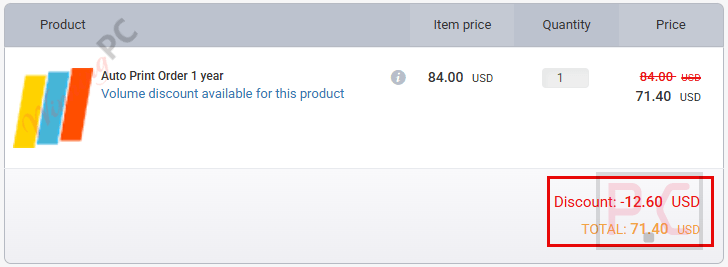
15% discount coupon code: regular price $84, discounted price $71.40
Auto Print Order - 2 Years
15% off coupon code: regular price $156, discounted price $132.60
Auto Print Order - Perpetual
15% discount code: regular price $299, discounted price $254.15
📄 Licensing & Support Details
- License type: 1-year/2-year/lifetime license.
- Refund: Do not offer refunds under any circumstances.
- Activation: License key provided after purchase.
- Support: Includes customer support.
- Updates: May include update access based on the purchased license.
📝 How to apply
- For guaranteed savings, activate the discount directly through our links above. When you click through WinningPC, the promo is automatically applied at checkout.
- Simply click the ‘Coupon Code’ button above and verify that the discounted price matches our screenshots before completing your payment.
What is Auto Print Order?
At its core, Auto Print Order is a locally installed Windows application designed to connect directly to your email inbox and automatically send specific emails or attachments to your printer.
Who is it for?
- Restaurateurs & Caterers: Print online orders for takeaway directly to the kitchen.
- Retailers & eShops: Automatically print delivery slips and invoices from Shopify, WooCommerce, etc.
- Pharmacies: Automate the printing of prescriptions received via email.
- Webmasters & Agencies: Integrate automated printing systems for client premises.
Hands-on Review & Key Features
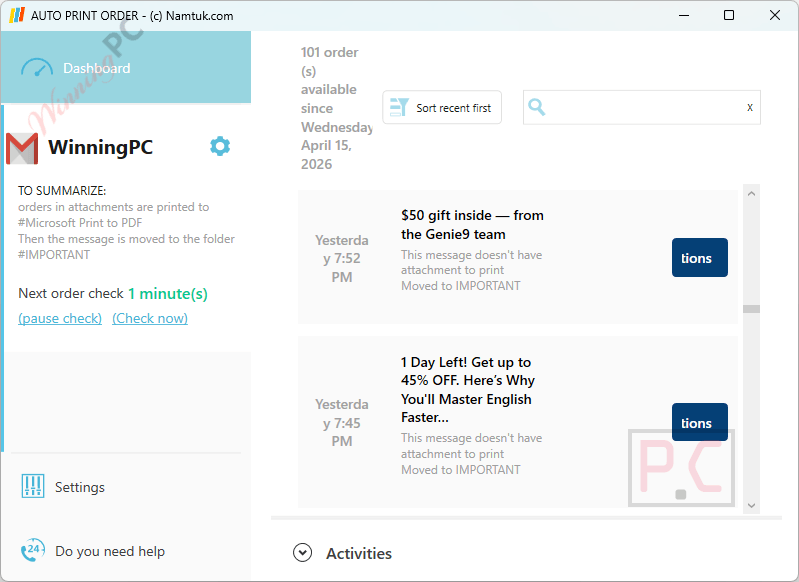
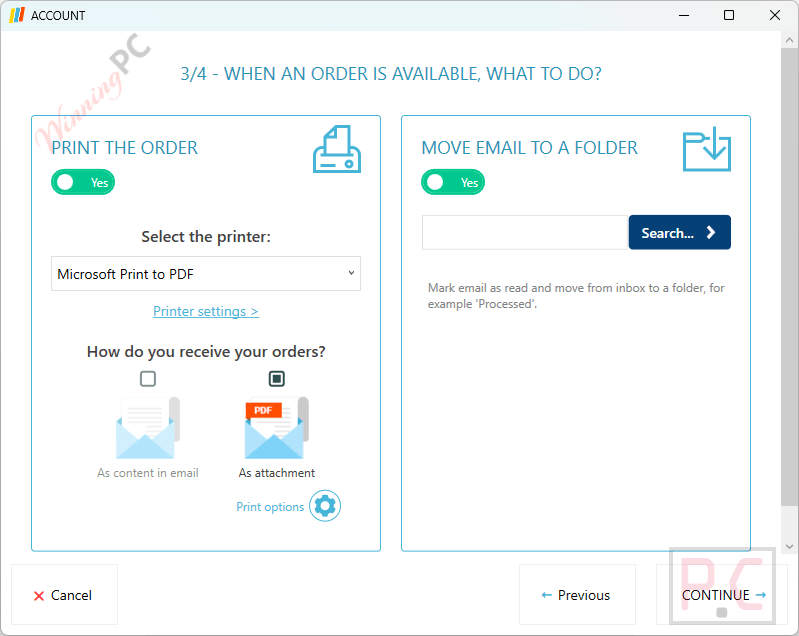
- Automated Email Processing: automatically detects incoming order emails and extracts the required data without manual input.
- Auto Printing System: prints attachments or email content instantly when new orders arrive.
- InboxZero Workflow: marks processed emails as read and moves them to an archive folder, keeping your inbox clean.
- Background Service Operation: runs silently in the background and continues printing even when you are not logged into Windows.
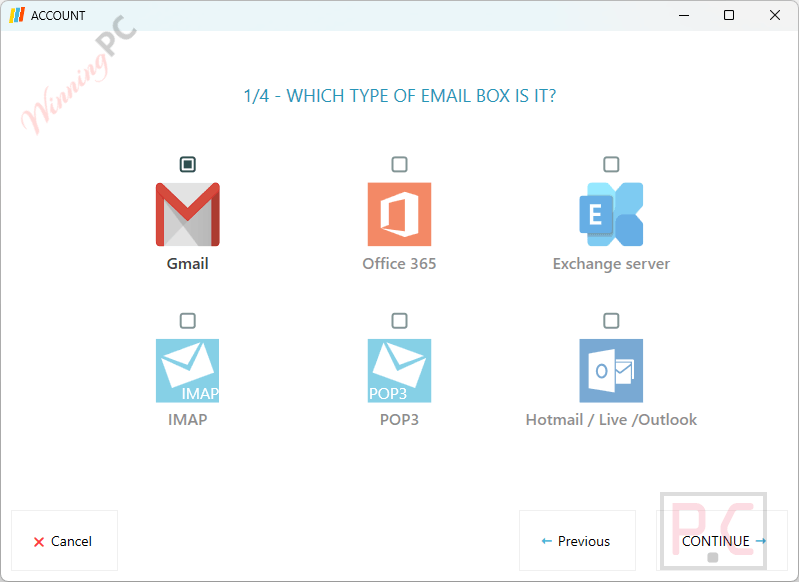
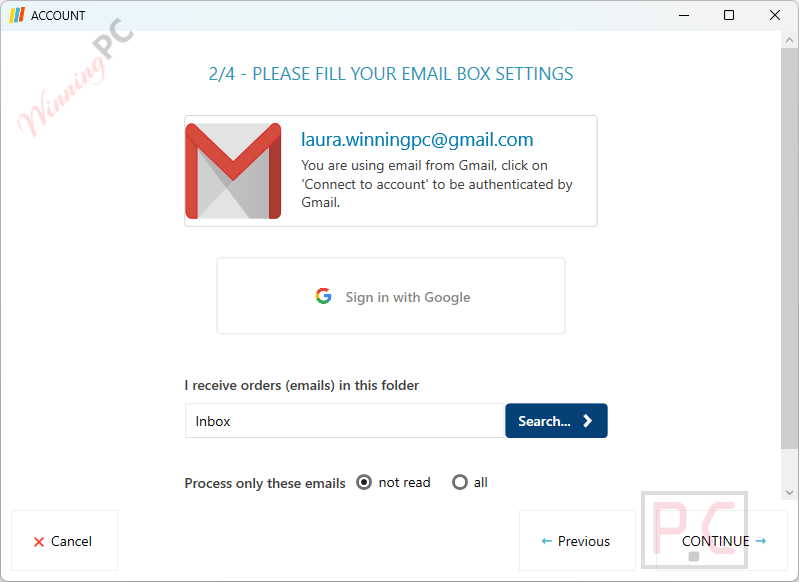
- Simple Setup Interface: step-by-step configuration makes it easy to connect email accounts in just a few minutes.
- Reliable for Unattended Use: works consistently for unmanned environments like shipping stations or order processing systems.
- Hands-Free Order Handling: eliminates the need to manually open, review, or print emails.
Pros & Cons
More Auto Print Order screenshots
Frequently Asked Questions
Where can I find the best coupon code for Auto Print Order?
WinningPC is currently the best place to find the verified coupon code for this product, offering the highest discount rate on the market.
Do I need Outlook or another email reader installed?
No. We found that ‘Auto Print Order’ connects directly to your email box (IMAP/POP/Exchange) and does not require any additional email software.
Do I have to be logged into my computer for orders to print?
No, you don’t. The software runs as a background service, meaning it will detect and print new orders even when no user is actively logged into Windows.
Are my customer orders processed in the cloud?
No. One of the best features of Auto Print Order is that it is a 100% local application. Your data is processed and stored exclusively on the computer or server where it is installed.
Does it support WooCommerce and Shopify?
Absolutely. It is compatible with all eCommerce platforms because it operates based on the order emails sent by your store to your inbox.
Will it mark my printed emails as read?
Yes. You can configure the software to print the email and then automatically mark it as read or move it to a specific archive folder to keep your inbox clean.
System Requirements & Details
| Feature | Specifications |
|---|---|
| Operating System | Windows 11, 10, 8, Server 2022, 2019, 2016, 2012 (Windows 32 & 64 bits) |
| Hard Disk Space | 150 MB available |
| Frameworks | Microsoft framework .NET 6 and Webview2 (will be installed if not present) |
| Email Compatibility | Office 365, Exchange, Gmail, Apple, Yahoo, Orange, Verizon, Lotus, Any IMAP4, Any POP3 |
| eCommerce Compatibility | WooCommerce, Shopify, Magento, Prestashop, OpenCart, Squarespace, Wix, Amazon seller, eBay seller |