Laura Marano

Kernel Google Chat Export Tool is a utility designed to export Google Chat conversations, including messages and attachments, into formats like PDF and HTML.
Kernel Google Chat Export Tool
5 plans · best save 30%

📄 Licensing & Support Details
- 30-day money-back guarantee
- 24×7 free support
- Delivery key via email in 15 minutes.
- Secure checkout
📝 How to apply
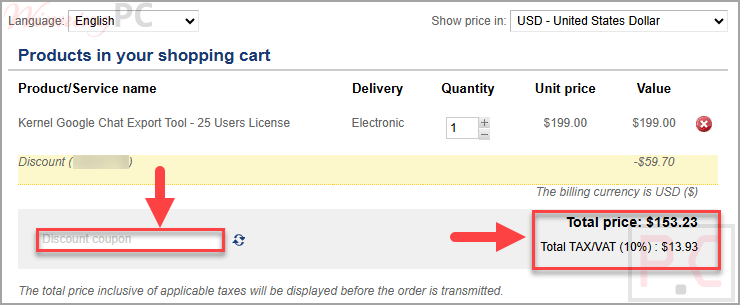
Click ‘Copy Code’ to save your discount and proceed to the checkout page. Please review your order details and final total before completing your purchase.
What is Kernel Google Chat Export Tool?
Kernel Google Chat Export Tool helps users export Google Chat data from Google Workspace accounts to local or NAS storage. It supports exporting conversations, attachments, and metadata while preserving the original structure and formatting.
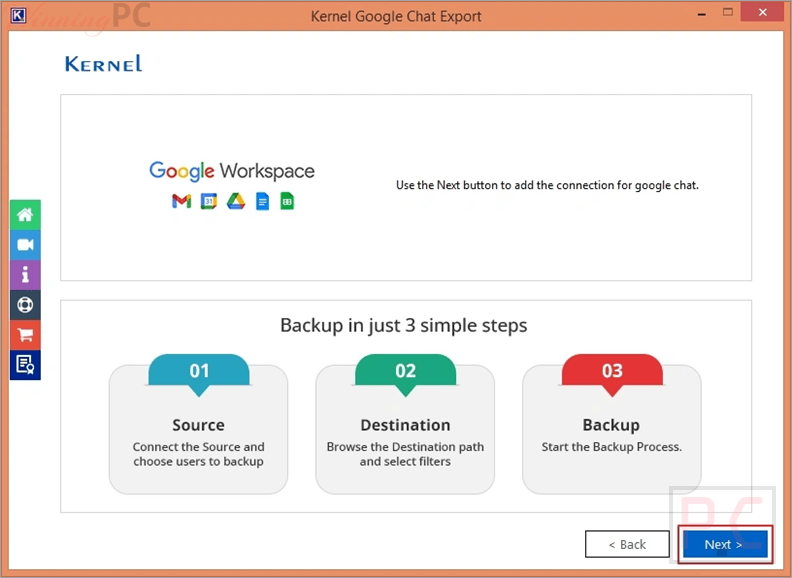
In-Depth Review & Features
- Export chats to PDF and HTML: save conversations in widely used file formats.
- Supports multiple chat types: export direct messages, group chats, and Spaces.
- Attachment handling: saves all shared files into separate folders within the backup directory.
- Advanced search: find specific Google Workspace users quickly using name or Gmail ID.
- Selective export filters: filter data by date, chat type, and attachments.
- Multiple instances support: run several export processes simultaneously without overlap.
- Local and NAS storage support: choose where to store exported data.
- Preserve structure and formatting: maintains chat content, permissions, and layout.
- Export reports to CSV: generate reports after completion for record-keeping.
- Real-time progress tracking: monitor export status with live summaries.
Pros & Cons
More screenshots


Frequently Asked Questions
What data is included in the export?
It includes messages, mentions, attachments, metadata, and more.
Can I export only specific chat types like Spaces?
Yes, you can use chat type filters to export only Spaces or other selected chat types.
Is there a free version available?
Yes, a demo version allows saving 3 chats of 1 user for testing purposes.
Can I export chats for multiple users at once?
Yes, the tool supports bulk export for multiple Google Workspace users.
Where are attachments saved after export?
Attachments are stored in separate folders within the user’s chat backup directory.
Can I export Google Chat to HTML format?
Yes, HTML is supported as an output format during the export process.
Can I save Google Chat as a PDF using this tool?
Yes, the tool allows exporting chats directly into PDF format along with full conversation data.
Where can I find the latest Kernel Google Chat Export Tool coupon code?
You can use the current code VW***30 to get 30% off on supported licenses on WinningPC.
System Requirements & Details
| Feature | Specifications |
|---|---|
| Operating System | Windows 365, 11, 10, 8.1, 8, 7, Vista, XP, 2000, 98, NT, 95 |
| Windows Server Support | 2022, 2019, 2016, 2012, 2008 R2, 2008, 2003 R2, 2003 |
| Processor | Intel® Pentium compatible (x86, x64) or equivalent |
| Memory | Minimum 128 MB |
| Disk Space | 500 MB |