
 Cathryn Lee
Coolmuster Screen Recorder is a powerful Windows screen recording and screenshot tool that lets users record full-screen or custom regions in HD MP4 format and capture screenshots with built-in annotation tools. It also focuses on privacy by processing everything locally on your computer without uploads or cloud storage.
Coolmuster Screen Recorder
Record Windows screen with HD quality. Capture system audio or mic, no watermark after registration, no time limit.
- ProductCoolmuster Screen Recorder
- Websitecoolmuster.com
- License1-Year
- PlatformWindows 11/10/8/7
- Installercool-screen-recorder.exe
- UseNon-commercial only
- UpdatesNo free updates
- SupportNo free tech support
- Updated2026-08-27
Coolmuster Screen Recorder Coupon Code & Pricing
Coolmuster Screen Recorder
6 plans · best save 50%
Activation Guide: How to get the Coolmuster Screen Recorder for free?
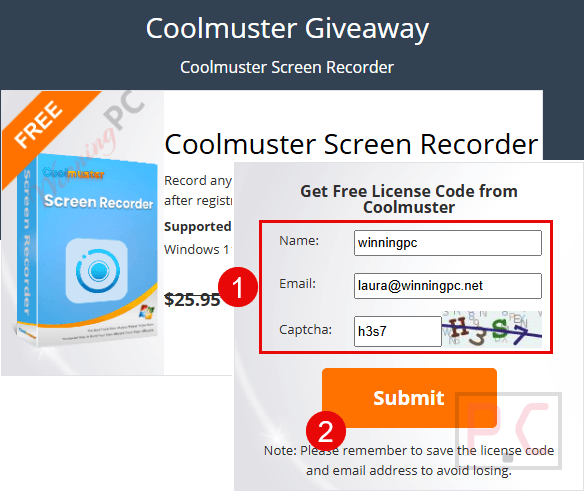
1. Enter your name and email to get a free license code on the giveaway page.
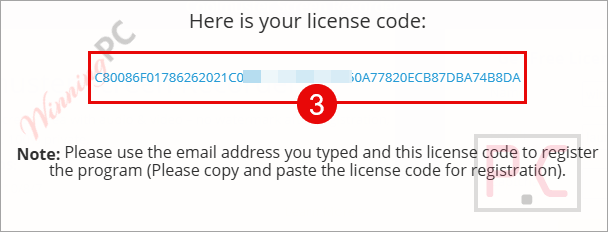
2. Install it on your computer and activate it with the Coolmuster Screen Recorder license code above.
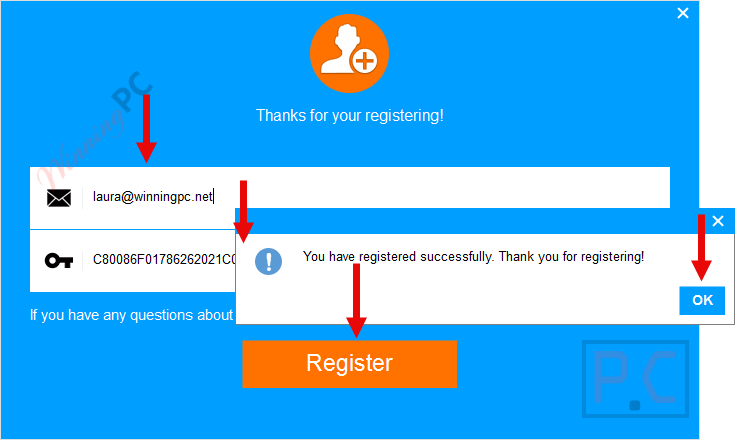
3. Enjoy it for 1-year free
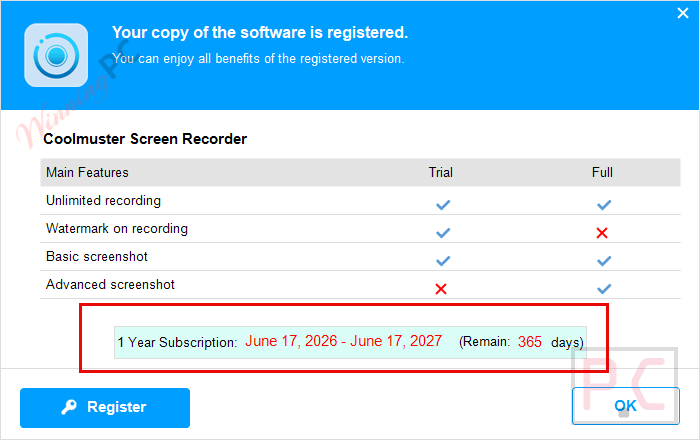
In-Depth Review & Features
Main Features
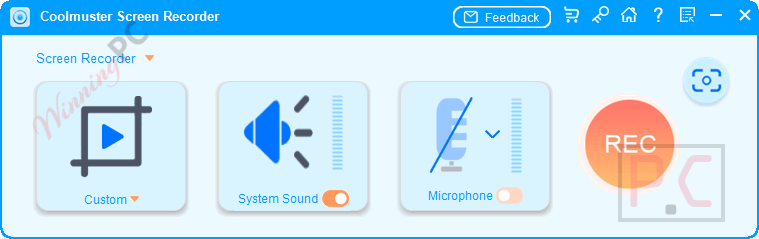
- HD Video Capture: Record your entire desktop, a specific application window, or a custom region, and save the footage as a crystal-clear MP4 file.
- Smart Area Selector: Drag to select a precise recording region using real-time pixel dimensions to get the exact frame you need.
- Single-Source Audio Routing: Choose to record either internal system sounds (like video playback) or your microphone for clean, isolated audio tracks.
- Screenshot Tool & Editor: Grab full or custom screenshots and instantly annotate them using built-in shapes, lines, arrows, and text.
- Multiple Image Formats: Export your screen grabs in lossless PNG, JPG/JPEG, or BMP formats.
- 100% Local Processing: All recording files stay completely on your PC without relying on cloud storage or external servers.
Pros & Cons
Frequently Asked Questions
I’m looking for a valid Coolmuster Screen Recorder promo code. Where is the best place to find one?
You can track down the latest working promotions and verified discounts directly on WinningPC, alongside any offers distributed through official Coolmuster channels.
What is the biggest savings currently available for Coolmuster Screen Recorder?
Right now, you can claim a 100% OFF promotional giveaway deal right here on WinningPC, bringing your cost down to zero for a full 1-year license.
Is there a time limit on how long I can record my screen?
No, once you register the software, there are completely unlimited recording sessions with no time restrictions whatsoever.
Will this software add a watermark to my exported videos?
As long as you activate the registration code, your exported MP4 videos will be entirely watermark-free.
Can I record my gameplay audio and my voiceover at the same time?
No, Coolmuster Screen Recorder is designed for single-source audio. You must choose either the system sound or the microphone before you start recording to prevent interference.
Do I need an internet connection to process the recordings?
No, all processing happens locally on your Windows PC. The software does not use external servers or cloud uploads, ensuring your personal data remains 100% private.
What file formats can I save my screenshots in?
You can export your captured screenshots in PNG, JPG/JPEG, or BMP formats.
Are there built-in tools to annotate my screenshots?
Yes, immediately after taking a screenshot, you can use the built-in editor to add text, lines, arrows, boxes, and circles to highlight specific information.
System Requirements & Details
| Feature | Specifications |
|---|---|
| Language Support | English, Français, Italian, Spanish, Swedish, and more… |
| Operating System | Windows 11/10/8/7 |
| Processor | 1GHz (32-bit or 64-bit) or above |
| RAM & Storage | 256 MB RAM minimum (1024 MB Recommended) / 200 MB free space |
| Supported Input | System Audio, Microphone Audio |
| Supported Output | Video: MP4 Image: PNG, JPG/JPEG, BMP |




64bit windows ONLY, uses LGPLv3 FFMPEG DLLs… Windows 10 or above can capture screen to MP4 already so no need for this rental-ware FFMPEG GUI. It offers NOTHING above the plethora of other FFMPEG GUI screen capture tools, so why give this space on our systems? Especially when other pseudo developers like these offer non-expiring licenses with their giveaways!