Chris Bruner
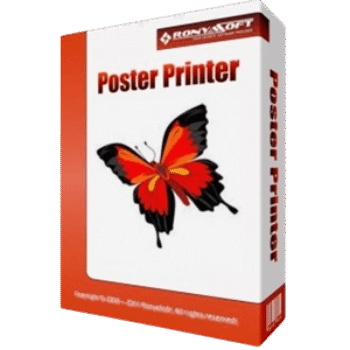
RonyaSoft Poster Printer lets you print large posters, banners, signs, maps, murals, and other oversized graphics using a regular home or office printer. It automatically splits large images into multiple pages, making large-format printing simple without requiring expensive plotters or design software.
RonyaSoft Poster Printer
3 plans · best save 20%
Home license ★ Best Deal
One license use for 1 PC | 30-day money-back guarantee
Business license
One license use for 1 PC | 30-day money-back guarantee
Enterprise license
One license use for an unlimited number of PCs | 30-day money-back guarantee
RonyaSoft Poster Printer: In-Depth Review & Features
Key Features
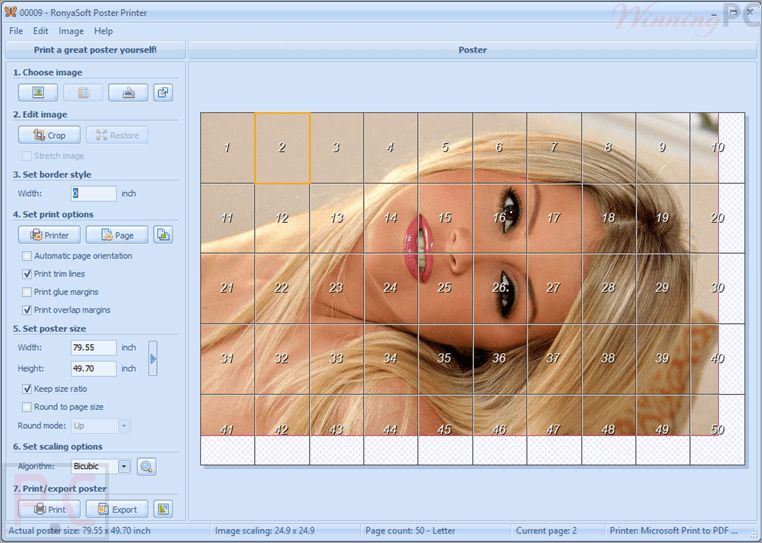
- Print large-format posters and banners using standard printers
- Automatically split oversized images across multiple pages
- Print posters up to 10 × 10 meters
- Save projects for future editing
- Export posters as PDF, JPG, PNG, or TIFF
- Multiple image resampling methods, including Bilinear, Bicubic, Hermite, and Lanczos
- Supports BMP, GIF, JPG, PNG, TIFF, WMF, and EMF files
- Import images from scanners and digital cameras via TWAIN
- Partial printing to save paper and ink
- Built-in poster size templates
- Metric and Imperial measurement units
- Multi-language user interface.
Pros & Cons
Frequently Asked Questions
Where can I find a RonyaSoft Poster Printer coupon code?
You can check WinningPC for the latest verified coupon codes, exclusive discounts, and pricing updates. It’s also worth checking the official RonyaSoft website for seasonal promotions.
What’s the biggest discount currently available?
WinningPC currently offers 20% OFF both the RonyaSoft Poster Printer Home and Business licenses, reducing the Home License from $19.95 to $15.96 and the Business License from $29.95 to $23.96.
Does the software require a large-format printer?
No. It is designed to work with standard home or office printers by dividing large images into multiple printable pages.
What types of files can I print?
The software supports BMP, GIF, JPG, PNG, TIFF, WMF, and EMF image formats, along with content copied from Word, Excel, PowerPoint, and the Windows clipboard.
Can I save posters before printing?
Yes. Projects can be saved as PDF or image files for previewing or professional printing.
What operating systems are supported?
It supports Windows XP, Vista, 7, 8, and 10 (32-bit and 64-bit versions).
Can I print only part of a poster?
Yes. Partial printing is available if you only need selected sections.
Why does my printed poster look blurry?
The final quality depends on the source image resolution, selected scaling method, and printer settings.
Can I use a scanner or digital camera?
Yes. TWAIN-compatible scanners and digital cameras are supported.
System Requirements & Details
| Feature | Specifications |
|---|---|
| Operating System | Windows XP, Vista, 7, 8, 10 (32-bit & 64-bit) |
| Processor | Pentium IV 1500 MHz or higher |
| RAM & Storage | Minimum 512 MB RAM |
| Supported Input | BMP, GIF, JPG, PNG, TIFF, WMF, EMF, TWAIN devices, clipboard, Word, Excel, PowerPoint. |
| Supported Output | Printed posters, PDF, JPG, PNG, TIFF. |